
Cursor Db Mcp
What is Cursor Db Mcp
cursor-db-mcp is a Model Context Protocol (MCP) server designed for querying Cursor IDE’s SQLite databases. It enables AI assistants to access and interact with project data, chat history, and composer information within the Cursor environment.
Use cases
Use cases for cursor-db-mcp include: 1) Retrieving a list of projects within Cursor, 2) Accessing specific chat histories for projects, 3) Analyzing chat data to identify frequent topics, and 4) Querying database tables for specific information.
How to use
To use cursor-db-mcp, first install it via the provided installation script by running ‘python install.py’. Then, configure it in Cursor IDE by navigating to Settings -> Cursor Settings -> MCP, adding a new MCP server with the appropriate command. Users can then query their Cursor data through AI assistants by asking questions related to their projects and chat history.
Key features
Key features of cursor-db-mcp include: 1) Access to Cursor project databases, 2) Querying capabilities for chat history and project data, 3) Tools for managing and refreshing databases, and 4) Integration with AI assistants for interactive data retrieval.
Where to use
undefined
Clients Supporting MCP
The following are the main client software that supports the Model Context Protocol. Click the link to visit the official website for more information.





Overview
What is Cursor Db Mcp
cursor-db-mcp is a Model Context Protocol (MCP) server designed for querying Cursor IDE’s SQLite databases. It enables AI assistants to access and interact with project data, chat history, and composer information within the Cursor environment.
Use cases
Use cases for cursor-db-mcp include: 1) Retrieving a list of projects within Cursor, 2) Accessing specific chat histories for projects, 3) Analyzing chat data to identify frequent topics, and 4) Querying database tables for specific information.
How to use
To use cursor-db-mcp, first install it via the provided installation script by running ‘python install.py’. Then, configure it in Cursor IDE by navigating to Settings -> Cursor Settings -> MCP, adding a new MCP server with the appropriate command. Users can then query their Cursor data through AI assistants by asking questions related to their projects and chat history.
Key features
Key features of cursor-db-mcp include: 1) Access to Cursor project databases, 2) Querying capabilities for chat history and project data, 3) Tools for managing and refreshing databases, and 4) Integration with AI assistants for interactive data retrieval.
Where to use
undefined
Clients Supporting MCP
The following are the main client software that supports the Model Context Protocol. Click the link to visit the official website for more information.
Content
Cursor DB MCP Server
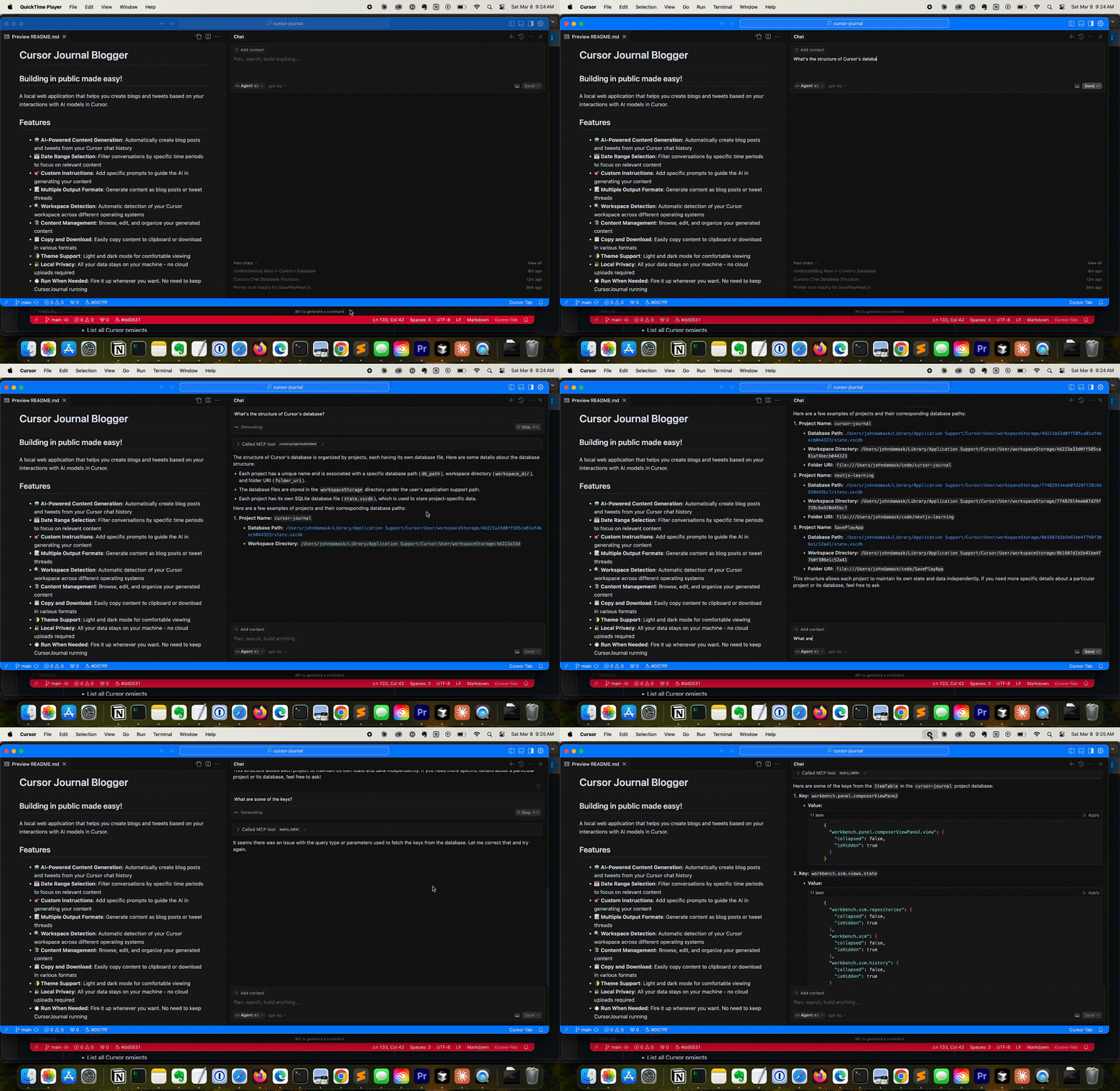
A Model Context Protocol (MCP) server for accessing Cursor IDE’s SQLite databases. This server allows AI assistants to explore and interact with Cursor’s project data, chat history, and composer information.
Cursor
Prerequisites
Cursor IDE
Installation
Easy Installation
Use the provided installation script to install all dependencies:
python install.py
This script will install:
- Basic MCP server and dependencies
Using with Cursor IDE
- Open Cursor and navigate to Settings->Cursor Settings->MCP.
- Click: Add new MCP server
- Name: Cursor DB MCP; Type: Command
- Command: <fully qualified path to>uv run --with mcp[cli] mcp run <fully qualified path to>/cursor-db-mcp-server.py
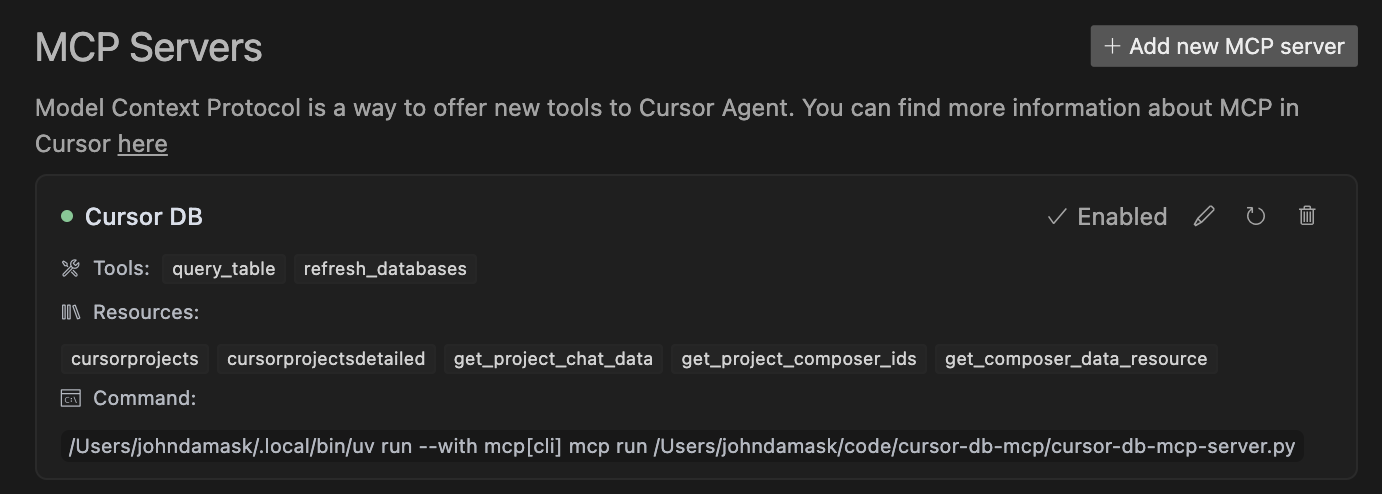
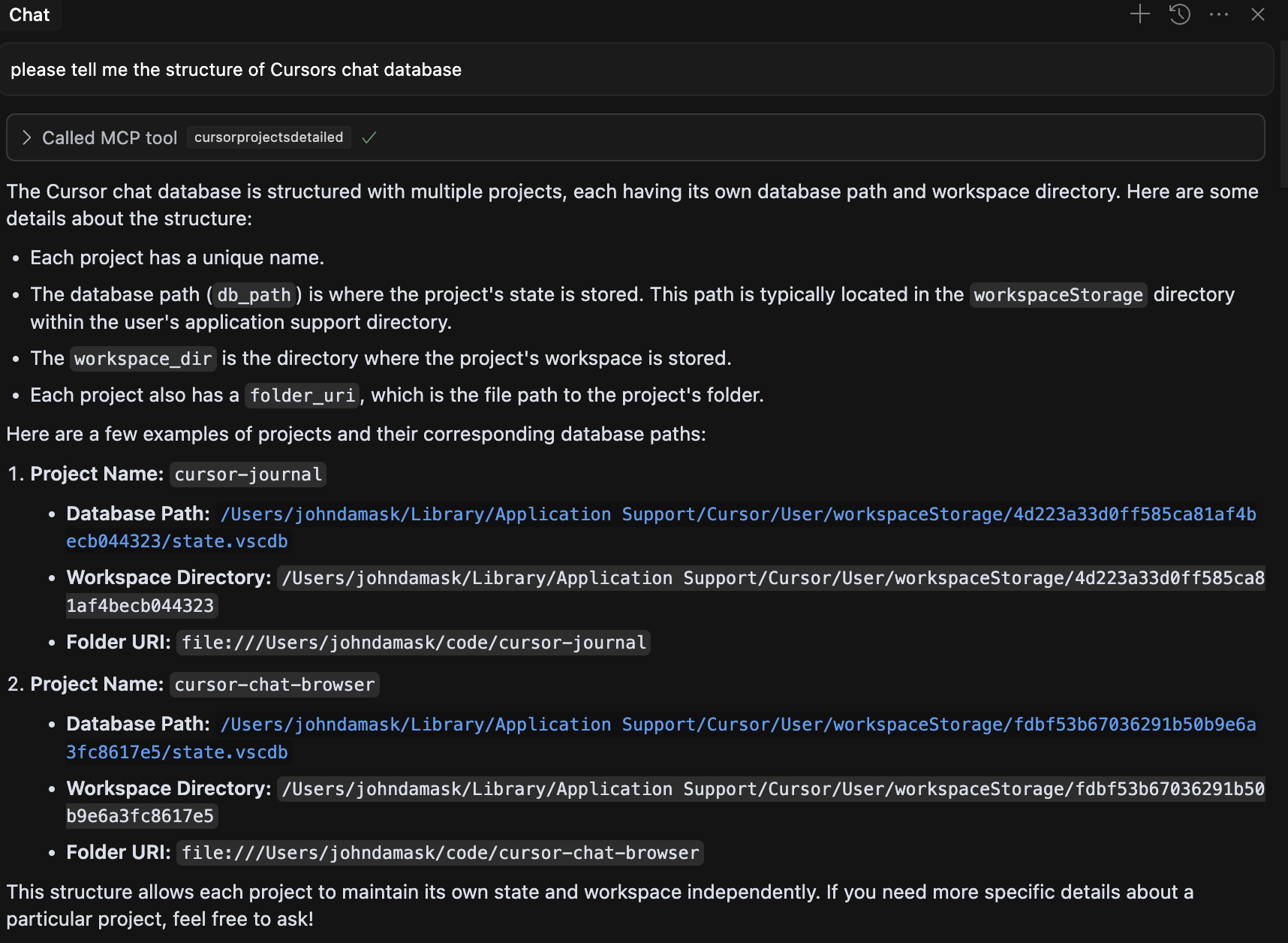
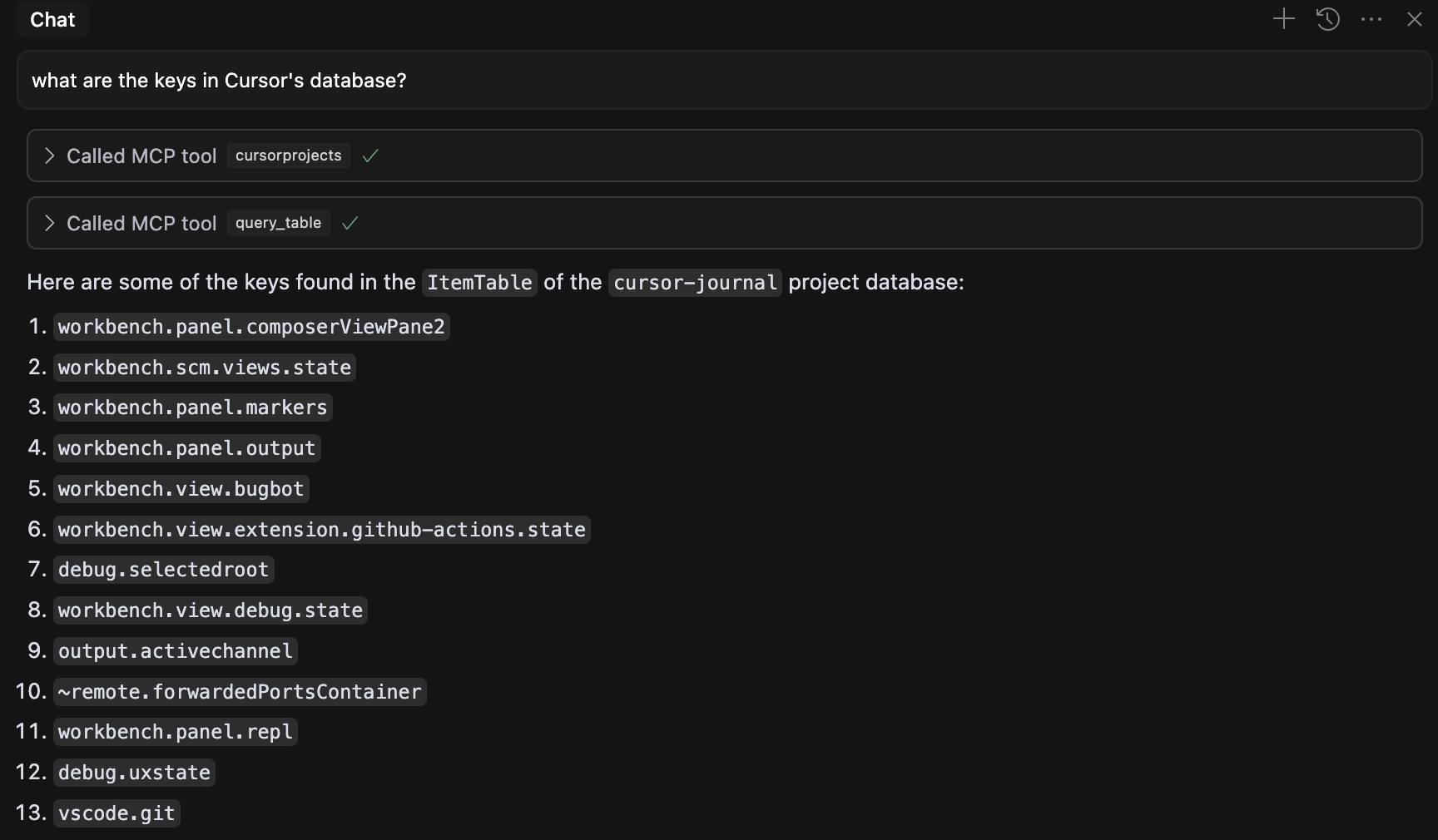
Now you can ask questions about the database or retrieve info about historical chats.
Using with Claude Desktop
Installing MCP servers for Claude Desktop
Add this to your claude_desktop_config.json file
    "cursor-db-mcp": {
      "command": "<fully qualified path to >/uv",
      "args": [
        "run",
        "--with",
        "mcp[cli]",
        "mcp",
        "run",
        "<fully qualified path to >/cursor-db-mcp-server.py"
      ]
    }
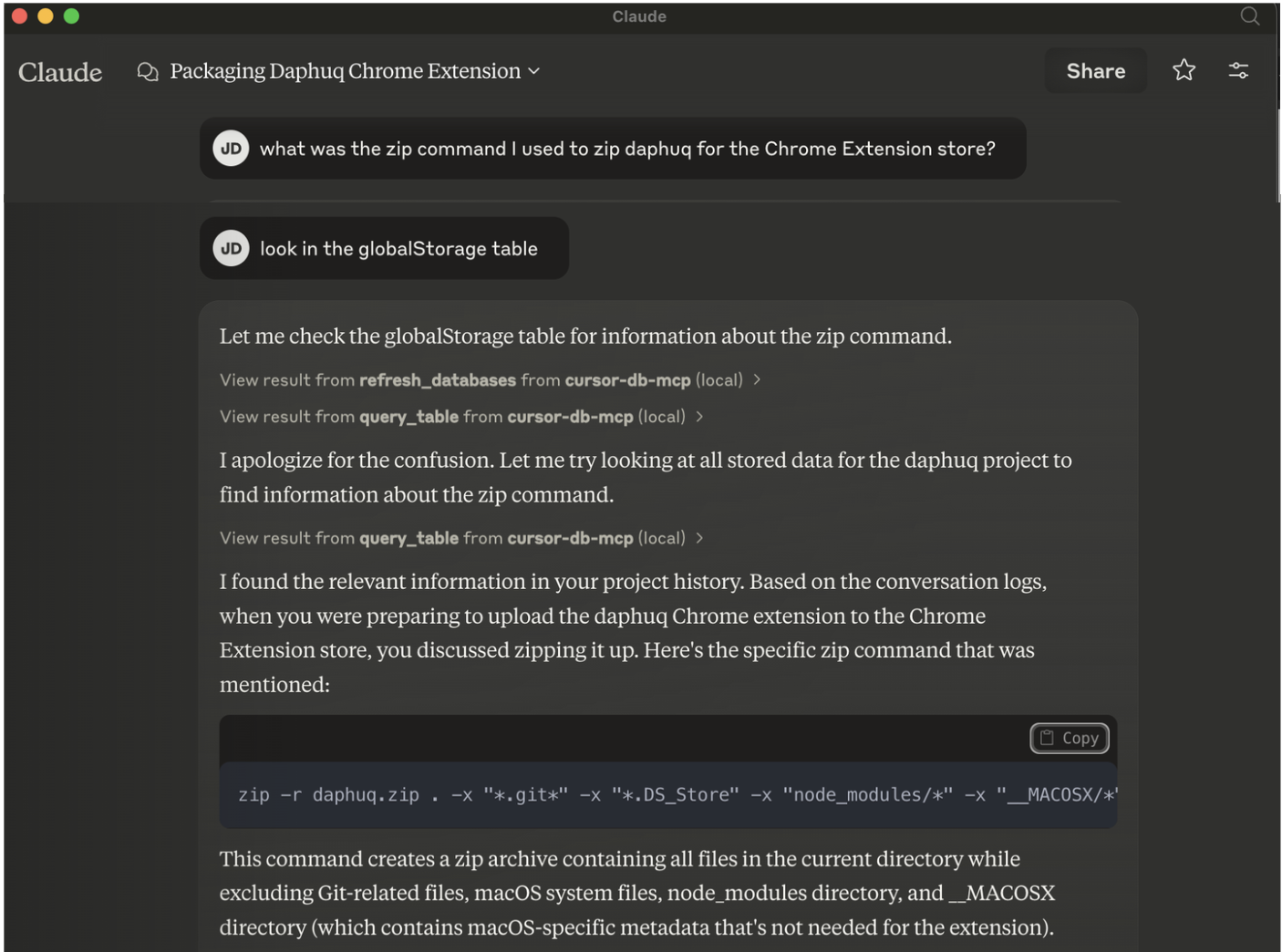
Available Resources
cursor://projects- List all available Cursor projectscursor://projects/detailed- List projects with detailed informationcursor://projects/{project_name}/chat- Get chat data for a specific projectcursor://projects/{project_name}/composers- Get composer IDs for a specific projectcursor://composers/{composer_id}- Get data for a specific composer
Available Tools
query_table- Query a specific table in a project’s databaserefresh_databases- Refresh the list of database paths
How It Works
The server scans your Cursor installation directory to find project databases (state.vscdb files). It then exposes these databases through MCP resources and tools, allowing AI assistants to query and analyze the data.
Notes
- Cursor stores AI conversations in different places. Increasingly, chats are stored as “composerData” under globalStorage/state.vscdb. If you don’t get results when asking about chats for recent projects, try asking for composers.
- This was written on a Mac. YMMV with other OS
Shameless Plug

Like this? Try Cursor Journal to create DevLogs directly from Cursor chat history!
License
MIT
Dev Tools Supporting MCP
The following are the main code editors that support the Model Context Protocol. Click the link to visit the official website for more information.







