
Dify Plugin Mcp Agent
What is Dify Plugin Mcp Agent
dify-plugin-mcp_agent is a Dify Agent strategy plugin that integrates MCP tool calls and common function call capabilities, allowing for enhanced interaction with MCP servers.
Use cases
Use cases for dify-plugin-mcp_agent include setting up a single or multiple MCP server connections for data retrieval, implementing real-time data processing applications, and enhancing automated systems that rely on MCP functionalities.
How to use
To use dify-plugin-mcp_agent, configure the MCP server URL for a single server setup or provide detailed connection parameters for multiple servers in JSON format. You can also modify the source code to change the transport method to SSE.
Key features
Key features include full compatibility with the official function call agent strategy, seamless integration with MCP tool calls, and flexible connection options for MCP servers.
Where to use
dify-plugin-mcp_agent can be used in various fields that require integration with MCP servers, such as data processing, real-time analytics, and automated workflows.
Clients Supporting MCP
The following are the main client software that supports the Model Context Protocol. Click the link to visit the official website for more information.





Overview
What is Dify Plugin Mcp Agent
dify-plugin-mcp_agent is a Dify Agent strategy plugin that integrates MCP tool calls and common function call capabilities, allowing for enhanced interaction with MCP servers.
Use cases
Use cases for dify-plugin-mcp_agent include setting up a single or multiple MCP server connections for data retrieval, implementing real-time data processing applications, and enhancing automated systems that rely on MCP functionalities.
How to use
To use dify-plugin-mcp_agent, configure the MCP server URL for a single server setup or provide detailed connection parameters for multiple servers in JSON format. You can also modify the source code to change the transport method to SSE.
Key features
Key features include full compatibility with the official function call agent strategy, seamless integration with MCP tool calls, and flexible connection options for MCP servers.
Where to use
dify-plugin-mcp_agent can be used in various fields that require integration with MCP servers, such as data processing, real-time analytics, and automated workflows.
Clients Supporting MCP
The following are the main client software that supports the Model Context Protocol. Click the link to visit the official website for more information.
Content
MCP Agent Strategy
Author: hjlarry
Version: 0.0.2
Type: agent strategy
Repo&Issue: https://github.com/hjlarry/dify-plugin-mcp_agent
A Dify Agent strategy plugin that integrates MCP tool calls and common function calls capabilities.
Features
- Full compatibility with official function call agent strategy
- Seamless integration with MCP tool calls
- Flexible MCP server connection options
Getting Started
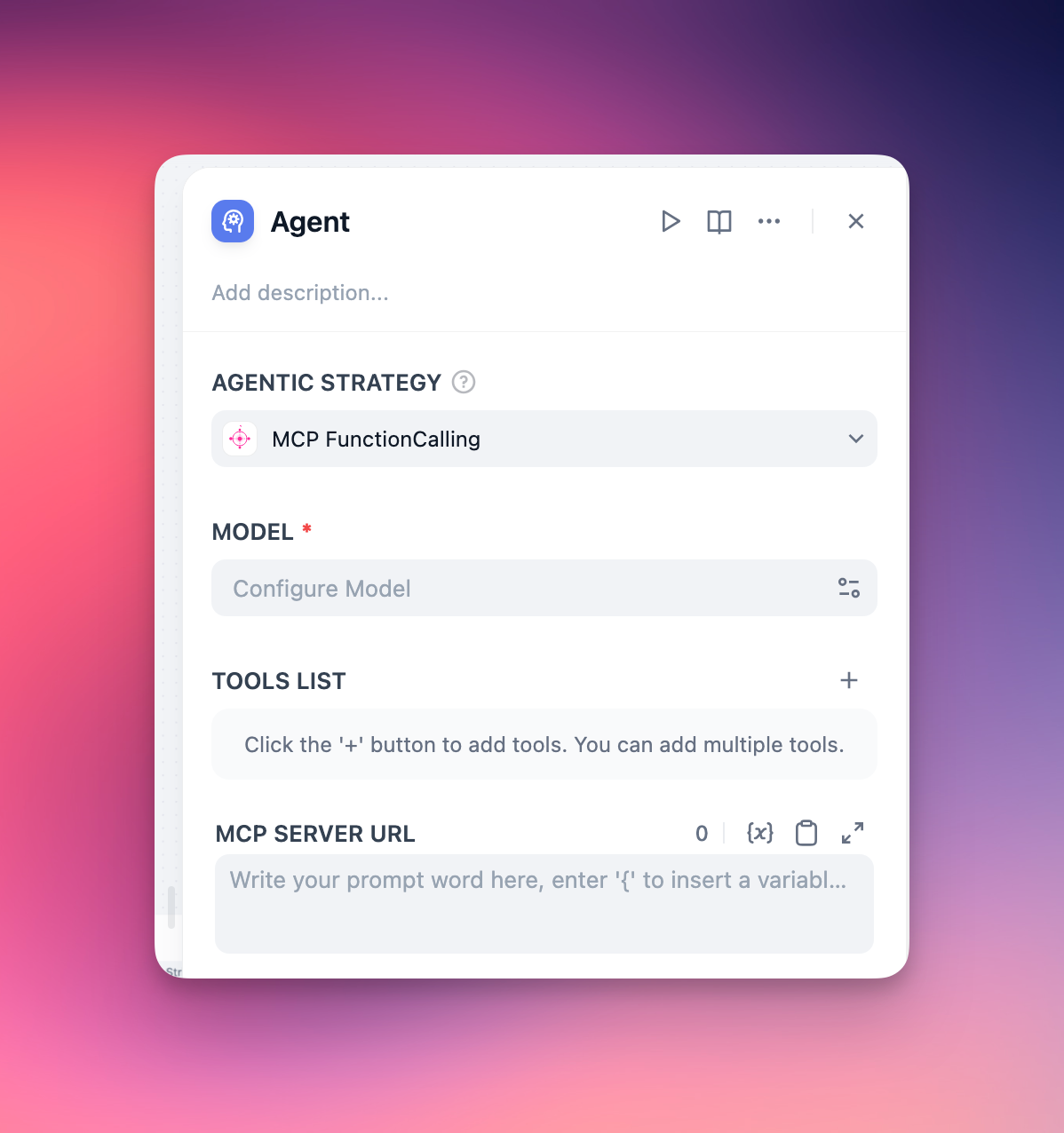
Basic Configuration
For single MCP server setup, simply provide the server URL:
http://localhost:8000/sse
Advanced Configuration
For multiple MCP servers with detailed connection parameters:
{
  "server_name1": {
    "url": "http://127.0.0.1:8000/sse",
    "headers": {},
    "timeout": 5,
    "sse_read_timeout": 300
  },
  "server_name2": {
    "url": "http://127.0.0.1:8001/sse"
  }
}
How to change MCP server from stdio to sse ?
Option 1: source code modification
if __name__ == "__main__":
    mcp.run(transport='sse')
Option 2: using the mcp-proxy
uv tool install mcp-proxy
mcp-proxy --sse-host=0.0.0.0 --sse-port=8080 uvx your-server
Dev Tools Supporting MCP
The following are the main code editors that support the Model Context Protocol. Click the link to visit the official website for more information.







