
Dify Plugin Mcp Server
What is Dify Plugin Mcp Server
dify-plugin-mcp_server is a Dify endpoint plugin that transforms a Dify application into an MCP server, allowing for secure data handling within a private network.
Use cases
Use cases for dify-plugin-mcp_server include building chat applications, weather query services, and other interactive applications that require secure data processing.
How to use
To use dify-plugin-mcp_server, create a simple workflow app in Dify, define the input schema with necessary parameters, copy the endpoint URL to your MCP client (like Cherry Studio), and start using it.
Key features
Key features include the ability to create custom workflows, secure data handling within private networks, and easy integration with MCP clients.
Where to use
undefined
Clients Supporting MCP
The following are the main client software that supports the Model Context Protocol. Click the link to visit the official website for more information.





Overview
What is Dify Plugin Mcp Server
dify-plugin-mcp_server is a Dify endpoint plugin that transforms a Dify application into an MCP server, allowing for secure data handling within a private network.
Use cases
Use cases for dify-plugin-mcp_server include building chat applications, weather query services, and other interactive applications that require secure data processing.
How to use
To use dify-plugin-mcp_server, create a simple workflow app in Dify, define the input schema with necessary parameters, copy the endpoint URL to your MCP client (like Cherry Studio), and start using it.
Key features
Key features include the ability to create custom workflows, secure data handling within private networks, and easy integration with MCP clients.
Where to use
undefined
Clients Supporting MCP
The following are the main client software that supports the Model Context Protocol. Click the link to visit the official website for more information.
Content
MCP Server
Author: hjlarry
Version: 0.0.4
Type: extension
Repo: https://github.com/hjlarry/dify-plugin-mcp_server
Feature Request: issues
A Dify endpoint plugin that change a dify app to a mcp server.
To keep your data secure, use this plugin exclusively within your private network.
Get Started
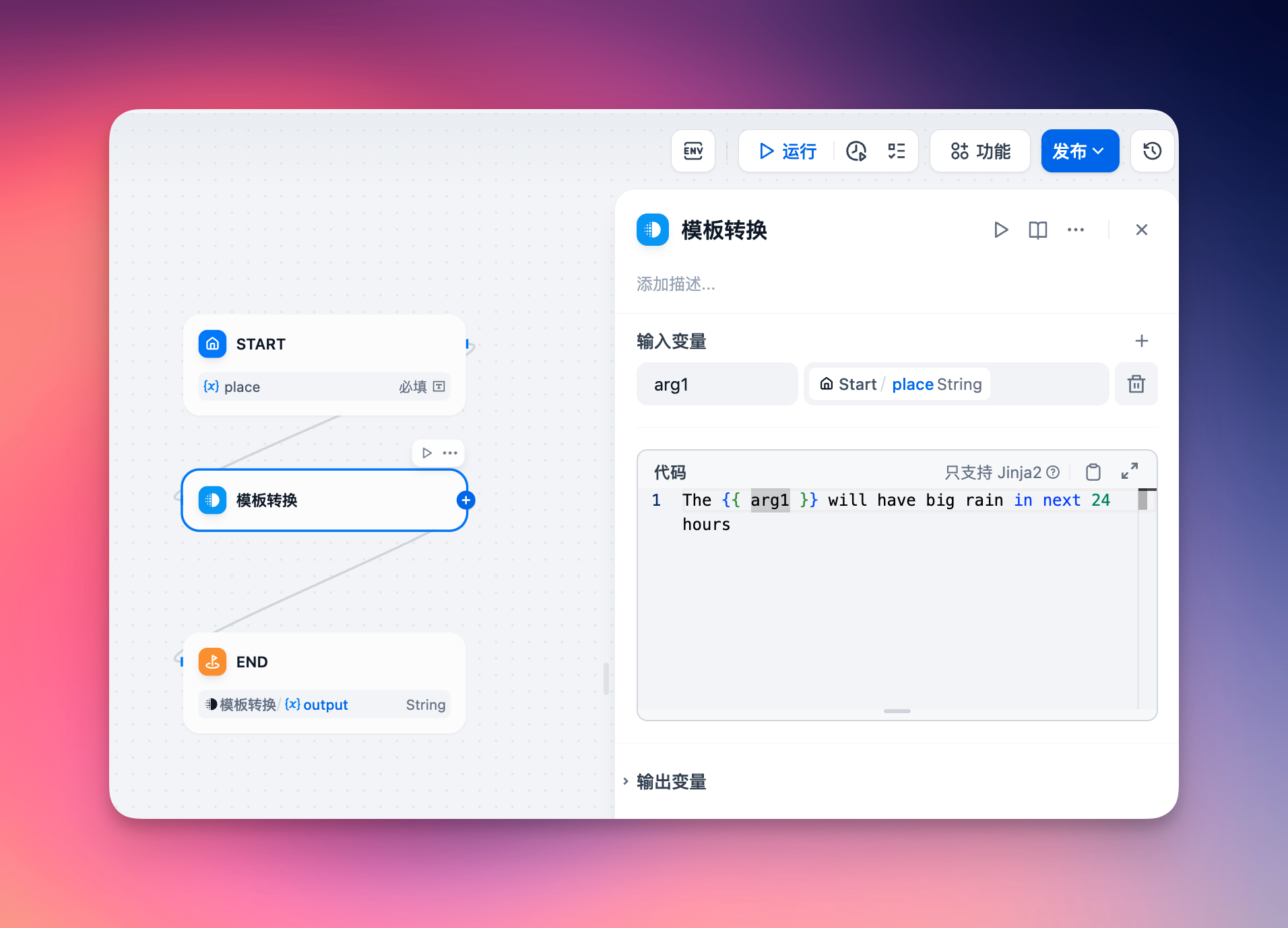
1. create a simple workflow app in dify.
2. add a endpoint and select this app.
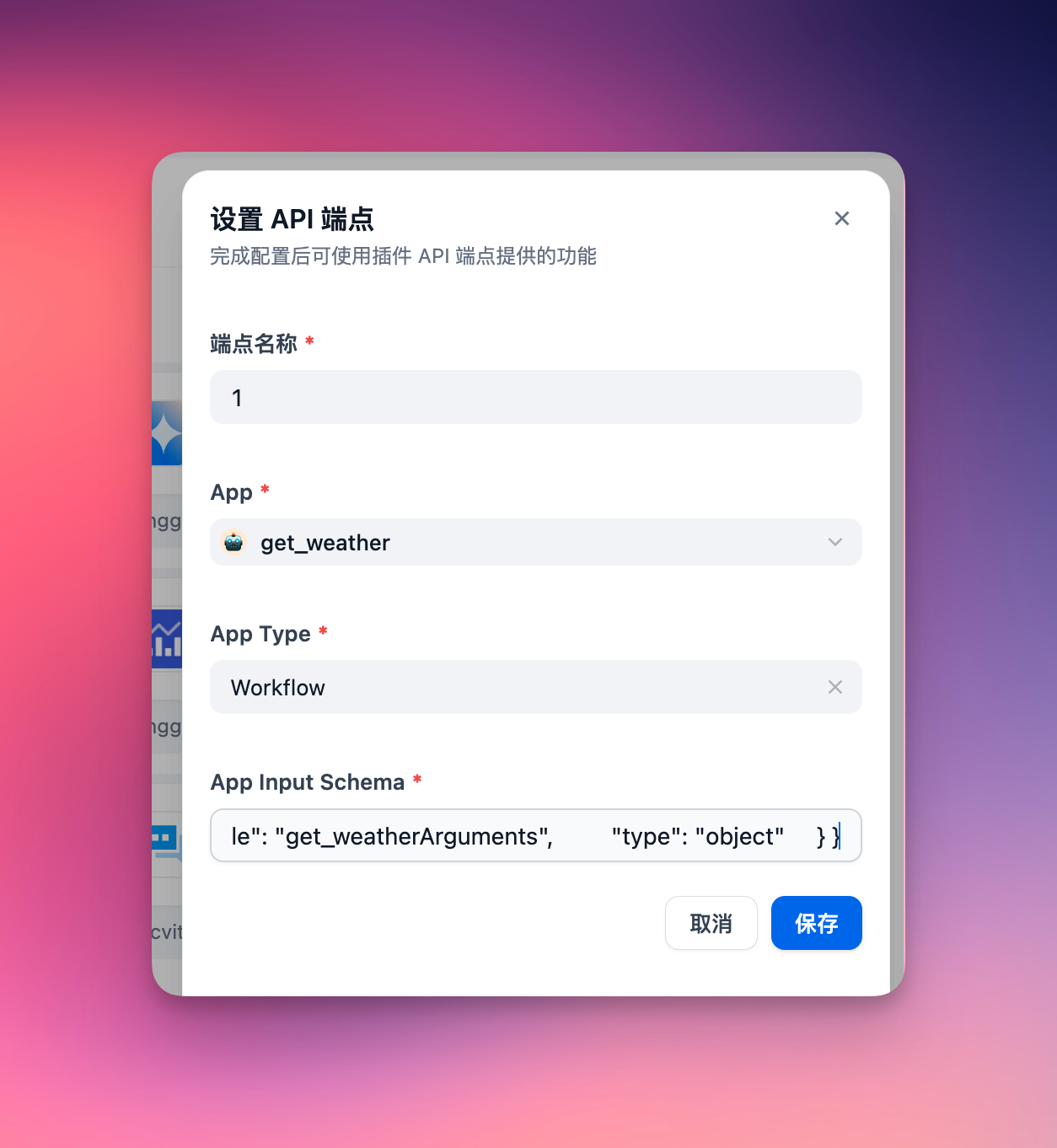
The app’s input schema must define its input parameters. For a chat dify app, ensure to include a query field in the input schema, formatted as follows:
{
  "name": "get_weather",
  "description": "Get weather status for a place.",
  "inputSchema": {
    "properties": {
      "place": {
        "title": "Place",
        "type": "string"
      }
    },
    "required": [
      "place"
    ],
    "title": "get_weatherArguments",
    "type": "object"
  }
}
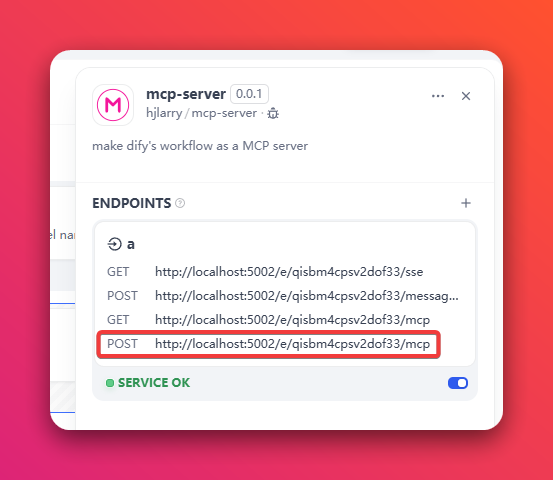
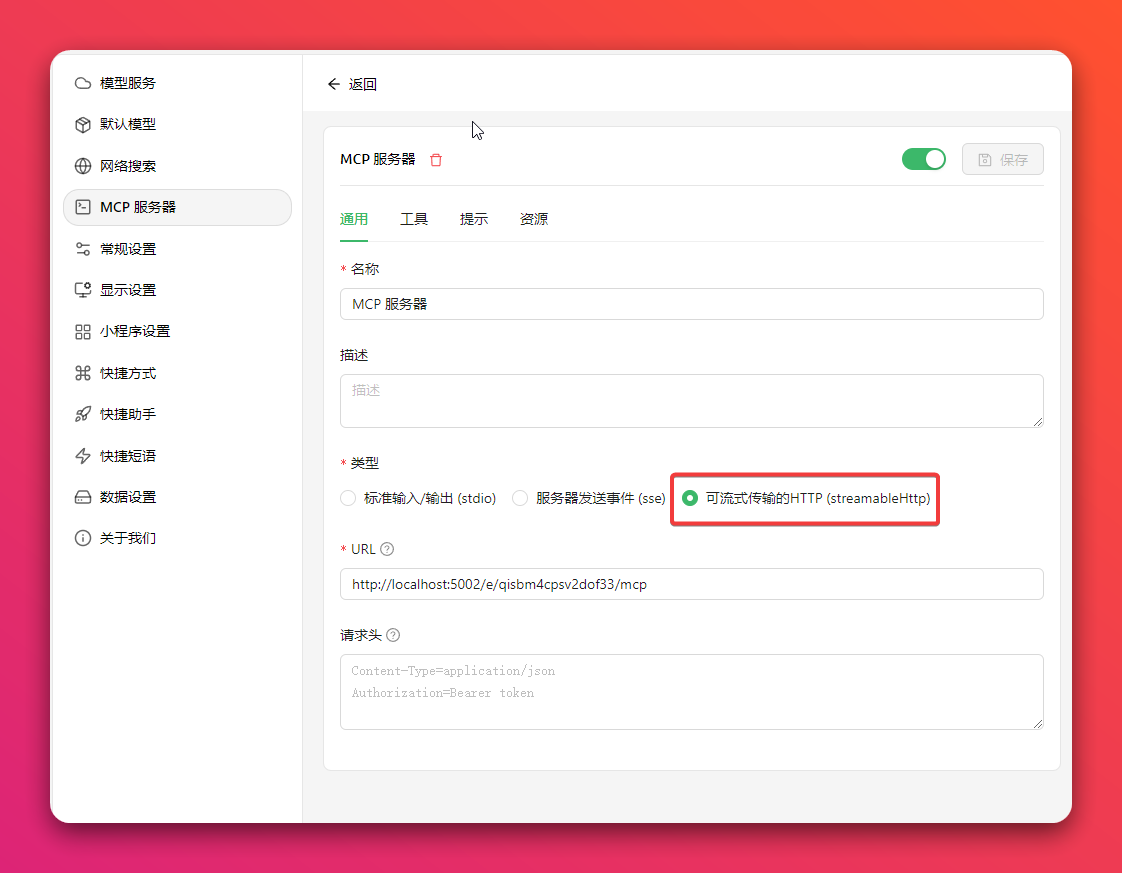
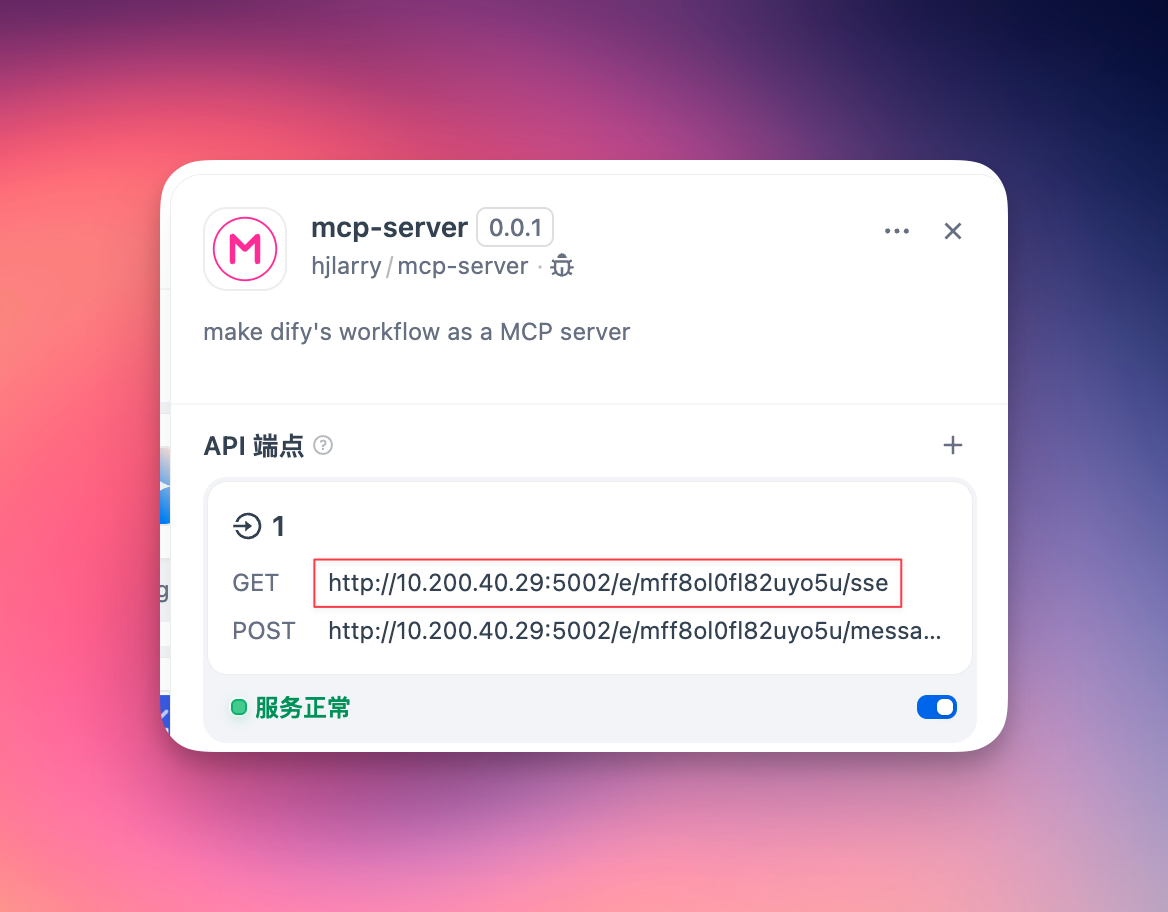
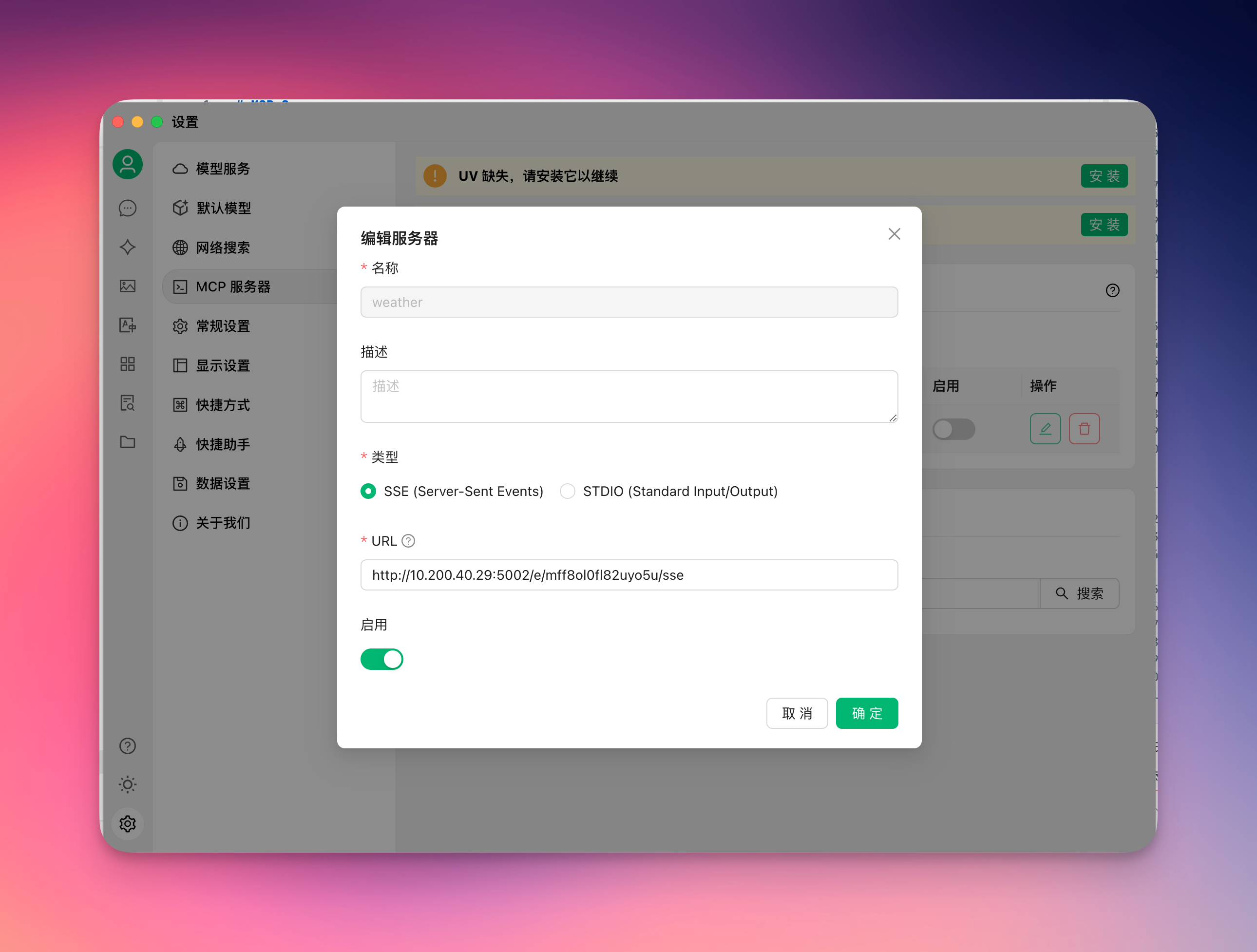
3. copy the endpoint url to your mcp client, like Cherry Studio
Option 1: Use the newest Streamable HTTP protocol (Recommended)
Option 2: Use the legacy SSE protocol
4. enjoy it!
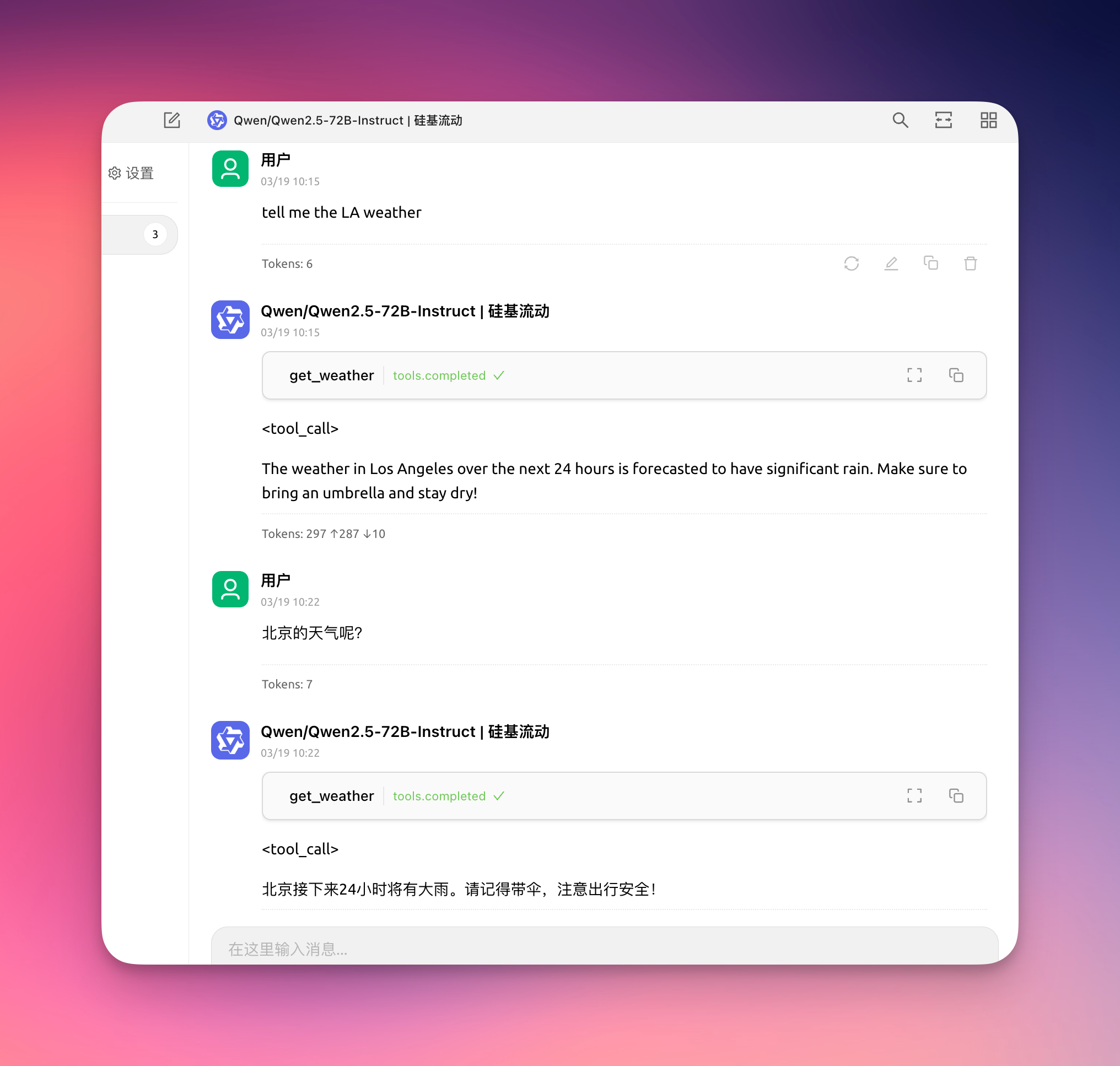
5. To keep your data secure, you can add a Auth Bearer Token on the endpoint setting.
For example, if your Auth Bearer Token is setting to sk-abcdefgh, then the request header of MCP client must add Authorization: Bearer sk-abcdefgh
Changelog
0.0.4
- Add response to the
pingmethod of MCP client, some clients use this method to check server health - Add
Authorization: Bearertoken validator - Fix some log incorrect
0.0.3
- To fix sse get non-exist key get lots error logs on the plugin daemon.
- Add logs to help debug problems.
- Streamable http support response object and array.
0.0.2
- Add a new Streamable HTTP protocol.
- Update dify-plugin-sdk version.
Dev Tools Supporting MCP
The following are the main code editors that support the Model Context Protocol. Click the link to visit the official website for more information.







