
Dingtalk Agent Sdk
What is Dingtalk Agent Sdk
dingtalk-agent-sdk is a development SDK designed to build AI assistants on the DingTalk platform, utilizing the MCP Host capabilities.
Use cases
Use cases include creating agents for querying employee information, handling customer inquiries, providing automated responses in chat, and integrating with other tools for enhanced productivity.
How to use
To use dingtalk-agent-sdk, clone the repository, install dependencies, configure the .env file with your DingTalk API credentials and LLM API key, and run the application using the command ‘python main.py’. Optionally, you can deploy it using Docker.
Key features
Key features include seamless integration with OpenAI Agent, robust DingTalk streaming client, structured message processing pipeline, MCP tool integration for employee queries, and an extensible architecture for adding new agents or functionalities.
Where to use
dingtalk-agent-sdk can be used in various fields such as corporate environments for employee assistance, customer service automation, and any application requiring real-time communication and AI capabilities within the DingTalk ecosystem.
Clients Supporting MCP
The following are the main client software that supports the Model Context Protocol. Click the link to visit the official website for more information.





Overview
What is Dingtalk Agent Sdk
dingtalk-agent-sdk is a development SDK designed to build AI assistants on the DingTalk platform, utilizing the MCP Host capabilities.
Use cases
Use cases include creating agents for querying employee information, handling customer inquiries, providing automated responses in chat, and integrating with other tools for enhanced productivity.
How to use
To use dingtalk-agent-sdk, clone the repository, install dependencies, configure the .env file with your DingTalk API credentials and LLM API key, and run the application using the command ‘python main.py’. Optionally, you can deploy it using Docker.
Key features
Key features include seamless integration with OpenAI Agent, robust DingTalk streaming client, structured message processing pipeline, MCP tool integration for employee queries, and an extensible architecture for adding new agents or functionalities.
Where to use
dingtalk-agent-sdk can be used in various fields such as corporate environments for employee assistance, customer service automation, and any application requiring real-time communication and AI capabilities within the DingTalk ecosystem.
Clients Supporting MCP
The following are the main client software that supports the Model Context Protocol. Click the link to visit the official website for more information.
Content
钉钉 Agent 开发SDK
支持集成各种 MCP-Server 快速开发钉钉 AI 助理
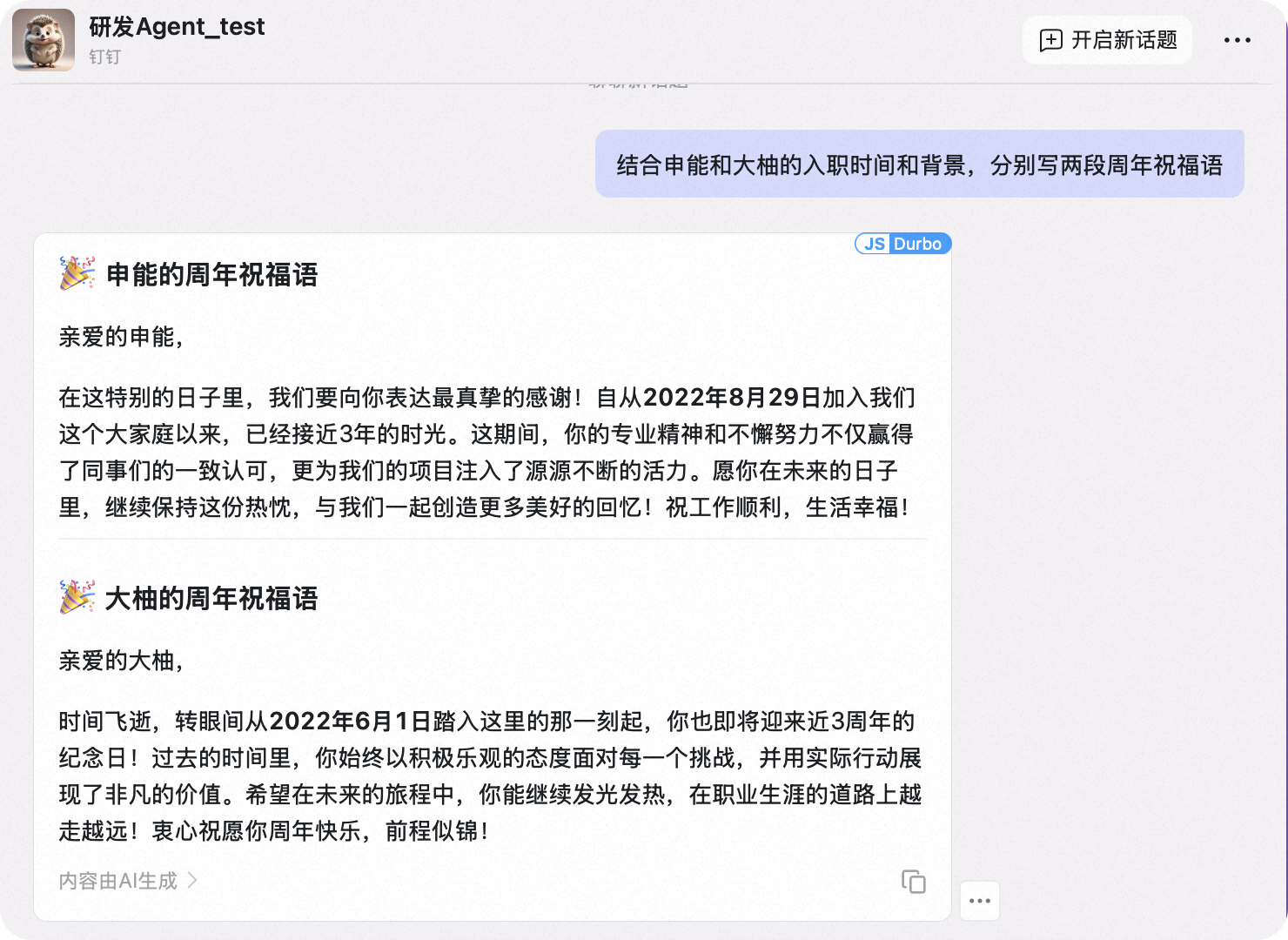
概述
本项目为在钉钉上构建 AI 助手提供了强大的基础,利用了以下技术:
- OpenAI Agent SDK 提供 AI 能力和推理功能
- 钉钉流式 API 实现实时消息处理
- MCP-server 集成访问钉钉组织数据, 可扩展更多能力
- 员工信息查询 Agent 示例展示平台能力
主要特性
- OpenAI Agent 集成:与 OpenAI 的 Agent 框架无缝集成
- 钉钉流客户端:实现了健壮的连接重试和健康监控机制
- 消息处理管道:结构良好的消息接收处理系统
- MCP 工具集成:通过钉钉 API 实现员工查询功能
- 可扩展架构:易于添加新的 Agent 或功能
架构
系统由以下几个关键组件组成:
- 流客户端管理器:管理与钉钉流式 API 的 WebSocket 连接
- 消息处理器:处理传入消息并将其路由到相应的 Agent
- Agent 管理器:管理 OpenAI Agent 和工具集成
- 员工 Agent:可以查询员工信息的示例 Agent
前提条件
- Python 3.10+
- 钉钉开发者账号及相应权限
- 获取AI 助理的 Client_ID, Client_Secret
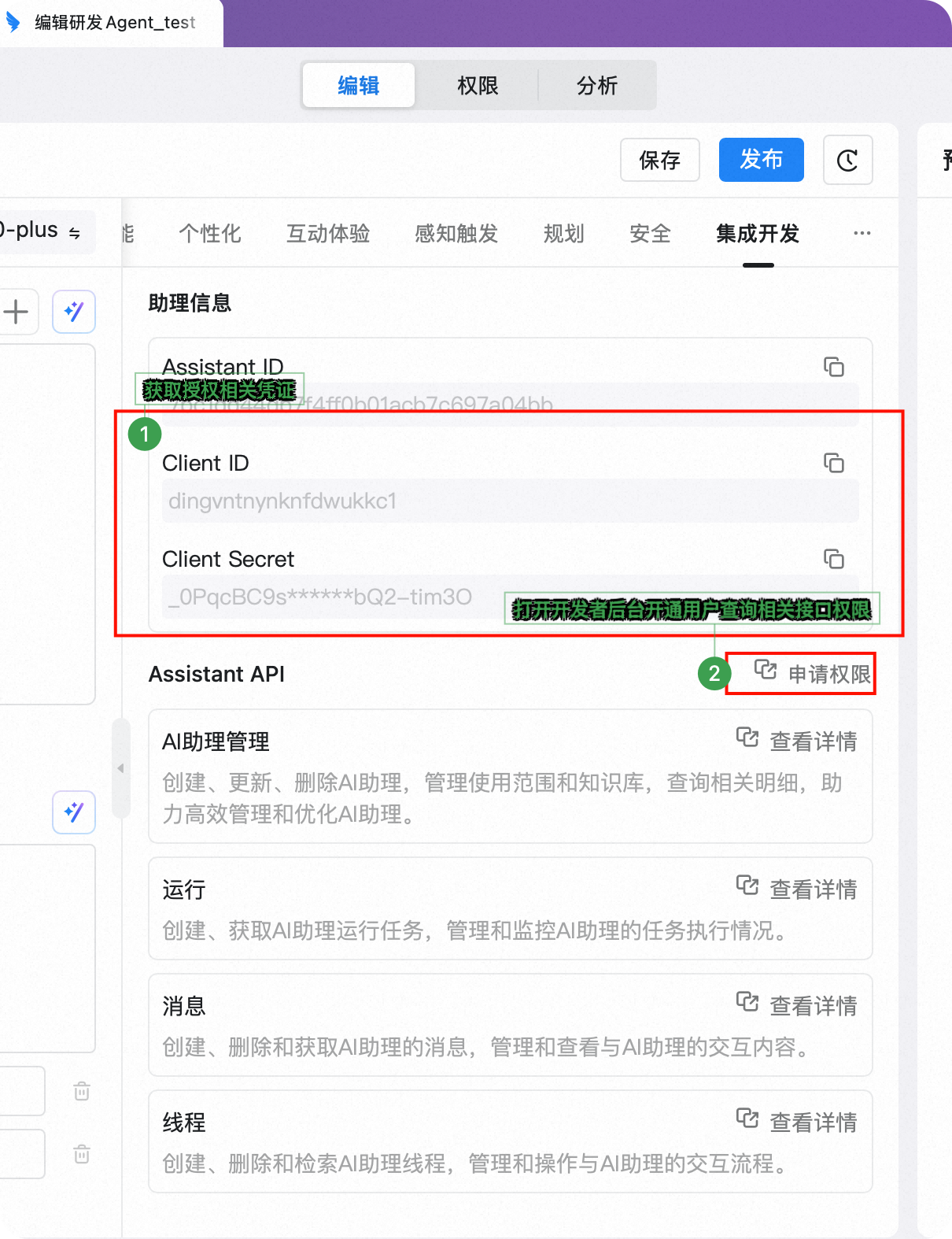
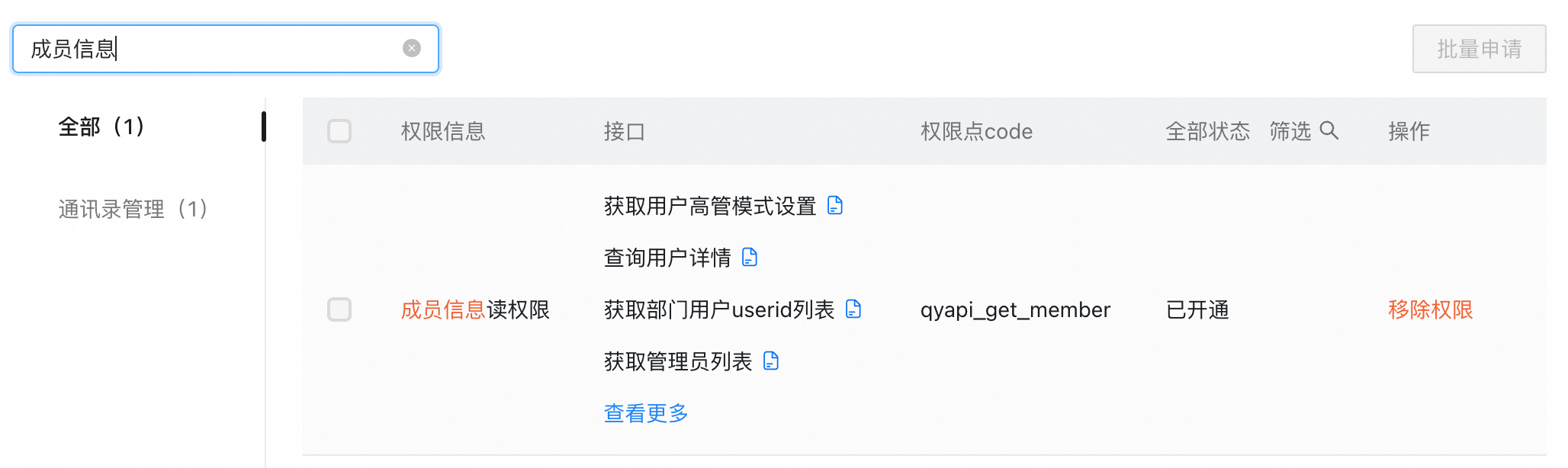
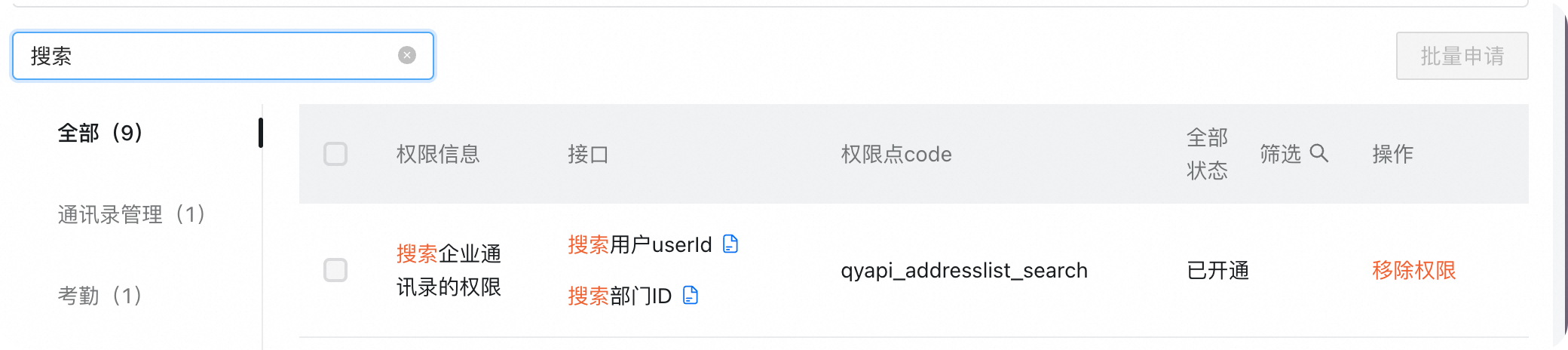
- 开通基础接口的调用权限
- 获取AI 助理的 Client_ID, Client_Secret
- LLM调用的 api-key (默认使用百炼的qwen-max 服务, 可配置)
安装
-
克隆仓库:
git clone [email protected]:darrenyao/dingtalk-agent-client.git cd DingtalkAgentClient -
安装依赖:
pip install -r requirements.txt -
创建包含配置的
.env文件:# 钉钉 API 配置 DINGTALK_CLIENT_ID=your_client_id DINGTALK_CLIENT_SECRET=your_client_secret # LLM API 配置 LLM_API_KEY=your_llm_api_key LLM_API_BASE_URL=https://dashscope.aliyuncs.com/compatible-mode/v1 # 或您的自定义端点 LLM_API_MODEL=qwen-max # 或您首选的模型
运行应用
使用以下命令启动应用:
python main.py
系统将:
- 初始化带有必要工具的 Agent
- 连接到钉钉的流式 API
- 监听传入消息
- 通过相应的 Agent 处理消息
员工 Agent 示例
包含的 employee_agent.py 演示了如何:
- 创建与钉钉组织 API 集成的 Agent
- 使用 MCP-tool 查询员工信息
- 基于用户上下文构建动态指令
- 以对话形式处理并返回结果
Docker 部署
您也可以使用 Docker 运行应用:
docker-compose up -d
扩展框架
创建新的 Agent:
- 在
app/agent目录中创建新的 Agent 文件 - 定义 Agent 的指令和工具
- 将 Agent 注册到 AgentManager
- 更新消息处理以将适当的请求路由到您的 Agent
Dev Tools Supporting MCP
The following are the main code editors that support the Model Context Protocol. Click the link to visit the official website for more information.







