
Eshoplite
What is Eshoplite
eShopLite is a set of reference .NET applications designed to implement an eCommerce site, featuring capabilities such as Semantic Search, MCP, and various reasoning models.
Use cases
Use cases include implementing semantic search for product listings, enhancing search capabilities with Azure AI Search, providing real-time audio support for customer interactions, and utilizing Chroma DB for advanced database functionalities.
How to use
To use eShopLite, developers can clone the repository, set up the .NET environment, and explore the provided scenarios to understand how to implement different eCommerce functionalities.
Key features
Key features include modern .NET architecture, various search capabilities (keyword and semantic search), integration with AI models, vector database implementations, real-time audio capabilities, and MCP server and client implementation.
Where to use
eShopLite can be used in eCommerce platforms, online retail applications, and any project requiring advanced search functionalities and AI integrations.
Clients Supporting MCP
The following are the main client software that supports the Model Context Protocol. Click the link to visit the official website for more information.





Overview
What is Eshoplite
eShopLite is a set of reference .NET applications designed to implement an eCommerce site, featuring capabilities such as Semantic Search, MCP, and various reasoning models.
Use cases
Use cases include implementing semantic search for product listings, enhancing search capabilities with Azure AI Search, providing real-time audio support for customer interactions, and utilizing Chroma DB for advanced database functionalities.
How to use
To use eShopLite, developers can clone the repository, set up the .NET environment, and explore the provided scenarios to understand how to implement different eCommerce functionalities.
Key features
Key features include modern .NET architecture, various search capabilities (keyword and semantic search), integration with AI models, vector database implementations, real-time audio capabilities, and MCP server and client implementation.
Where to use
eShopLite can be used in eCommerce platforms, online retail applications, and any project requiring advanced search functionalities and AI integrations.
Clients Supporting MCP
The following are the main client software that supports the Model Context Protocol. Click the link to visit the official website for more information.
Content



eShopLite
eShopLite is a set of reference .NET applications implementing an eCommerce site with features like Semantic Search, Model Context Protocol (MCP), Reasoning models, vector databases, and more.
- ☁️ All scenarios in this repository use the latest version of .NET and leverage .NET Aspire to orchestrate the entire solution.
- 🌟 Don’t forget to star (🌟) this repo to find it easier later.
- ➡️ Get your own copy by Forking this repo and find it next in your own repositories.
- ❓ Have a question? Besides creating issues or pull requests, the best option for questions is to join the Azure AI Discord channel, where a team of AI experts can help you.
Features
This project framework provides the following features:
- Modern .NET application architecture with .NET Aspire
- Various search capabilities (keyword search, semantic search)
- Integration with multiple AI models (GPT-4o, DeepSeek-R1, etc.)
- Vector database implementations (In Memory, Azure AI Search, Chroma DB and others)
- Real-time audio capabilities
- Model Context Protocol (MCP) server and client implementation
eShopLite Scenarios
The project includes several scenarios demonstrating different capabilities:
| Scenario | Description | Key Technologies |
|---|---|---|
| 01 - Semantic Search | A reference .NET application implementing an eCommerce site with Search features using Keyword Search and Semantic Search. | .NET Aspire, OpenAI GPT-4.1-mini, In-memory Vector DB |
| 02 - Azure AI Search | Implements an eCommerce site with Keyword Search using SQL queries and Semantic Search with Vector Database and Azure AI Search. | Azure AI Search, OpenAI Embeddings, SQL Server |
| 03 - Realtime Audio | Extends the eCommerce site with advanced search features and real-time audio capabilities powered by the GPT-4o Realtime Audio API. | GPT-4o Realtime Audio API, Audio in Blazor, .NET Aspire |
| 04 - Chroma DB | Implements semantic search functionality using Chroma DB, an open-source database designed for AI applications. | Chroma DB, OpenAI Embeddings, .NET SDK |
| 05 - DeepSeek-R1 | Demonstrates integration of the DeepSeek-R1 model for enhanced semantic understanding and search capabilities. | DeepSeek-R1, .NET Aspire, Vector Embeddings |
| 06 - Model Context Protocol (MCP) | Implements the Model Context Protocol (MCP) for advanced AI interactions with MCP Servers and MCP Clients. | Model Context Protocol, Function Calling, SSE Events |
| 07 - Agents Concurrent | Demonstrates concurrent agent orchestration and advanced AI agent collaboration patterns. | .NET Aspire, Multi-Agent Systems, Orchestration |
| 08 - SQL Server 2025 | Demonstrates the use of vector search and vector indexes in the SQL Database Engine | SQL Server 2025, Vector Search, Vector Indexes |
Getting Started
Prerequisites
- .NET 9
- Docker Desktop or Podman
- Azure Developer CLI (azd) (for Azure deployment)
- Git
Installation
-
Clone the repository:
git clone https://github.com/Azure-Samples/eShopLite.git -
Navigate to the scenario directory of interest:
cd eShopLite/scenarios/[scenario-folder] -
Login to Azure:
azd auth login -
Provision and deploy all the resources:
azd upIt will prompt you to provide an
azdenvironment name (like “eShopLite”), select a subscription from your Azure account, and select a location where the necessary models, like gpt-4.1-mini and ADA-002 are available, a sample region can be “eastus2”.
Quickstart
- Navigate to a specific scenario folder (e.g.,
scenarios/01-SemanticSearch/) - Follow the README instructions in that scenario folder
- Run the solution using
dotnet runin the appropriate host project folder
Demo
To run the demo, follow these steps:
- Navigate to the specific scenario folder
- Follow the “Run the solution” instructions in that scenario’s README
- Access the application via the URLs provided in the console output
Sample Application
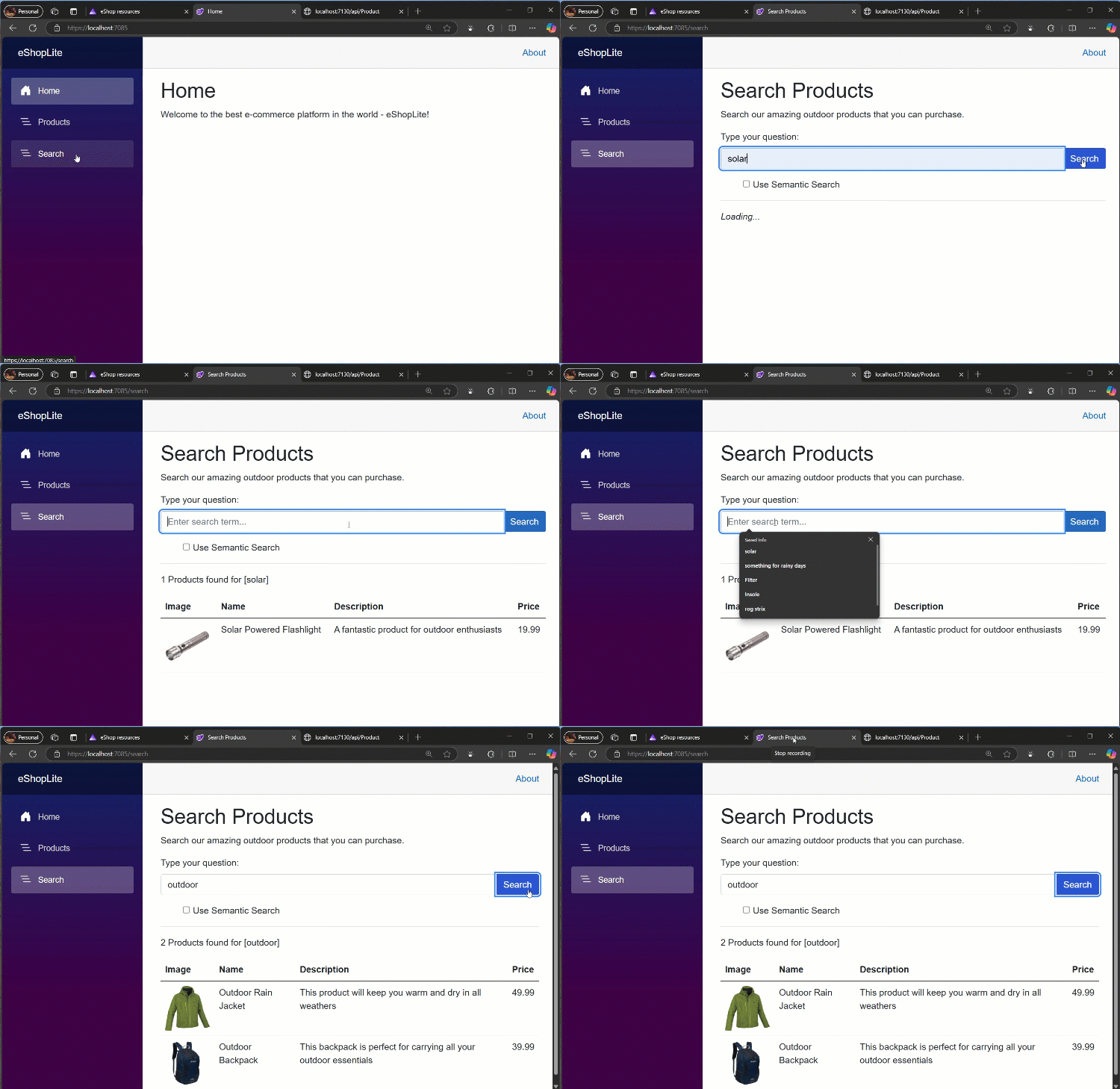
This is the eShopLite Aplication running, performing a Keyword Search:
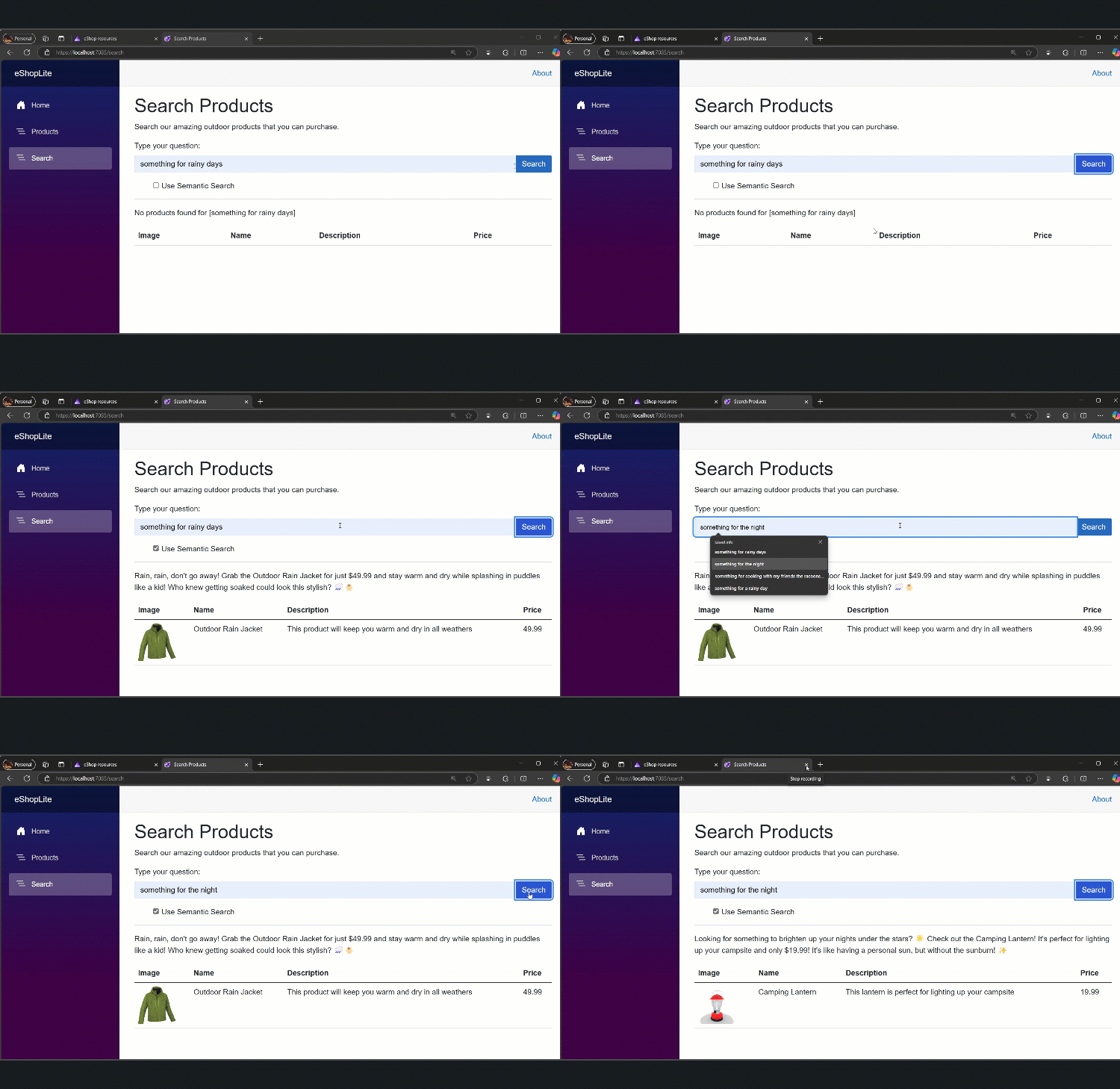
This is the eShopLite Aplication running, performing a Semantic Search:
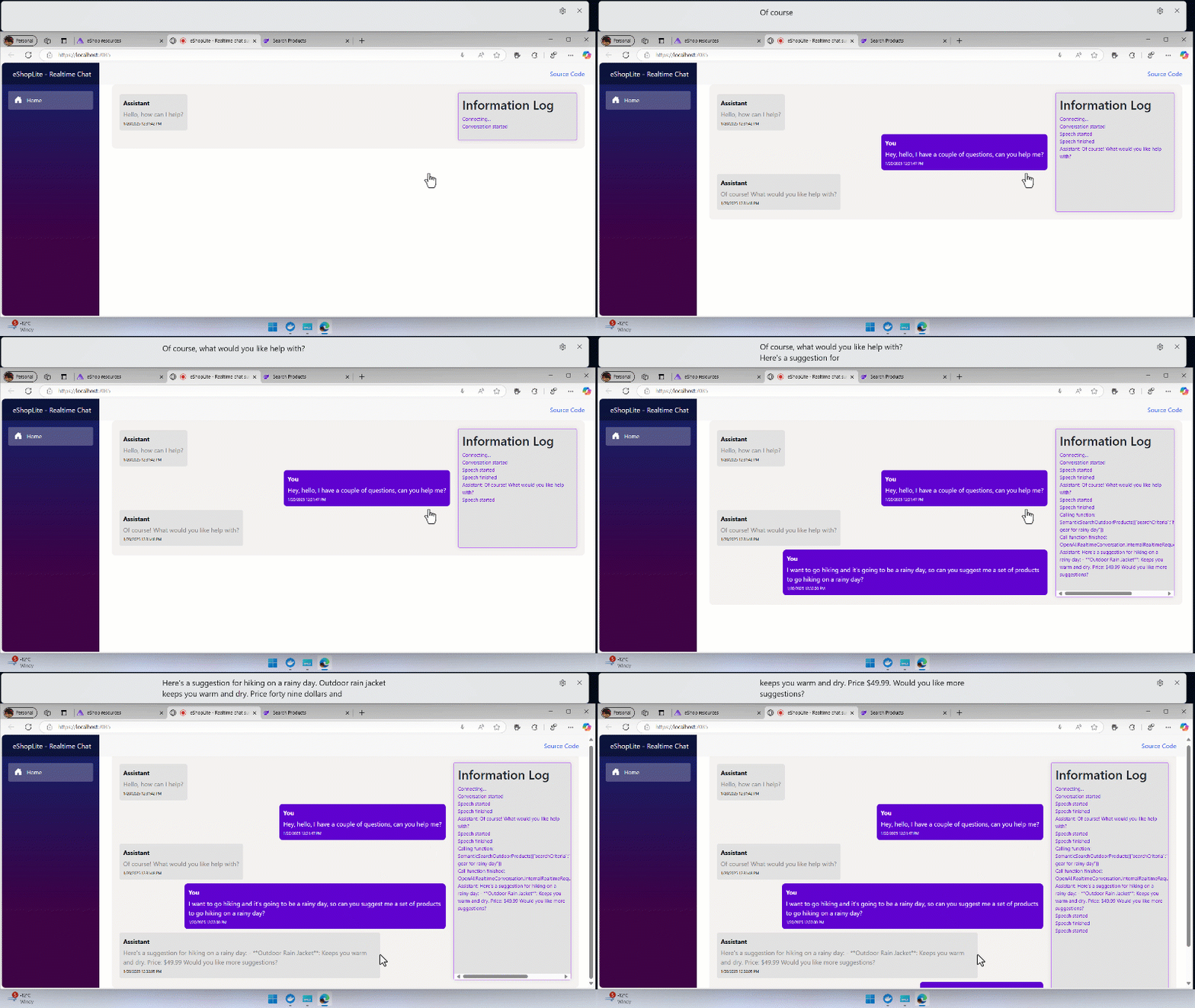
This is the eShopLite Application running the Realtime Audio feature:
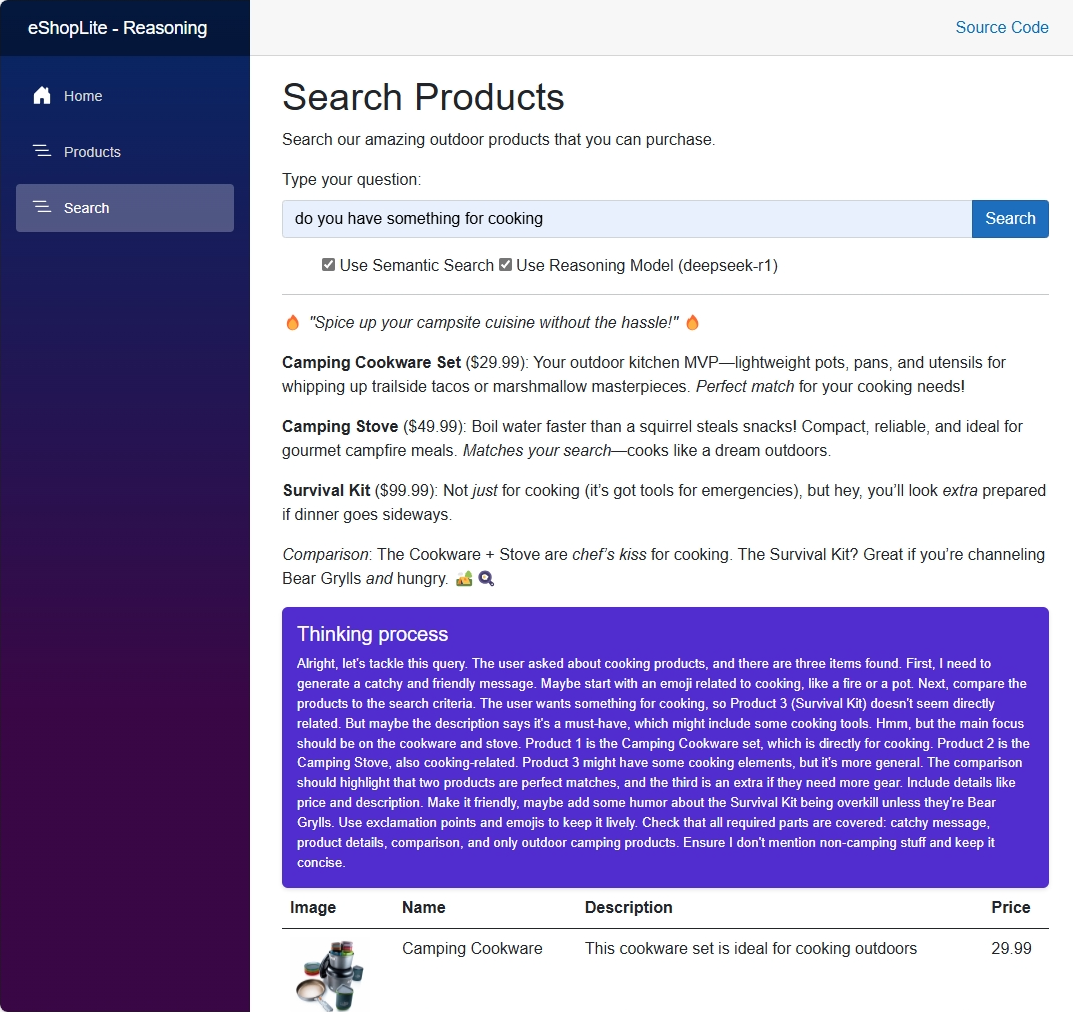
This is the eShopLite Application using the DeepSeek-R1 Reasoning Model:
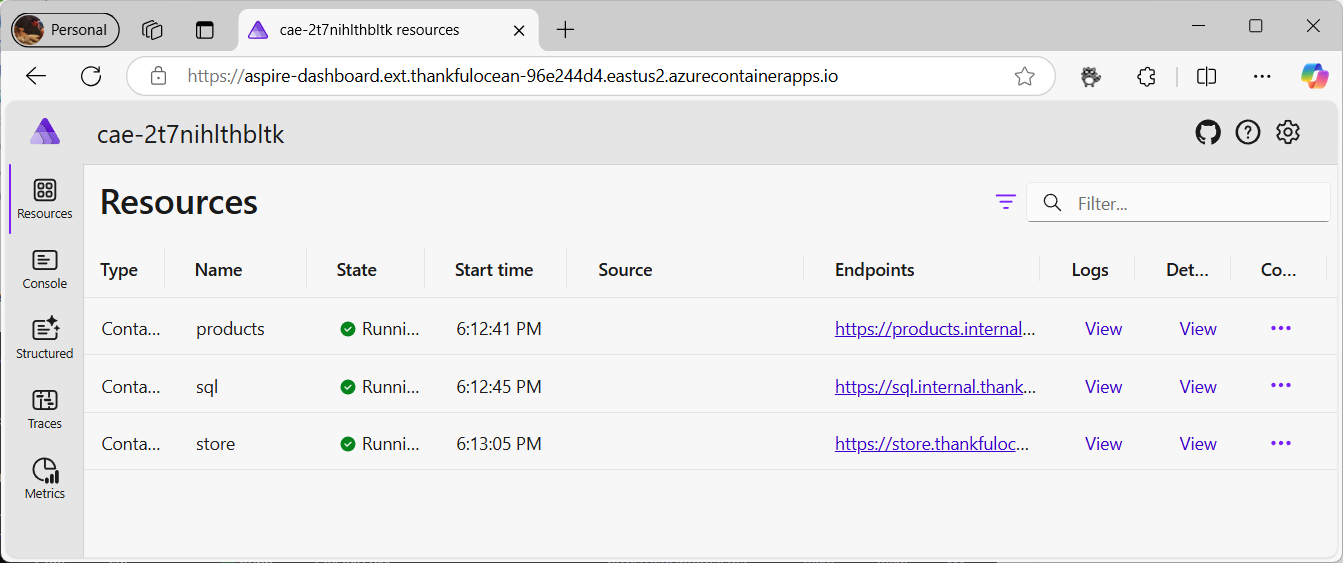
The Aspire Dashboard to check the running services:
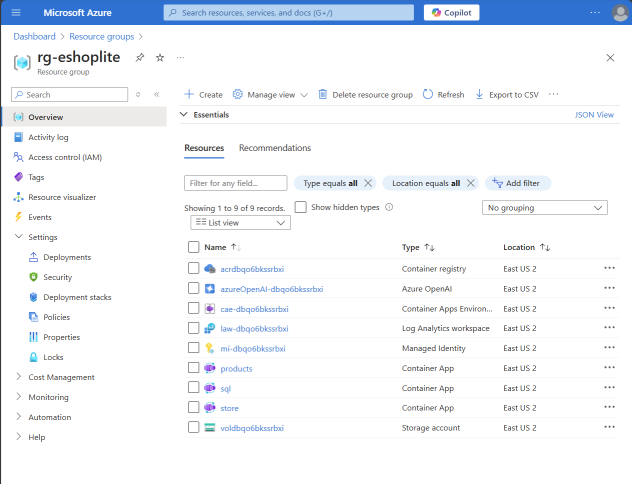
The Azure Resource Group with all the deployed services:
Resources
Dev Tools Supporting MCP
The following are the main code editors that support the Model Context Protocol. Click the link to visit the official website for more information.







