
Enterprise Mcp Server
What is Enterprise Mcp Server
The enterprise-mcp-server is a Model Context Protocol (MCP) server implementation designed to facilitate the deployment and management of CrewAI workflows. It allows users to initiate workflows and monitor their status effectively.
Use cases
Use cases include automating business processes, managing AI-driven workflows, and monitoring the performance of deployed CrewAI applications in real-time.
How to use
To use the enterprise-mcp-server, install the necessary tools locally, configure the MCP server in Claude Desktop, and set the required environment variables such as MCP_CREWAI_ENTERPRISE_SERVER_URL and MCP_CREWAI_ENTERPRISE_BEARER_TOKEN.
Key features
Key features include the ability to kick off deployed crews, check crew status, and integrate seamlessly with Claude Desktop for enhanced workflow management.
Where to use
The enterprise-mcp-server is suitable for use in various fields including artificial intelligence, workflow automation, and software development, particularly where CrewAI is applied.
Clients Supporting MCP
The following are the main client software that supports the Model Context Protocol. Click the link to visit the official website for more information.





Overview
What is Enterprise Mcp Server
The enterprise-mcp-server is a Model Context Protocol (MCP) server implementation designed to facilitate the deployment and management of CrewAI workflows. It allows users to initiate workflows and monitor their status effectively.
Use cases
Use cases include automating business processes, managing AI-driven workflows, and monitoring the performance of deployed CrewAI applications in real-time.
How to use
To use the enterprise-mcp-server, install the necessary tools locally, configure the MCP server in Claude Desktop, and set the required environment variables such as MCP_CREWAI_ENTERPRISE_SERVER_URL and MCP_CREWAI_ENTERPRISE_BEARER_TOKEN.
Key features
Key features include the ability to kick off deployed crews, check crew status, and integrate seamlessly with Claude Desktop for enhanced workflow management.
Where to use
The enterprise-mcp-server is suitable for use in various fields including artificial intelligence, workflow automation, and software development, particularly where CrewAI is applied.
Clients Supporting MCP
The following are the main client software that supports the Model Context Protocol. Click the link to visit the official website for more information.
Content
CrewAI Enterprise MCP Server
Overview
A Model Context Protocol (MCP) server implementation that provides deployed CrewAI workflows. This server enables kicking off your deployed crew and inspect the status giving the results of your crew.
Tools
- kickoff_crew
- get_crew_status
Env Variables
retrieve from app.crewai.com
MCP_CREWAI_ENTERPRISE_SERVER_URL
MCP_CREWAI_ENTERPRISE_BEARER_TOKEN
Usage with Claude Desktop
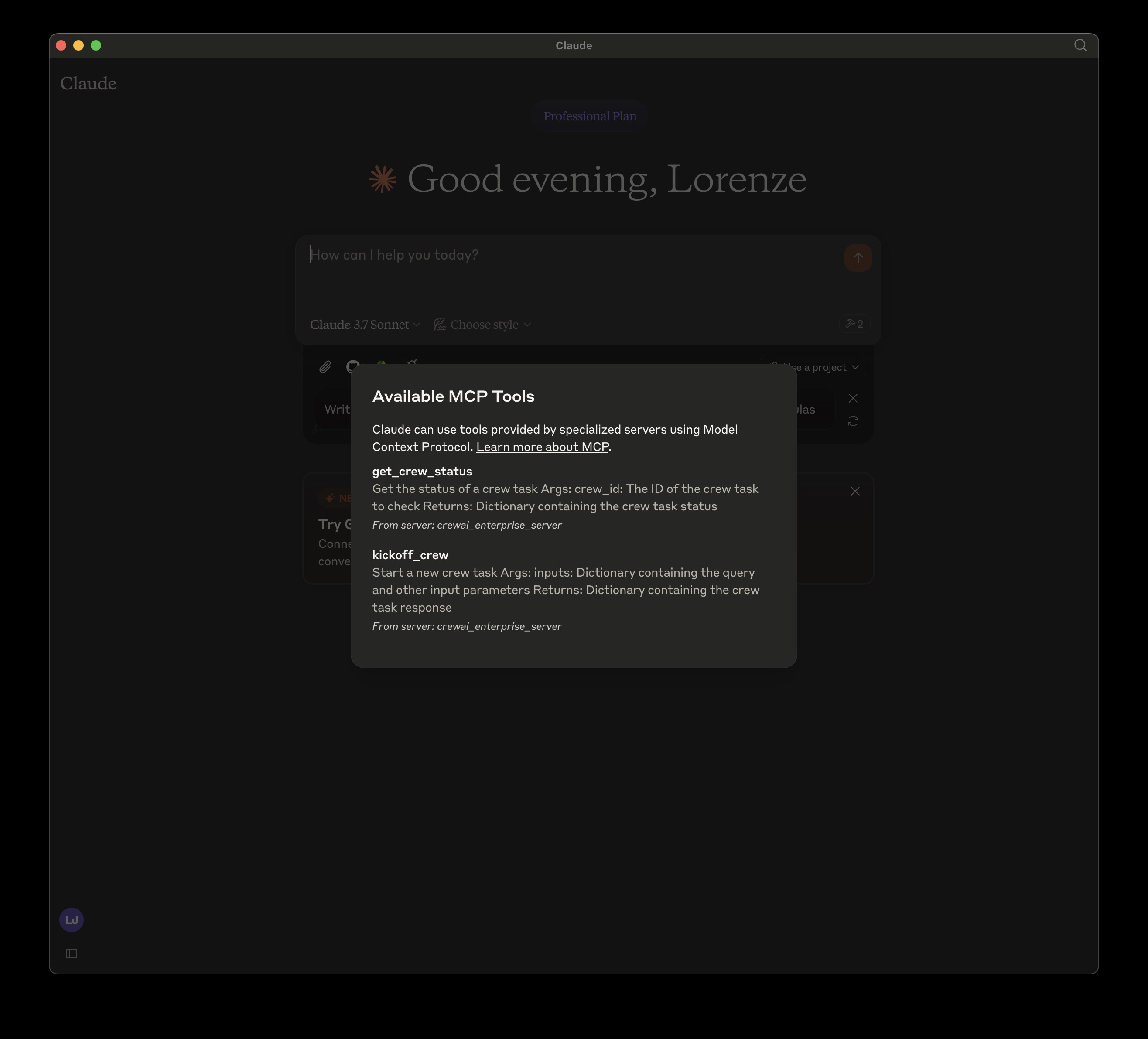
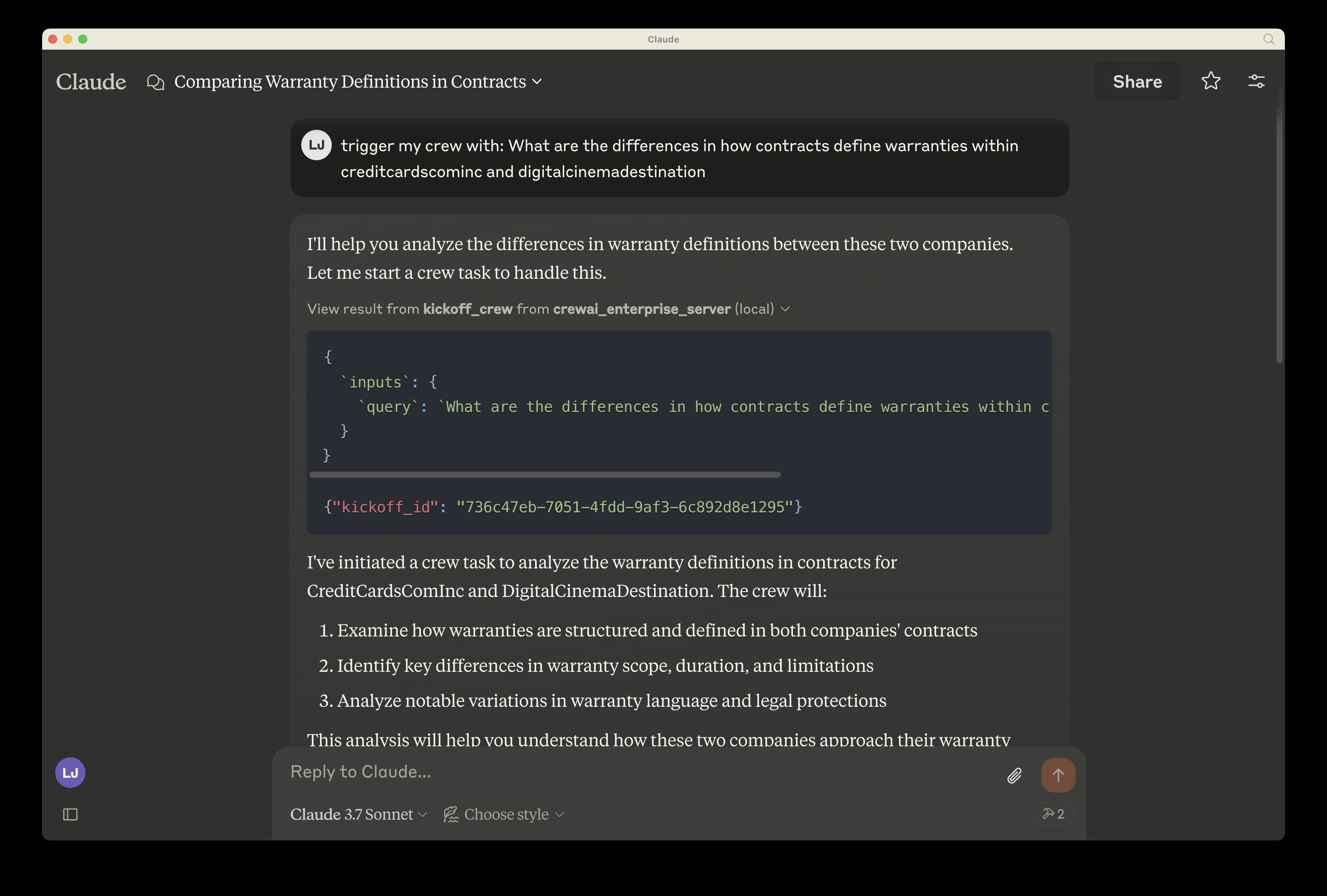
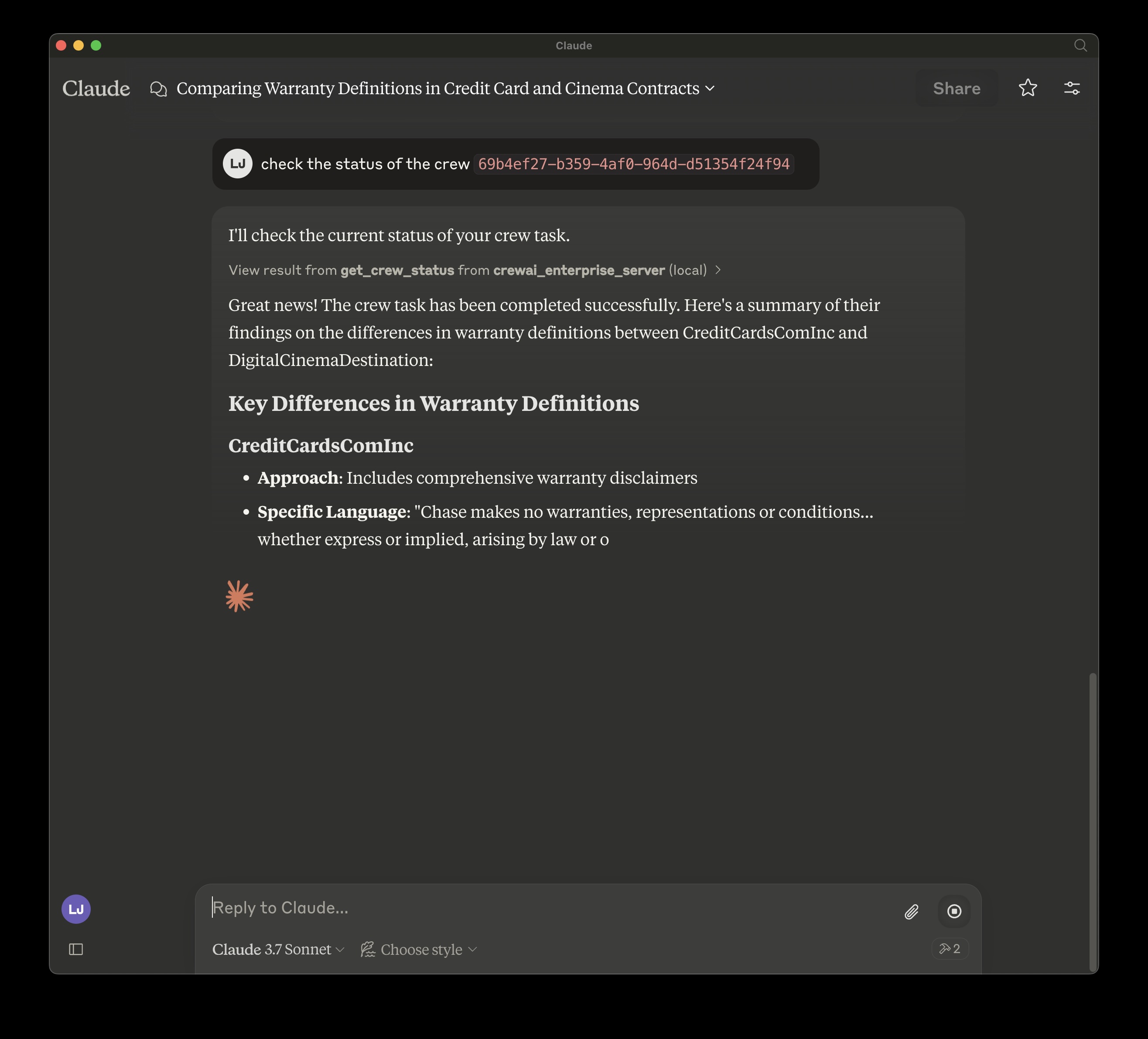
To use this MCP server with Claude Desktop, follow these steps:
- Open Claude Desktop
- Go to Settings > Developer Settings
- Add a new MCP server with the configuration shown below
Locally, cloned repo:
Install mcp and mcp[cli] locally
{
  "mcpServers": {
    "crewai_enterprise_server": {
      "command": "uv",
      "args": [
        "run",
        "--with",
        "mcp[cli]",
        "mcp",
        "run",
        "<filepath of cloned repo>",
        "/crewai_enterprise_server.py"
      ],
      "env": {
        "MCP_CREWAI_ENTERPRISE_SERVER_URL": "<>",
        "MCP_CREWAI_ENTERPRISE_BEARER_TOKEN": "<>"
      }
    }
  }
}
TODO: Added on PyPI:
Dev Tools Supporting MCP
The following are the main code editors that support the Model Context Protocol. Click the link to visit the official website for more information.







