
Evo Chat
What is Evo Chat
Evo Chat is a modern open-source AI conversation platform designed to create an elegant interface for large language models, supporting integration with major LLM providers and offering continuous enhancements through various features.
Use cases
Use cases include automated customer service chatbots, virtual teaching assistants, content generation tools, and interactive Q&A systems for quick information retrieval.
How to use
Users can access Evo Chat through its web interface or applications on multiple platforms. After setting up the integration with LLM providers, users can engage in intelligent conversations, manage knowledge bases, and handle files efficiently.
Key features
Key features include intelligent conversation capabilities, knowledge base management, file management, and cross-platform deployment, allowing for seamless user experiences across different devices.
Where to use
Evo Chat can be utilized in various fields such as customer support, educational platforms, content creation, and any domain requiring interactive AI-driven conversations.
Clients Supporting MCP
The following are the main client software that supports the Model Context Protocol. Click the link to visit the official website for more information.





Overview
What is Evo Chat
Evo Chat is a modern open-source AI conversation platform designed to create an elegant interface for large language models, supporting integration with major LLM providers and offering continuous enhancements through various features.
Use cases
Use cases include automated customer service chatbots, virtual teaching assistants, content generation tools, and interactive Q&A systems for quick information retrieval.
How to use
Users can access Evo Chat through its web interface or applications on multiple platforms. After setting up the integration with LLM providers, users can engage in intelligent conversations, manage knowledge bases, and handle files efficiently.
Key features
Key features include intelligent conversation capabilities, knowledge base management, file management, and cross-platform deployment, allowing for seamless user experiences across different devices.
Where to use
Evo Chat can be utilized in various fields such as customer support, educational platforms, content creation, and any domain requiring interactive AI-driven conversations.
Clients Supporting MCP
The following are the main client software that supports the Model Context Protocol. Click the link to visit the official website for more information.
Content




Evo Chat (Evolution Chat) is a modern open-source AI conversation platform dedicated to creating the most elegant interface for large model interactions. It supports integration with mainstream Large Language Model (LLM) providers such as ChatGPT, Deepseak, and more, while continuously evolving with enhanced capabilities like knowledge base augmentation, multimodal processing, and MCP (Model Control Protocol). Supporting cross-platform deployment (Web, App, Windows, Mac, Linux), it provides ubiquitous AI accessibility for users.
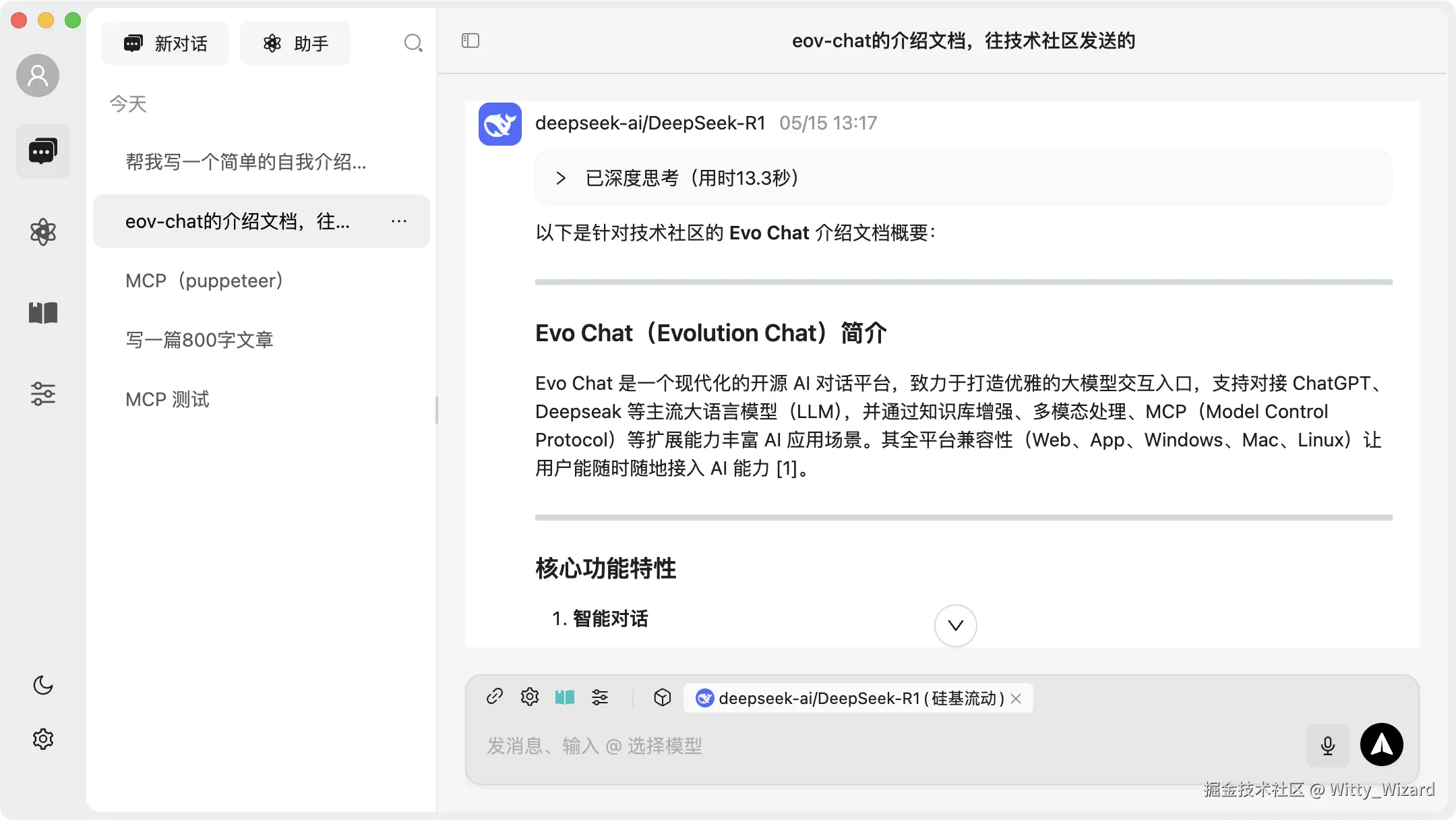
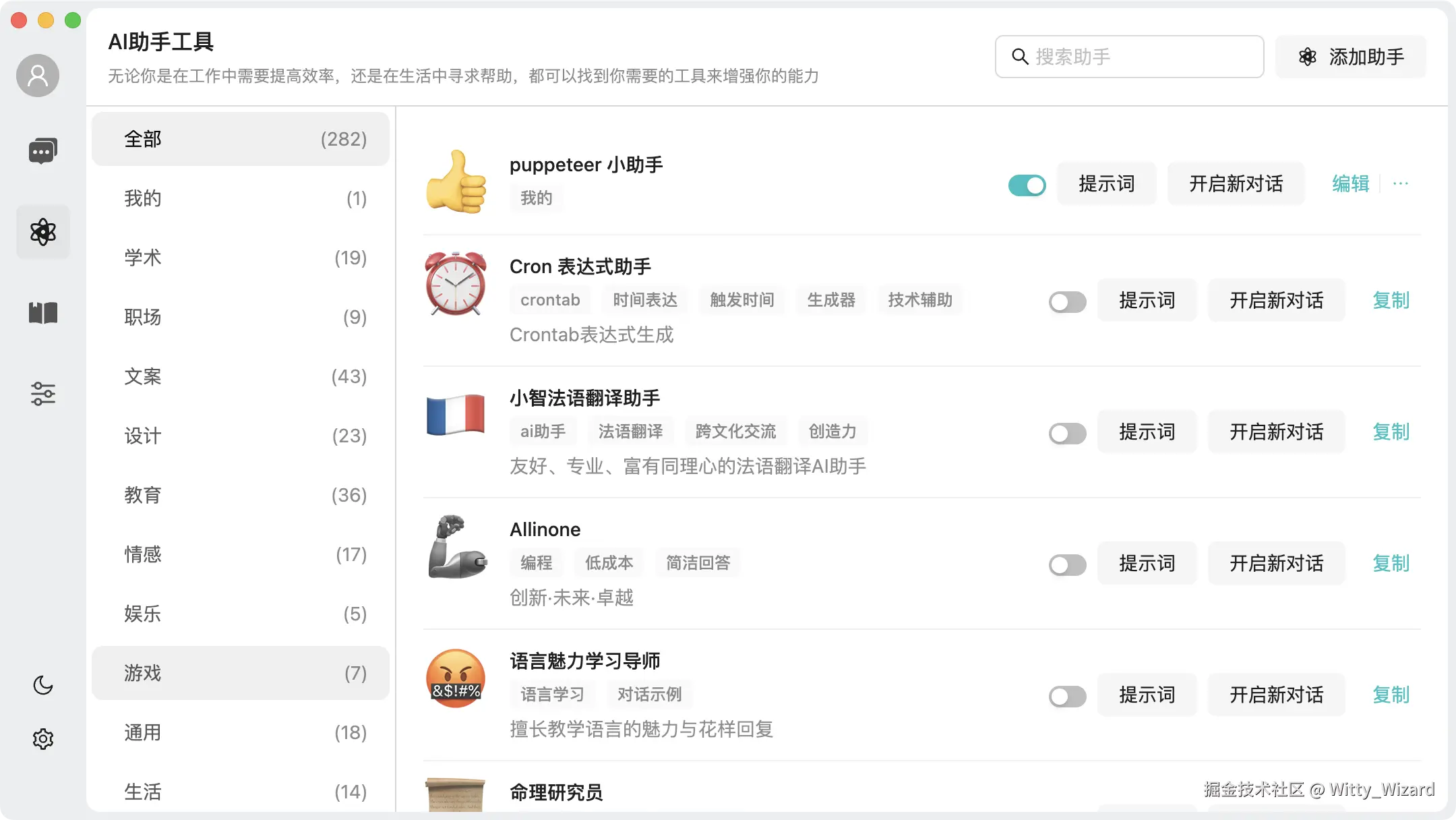
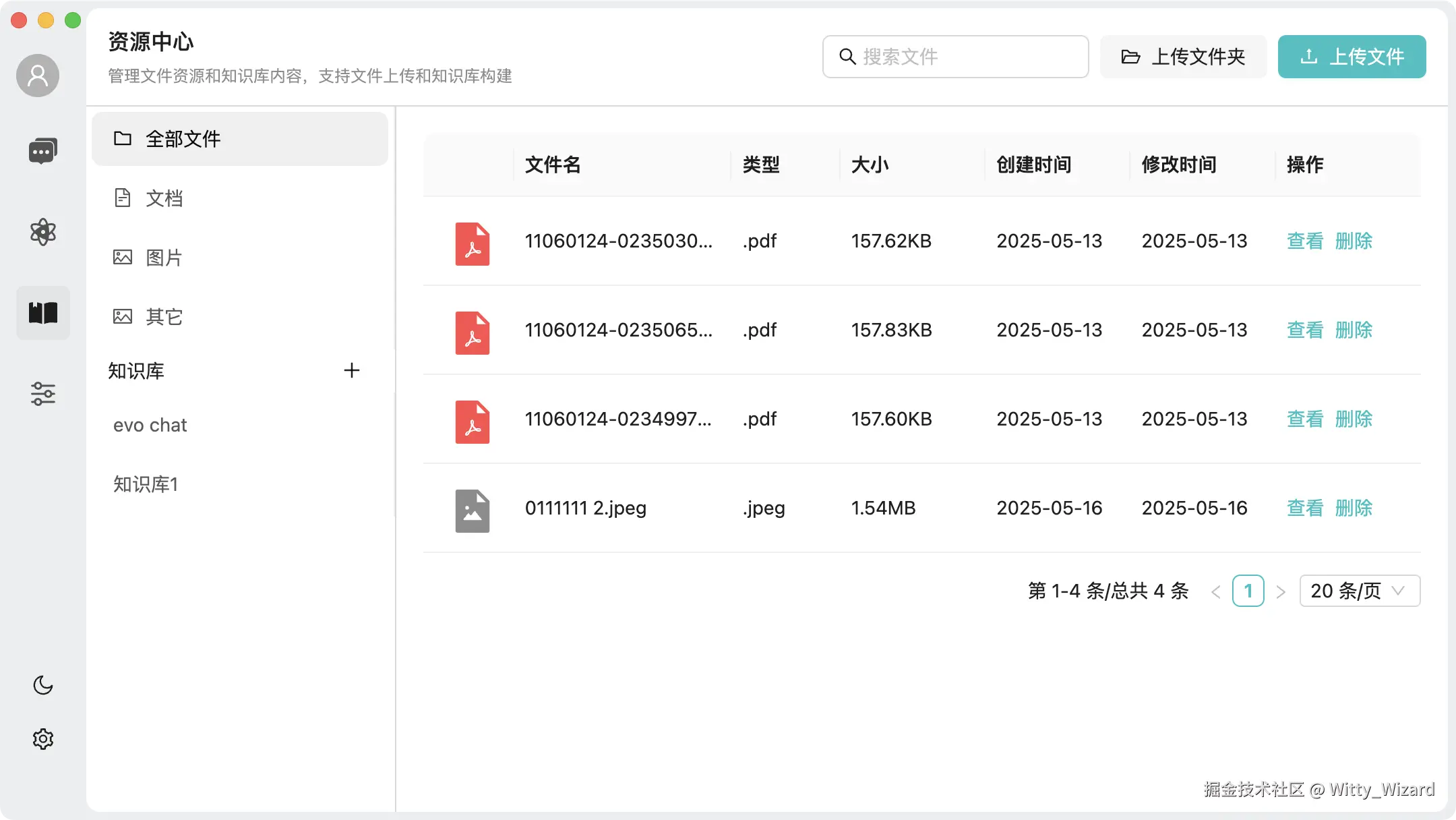
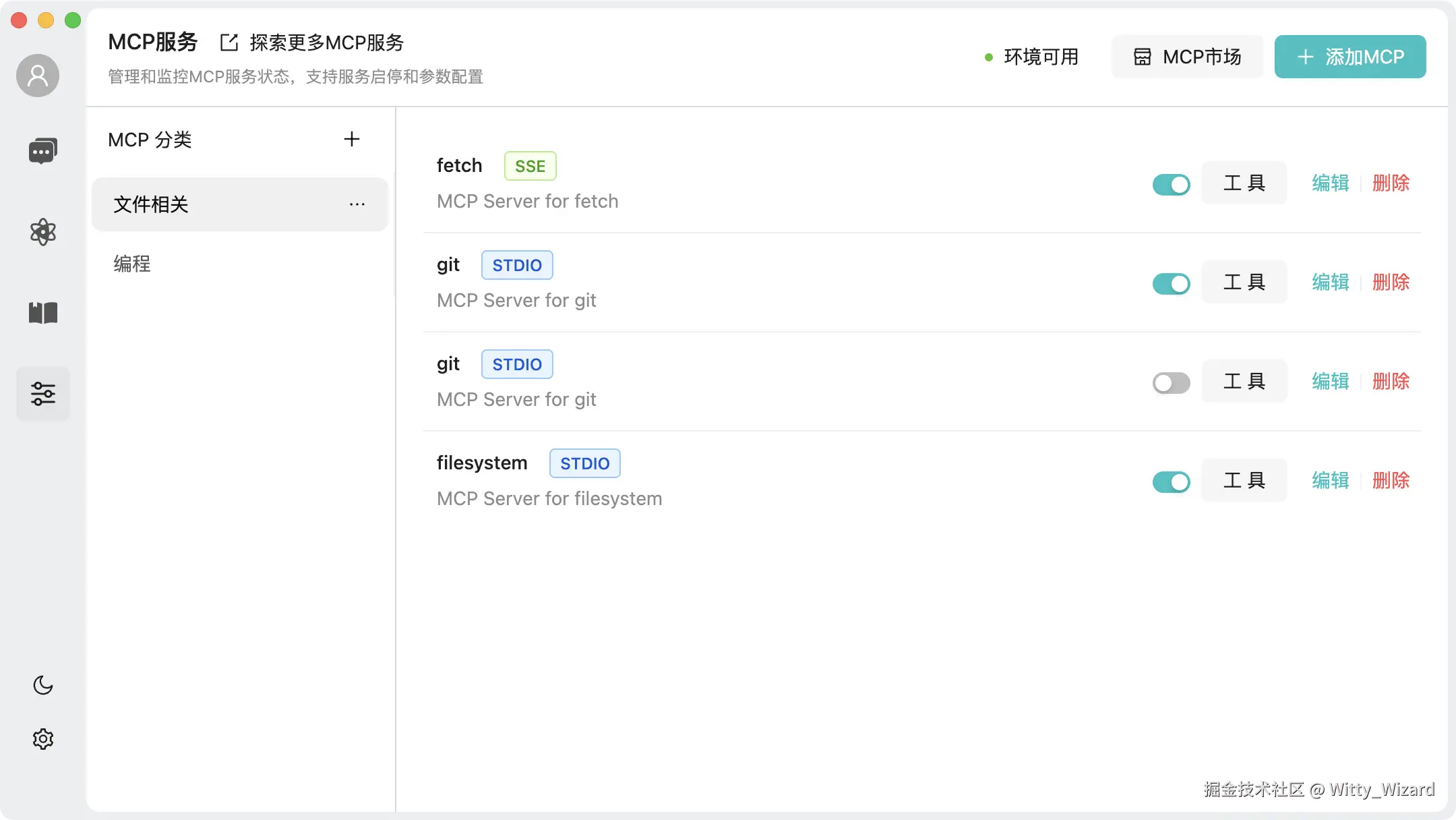
🖼️ Interface Display
-
Homepage
-
Assistant
-
Knowledge Base
-
MCP
-
MCP Session
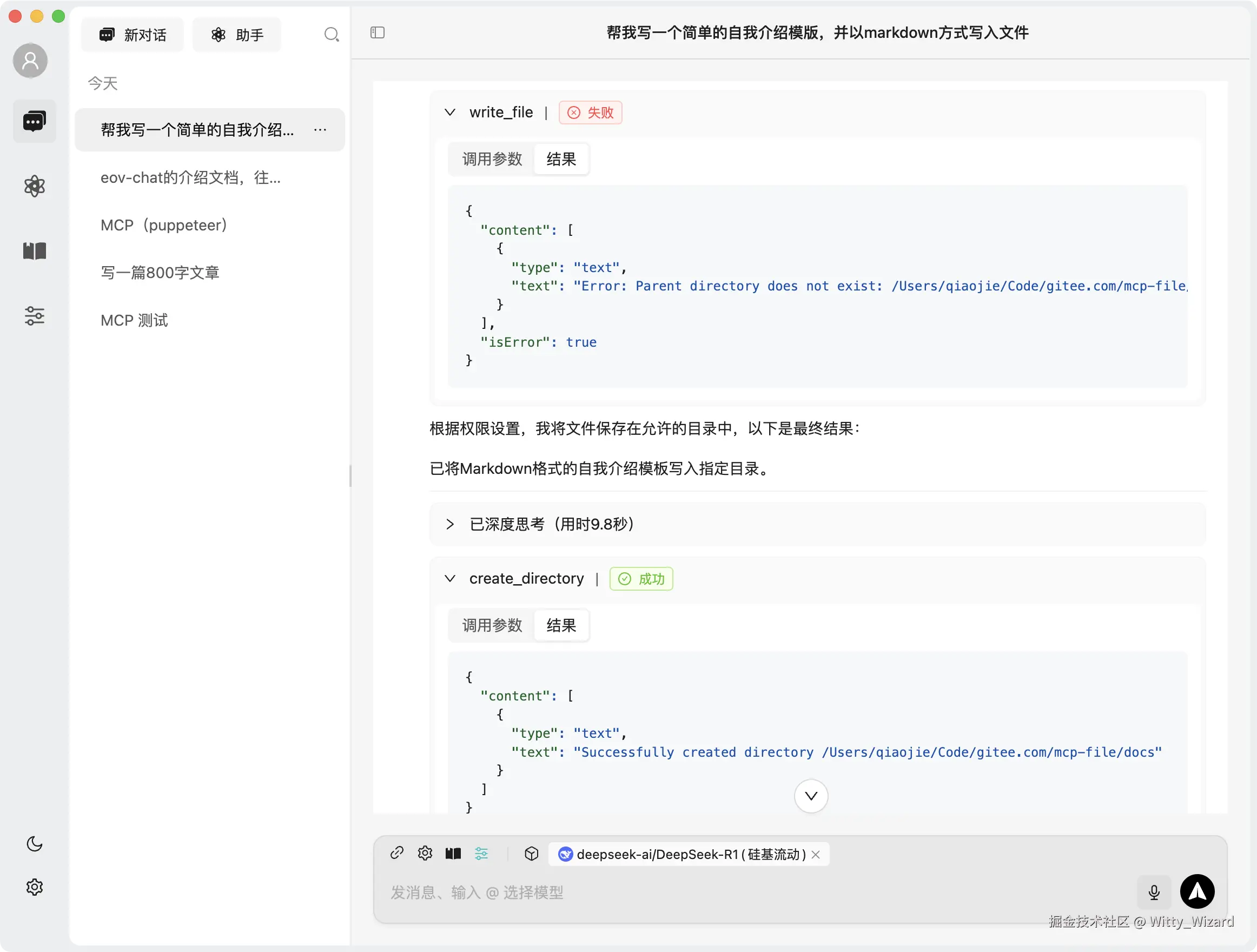
-
Model Management
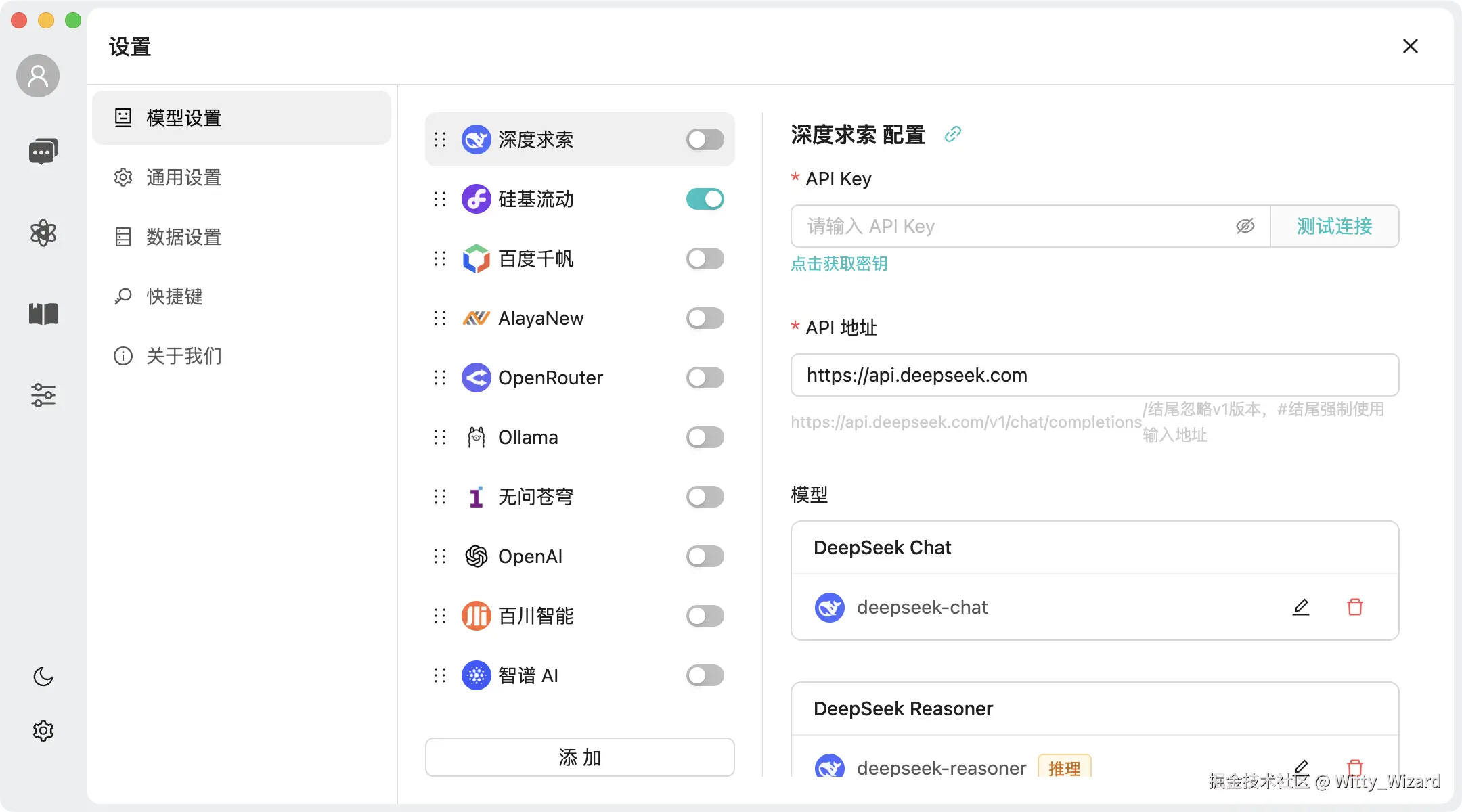
-
Dark Mode
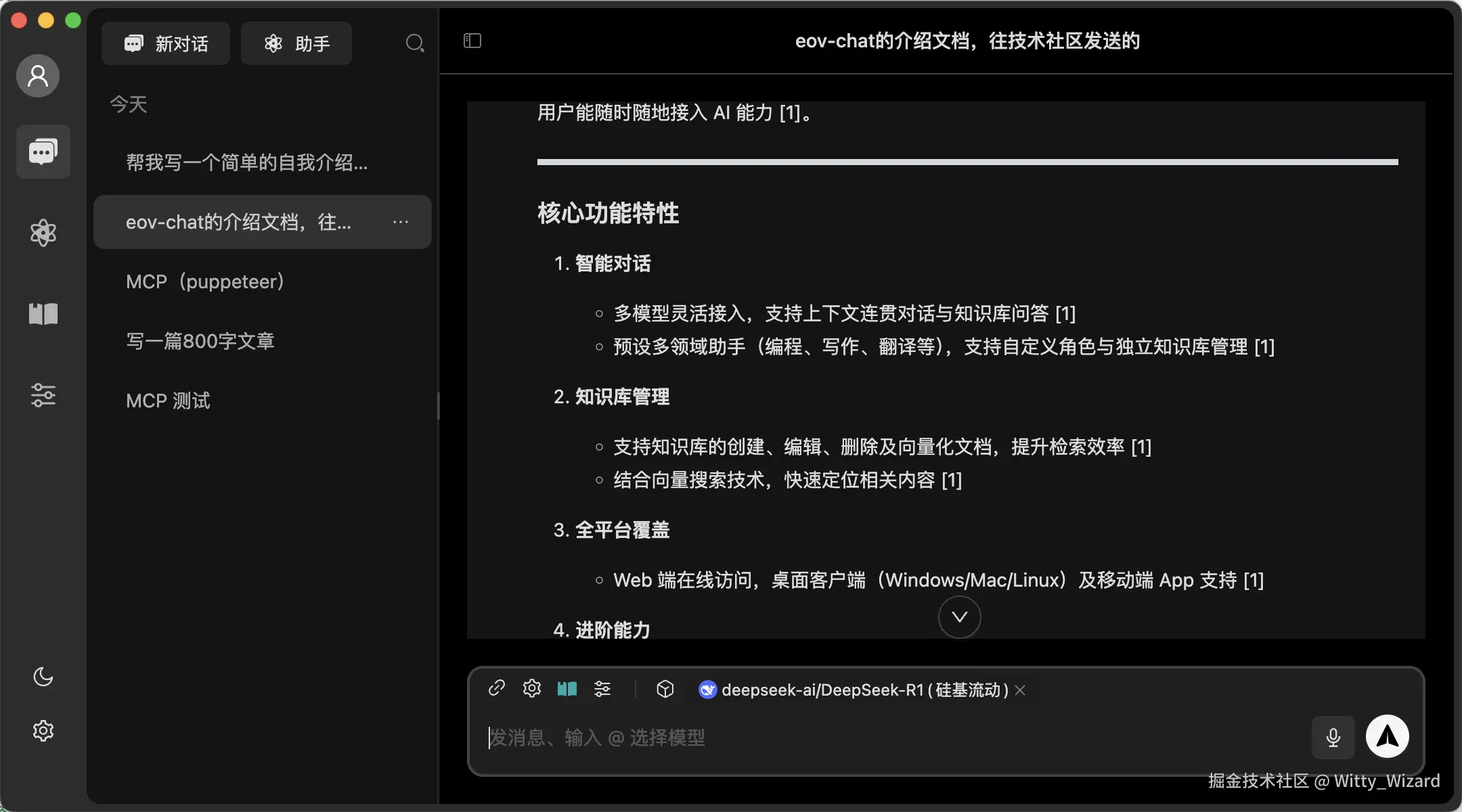
✨ Features
-
[x] 💬 Intelligent Conversation
- [x] Support for multiple model integration, providing flexible conversation capabilities
- [x] Context-aware conversations maintaining coherence
- [x] Knowledge base Q&A for quick information retrieval
-
[x] 🚀 Knowledge Base Management
- [x] Support for creating, editing, and deleting knowledge bases
- [x] Document vectorization for improved retrieval efficiency
- [x] Vector search for quick content location
-
[x] 📁 File Management
- [x] Support for file upload, preview, and deletion
- [x] File categorization management
- [x] Batch operations for improved efficiency
-
[x] 💻 Cross-Platform Support
- [x] Web access for anywhere, anytime use
- [x] Desktop client support (Windows, Mac, Linux)
- [x] Mobile app with smooth experience
-
[x] 🤖 Intelligent Assistants
- [x] Pre-configured professional domain assistants (programming, writing, translation, etc.)
- [x] Customizable assistant roles and domains
- [x] Independent knowledge base management for assistants
- [x] Quick switching between different assistant scenarios
-
[x] 🔮 Advanced Features
- [x] MCP (Model Control Protocol) protocol support
📁 Project Structure
.
├── packages
│   ├── b-component            # Shared business component library
│   ├── data-store             # Data management
│   ├── knowledge-service      # Knowledge service (electron project only)
│   ├── pglite-manager         # pglite local PostgreSQL database
│   ├── platform-bridge        # Cross-platform capabilities
│   ├── types                  # Global type definitions
│   └── utils                  # Common utility functions
├── projects
│   ├── electron-app           # Desktop client
│   ├── h5                     # Mobile application
│   └── web                    # Web application
├── scripts
│   ├── build                 # Build-related scripts
│   └── utils                 # Utility scripts
└── docs                      # Project documentation
📦 Development
Requirements
- Node.js >= 20.18.3
- pnpm >= 9.15.5
Getting Started
# Clone the project
git clone https://github.com/evo-family/evo-chat.git

# Enter project directory
cd evo-chat

# Install dependencies
pnpm install

# Start web
pnpm run dev:web

# Start h5
pnpm run dev:h5

# Start h5
pnpm run dev:h5

# Start electron
pnpm run dev:client
Contact
Add WeChat evo-chat to contact us
👥 Contribution Guide
Welcome to the Evo Chat open source community! We appreciate all contributions, whether it’s submitting code, reporting issues, or improving documentation.
How to Contribute
- Fork this repository
- Create your feature branch ( git checkout -b feature/AmazingFeature )
- Commit your changes ( git commit -m ‘Add some AmazingFeature’ )
- Push to the branch ( git push origin feature/AmazingFeature )
- Submit a Pull Request
Contributors
Thanks to all contributors:
📄 开源协议
This project is licensed under the Apache 2.0 License.
Dev Tools Supporting MCP
The following are the main code editors that support the Model Context Protocol. Click the link to visit the official website for more information.







