
Exodus
What is Exodus
Exodus is a high-performance cross-platform AI chat application designed for desktop use, compatible with OpenAI and Azure OpenAI services’ APIs. It features advanced capabilities such as MCP, Artifacts, RAG, AI Agents, and Deep Research.
Use cases
Use cases for Exodus include automating customer service responses, generating creative content, transcribing audio for accessibility, and translating audio in real-time for multilingual communication.
How to use
To start using Exodus, download it from the Landing Page or manually from the GitHub Release. The application is designed to be user-friendly, with development tools readily accessible in the production environment.
Key features
Key features of Exodus include Text Completion, Image Generation, Audio Transcription, and Audio Translation, making it a versatile tool for various AI applications.
Where to use
Exodus can be used in various fields such as customer support, content creation, educational tools, and any domain requiring interactive AI communication.
Clients Supporting MCP
The following are the main client software that supports the Model Context Protocol. Click the link to visit the official website for more information.





Overview
What is Exodus
Exodus is a high-performance cross-platform AI chat application designed for desktop use, compatible with OpenAI and Azure OpenAI services’ APIs. It features advanced capabilities such as MCP, Artifacts, RAG, AI Agents, and Deep Research.
Use cases
Use cases for Exodus include automating customer service responses, generating creative content, transcribing audio for accessibility, and translating audio in real-time for multilingual communication.
How to use
To start using Exodus, download it from the Landing Page or manually from the GitHub Release. The application is designed to be user-friendly, with development tools readily accessible in the production environment.
Key features
Key features of Exodus include Text Completion, Image Generation, Audio Transcription, and Audio Translation, making it a versatile tool for various AI applications.
Where to use
Exodus can be used in various fields such as customer support, content creation, educational tools, and any domain requiring interactive AI communication.
Clients Supporting MCP
The following are the main client software that supports the Model Context Protocol. Click the link to visit the official website for more information.
Content
Exodus







Introduction
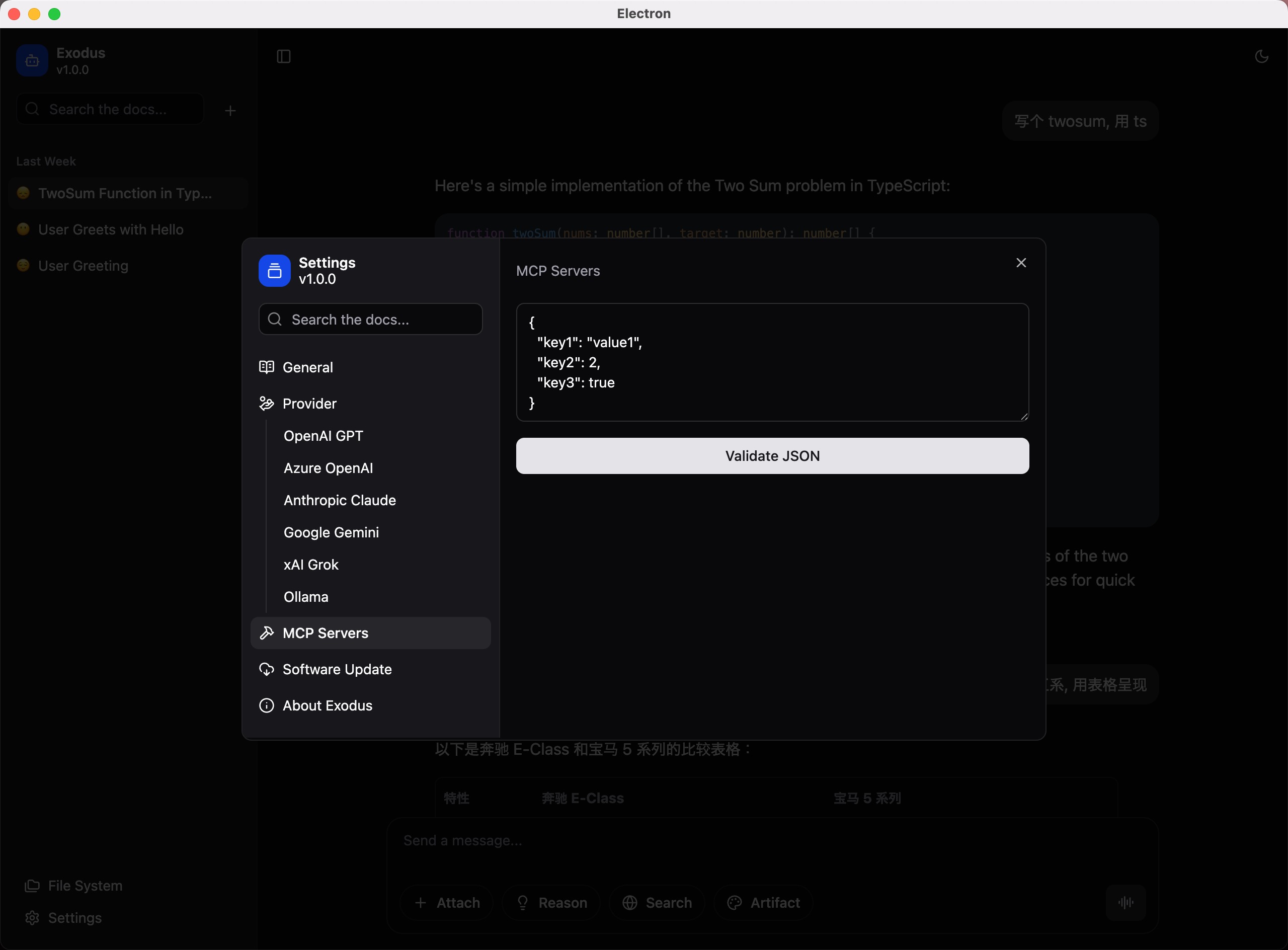
Exodus is a high-performance cross-platform AI chat application for desktop that is compatible with both OpenAI and Azure OpenAI services’ APIs. In addition, Exodus also provides features such as Text Completion, Image Generation, Audio Transcription, and Audio Translation.
To start using Exodus
You can download Exodus on our Landing Page, or manual download on GitHub Release.
We always keep the dev tools(eg: Command + Option + I) open in the production environment. In Exodus, everything is transparent and controllable.
macOS
As Exodus is not planning to be released on the App Store, you may encounter the following issue when you open it for the first time. Please follow the steps below to resolve it:

- Move the Exodus.app to the /Applications directory.
- Open your terminal App, execute the command
chmod +x /Applications/Hyper\ Chat.app/Contents/MacOS/Hyper\ Chat.
To start developing Exodus
Prerequisites
We have chosen Tauri as our cross-platform base. Please make sure that Rust is installed on your system.
Then, to install Tauri CLI globally, please follow the tutorial on create-tauri-app. We recommend using cargo install tauri-cli.
Additionally, we use React + Vite for rendering and packaging pages, so please install Node.js and pnpm globally in advance.
Recommended IDE Setup
Available Scripts
- To start tauri development window, you can execute
cargo tauri dev. - To build the bundle, you can execute
cargo tauri build.
Contributing
The main purpose of this repository is to continue to evolve Exodus, making it faster and easier to use. Development of Exodus happens in the open on GitHub, and we are grateful to the community for contributing bugfixes and improvements. Read below to learn how you can take part in improving Exodus.
Exodus has adopted a Code of Conduct that we expect project participants to adhere to. Please read the full text so that you can understand what actions will and will not be tolerated.
Read our contributing guide to learn about our development process, how to propose bugfixes and improvements, and how to build and test your changes to Exodus.
Good Issues
Please make sure to read the Issue Reporting Checklist before opening an issue. Issues not conforming to the guidelines may be closed immediately.
Upgrade Plans
We are continuously working to enhance Exodus’s capabilities and performance. Here are some of the features and upgrades that we plan to add in the future releases:
- Support function call and plugin
- Support audio input
- Support for Claude, Gemini, Llama and so on
- Improve Performance
Discussions
If you have any questions or feedback about Exodus, please visit our official discussion forum to start a conversation with our team or other users. We are committed to making Exodus the best possible chat application, and your feedback plays a crucial role in achieving this goal.
Thanks
The UI design is inspired by Chat-Web-App-UI-Kit, Thank you Figma UI Free!
License
Exodus is licensed under the terms of the MIT licensed.
Dev Tools Supporting MCP
The following are the main code editors that support the Model Context Protocol. Click the link to visit the official website for more information.







