
Ezmcp
What is Ezmcp
ezmcp is an easy-to-use MCP server framework specialized for Server-Sent Events (SSE), allowing developers to create MCP-compatible servers with a FastAPI-like syntax.
Use cases
Use cases for ezmcp include building real-time applications that require server-sent events, creating APIs that need easy integration with existing Starlette applications, and developing tools that require interactive documentation for testing.
How to use
To use ezmcp, install it via pip, create an ezmcp application instance, define tools using decorators, and run the application. You can access interactive documentation and connect to the SSE endpoint once the server is running.
Key features
Key features include a FastAPI-style decorator API for defining MCP tools, automatic parameter validation and type conversion, automatic generation of tool schemas, built-in SSE transport support, middleware support, and an interactive documentation page.
Where to use
undefined
Clients Supporting MCP
The following are the main client software that supports the Model Context Protocol. Click the link to visit the official website for more information.





Overview
What is Ezmcp
ezmcp is an easy-to-use MCP server framework specialized for Server-Sent Events (SSE), allowing developers to create MCP-compatible servers with a FastAPI-like syntax.
Use cases
Use cases for ezmcp include building real-time applications that require server-sent events, creating APIs that need easy integration with existing Starlette applications, and developing tools that require interactive documentation for testing.
How to use
To use ezmcp, install it via pip, create an ezmcp application instance, define tools using decorators, and run the application. You can access interactive documentation and connect to the SSE endpoint once the server is running.
Key features
Key features include a FastAPI-style decorator API for defining MCP tools, automatic parameter validation and type conversion, automatic generation of tool schemas, built-in SSE transport support, middleware support, and an interactive documentation page.
Where to use
undefined
Clients Supporting MCP
The following are the main client software that supports the Model Context Protocol. Click the link to visit the official website for more information.
Content
ezmcp
Easy-to-use MCP server framework specialized for SSE.
Overview
ezmcp is a lightweight framework that makes it easy to create MCP-compatible servers using a FastAPI-like syntax. It provides a simple decorator-based API for defining tools that can be called by MCP clients.
Features
- FastAPI-style decorator API for defining MCP tools
- Automatic parameter validation and type conversion
- Automatic generation of tool schemas from function signatures
- Built-in support for SSE transport
- FastAPI-style middleware support
- Easy integration with existing Starlette applications
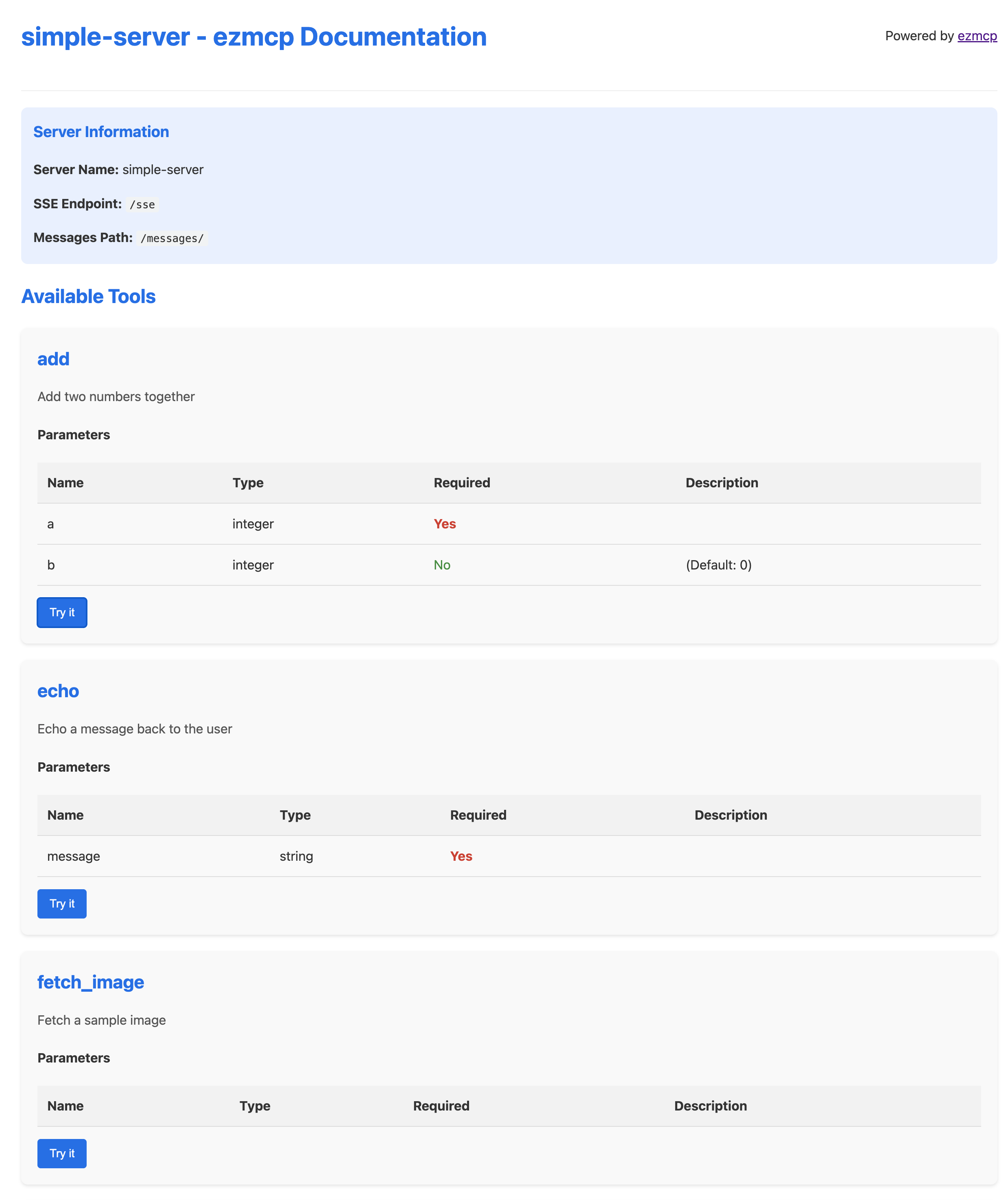
- Interactive documentation page for exploring and testing tools
Installation
pip install ezmcp
Quick Start
from ezmcp import ezmcp, TextContent

# Create an ezmcp application
app = ezmcp("my-app")

# Define a tool
@app.tool(description="Echo a message back to the user")
async def echo(message: str):
    """Echo a message back to the user."""
    return [TextContent(type="text", text=f"Echo: {message}")]

# Run the application
if __name__ == "__main__":
    app.run(host="0.0.0.0", port=8000)
Once the server is running, you can:
- Access the interactive documentation at
http://localhost:8000/docs - Connect to the SSE endpoint at
http://localhost:8000/sse
Middleware
ezmcp supports middleware similar to FastAPI, allowing you to add behavior that is applied across your entire application.
from starlette.requests import Request

from ezmcp import TextContent, ezmcp

app = ezmcp("my-app")

@app.middleware
async def process_time_middleware(request: Request, call_next):
    """Add a header with the processing time."""
    import time
    start_time = time.perf_counter()
    response = await call_next(request)
    process_time = time.perf_counter() - start_time
    response.headers["X-Process-Time"] = str(process_time)
    return response

@app.tool(description="Echo a message back to the user")
async def echo(message: str):
    """Echo a message back to the user."""
    return [TextContent(type="text", text=f"Echo: {message}")]
For more information on middleware, see the middleware documentation.
Documentation
For more detailed documentation, see the ezmcp/README.md file.
License
MIT
commands
- install for test
pdm install -G test - install for dev
pdm install -G dev
Dev Tools Supporting MCP
The following are the main code editors that support the Model Context Protocol. Click the link to visit the official website for more information.







