
Fal Ai Mcp
What is Fal Ai Mcp
fal-ai-mcp is a Model Context Protocol (MCP) server designed for generating high-quality images from text prompts using the FAL.ai platform and the HiDream-ai/HiDream-I1-Full model.
Use cases
Use cases for fal-ai-mcp include generating illustrations for articles, creating marketing visuals from product descriptions, and producing artwork based on user-defined prompts.
How to use
To use fal-ai-mcp, you need to connect to the MCP server by adding the appropriate configuration to your MCP client. You can either connect directly to the GitHub-hosted version or install it locally using ‘uv’ or ‘pip’. Make sure to provide your FAL.ai API key.
Key features
Key features of fal-ai-mcp include text-to-image generation using the HiDream-ai/HiDream-I1-Full model, integration with the FAL.ai API, complete metadata returns (including image URL and dimensions), easy integration with MCP-compatible applications, and consistent image output.
Where to use
fal-ai-mcp can be used in various fields such as digital art creation, marketing, content generation, and any application requiring high-quality image generation from textual descriptions.
Clients Supporting MCP
The following are the main client software that supports the Model Context Protocol. Click the link to visit the official website for more information.





Overview
What is Fal Ai Mcp
fal-ai-mcp is a Model Context Protocol (MCP) server designed for generating high-quality images from text prompts using the FAL.ai platform and the HiDream-ai/HiDream-I1-Full model.
Use cases
Use cases for fal-ai-mcp include generating illustrations for articles, creating marketing visuals from product descriptions, and producing artwork based on user-defined prompts.
How to use
To use fal-ai-mcp, you need to connect to the MCP server by adding the appropriate configuration to your MCP client. You can either connect directly to the GitHub-hosted version or install it locally using ‘uv’ or ‘pip’. Make sure to provide your FAL.ai API key.
Key features
Key features of fal-ai-mcp include text-to-image generation using the HiDream-ai/HiDream-I1-Full model, integration with the FAL.ai API, complete metadata returns (including image URL and dimensions), easy integration with MCP-compatible applications, and consistent image output.
Where to use
fal-ai-mcp can be used in various fields such as digital art creation, marketing, content generation, and any application requiring high-quality image generation from textual descriptions.
Clients Supporting MCP
The following are the main client software that supports the Model Context Protocol. Click the link to visit the official website for more information.
Content
FAL AI Image Generator MCP
A Model Context Protocol (MCP) server for generating images using the FAL.ai platform and HiDream-ai/HiDream-I1-Full model.
Overview
This MCP server provides a simple interface to generate high-quality images from text prompts using FAL.ai platform and HiDream-ai/HiDream-I1-Full model. It leverages the Model Context Protocol (MCP) to make image generation capabilities easily accessible to your clients.
Features
- Text-to-image generation using image generation model HiDream-ai/HiDream-I1-Full, check link for more models details
- FAL.ai API with a single tool for generating images from text prompts
- Returns complete metadata including image URL or base64 image data, dimensions, and other information
- Easy integration with MCP-compatible applications
- Consistent and reliable image output
Prerequisites
Connecting to the MCP Server
To connect to the MCP server from an MCP-compatible client, add the following configuration to your MCP config file:
Method 1: Directly Connect to GitHub-hosted Version
{
  "mcpServers": {
    "fal-ai-image-generator": {
      "command": "uvx",
      "args": [
        "git+https://github.com/OKitchen/fal-ai-mcp"
      ],
      "env": {
        "FAL_KEY": "your-fal-api-key"
      }
    }
  }
}
Method 2: Local environment Usage
Installation
Option 1: Install directly from GitHub
# Using uv (recommended)
export FAL_KEY="your-fal-api-key" && uvx git+https://github.com/OKitchen/fal-ai-mcp

# Using pip
export FAL_KEY="your-fal-api-key" && pip install git+https://github.com/OKitchen/fal-ai-mcp
Option 2: Clone and install locally
# Clone the repository
git clone https://github.com/OKitchen/fal-ai-mcp.git
cd fal-ai-mcp

# Install dependencies
uv pip install -e .
# or
pip install -e .
Running the MCP Server
You need to set your FAL.ai API key as an environment variable before running the server:
Using MCP Dev Mode (Recommended for Local Development)
For local development, you can use the MCP development mode which provides helpful debugging information:
# Navigate to your project directory
cd /path/to/fal-ai-mcp

# Set your FAL.ai API key
export FAL_KEY="your-fal-api-key"

# Run the server in dev mode
uv run mcp dev fal-ai-mcp/src/pypi_mcp/pypi_mcp_test.py
Locally Connection
To connect to your local version of the server, use this configuration, and added to your mcp_config.json file.:
{
  "mcpServers": {
    "fal-ai-image-generator": {
      "command": "uv",
      "args": [
        "--directory",
        "/path/fal-ai-mcp",
        "run",
        "-m",
        "pypi_mcp"
      ],
      "env": {
        "FAL_KEY": "your-fal-api-key"
      }
    }
  }
}
Make sure to replace /path/fal-ai-mcp with the actual path to your local project directory and your-fal-api-key with your actual FAL.ai API key.
API Reference
The MCP server exposes a single tool:
text_to_image_fal
Generates an image from a text prompt using python library fal_client to access HiDream-I1-Full model.
Parameters:
prompt(string): The text description of the image you want to generate
Returns:
- A dictionary containing the generated image data, including:
images: Array of generated images with URLs, dimensions, and content typetimings: Performance metricsseed: The random seed used for generationhas_nsfw_concepts: Safety check resultsprompt: The original prompt
Response Format Details
The response from text_to_image_fal is a rich JSON object containing detailed information about the generated image. Here’s a breakdown of the key fields:
{
  "images": [
    {
      "url": "https://v3.fal.media/files/rabbit/xxxx.jpeg",
      "width": 1024,
      "height": 1024,
      "content_type": "image/jpeg"
    }
  ],
  "timings": {
    "inference": 23.09505701251328
  },
  "seed": 12345,
  "has_nsfw_concepts": [
    false
  ],
  "prompt": "A beautiful mountain landscape with a lake and sunset"
}
but recently I find the response format is different, by using HiDream-I1-Full model it got “url” field like this:
'url': 'data:image/jpeg;base64,/9j/xxxxxxxxxxxxxxxxxxxxxxxxxxxxxxxxxx'
It is a base64 encoded image data. so you need to decode it to get the image.
you can use the following code to decode it:
import re
import base64
import json

# Read the 1.md file
with open('1.md', 'r') as file:
    content = file.read()

# Extract the base64 data
match = re.search(r"'data:image\/jpeg;base64,([^']+)'", content)
if match:
    base64_data = match.group(1)

    # Decode the base64 data
    image_data = base64.b64decode(base64_data)
    print(image_data)

    # Save to file
    with open('decoded_image.jpg', 'wb') as image_file:
        image_file.write(image_data)

    print("Image successfully saved as 'decoded_image.jpg'")
else:
    print("Could not find base64 image data in the file")
- images: Contains an array of generated images (typically just one)
- url: Base64 encoded image data
- width/height: Dimensions of the generated image (typically 1024x1024)
- content_type: MIME type of the image (usually “image/jpeg”)
- timings: Performance metrics for the generation process
- queue_time: Time spent waiting in queue
- inference_time: Time spent on actual image generation
- total_time: Total processing time
- seed: The random seed used for this generation
- has_nsfw_concepts: Boolean flag indicating if NSFW content was detected
- prompt: The original text prompt used for generation
Examples
Example 1: Generate a landscape image
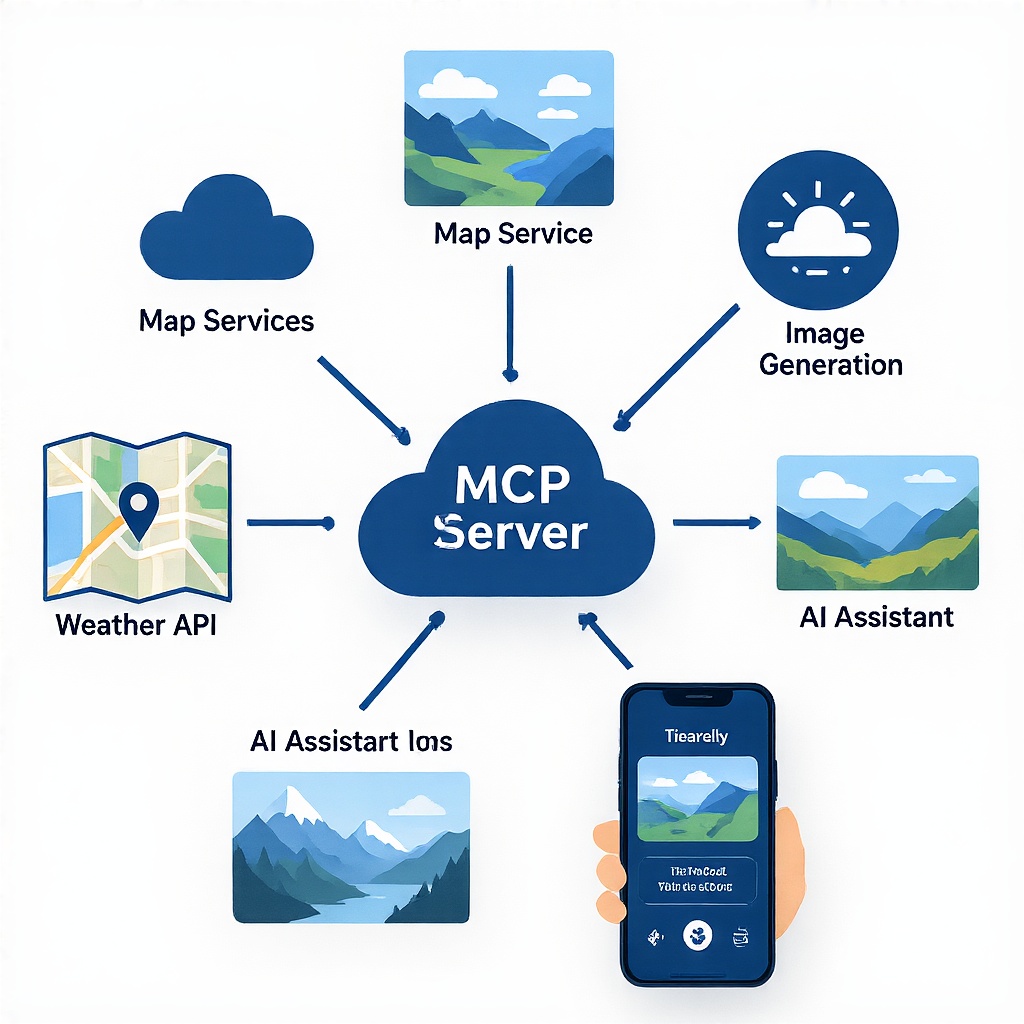
result = text_to_image_fal(prompt="A professional tech illustration showing MCP (Model Context Protocol) architecture connecting multiple AI services for travel planning. The image should display a central hub labeled \"MCP Server\" with connections to map services, image generation, weather API, and AI assistants. Include travel elements like a map, photos of scenic destinations, and a smartphone displaying an itinerary. Digital, clean, modern style with blue and white color scheme, suitable as a cover image for a technical tutorial.")
image_url = result["images"][0]["url"]
Example 2: Generate a futuristic cityscape
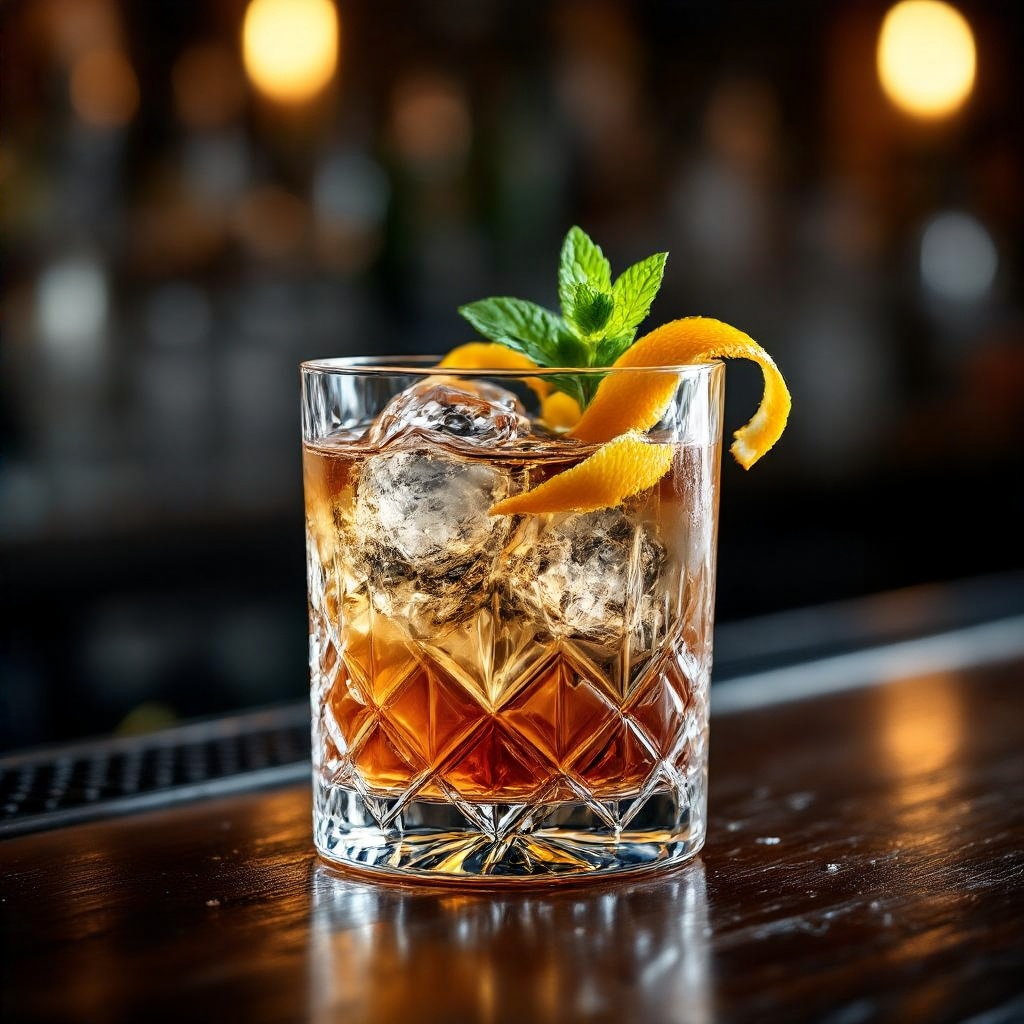
result = text_to_image_fal(prompt="Elegant cocktail in a crystal glass with ice, garnished with citrus peel and mint, professional photography with soft lighting, on a dark wooden bar counter")
image_url = result["images"][0]["url"]
License
MIT
Acknowledgements
- FAL.ai for providing the image generation API
- Model Context Protocol (MCP) for the protocol specification
- The open-source community Hugging Face for inspiration and support
Contributing
Contributions are welcome! Please feel free to submit a Pull Request to enhance the functionality or documentation of this MCP server.
Dev Tools Supporting MCP
The following are the main code editors that support the Model Context Protocol. Click the link to visit the official website for more information.







