
Genai Mcp
What is Genai Mcp
GenAI-MCP is a demonstration of the capabilities of the GenAIScript’s MCP Server, which allows communication with AI models using the Model Context Protocol (MCP).
Use cases
Use cases include developing AI applications, integrating AI models into existing systems, and creating tools that require contextual understanding from LLMs.
How to use
To use GenAI-MCP, install the VSCode extension and ensure you have at least Node.js v20. Configure the MCP servers in the mcp.json file and run the server locally or remotely using the specified commands.
Key features
Key features include the ability to connect AI models to various data sources and tools through a standardized protocol, support for local models, and ease of installation and configuration.
Where to use
GenAI-MCP can be used in various fields such as AI development, data analysis, and any application requiring interaction with large language models (LLMs).
Clients Supporting MCP
The following are the main client software that supports the Model Context Protocol. Click the link to visit the official website for more information.





Overview
What is Genai Mcp
GenAI-MCP is a demonstration of the capabilities of the GenAIScript’s MCP Server, which allows communication with AI models using the Model Context Protocol (MCP).
Use cases
Use cases include developing AI applications, integrating AI models into existing systems, and creating tools that require contextual understanding from LLMs.
How to use
To use GenAI-MCP, install the VSCode extension and ensure you have at least Node.js v20. Configure the MCP servers in the mcp.json file and run the server locally or remotely using the specified commands.
Key features
Key features include the ability to connect AI models to various data sources and tools through a standardized protocol, support for local models, and ease of installation and configuration.
Where to use
GenAI-MCP can be used in various fields such as AI development, data analysis, and any application requiring interaction with large language models (LLMs).
Clients Supporting MCP
The following are the main client software that supports the Model Context Protocol. Click the link to visit the official website for more information.
Content
GenAIScript MCP Demo 🚀
This repository demonstrates the MCP Server capabilities of GenAIScript. The minimum version you need is 1.119.4
What is GenAIScript? 🤖
GenAIScript is a framework that enables you to communicate with AI models (even local models). GenAIScript can use MCP tools, and can also act as the MCP server.
Model Context Protocol (MCP) 📋
This is how Anthropic, the creators of MCP specification, defines Model Context Protocol
MCP is an open protocol that standardizes how applications provide context to LLMs. Think of MCP like a USB-C port for AI applications. Just as USB-C provides a standardized way to connect your devices to various peripherals and accessories, MCP provides a standardized way to connect AI models to different data sources and tools.
Installation of GenAIScript 🛠️
Install the VSCode extension. You need at least Node.js v20. Refer to https://microsoft.github.io/genaiscript/getting-started/installation/ additional instructions.
Usage 💻
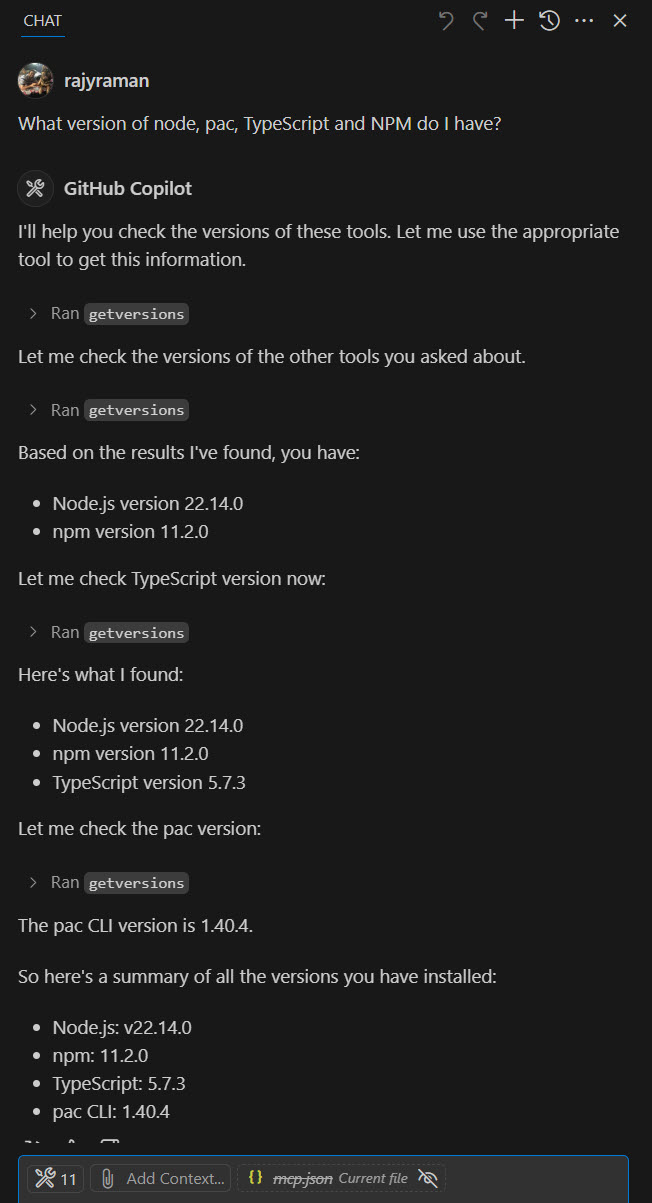
If you install the March 2025 version of VSCode Insiders, you should be able to run the GenAIScript MCP server locally, to get the tool versions installed on your local machine.
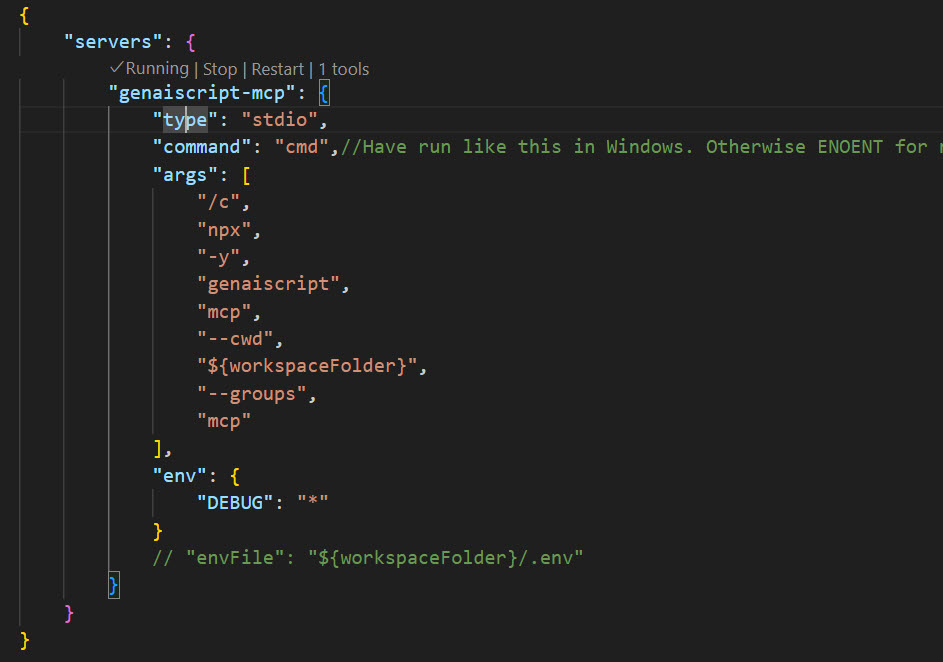
mcp.json is where you would configure the MCP servers. Below is the sample configuration on Windows. You don’t even need to clone this repo with this approach, as GenAIScript can clone the repo in the background for you to just use the tools. If you are using the --remote flag, you don’t need to install the GenAIScript extension at all.
{
    "servers": {
        "genaiscript-mcp-remote": {
            "type": "stdio",
            "command": "cmd",//Have run like this in Windows. Otherwise ENOENT for npx, atleast in my machine.
            "args": [
                "/c",
                "npx",
                "-y",
                "genaiscript",
                "mcp",
                "--remote",
                "https://github.com/rajyraman/genai-mcp/",
                "--remote-branch",
                "main",
                "--groups",
                "mcp"
            ],
            "env": {
                "DEBUG": "*"
            }
            // "envFile": "${workspaceFolder}/.env"
        }
    }
}
You can start the MCP Server by clicking the Start link. If it is already running, you would see a Running indicator.
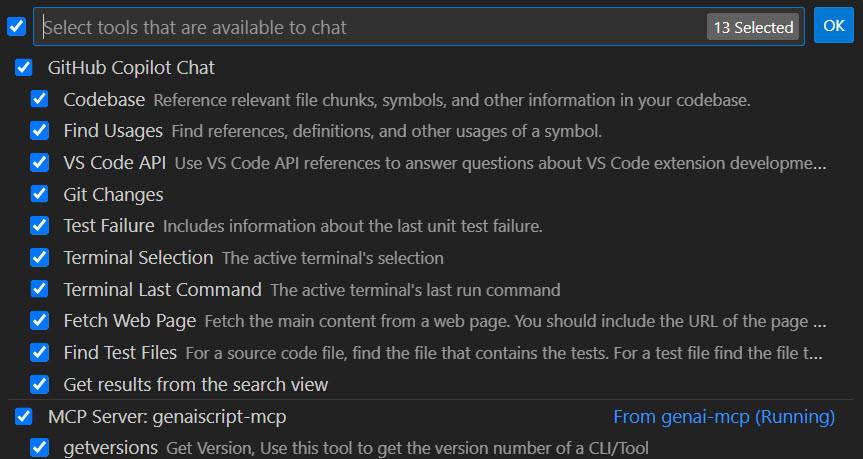
Below is how you can use it in the GitHub Copilot chat.
Dev Tools Supporting MCP
The following are the main code editors that support the Model Context Protocol. Click the link to visit the official website for more information.







