
Gis Mcp
What is Gis Mcp
gis-mcp is a Model Context Protocol (MCP) server implementation that connects Large Language Models (LLMs) to Geographic Information System (GIS) operations using libraries like Shapely and PyProj. It enables AI assistants to perform geospatial operations and transformations effectively.
Use cases
Use cases for gis-mcp include enhancing chatbots with geospatial analysis capabilities, performing complex spatial queries in applications, and transforming geographic data for better decision-making.
How to use
To use gis-mcp, install it via pip and integrate it with your AI chatbot or application. Utilize the provided tools for geometric operations and coordinate transformations as needed.
Key features
Key features of gis-mcp include comprehensive geometric operations (such as intersection and union), advanced coordinate transformations, precise distance and area calculations, and support for various GIS libraries.
Where to use
gis-mcp can be used in fields such as urban planning, environmental monitoring, logistics, and any application requiring geospatial data analysis and manipulation.
Clients Supporting MCP
The following are the main client software that supports the Model Context Protocol. Click the link to visit the official website for more information.





Overview
What is Gis Mcp
gis-mcp is a Model Context Protocol (MCP) server implementation that connects Large Language Models (LLMs) to Geographic Information System (GIS) operations using libraries like Shapely and PyProj. It enables AI assistants to perform geospatial operations and transformations effectively.
Use cases
Use cases for gis-mcp include enhancing chatbots with geospatial analysis capabilities, performing complex spatial queries in applications, and transforming geographic data for better decision-making.
How to use
To use gis-mcp, install it via pip and integrate it with your AI chatbot or application. Utilize the provided tools for geometric operations and coordinate transformations as needed.
Key features
Key features of gis-mcp include comprehensive geometric operations (such as intersection and union), advanced coordinate transformations, precise distance and area calculations, and support for various GIS libraries.
Where to use
gis-mcp can be used in fields such as urban planning, environmental monitoring, logistics, and any application requiring geospatial data analysis and manipulation.
Clients Supporting MCP
The following are the main client software that supports the Model Context Protocol. Click the link to visit the official website for more information.
Content
GIS MCP Server
✨ Want to perform accurate geospatial analysis in your chatbot? ✨
Install GIS-MCP and transform your AI's spatial capabilities!
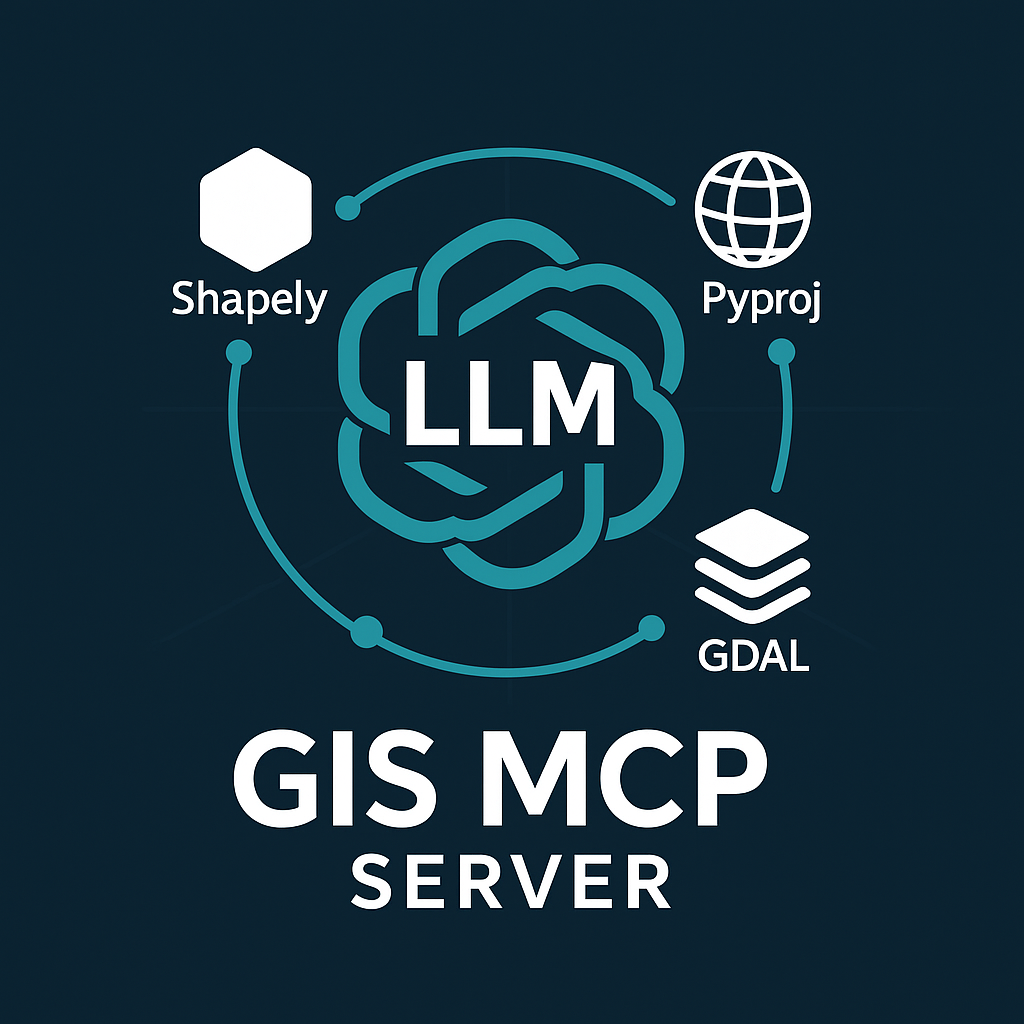
A Model Context Protocol (MCP) server implementation that connects Large Language Models (LLMs) to GIS operations using GIS libraries, enabling AI assistants to perform geospatial operations and transformations.
Alpha
Version 0.3.0 (Alpha) is under active development. We welcome contributions and developers to join us in building this project.
🎥 Demo
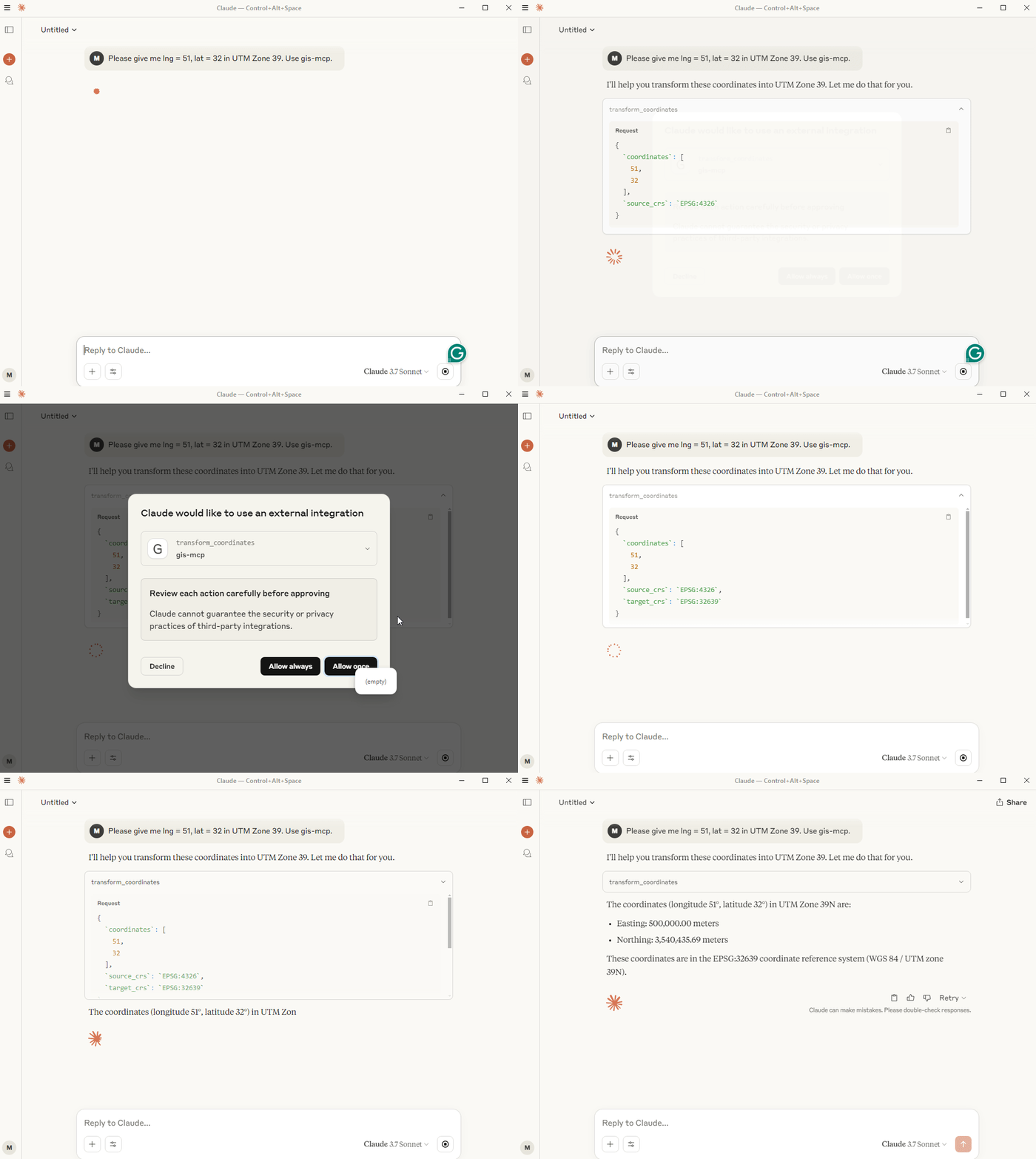
Rasterio Demo
📋 Table of Contents
- Features
- Prerequisites
- Installation
- Available Tools
- Client Development
- Planned Features
- Contributing
- License
- Related Projects
- Support
- Badges
🚀 Features
- 🔍 Comprehensive geometric operations (intersection, union, buffer, etc.)
- 🌐 Advanced coordinate transformations and projections
- 📏 Precise distance and area calculations
- 🗺️ Spatial analysis and validation
- 🛠️ Easy integration with MCP-compatible clients
📋 Prerequisites
- Python 3.10 or higher
- MCP-compatible client (like Claude Desktop or Cursor)
- Internet connection for package installation
🛠️ Installation
Choose the installation method that best suits your needs:
Installing via Smithery
To install GIS MCP Server for Claude Desktop automatically via Smithery:
npx -y @smithery/cli install @mahdin75/gis-mcp --client claude
📦 pip Installation
The pip installation is recommended for most users:
- Install uv package manager:
pip install uv
- Create the Virtual Environment (Python 3.10+):
uv venv --python=3.10
- Install the package:
uv pip install gis-mcp
- Start the server:
gis-mcp
pip Configuration
To use the pip installation with Claude or Cursor, add the following configuration:
Claude Desktop:
Windows:
{
  "mcpServers": {
    "gis-mcp": {
      "command": "C:\\Users\\YourUsername\\.venv\\Scripts\\gis-mcp",
      "args": []
    }
  }
}
Linux/Mac:
{
  "mcpServers": {
    "gis-mcp": {
      "command": "/home/YourUsername/.venv/bin/gis-mcp",
      "args": []
    }
  }
}
Cursor IDE (create .cursor/mcp.json):
Windows:
{
  "mcpServers": {
    "gis-mcp": {
      "command": "C:\\Users\\YourUsername\\.venv\\Scripts\\gis-mcp",
      "args": []
    }
  }
}
Linux/Mac:
{
  "mcpServers": {
    "gis-mcp": {
      "command": "/home/YourUsername/.venv/bin/gis-mcp",
      "args": []
    }
  }
}
After configuration:
- Make sure to replace
YourUsernamewith your actual username - For development installation, replace
/path/to/gis-mcpwith the actual path to your project - Restart your IDE to apply the changes
- You can now use all GIS operations through Claude or Cursor!
🛠️ Development Installation
For contributors and developers:
- Install uv package manager:
pip install uv
- Create the Virtual Environment:
uv venv --python=3.10
- Install the package in development mode:
uv pip install -e .
- Start the server:
python -m gis_mcp
Development Configuration
To use the development installation with Claude or Cursor, add the following configuration:
Claude Desktop:
Windows:
{
  "mcpServers": {
    "gis-mcp": {
      "command": "C:\\path\\to\\gis-mcp\\.venv\\Scripts\\python",
      "args": [
        "-m",
        "gis_mcp"
      ]
    }
  }
}
Linux/Mac:
{
  "mcpServers": {
    "gis-mcp": {
      "command": "/path/to/gis-mcp/.venv/bin/python",
      "args": [
        "-m",
        "gis_mcp"
      ]
    }
  }
}
Cursor IDE (create .cursor/mcp.json):
Windows:
{
  "mcpServers": {
    "gis-mcp": {
      "command": "C:\\path\\to\\gis-mcp\\.venv\\Scripts\\python",
      "args": [
        "-m",
        "gis_mcp"
      ]
    }
  }
}
Linux/Mac:
{
  "mcpServers": {
    "gis-mcp": {
      "command": "/path/to/gis-mcp/.venv/bin/python",
      "args": [
        "-m",
        "gis_mcp"
      ]
    }
  }
}
After configuration:
- Make sure to replace
YourUsernamewith your actual username - For development installation, replace
/path/to/gis-mcpwith the actual path to your project - Restart your IDE to apply the changes
- You can now use all GIS operations through Claude or Cursor!
🛠️ Available Tools
Shapely Operations
Basic Operations
| Tool | Description |
|---|---|
buffer |
Create a buffer around geometries with customizable parameters |
intersection |
Find intersection of two geometries |
union |
Combine two geometries |
difference |
Find difference between geometries |
symmetric_difference |
Find symmetric difference between geometries |
Geometric Properties
| Tool | Description |
|---|---|
convex_hull |
Calculate convex hull of a geometry |
envelope |
Get bounding box of a geometry |
minimum_rotated_rectangle |
Get minimum rotated rectangle of a geometry |
get_centroid |
Get the centroid of a geometry |
get_bounds |
Get the bounds of a geometry |
get_coordinates |
Get the coordinates of a geometry |
get_geometry_type |
Get the type of a geometry |
Transformations
| Tool | Description |
|---|---|
rotate_geometry |
Rotate a geometry with specified angle and origin |
scale_geometry |
Scale a geometry with x and y factors |
translate_geometry |
Translate a geometry with x, y, and z offsets |
Advanced Operations
| Tool | Description |
|---|---|
triangulate_geometry |
Create a triangulation of a geometry |
voronoi |
Create a Voronoi diagram from points |
unary_union_geometries |
Create a union of multiple geometries |
Measurements
| Tool | Description |
|---|---|
get_length |
Get the length of a geometry |
get_area |
Get the area of a geometry |
Validation and Simplification
| Tool | Description |
|---|---|
is_valid |
Check if a geometry is valid |
make_valid |
Make a geometry valid |
simplify |
Simplify a geometry with specified tolerance |
PyProj Operations
Coordinate Transformations
| Tool | Description |
|---|---|
transform_coordinates |
Transform coordinates between CRS |
project_geometry |
Project a geometry between CRS |
CRS Information
| Tool | Description |
|---|---|
get_crs_info |
Get detailed information about a CRS |
get_available_crs |
Get list of all available CRS |
get_utm_zone |
Get UTM zone for given coordinates |
get_utm_crs |
Get UTM CRS for given coordinates |
get_geocentric_crs |
Get geocentric CRS for given coordinates |
Geodetic Calculations
| Tool | Description |
|---|---|
get_geod_info |
Get information about a geodetic calculation |
calculate_geodetic_distance |
Calculate geodetic distance between points |
calculate_geodetic_point |
Calculate point at given distance and azimuth |
calculate_geodetic_area |
Calculate area of a polygon using geodetic calculations |
GeoPandas Operations
I/O Operations
| Tool | Description |
|---|---|
read_file_gpd |
Read a geospatial file and return stats and data preview |
to_file_gpd |
Write a GeoDataFrame to a file |
Join Operations
| Tool | Description |
|---|---|
append_gpd |
Concatenate two GeoDataFrames vertically |
merge_gpd |
Perform database-style joins between GeoDataFrames |
Rasterio Operations
Basic Raster Operations
| Tool | Description |
|---|---|
metadata_raster |
Get metadata from a raster dataset |
get_raster_crs |
Retrieve the CRS of a raster dataset |
extract_band |
Extract a specific band from a multi-band raster |
raster_band_statistics |
Calculate statistics (min, max, mean, std) for each band |
raster_histogram |
Compute histogram of pixel values for each band |
Raster Processing
| Tool | Description |
|---|---|
clip_raster_with_shapefile |
Clip a raster using polygons from a shapefile |
resample_raster |
Resample a raster by a scale factor |
reproject_raster |
Reproject a raster to a new CRS |
tile_raster |
Split a raster into square tiles |
Raster Analysis
| Tool | Description |
|---|---|
compute_ndvi |
Calculate Normalized Difference Vegetation Index |
raster_algebra |
Perform algebraic operations on raster bands |
concat_bands |
Combine multiple single-band rasters into one multi-band raster |
weighted_band_sum |
Compute weighted sum of all bands in a raster |
🛠️ Client Development
Example usage of the tools:
Buffer Operation
Tool: buffer
Parameters: {
    "geometry": "POINT(0 0)",
    "distance": 10,
    "resolution": 16,
    "join_style": 1,
    "mitre_limit": 5.0,
    "single_sided": false
}
Coordinate Transformation
Tool: transform_coordinates
Parameters: {
    "coordinates": [0, 0],
    "source_crs": "EPSG:4326",
    "target_crs": "EPSG:3857"
}
Geodetic Distance
Tool: calculate_geodetic_distance
Parameters: {
    "point1": [0, 0],
    "point2": [10, 10],
    "ellps": "WGS84"
}
🔮 Planned Features
- Add support for more GIS libraries - GDAL/OGR
- Implement advanced spatial indexing
- Add support for raster operations
- Implement network analysis capabilities
- Add support for 3D geometries
- Implement performance optimizations
🤝 Contributing
We welcome contributions! Here’s how you can help:
- Fork the repository
- Create a feature branch (
git checkout -b feature/AmazingFeature) - Commit your changes (
git commit -m 'Add some AmazingFeature') - Push to the branch (
git push origin feature/AmazingFeature) - Open a Pull Request
Please ensure your PR description clearly describes the problem and solution. Include the relevant issue number if applicable.
📄 License
This project is licensed under the MIT License - see the LICENSE file for details.
🔗 Related Projects
- Model Context Protocol - The core MCP implementation
- Shapely - Python package for manipulation and analysis of geometric objects
- PyProj - Python interface to PROJ library
- GeoPandas - Python package for working with geospatial data
- Rasterio - Python package for reading and writing geospatial raster data
📞 Support
For support, please open an issue in the GitHub repository.
💬 Community
Join our Discord community for discussions, updates, and support:

👥 Contributors
Made with contrib.rocks.
🏆 Badges

Dev Tools Supporting MCP
The following are the main code editors that support the Model Context Protocol. Click the link to visit the official website for more information.







