
Github Oauth Mcp
What is Github Oauth Mcp
github-oauth-mcp is a minimal MCP server that demonstrates how to implement GitHub OAuth for user authentication.
Use cases
Use cases include testing user authentication flows, developing applications that require GitHub login, and learning how to implement OAuth in a minimalistic MCP server setup.
How to use
To use github-oauth-mcp, register a GitHub App, obtain the client ID and secret, and configure them in a .env file. Then, install dependencies and run the server using npm commands.
Key features
Key features include GitHub OAuth authentication, a minimal setup for demonstration purposes, and a focus on security practices for handling tokens and credentials.
Where to use
github-oauth-mcp can be used in development environments for testing OAuth implementations and understanding how to integrate GitHub authentication into MCP servers.
Clients Supporting MCP
The following are the main client software that supports the Model Context Protocol. Click the link to visit the official website for more information.





Overview
What is Github Oauth Mcp
github-oauth-mcp is a minimal MCP server that demonstrates how to implement GitHub OAuth for user authentication.
Use cases
Use cases include testing user authentication flows, developing applications that require GitHub login, and learning how to implement OAuth in a minimalistic MCP server setup.
How to use
To use github-oauth-mcp, register a GitHub App, obtain the client ID and secret, and configure them in a .env file. Then, install dependencies and run the server using npm commands.
Key features
Key features include GitHub OAuth authentication, a minimal setup for demonstration purposes, and a focus on security practices for handling tokens and credentials.
Where to use
github-oauth-mcp can be used in development environments for testing OAuth implementations and understanding how to integrate GitHub authentication into MCP servers.
Clients Supporting MCP
The following are the main client software that supports the Model Context Protocol. Click the link to visit the official website for more information.
Content
🔒 Minimal GitHub OAuth-enabled MCP Server
Minimal MCP server showing how to potentially implement GitHub OAuth with an MCP server.
[!IMPORTANT]
This repository has been archived. Refer to the reference collection for latest samples and best practices.
[!WARNING]
This is not intended for production use. If you are to adopt any of the practices in this implementation, ensure that you are implementing proper caching and secure token/credential handling practices.
GitHub application registration
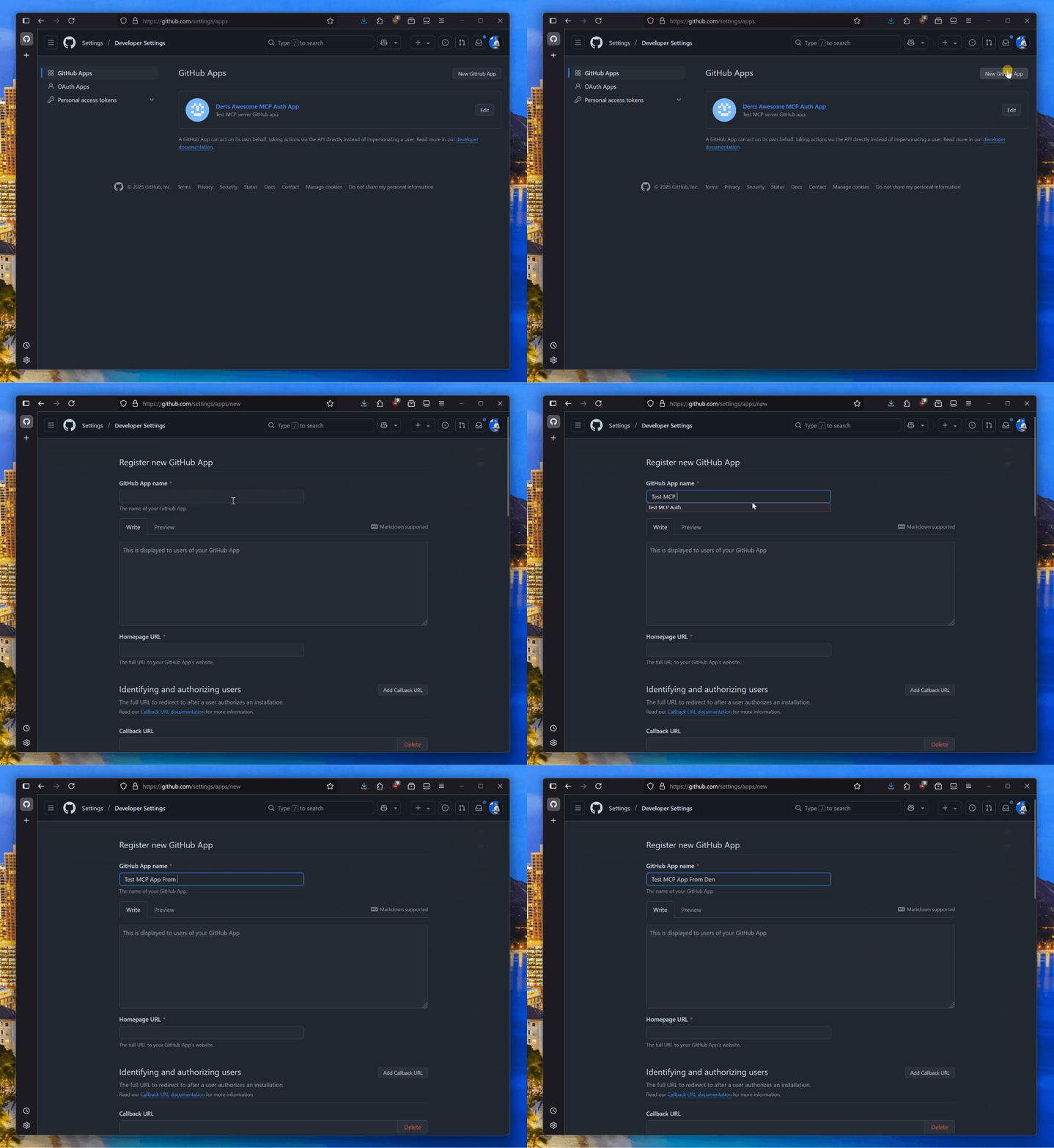
Prior to using this MCP server, make sure that you have a GitHub App you can use for testing. You can register one in your GitHub settings.
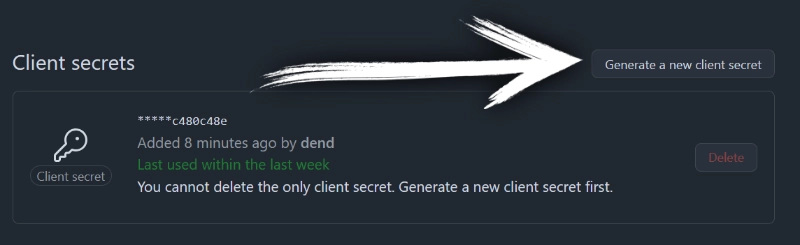
Once the app is registered, make sure to generate a new secret.
With the client ID and secret handy, create a new .env file in the root of this project, and add:
GITHUB_CLIENT_ID=YOUR_CLIENT_ID
GITHUB_CLIENT_SECRET=YOUR_SECRET
Run server
npm install
npm run build
npm run start
Testing
You will need to use MCP Inspector or a tool that supports HTTP+SSE transport for MCP servers and authentication.
Dev Tools Supporting MCP
The following are the main code editors that support the Model Context Protocol. Click the link to visit the official website for more information.







