
Graph Search Mcp
What is Graph Search Mcp
graph-search-mcp is a project that enables users to search Microsoft 365 files using the Model Context Protocol (MCP) and Microsoft Graph, allowing for accurate results through AI assistants.
Use cases
Use cases include converting human-friendly dates to ISO 8601 format for Microsoft Graph API calls and searching for specific file types, such as Word documents, in OneDrive.
How to use
To use graph-search-mcp, follow the step-by-step instructions provided in the accompanying documentation and video. Users can run the tools locally or publish them to npm for broader access.
Key features
Key features include secure querying of Microsoft Graph using app-only authentication, utilities for converting dates to Graph-compatible formats, and practical examples of integrating these tools with AI assistants like Claude.
Where to use
graph-search-mcp is applicable in various fields such as enterprise environments, educational institutions, and any organization utilizing Microsoft 365 for file management and collaboration.
Clients Supporting MCP
The following are the main client software that supports the Model Context Protocol. Click the link to visit the official website for more information.





Overview
What is Graph Search Mcp
graph-search-mcp is a project that enables users to search Microsoft 365 files using the Model Context Protocol (MCP) and Microsoft Graph, allowing for accurate results through AI assistants.
Use cases
Use cases include converting human-friendly dates to ISO 8601 format for Microsoft Graph API calls and searching for specific file types, such as Word documents, in OneDrive.
How to use
To use graph-search-mcp, follow the step-by-step instructions provided in the accompanying documentation and video. Users can run the tools locally or publish them to npm for broader access.
Key features
Key features include secure querying of Microsoft Graph using app-only authentication, utilities for converting dates to Graph-compatible formats, and practical examples of integrating these tools with AI assistants like Claude.
Where to use
graph-search-mcp is applicable in various fields such as enterprise environments, educational institutions, and any organization utilizing Microsoft 365 for file management and collaboration.
Clients Supporting MCP
The following are the main client software that supports the Model Context Protocol. Click the link to visit the official website for more information.
Content
❗️🚨 PLEASE USE THIS ONLY IN A DEVELOPER ENVIRONMENT — NOT FOR PRODUCTION 🚨❗️
⚠️ This implementation uses
App-Only Authenticationwith aClient Secret, which is not recommended for production environments.
It is intended solely for local development and testing purposes.
For more information, see the Microsoft identity platform security guidance.
🔍 Search Microsoft 365 Files with Model Context Protocol (MCP) + Microsoft Graph
Ever wanted to ask an AI assistant like Claude or ChatGPT to search your OneDrive or Microsoft 365 files — and actually get a real, accurate result? This project shows you exactly how to do that using Model Context Protocol (MCP), Microsoft Graph, and a set of handy utilities and plugins you can run locally or publish to npm.
🧠 No deep coding knowledge required — we break it down step by step.
📺 Overview
This repo is a companion to this 5-minute YouTube video that walks through how MCP tools work with Microsoft Graph to search files and manipulate date formats.
➡️ Watch it first for context!
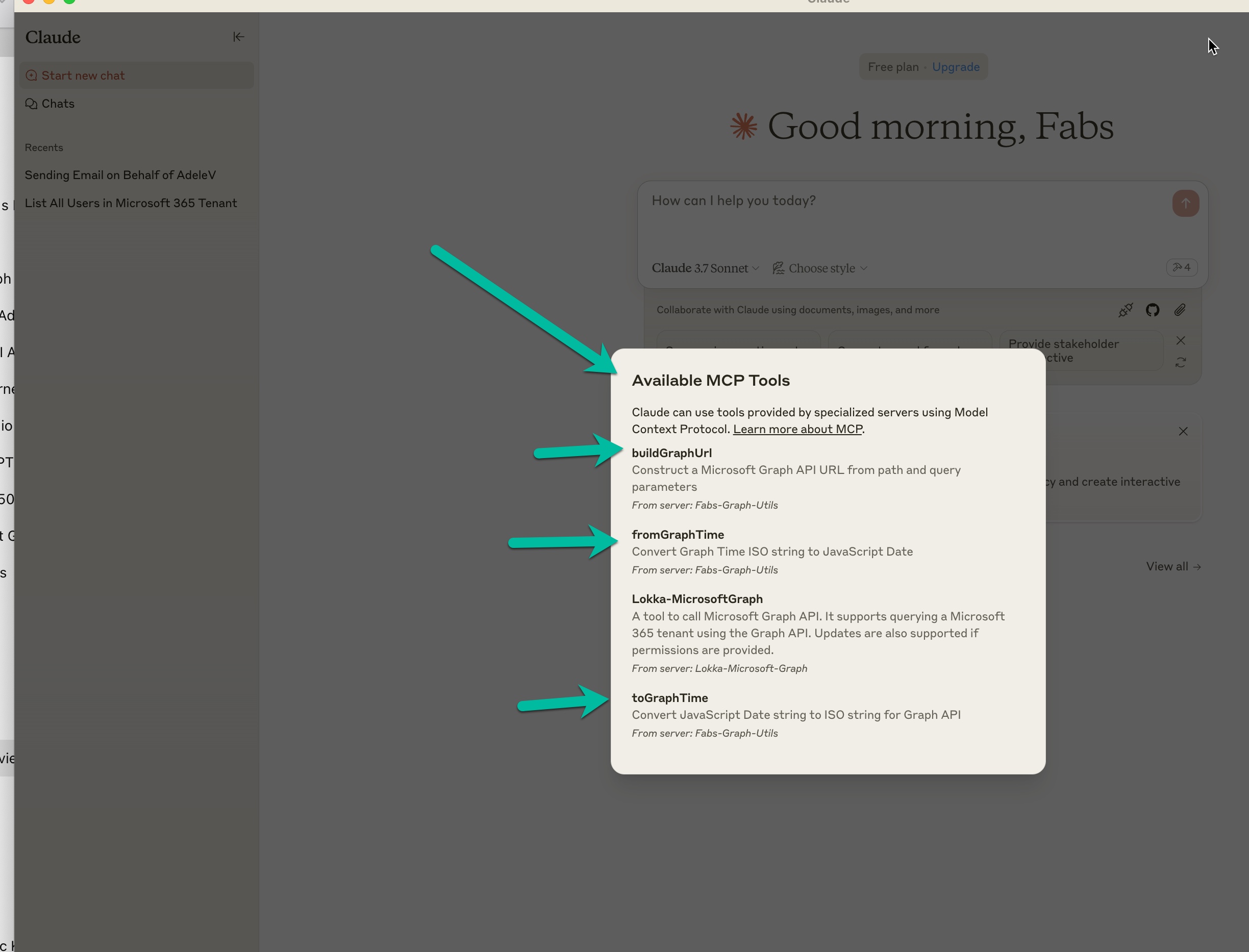
🧰 What’s Inside?
This project includes:
- ✅ MCP tools to query Microsoft Graph securely using app-only auth
- ✅ Utilities to convert dates to Graph-compatible formats
- ✅ A working example of how to run these tools inside Claude
- ✅ Full transcript and usage examples
💡 Use Case: Convert a Date to Microsoft Graph Format
Need to filter files in Graph by date? This tool converts a human-friendly date into the ISO 8601 string Microsoft Graph expects.
Prompt inside Claude
I want to convert today’s date Sunday 23rd March 2025 to a date I can use in Graph
Claude uses the toGraphTime tool from your local MCP server.
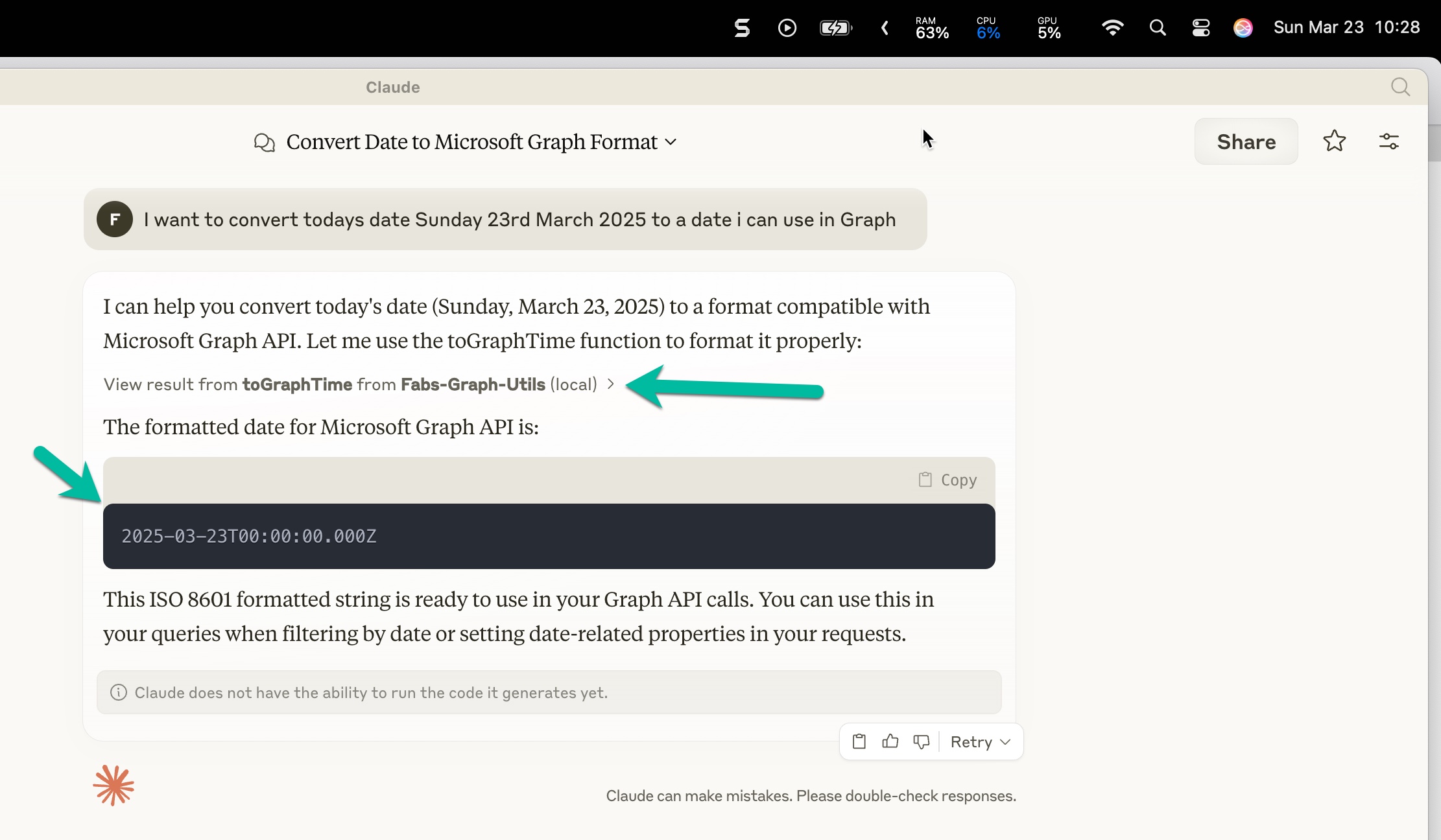
Result:
🧠 This string is now ready to use in your Microsoft Graph API calls!
📁 Use Case: Search for Word Documents in OneDrive
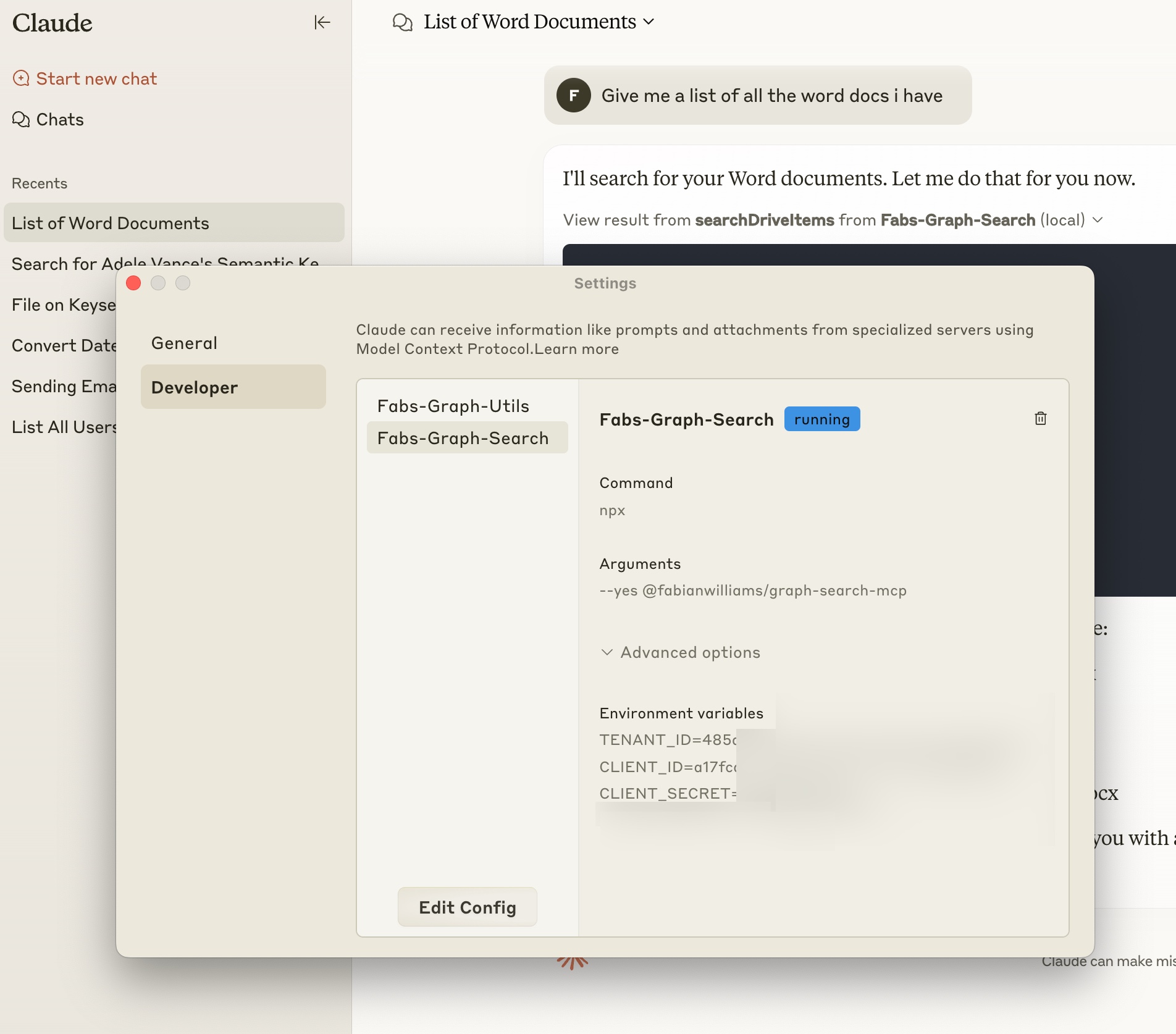
The Fabs-Graph-Search tool allows Claude to find .docx files in OneDrive using Microsoft Graph.
In Claude, we enabled the search tool from the MCP Developer settings:
Then we ran this prompt:
Give me a list of all the Word docs I have
Claude executed the MCP plugin and returned results from Microsoft Graph:
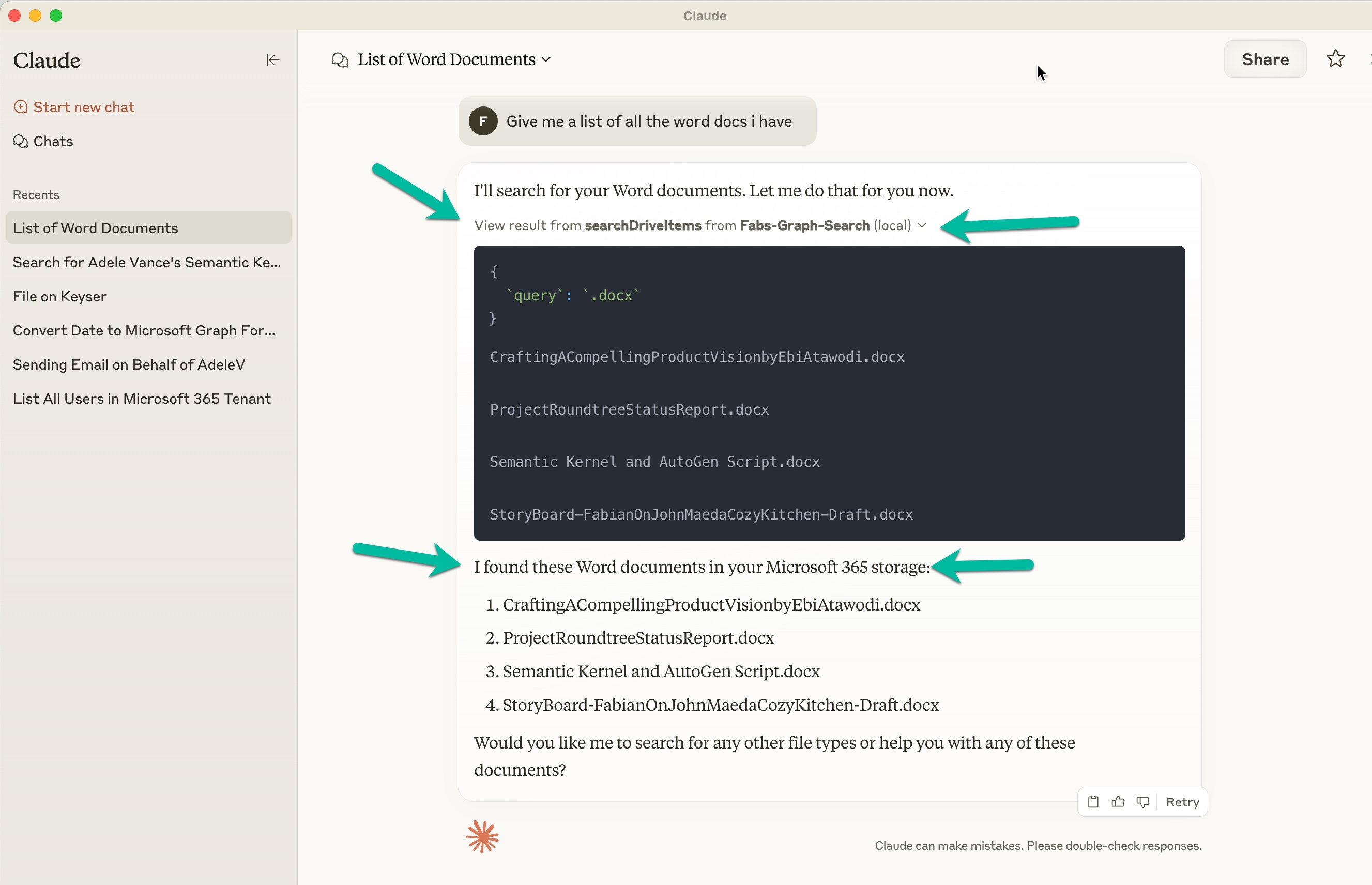
We confirmed the results matched what’s in Adele Vance’s OneDrive:
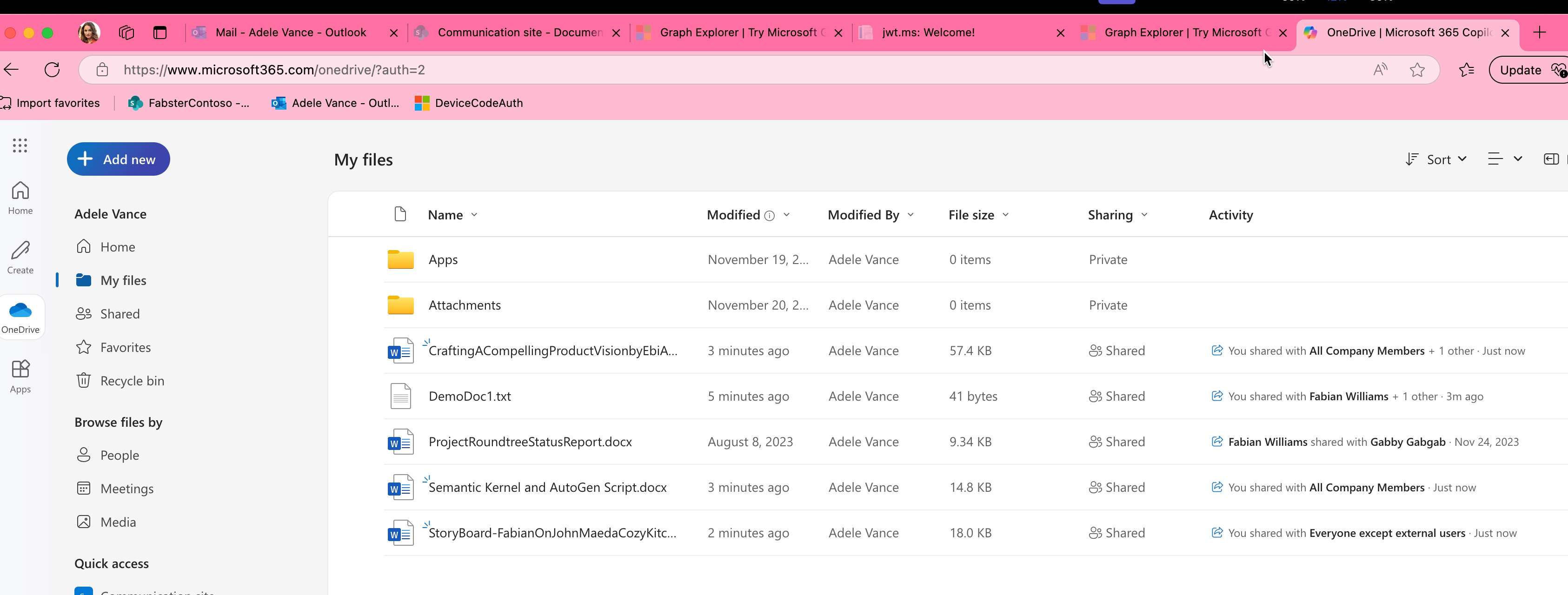
Claude responded:
I found these Word documents in your Microsoft 365 storage:
- CraftingACompellingProductVisionbyEbiAtawodi.docx
- ProjectRoundtreeStatusReport.docx
- Semantic Kernel and AutoGen Script.docx
- StoryBoard-FabianOnJohnMaedaCozyKitchen-Draft.docx
🛠 How This Works
This tool is powered by an MCP server you control. Here’s how it’s built and connected:
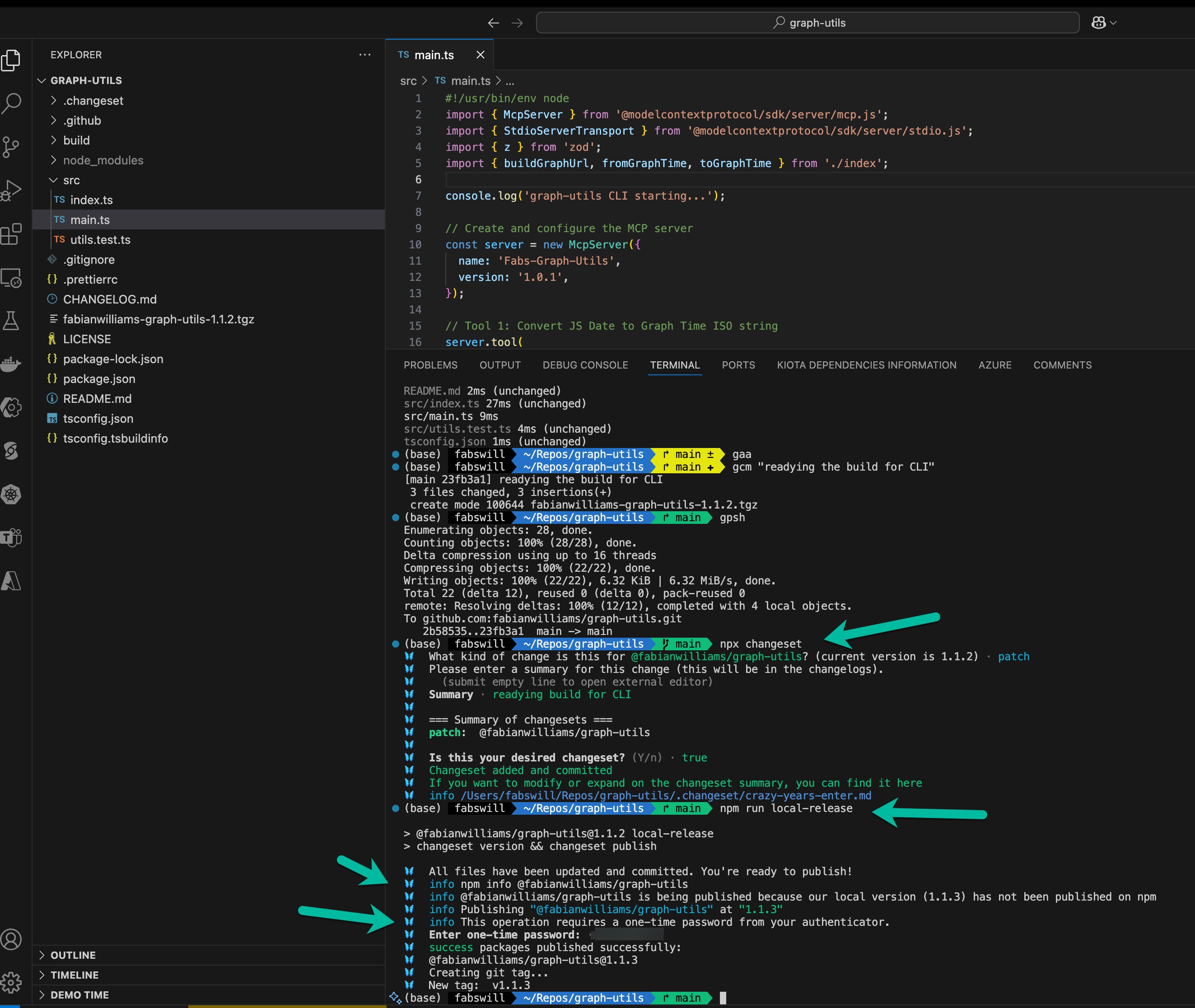
Local Server Setup (Node.js MCP)
const server = new McpServer({
  name: 'Fabs-Graph-Utils',
  version: '1.0.1',
});

server.tool(buildGraphUrl, fromGraphTime, toGraphTime);
📸 Screenshot: Your code and publish process using
changesets
🚦 Approving Tools in Claude
When Claude detects your MCP tool, it prompts you to allow it.
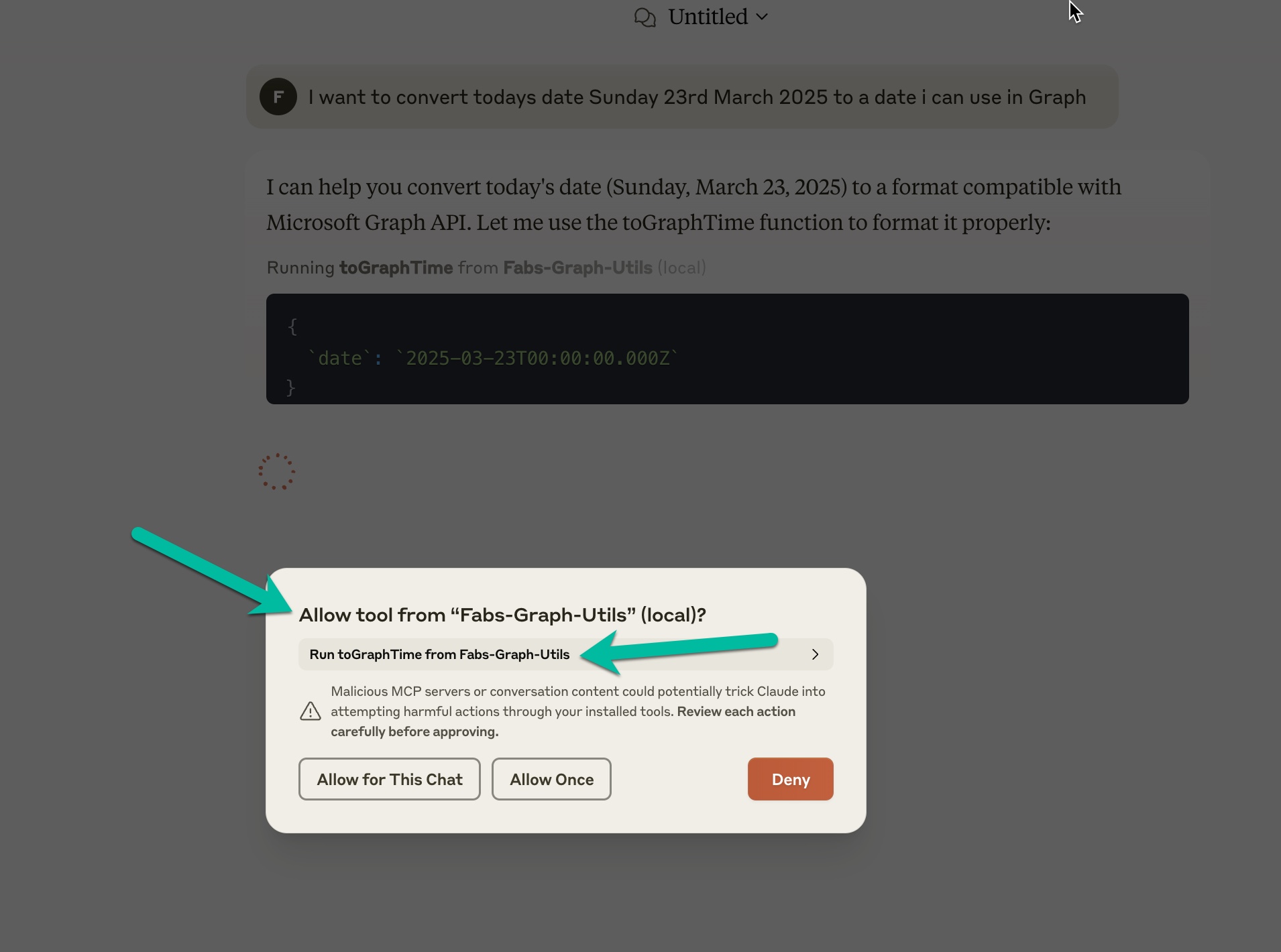
🔐 Tools are sandboxed — you control what’s exposed and run.
🧰 Tools Included
| Tool Name | Description |
|---|---|
buildGraphUrl |
Constructs a Microsoft Graph API URL from parts |
fromGraphTime |
Converts Graph ISO date → JavaScript Date |
toGraphTime |
Converts JavaScript Date → Graph ISO format |
searchDriveItems |
Queries files in OneDrive using Graph search endpoint |
lokka-MicrosoftGraph |
Full-featured Graph search plugin (inspired by @merill) |
🧪 Try It Yourself
- Clone the repo
- Run
npm install - Use
npm run startto start the MCP server - Inside Claude (or any assistant supporting MCP), connect to your local tool
- Ask questions like:
- “List all Word documents I have access to”
- “Convert today’s date to Graph format”
- “What files has AdeleV created recently?”
🧠 Inspired By
- 🔗 @merill’s Lokka Project on LinkedIn
- 🛠 This project builds on his open-source work and adds extra utility tooling
📦 NPM Package
🧠 Bonus: Learn More
💬 Feedback?
Open an issue here in Github or hit me up in the comments of the YouTube video!
Made with 💡 + MCP by @fabianwilliams
Dev Tools Supporting MCP
The following are the main code editors that support the Model Context Protocol. Click the link to visit the official website for more information.







