
Headless Ida Mcp Server
What is Headless Ida Mcp Server
headless-ida-mcp-server is a headless server project based on IDA Pro, designed to provide remote analysis and management capabilities through the Multi-Client Protocol (MCP). It utilizes IDA Pro’s headless mode to analyze binary files and offers tools for managing functions, variables, and more.
Use cases
Use cases for headless-ida-mcp-server include automated malware analysis, integration with other security tools for enhanced analysis workflows, and remote collaboration on binary analysis projects.
How to use
To use headless-ida-mcp-server, first clone the project repository and install the dependencies. Configure the environment variables in the .env file, specifying paths for IDA Pro and the binary file. Start the server using the command ‘uv run headless_ida_mcp_server’, and connect to it using an MCP client.
Key features
Key features of headless-ida-mcp-server include remote analysis of binary files, management of functions and variables, compatibility with IDA Pro’s headless mode, and support for multiple transport modes (sse or stdio) for the MCP.
Where to use
headless-ida-mcp-server can be used in cybersecurity, software reverse engineering, malware analysis, and any field requiring automated binary analysis and management.
Clients Supporting MCP
The following are the main client software that supports the Model Context Protocol. Click the link to visit the official website for more information.





Overview
What is Headless Ida Mcp Server
headless-ida-mcp-server is a headless server project based on IDA Pro, designed to provide remote analysis and management capabilities through the Multi-Client Protocol (MCP). It utilizes IDA Pro’s headless mode to analyze binary files and offers tools for managing functions, variables, and more.
Use cases
Use cases for headless-ida-mcp-server include automated malware analysis, integration with other security tools for enhanced analysis workflows, and remote collaboration on binary analysis projects.
How to use
To use headless-ida-mcp-server, first clone the project repository and install the dependencies. Configure the environment variables in the .env file, specifying paths for IDA Pro and the binary file. Start the server using the command ‘uv run headless_ida_mcp_server’, and connect to it using an MCP client.
Key features
Key features of headless-ida-mcp-server include remote analysis of binary files, management of functions and variables, compatibility with IDA Pro’s headless mode, and support for multiple transport modes (sse or stdio) for the MCP.
Where to use
headless-ida-mcp-server can be used in cybersecurity, software reverse engineering, malware analysis, and any field requiring automated binary analysis and management.
Clients Supporting MCP
The following are the main client software that supports the Model Context Protocol. Click the link to visit the official website for more information.
Content
Acknowledgments
This project builds upon the work of:
- Tools code adapted from ida-pro-mcp by mrexodia
- Utilizes the headless-ida library by DennyDai
Headless IDA MCP Server
If you want to run the server directly as a cli app, rather than an IDA plugin interactively,you can chose it.
Project Description
This project uses IDA Pro’s headless mode to analyze binary files and provides a suite of tools via MCP to manage and manipulate functions, variables, and more.
Prerequisites
- Python 3.12 or higher
- IDA Pro with headless support (idat) https://github.com/DennyDai/headless-ida
Installation
-
Clone the project locally:
git clone https://github.com/cnitlrt/headless-ida-mcp-server.git cd headless-ida-mcp-server -
Install dependencies:
uv python install 3.12
uv venv --python 3.12
uv pip install -e .
Configuration
-
Copy the example environment file:
cp .env_example .env -
Configure the following environment variables in
.env:IDA_PATH: Path to IDA Pro’s headless executable (idat), e.g.,/home/ubuntu/idapro/idatPORT: Port number for the MCP server, e.g.,8888HOST: Host address for the MCP server, e.g.,127.0.0.1TRANSPORT: MCP transport mode (sseorstdio)
Usage
-
Start the server:
uv run headless_ida_mcp_server -
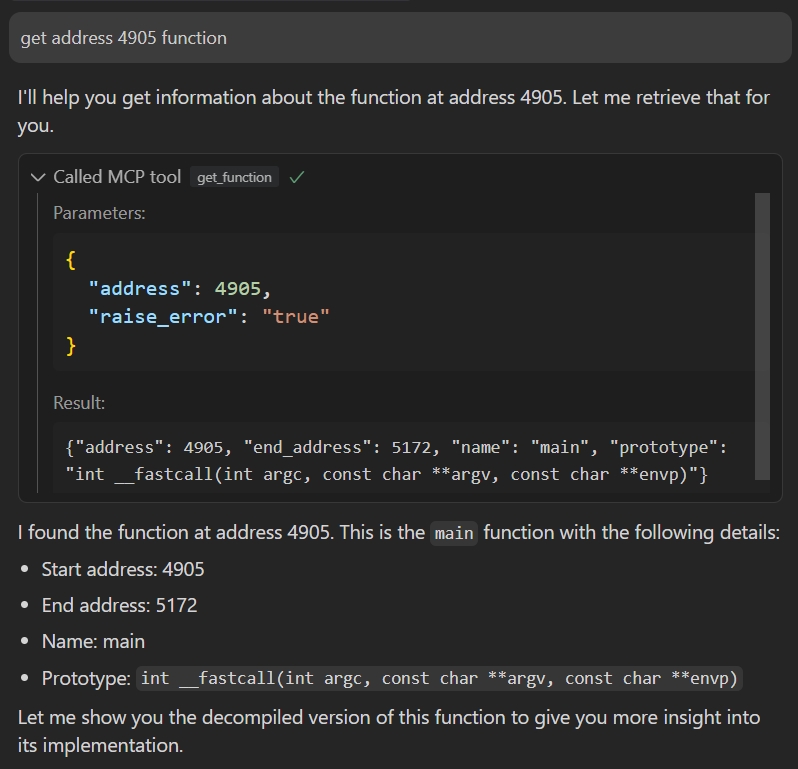
Connect to the server using an MCP client:
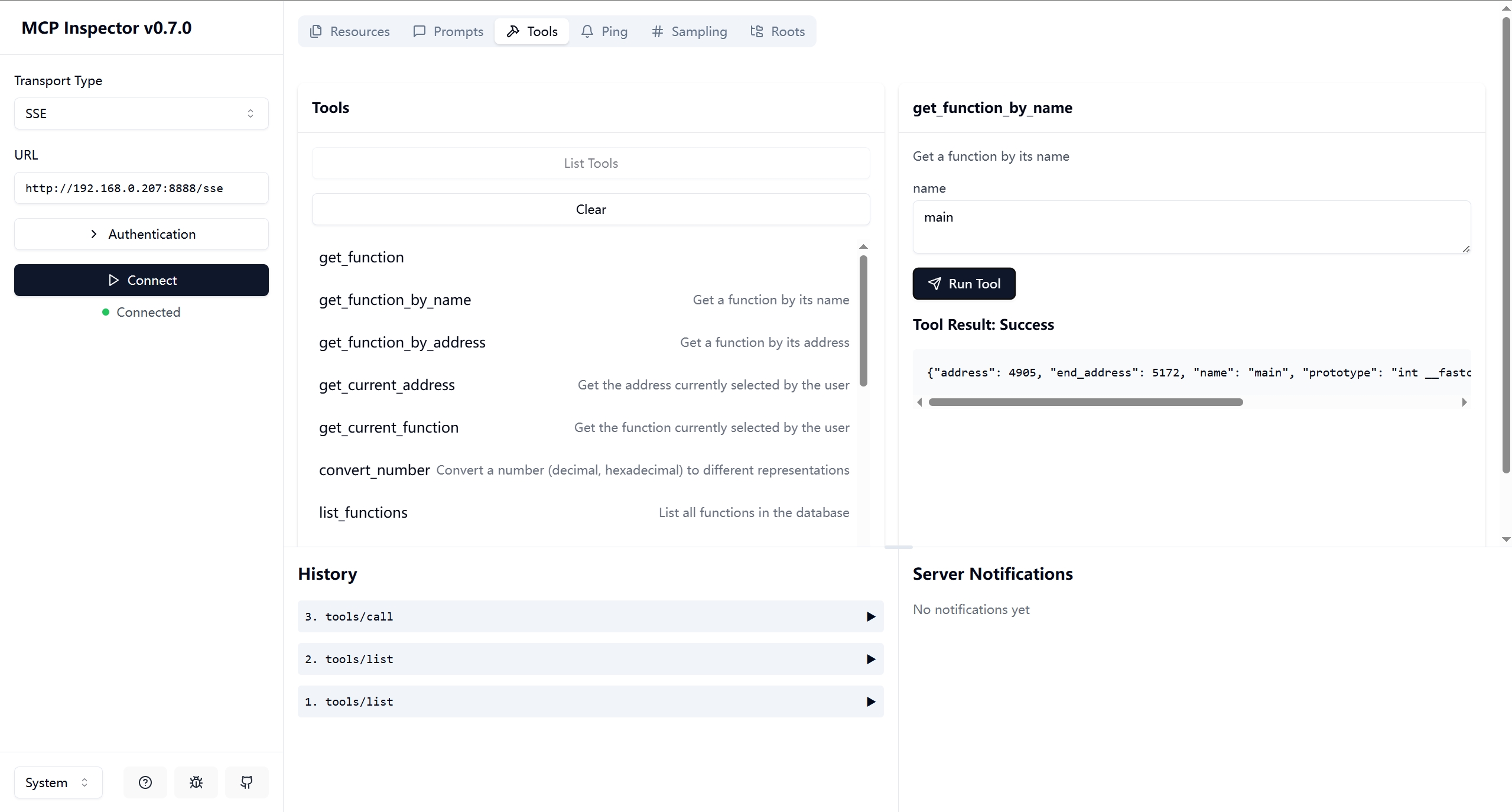
Debug it:
npx -y @modelcontextprotocol/inspectoror
{
  "mcpServers": {
    "ida": {
      "command": "/path/to/uv",
      "args": [
        "--directory",
        "path/to/headless-ida-mcp-server",
        "run",
        "headless_ida_mcp_server"
      ]
    }
  }
}
Dev Tools Supporting MCP
The following are the main code editors that support the Model Context Protocol. Click the link to visit the official website for more information.







