
Hello Mcp Go
What is Hello Mcp Go
Hello MCP is a repository that demonstrates how to build an MCP (Minecraft Protocol) server using the Go programming language. It serves as a fun and educational resource for those interested in Minecraft server protocols.
Use cases
Use cases include building a custom Minecraft server, experimenting with server protocols, and integrating features using GitHub Copilot for enhanced functionality.
How to use
To use hello-mcp-go, clone the repository, install the dependencies using ‘go mod tidy’, and build the project with ‘go build main.go’. Start the server by running ‘go run main.go’ and connect to it using your Minecraft client.
Key features
Key features include a simple setup process, the ability to explore Minecraft Protocols, and a foundation for creating custom Minecraft servers.
Where to use
Hello MCP can be used in game development, educational purposes for learning about server protocols, and as a base for creating personalized Minecraft server experiences.
Clients Supporting MCP
The following are the main client software that supports the Model Context Protocol. Click the link to visit the official website for more information.





Overview
What is Hello Mcp Go
Hello MCP is a repository that demonstrates how to build an MCP (Minecraft Protocol) server using the Go programming language. It serves as a fun and educational resource for those interested in Minecraft server protocols.
Use cases
Use cases include building a custom Minecraft server, experimenting with server protocols, and integrating features using GitHub Copilot for enhanced functionality.
How to use
To use hello-mcp-go, clone the repository, install the dependencies using ‘go mod tidy’, and build the project with ‘go build main.go’. Start the server by running ‘go run main.go’ and connect to it using your Minecraft client.
Key features
Key features include a simple setup process, the ability to explore Minecraft Protocols, and a foundation for creating custom Minecraft servers.
Where to use
Hello MCP can be used in game development, educational purposes for learning about server protocols, and as a base for creating personalized Minecraft server experiences.
Clients Supporting MCP
The following are the main client software that supports the Model Context Protocol. Click the link to visit the official website for more information.
Content
Hello MCP Go 👋
Welcome to the Hello MCP Go repository! 🚀 This project demonstrates how to build an MCP (Model Context Protocol) server in Go. Whether you’re a Go enthusiast or just curious about MCP, you’re in the right place! 🛠️

What is this? 🤔
This repository showcases:
- How to build an MCP server using Go 🐹.
- A simple and fun way to explore MCP Protocol 🎮.
- A starting point for your own custom MCP server adventures! 🌟
Tools 🌟
- hello, takes the parameters Submitter and Content.
- calculate, takes the parameters A and B. Example use is “calculate 2 and 4”.
Quick Start 🚀
- Clone
- Install
- Build
- Run
-
Clone the repository:
git clone https://github.com/your-username/hello-mcp-go.git cd hello-mcp -
Install dependencies:
go mod tidy -
Build the project:
go build -ldflags="-s -w" -o server.exe main.goor for Linux:
go build -ldflags="-s -w" -o server main.goYou will use this later when you want to consume it from Visual Studio Code.
-
Run the server:
./server
Consuming the Server with GitHub Copilot Agent Mode 🍴
-
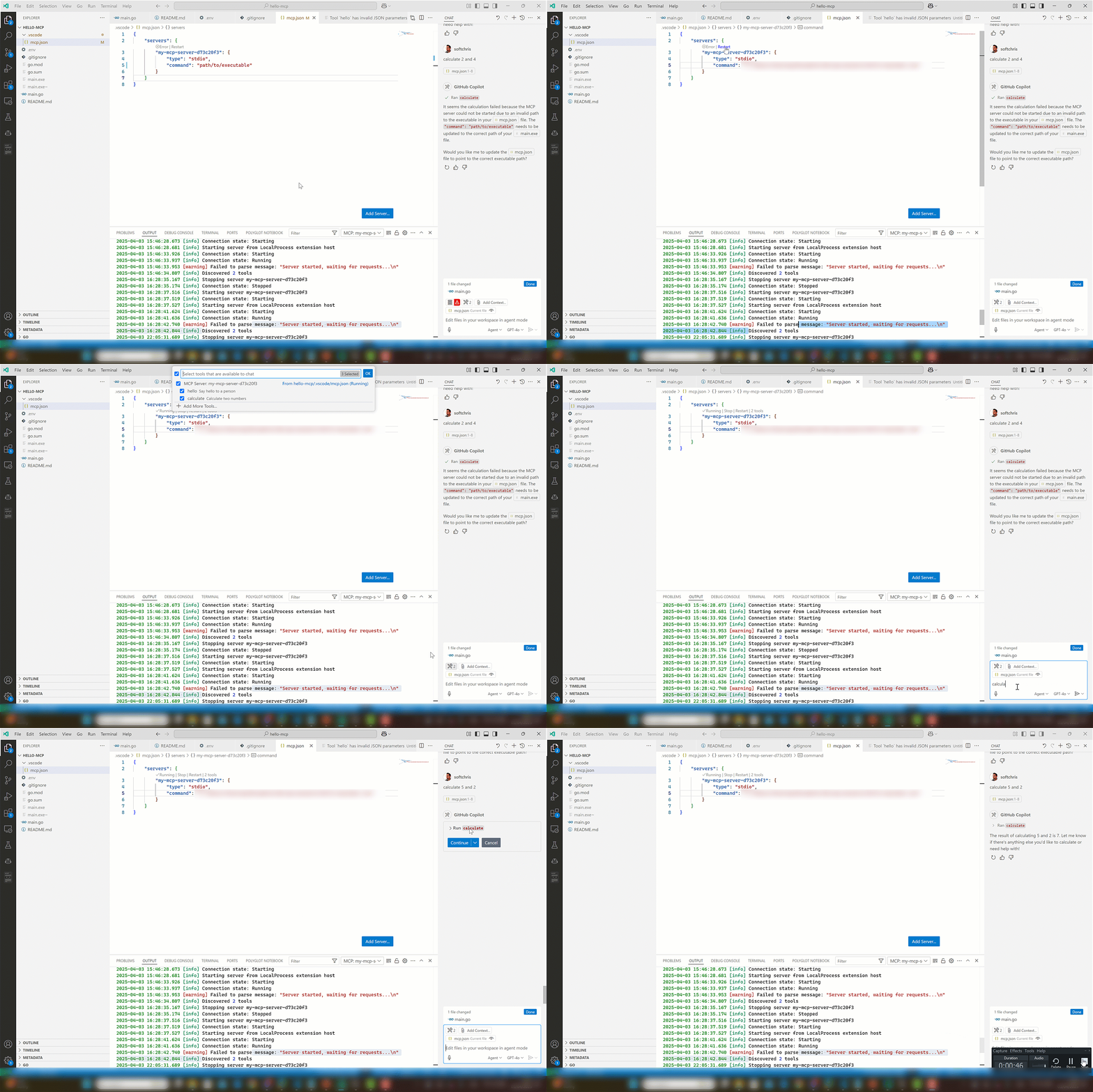
Place yourself in mcp.json, make sure the server has been built (right now it’s adjusted).
-
Adjust the “command” to point to the absolute path of your executable.
{ "servers": { "my-mcp-server-d73c20f3": { "type": "stdio", "command": "/path/to/your/executable" } } } -
Open Copilot and select Agent in dropdown
-
Select the play icon.
You should see the tool icon showing two tools.
-
Test it with a phrase like so “calculate 2 and 4”. This should present a button that invokes the tool on the server.
Have Fun! 🎉
This project is all about learning and having fun. Feel free to experiment, break things, and create something amazing! 🌈
Happy coding! 💻
Dev Tools Supporting MCP
The following are the main code editors that support the Model Context Protocol. Click the link to visit the official website for more information.







