
Hevy Mcp Ts
What is Hevy Mcp Ts
hevy-mcp-ts is a TypeScript Model Context Protocol (MCP) server designed for interacting with the Hevy workout tracking API. It allows AI assistants to access and analyze workout data to provide insights into users’ fitness journeys.
Use cases
Use cases for hevy-mcp-ts include summarizing workout history, recommending workouts based on past performance, and providing insights into fitness trends over time.
How to use
To use hevy-mcp-ts, clone the repository, install dependencies, build the TypeScript code, and configure your Hevy API key in your LLM. After setting up, restart your LLM environment and you can start querying your workout data.
Key features
Key features include the ability to retrieve workout history from the Hevy API, integration with AI assistants via the Model Context Protocol, and a simple setup process with configurable options.
Where to use
hevy-mcp-ts can be used in fitness applications, AI personal trainers, and any platform that requires integration with workout tracking data to enhance user experience and provide personalized recommendations.
Clients Supporting MCP
The following are the main client software that supports the Model Context Protocol. Click the link to visit the official website for more information.





Overview
What is Hevy Mcp Ts
hevy-mcp-ts is a TypeScript Model Context Protocol (MCP) server designed for interacting with the Hevy workout tracking API. It allows AI assistants to access and analyze workout data to provide insights into users’ fitness journeys.
Use cases
Use cases for hevy-mcp-ts include summarizing workout history, recommending workouts based on past performance, and providing insights into fitness trends over time.
How to use
To use hevy-mcp-ts, clone the repository, install dependencies, build the TypeScript code, and configure your Hevy API key in your LLM. After setting up, restart your LLM environment and you can start querying your workout data.
Key features
Key features include the ability to retrieve workout history from the Hevy API, integration with AI assistants via the Model Context Protocol, and a simple setup process with configurable options.
Where to use
hevy-mcp-ts can be used in fitness applications, AI personal trainers, and any platform that requires integration with workout tracking data to enhance user experience and provide personalized recommendations.
Clients Supporting MCP
The following are the main client software that supports the Model Context Protocol. Click the link to visit the official website for more information.
Content
Hevy MCP
A TypeScript Model Context Protocol (MCP) server implementation for interacting with the Hevy workout tracking API.
Overview
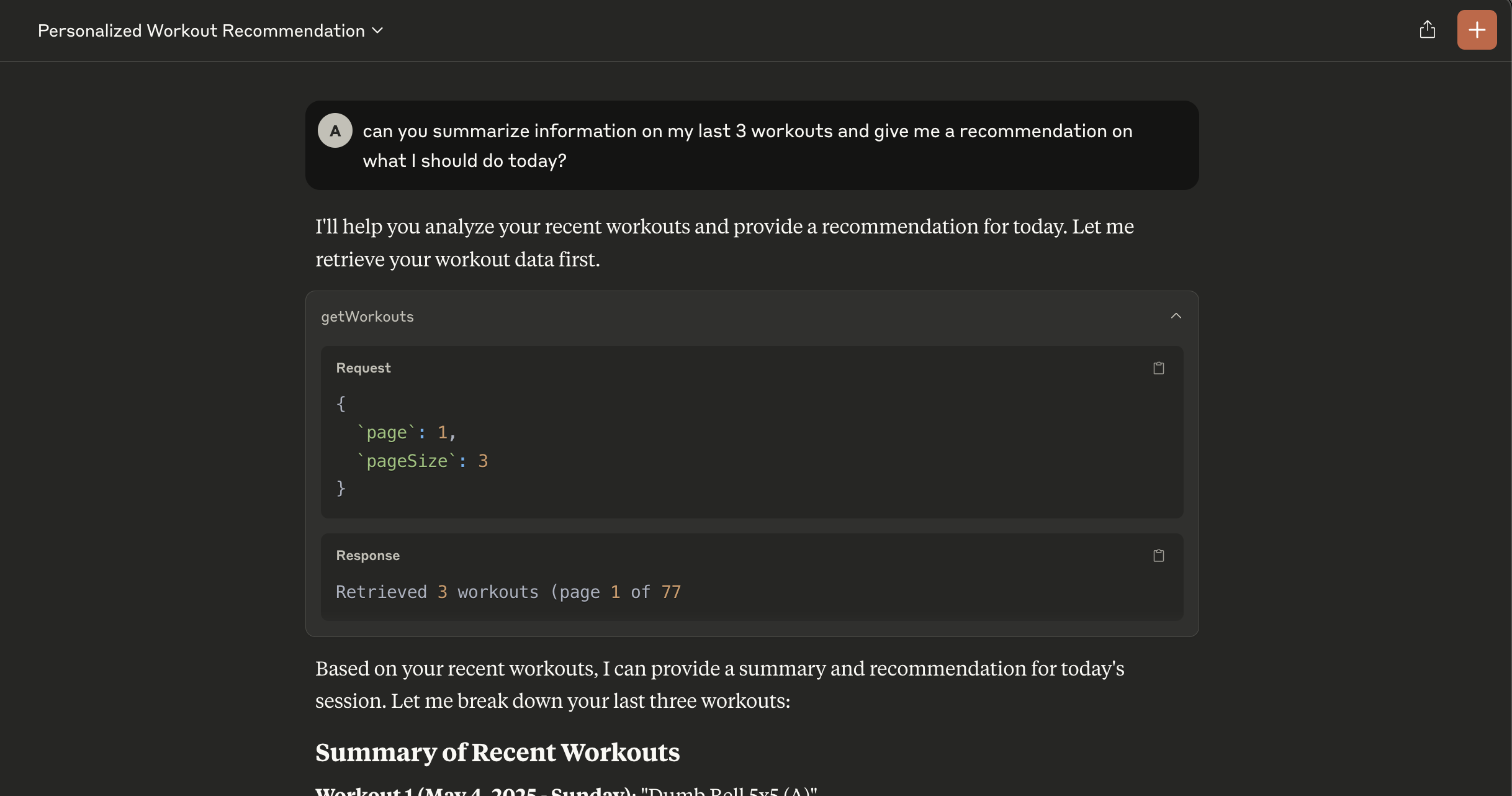
Hevy MCP provides AI assistants with access to your Hevy workout data through the Model Context Protocol. This server enables AI tools to retrieve and analyze your workout history, helping you gain insights into your fitness journey.
Features
- Retrieves workout history from Hevy API
- Implements the Model Context Protocol for AI assistant integration
- Simple setup with configurable options
API Tools
At present, the MCP server provides the following tools:
getWorkouts: Retrieve user workouts with pagination
(I haven’t convinced myself that additional methods will be useful with the LLM–if you have ideas/thoughts, drop an issue or PR!)
Requirements
- Node.js (v18 or higher)
- Hevy API key (Hevy Settings)
- An LLM that supports the Model Context Protocol (e.g., Claude Desktop)
Installation
Clone the repository
git clone https://github.com/amilz/hevy-mcp.git && cd hevy-mcp
Install dependencies
npm install
Build the TypeScript code:
npm run build
Configuration
Before using the application, you need to set up your Hevy API key in your LLM (example for Claude Desktop). Your Claude Desktop config file should look like this:
{
  "mcpServers": {
    "hevy": {
      "command": "node",
      "args": [
        "/path/to/hevy-mcp/build/src/index.js"
      ],
      "env": {
        "HEVY_API_KEY": "xyz"
      }
    }
  }
}
Usage
Restart your LLM Environment to apply the changes. Try a simple query like “Summarize my last 5 workouts” or “based on my last 10 workouts, could you recommend a workout for today?”
Dependencies
- @modelcontextprotocol/sdk: MCP SDK for creating model context protocol servers
- zod: TypeScript-first schema validation
Dev Tools Supporting MCP
The following are the main code editors that support the Model Context Protocol. Click the link to visit the official website for more information.







