
Ifcmcp
What is Ifcmcp
ifcMCP is an MCP server designed to enable LLM agents to interact with IFC (Industry Foundation Classes) files, facilitating communication and data extraction from these files.
Use cases
Use cases for ifcMCP include automating data retrieval from IFC files, enabling LLM agents to answer queries related to building designs, and facilitating the integration of IFC data into various applications for analysis and visualization.
How to use
To use ifcMCP, clone the repository, install the required packages including ifcopenshell and FastMCP, start the command line interface in the ifcMCP folder, and run the command ‘python server.py’. Then, configure your LLM tools to connect to the MCP server using the provided configuration.
Key features
Key features of ifcMCP include support for various tools such as get_entities, get_named_property_of_entities, get_entity_properties, get_entity_location, get_entities_in_spatial, get_openings_on_wall, and get_space_boundaries, which enhance its functionality in handling IFC files.
Where to use
ifcMCP can be used in fields such as architecture, engineering, and construction, where IFC files are commonly utilized for building information modeling and digital construction.
Clients Supporting MCP
The following are the main client software that supports the Model Context Protocol. Click the link to visit the official website for more information.





Overview
What is Ifcmcp
ifcMCP is an MCP server designed to enable LLM agents to interact with IFC (Industry Foundation Classes) files, facilitating communication and data extraction from these files.
Use cases
Use cases for ifcMCP include automating data retrieval from IFC files, enabling LLM agents to answer queries related to building designs, and facilitating the integration of IFC data into various applications for analysis and visualization.
How to use
To use ifcMCP, clone the repository, install the required packages including ifcopenshell and FastMCP, start the command line interface in the ifcMCP folder, and run the command ‘python server.py’. Then, configure your LLM tools to connect to the MCP server using the provided configuration.
Key features
Key features of ifcMCP include support for various tools such as get_entities, get_named_property_of_entities, get_entity_properties, get_entity_location, get_entities_in_spatial, get_openings_on_wall, and get_space_boundaries, which enhance its functionality in handling IFC files.
Where to use
ifcMCP can be used in fields such as architecture, engineering, and construction, where IFC files are commonly utilized for building information modeling and digital construction.
Clients Supporting MCP
The following are the main client software that supports the Model Context Protocol. Click the link to visit the official website for more information.
Content
ifcMCP
An MCP server that enables LLM agents to talk with IFC (Industry Foundation Classes) files
Star History
related packages
- ifcopenshell
- FastMCP
supported tools
- get_entities
- get_named_property_of_entities
- get_entity_properties
- get_entity_location
- get_entities_in_spatial
- get_openings_on_wall
- get_space_boundaries
how to use it
- clone this repo
- install packages needed: ifcopenshell, FastMCP
- start command line interface in folder
ifcMCP, and run the commandpython server.py - open your favorite LLM tools and setup MCP server with the following configuration:
{
  "mcpServers": {
    "ifcMCP-server": {
      "name": "ifcMCP",
      "type": "streamableHttp",
      "description": "A simple MCP server to handle ifc files",
      "isActive": true,
      "tags": [],
      "baseUrl": "http://127.0.0.1:8000/mcp"
    }
  }
}
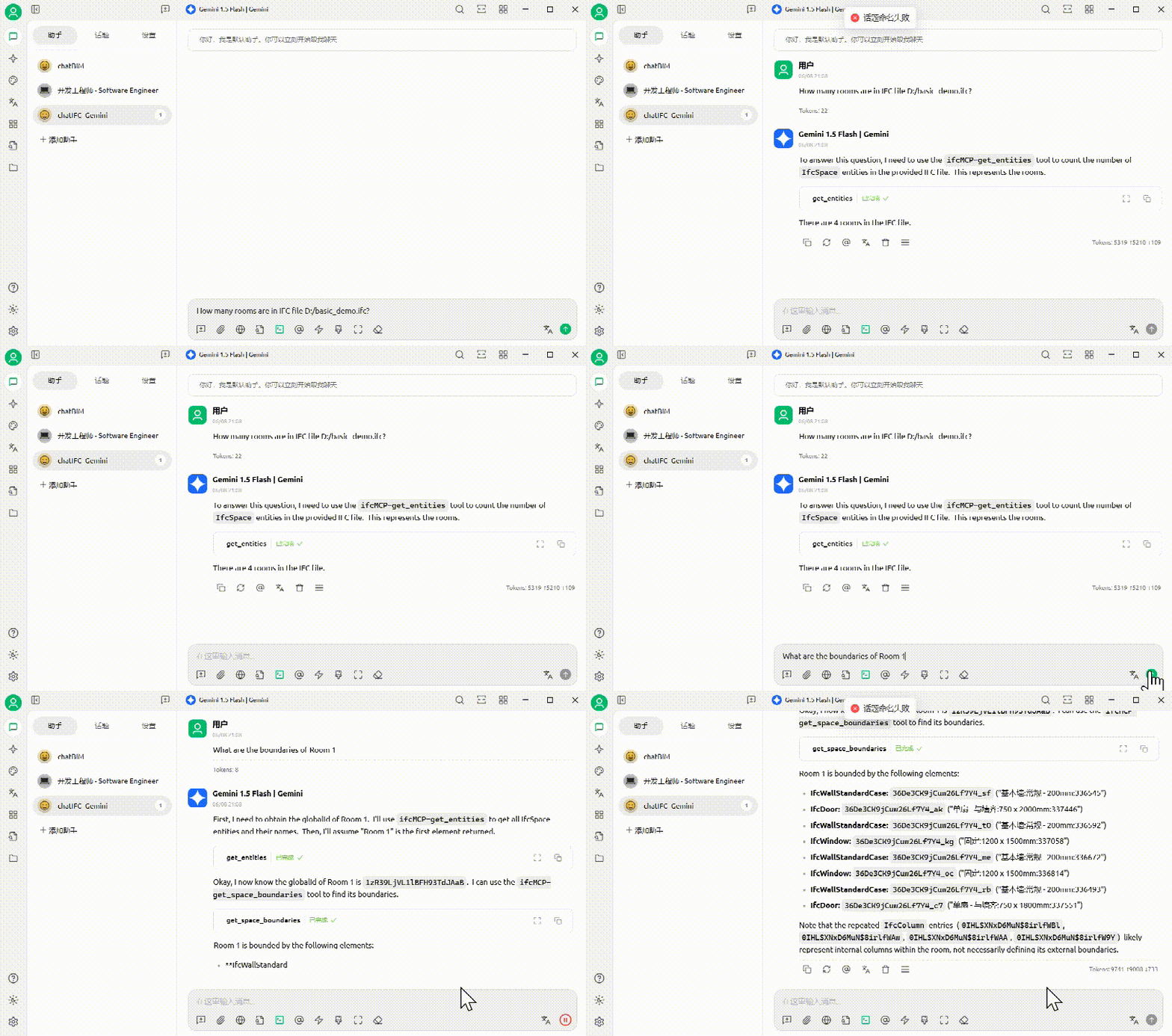
contributors
Jia-Rui Lin (lin611#tsinghua.edu.cn)
Department of Civil Engineering, Tsinghua University
Key Laboratory of Digital Construction and Digital Twin led by Prof. Peng Pan
cite us
@article{JRLin2506,
	author = {Jia-Rui Lin and Peng Pan},
	title = {ifcMCP: Enabling LLM agents to talk with IFC files},
	year = {2025}
}
Dev Tools Supporting MCP
The following are the main code editors that support the Model Context Protocol. Click the link to visit the official website for more information.







