
Imagen3 Mcp
What is Imagen3 Mcp
imagen3-mcp is an image generation tool based on Google’s Imagen 3.0, providing services through the Model Control Protocol (MCP).
Use cases
Use cases include generating realistic pet images, creating futuristic product designs, and enhancing visual content for websites and advertisements.
How to use
To use imagen3-mcp, download the executable file from GitHub Releases, place it in your desired directory, and configure it in Cherry Studio or Cursor with your Google Gemini API key.
Key features
Key features include high-quality image generation, support for various image styles, and integration with the Google Gemini API.
Where to use
imagen3-mcp can be used in fields such as digital art creation, marketing, product design, and any area requiring high-quality image generation.
Clients Supporting MCP
The following are the main client software that supports the Model Context Protocol. Click the link to visit the official website for more information.





Overview
What is Imagen3 Mcp
imagen3-mcp is an image generation tool based on Google’s Imagen 3.0, providing services through the Model Control Protocol (MCP).
Use cases
Use cases include generating realistic pet images, creating futuristic product designs, and enhancing visual content for websites and advertisements.
How to use
To use imagen3-mcp, download the executable file from GitHub Releases, place it in your desired directory, and configure it in Cherry Studio or Cursor with your Google Gemini API key.
Key features
Key features include high-quality image generation, support for various image styles, and integration with the Google Gemini API.
Where to use
imagen3-mcp can be used in fields such as digital art creation, marketing, product design, and any area requiring high-quality image generation.
Clients Supporting MCP
The following are the main client software that supports the Model Context Protocol. Click the link to visit the official website for more information.
Content
Imagen3-MCP
基于 Google 的 Imagen 3.0 的图像生成工具,通过 MCP(Model Control Protocol)提供服务。
效果
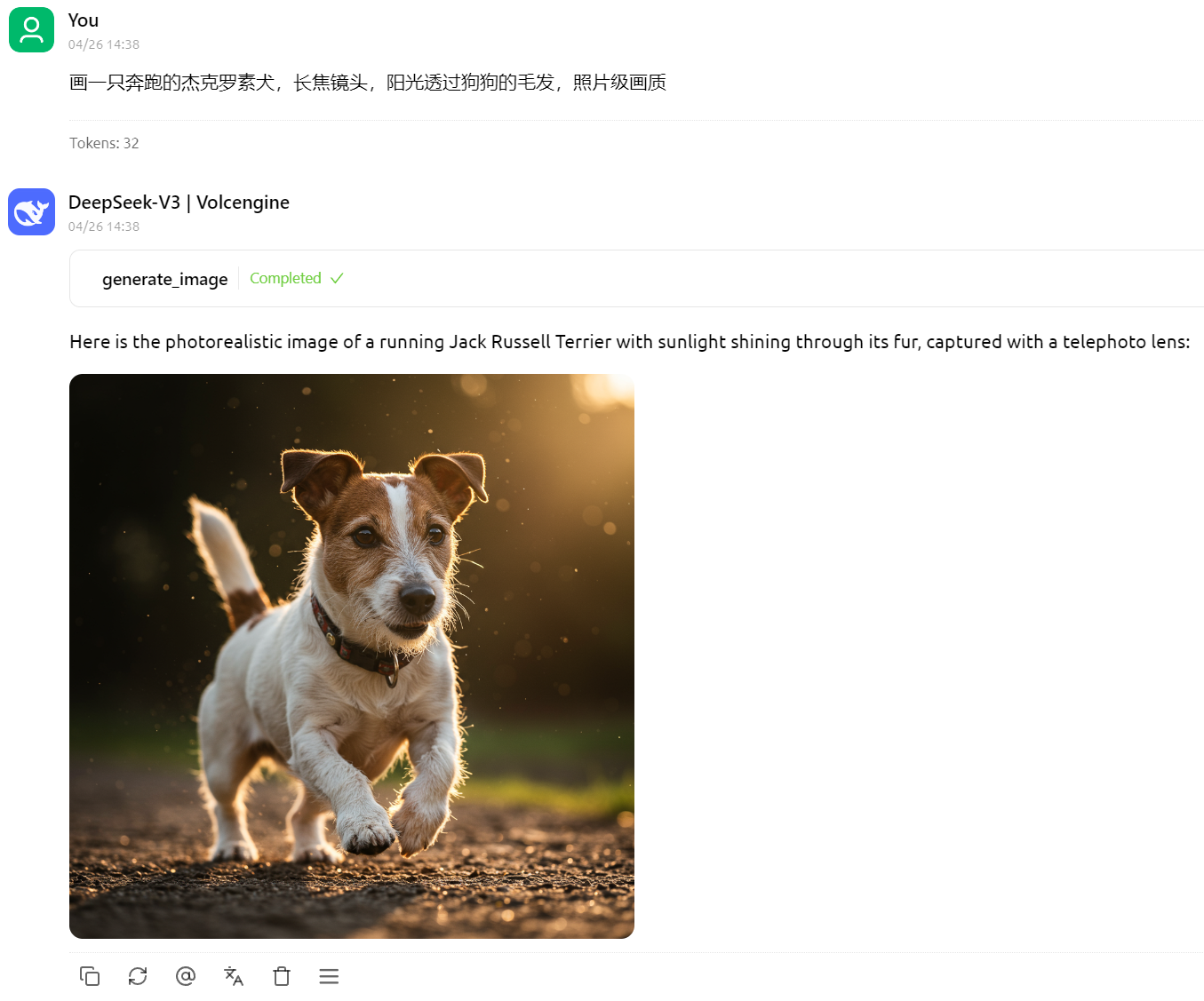
画一只奔跑的杰克罗素犬,长焦镜头,阳光透过狗狗的毛发,照片级画质
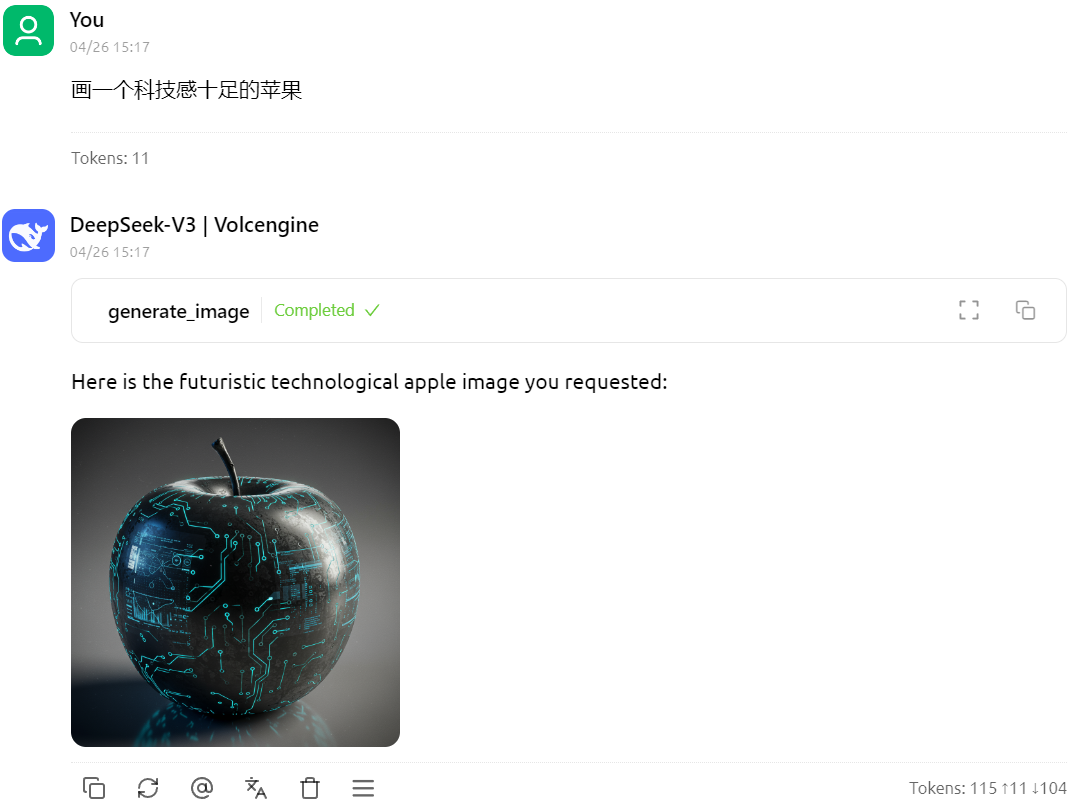
画一个科技感十足的苹果
安装要求
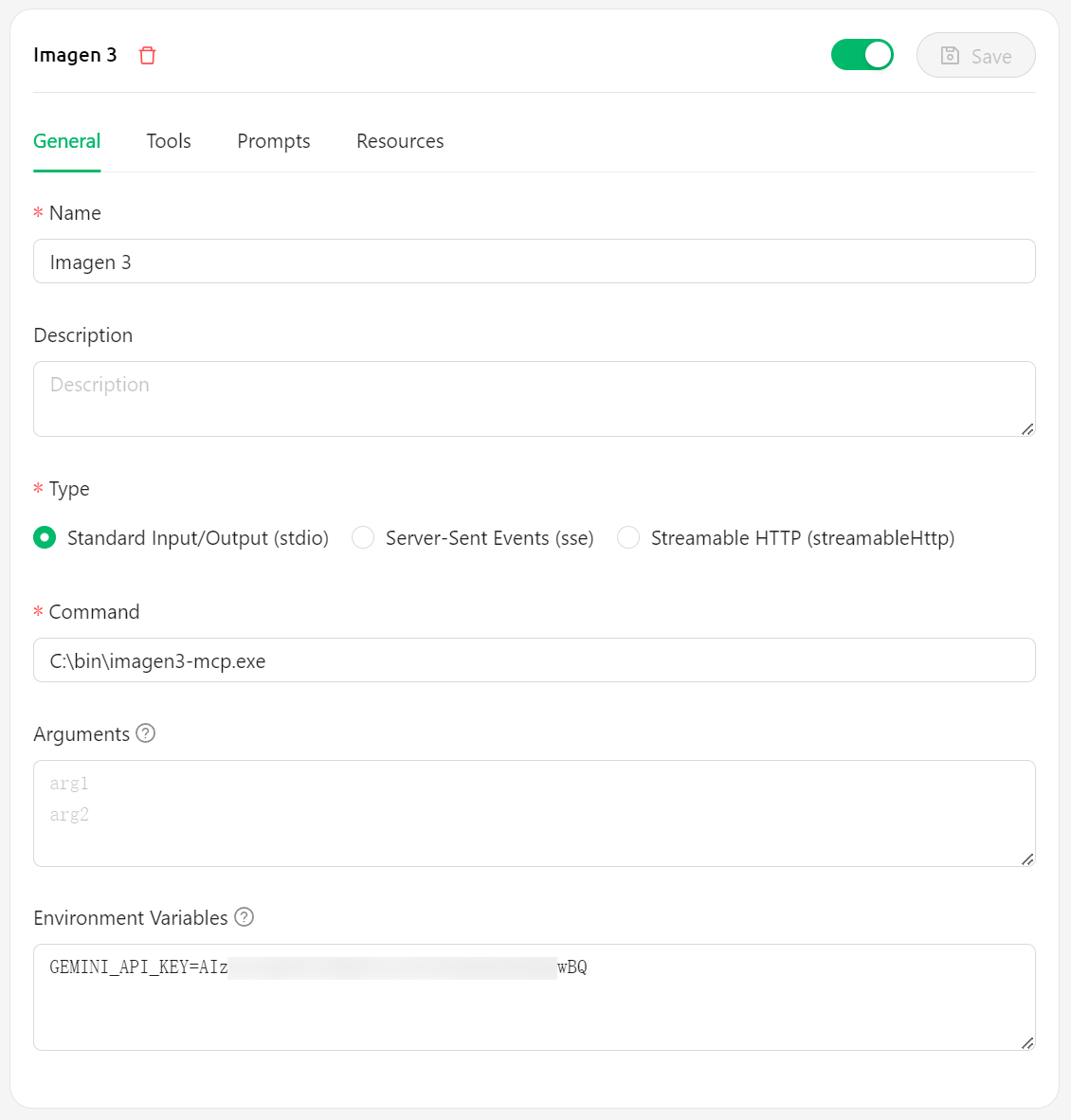
安装步骤——Cherry Studio
- 从 GitHub Releases 下载最新版本的可执行文件
- 将下载的可执行文件放置在系统中的任意位置,例如
C:\bin\imagen3-mcp.exe - 在 Cherry Studio 中配置:
- Command 字段填写可执行文件路径,例如
C:\bin\imagen3-mcp.exe - 环境变量
GEMINI_API_KEY中填写你的 Gemini API 密钥 - [可选] 环境变量
BASE_URL中填写代理地址,例如https://lingxi-proxy.hamflx.dev/api/provider/google(这个地址可以解决 GFW 的问题,但是解决不了 Google 对 IP 的限制问题,因此还是得挂梯子)。 - [可选] 环境变量
SERVER_LISTEN_ADDR:设置服务器监听的 IP 地址(默认为127.0.0.1)。 - [可选] 环境变量
SERVER_PORT:设置服务器监听的端口和图片 URL 使用的端口(默认为9981)。 - [可选] 环境变量
IMAGE_RESOURCE_SERVER_ADDR:设置图片 URL 中使用的服务器地址(默认为127.0.0.1)。这在服务器运行在容器或远程机器上时很有用。
- Command 字段填写可执行文件路径,例如
安装步骤——Cursor
许可证
MIT
Imagen3-MCP (English)
An image generation tool based on Google’s Imagen 3.0, providing services through MCP (Model Control Protocol).
Examples
A running Jack Russell Terrier, telephoto lens, sunlight filtering through the dog’s fur, photorealistic quality
A high-tech apple
Requirements
- Valid Google Gemini API key
Installation Steps—Cherry Studio
- Download the latest executable from GitHub Releases
- Place the downloaded executable anywhere in your system, e.g.,
C:\bin\imagen3-mcp.exe - Configure in Cherry Studio:
- Fill in the Command field with the executable path, e.g.,
C:\bin\imagen3-mcp.exe - Enter your Gemini API key in the
GEMINI_API_KEYenvironment variable - [Optional] Enter a proxy URL in the
BASE_URLenvironment variable, e.g.,https://your-proxy.com. - [Optional] Set the
SERVER_LISTEN_ADDRenvironment variable: The IP address the server listens on (defaults to127.0.0.1). - [Optional] Set the
SERVER_PORTenvironment variable: The port the server listens on and uses for image URLs (defaults to9981). - [Optional] Set the
IMAGE_RESOURCE_SERVER_ADDRenvironment variable: The server address used in the image URLs (defaults to127.0.0.1). Useful if the server runs in a container or remote machine.
- Fill in the Command field with the executable path, e.g.,
Installation Steps—Cursor
License
MIT
Dev Tools Supporting MCP
The following are the main code editors that support the Model Context Protocol. Click the link to visit the official website for more information.







