
Kai
What is Kai
Kai is a Model Context Protocol (MCP) server designed for managing Kubernetes resources through large language models (LLMs) like Claude.
Use cases
Use cases for Kai include simplifying Kubernetes resource management for developers, enabling non-technical users to interact with Kubernetes clusters, and automating deployment processes through natural language commands.
How to use
To use Kai, install it using the command ‘go install github.com/basebandit/kai/cmd/kai’. Then, configure it in the Claude for Desktop settings by editing the ‘claude_desktop_config.json’ file to include the server command.
Key features
Key features of Kai include cluster management, resource operations (CRUD), pod management, deployment management, service operations, YAML support for Kubernetes manifests, and custom resource definition support.
Where to use
Kai can be used in cloud computing environments, DevOps practices, and any scenario requiring Kubernetes resource management through natural language interfaces.
Clients Supporting MCP
The following are the main client software that supports the Model Context Protocol. Click the link to visit the official website for more information.





Overview
What is Kai
Kai is a Model Context Protocol (MCP) server designed for managing Kubernetes resources through large language models (LLMs) like Claude.
Use cases
Use cases for Kai include simplifying Kubernetes resource management for developers, enabling non-technical users to interact with Kubernetes clusters, and automating deployment processes through natural language commands.
How to use
To use Kai, install it using the command ‘go install github.com/basebandit/kai/cmd/kai’. Then, configure it in the Claude for Desktop settings by editing the ‘claude_desktop_config.json’ file to include the server command.
Key features
Key features of Kai include cluster management, resource operations (CRUD), pod management, deployment management, service operations, YAML support for Kubernetes manifests, and custom resource definition support.
Where to use
Kai can be used in cloud computing environments, DevOps practices, and any scenario requiring Kubernetes resource management through natural language interfaces.
Clients Supporting MCP
The following are the main client software that supports the Model Context Protocol. Click the link to visit the official website for more information.
Content
Kai - kubernetes MCP server
A Model Context Protocol (MCP) server for managing a Kubernetes cluster through llm clients like Claude, Ollama.
Overview
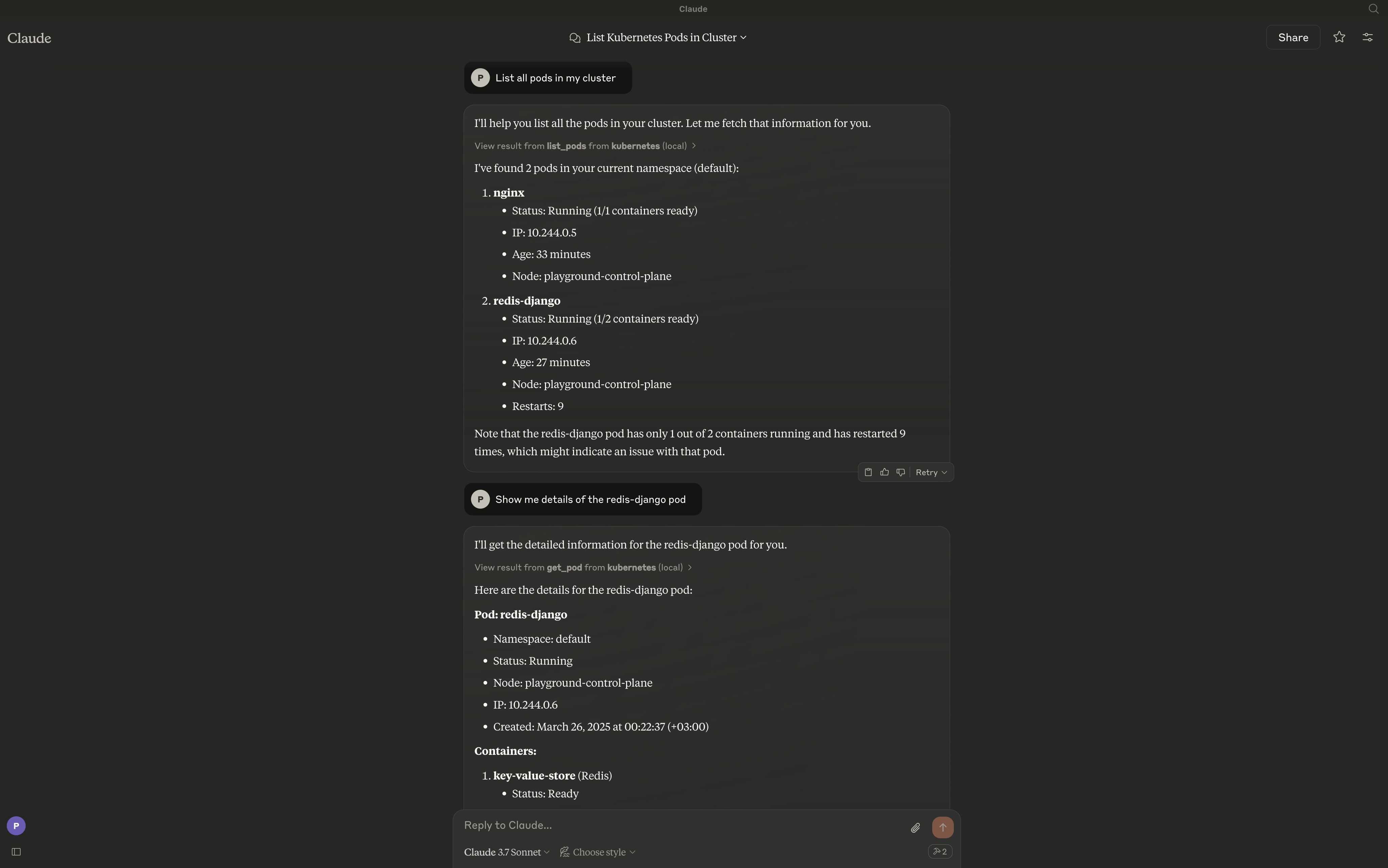
Kai MCP server provides a bridge between large language models (LLMs) clients and your Kubernetes clusters, enabling users to interact with their Kubernetes resources through natural language. The server exposes a comprehensive set of tools for managing clusters, namespaces, pods, deployments, services, and other Kubernetes resources.
Features
- [x] Pods - Create, list, get, delete, and stream logs
- [x] Deployments - Create, list, describe, and update deployments
- [x] Services - Create, get, list, and delete services
- [ ] Cluster Management - Connect, list, switch, and monitor clusters
- [ ] Namespaces - Create, list, update, and delete namespaces
- [ ] Ingress - HTTP/HTTPS routing and TLS configuration
- [ ] ConfigMaps & Secrets - Configuration and secret management
- [ ] Jobs & CronJobs - Batch workload orchestration
- [ ] Nodes - Node monitoring, cordoning, and draining
- [ ] Utilities - Port forwarding, events, and API exploration
- [ ] Persistent Volumes - Storage management and claims
- [ ] RBAC - Role-based access control
- [ ] Custom Resources - CRD and custom resource operations
Requirements
The server will by default connect to your current context. Make sure you have:
Access to a Kubernetes cluster configured for kubectl (e.g. minikube, Rancher Desktop, EKS, GKE, etc.)
Installation
To install the Kubernetes MCP server, run:
go install github.com/basebandit/kai/cmd/kai
Integration with Claude for Desktop
code ~/Library/Application\ Support/Claude/claude_desktop_config.json
Add the server to your Claude for Desktop configuration by editing claude_desktop_config.json:
{
  "mcpServers": {
    "kubernetes": {
      "command": "/path/to/kai binary"
    }
  }
}
Dev Tools Supporting MCP
The following are the main code editors that support the Model Context Protocol. Click the link to visit the official website for more information.







