
Langchain Mcp Client
What is Langchain Mcp Client
The langchain-mcp-client is a client for the Model Context Protocol (MCP) developed by Datalayer, designed to facilitate seamless connections to MCP servers and enable dynamic interactions using LangChain-compatible language models.
Use cases
Use cases include building conversational agents, enhancing customer support systems, integrating multiple language models for diverse applications, and developing AI tools that leverage the capabilities of MCP servers.
How to use
To use langchain-mcp-client, install it via pip with ‘pip install langchain_mcp_client’. Configure your API keys in a .env file and set up your LLM and MCP server parameters in the llm_mcp_config.json5 file. You can then interact with the MCP servers through a command-line interface.
Key features
Key features include seamless connection to any MCP servers, flexible model selection using LangChain-compatible LLMs, and dynamic conversation capabilities via CLI. It also supports parallel initialization of multiple MCP servers and conversion of their tools into LangChain-compatible formats.
Where to use
langchain-mcp-client can be used in various fields such as natural language processing, AI-driven applications, customer service automation, and any domain requiring interaction with language models and MCP servers.
Clients Supporting MCP
The following are the main client software that supports the Model Context Protocol. Click the link to visit the official website for more information.





Overview
What is Langchain Mcp Client
The langchain-mcp-client is a client for the Model Context Protocol (MCP) developed by Datalayer, designed to facilitate seamless connections to MCP servers and enable dynamic interactions using LangChain-compatible language models.
Use cases
Use cases include building conversational agents, enhancing customer support systems, integrating multiple language models for diverse applications, and developing AI tools that leverage the capabilities of MCP servers.
How to use
To use langchain-mcp-client, install it via pip with ‘pip install langchain_mcp_client’. Configure your API keys in a .env file and set up your LLM and MCP server parameters in the llm_mcp_config.json5 file. You can then interact with the MCP servers through a command-line interface.
Key features
Key features include seamless connection to any MCP servers, flexible model selection using LangChain-compatible LLMs, and dynamic conversation capabilities via CLI. It also supports parallel initialization of multiple MCP servers and conversion of their tools into LangChain-compatible formats.
Where to use
langchain-mcp-client can be used in various fields such as natural language processing, AI-driven applications, customer service automation, and any domain requiring interaction with language models and MCP servers.
Clients Supporting MCP
The following are the main client software that supports the Model Context Protocol. Click the link to visit the official website for more information.
Content


🦜 🔗 LangChain MCP Client


This simple Model Context Protocol (MCP) client demonstrates the use of MCP server tools by LangChain ReAct Agent.
- 🌐 Seamlessly connect to any MCP servers.
- 🤖 Use any LangChain-compatible LLM for flexible model selection.
- 💬 Interact via CLI, enabling dynamic conversations.
Conversion to LangChain Tools
It leverages a utility function convert_mcp_to_langchain_tools(). This function handles parallel initialization of specified multiple MCP servers and converts their available tools into a list of LangChain-compatible tools (List[BaseTool]).
Installation
The python version should be 3.11 or higher.
pip install langchain_mcp_client
Configuration
Create a .env file containing all the necessary API_KEYS to access your LLM.
Configure the LLM, MCP servers, and prompt example in the llm_mcp_config.json5 file:
- LLM Configuration: Set up your LLM parameters.
- MCP Servers: Specify the MCP servers to connect to.
- Example Queries: Define example queries that invoke MCP server tools. Press Enter to use these example queries when prompted.
Usage
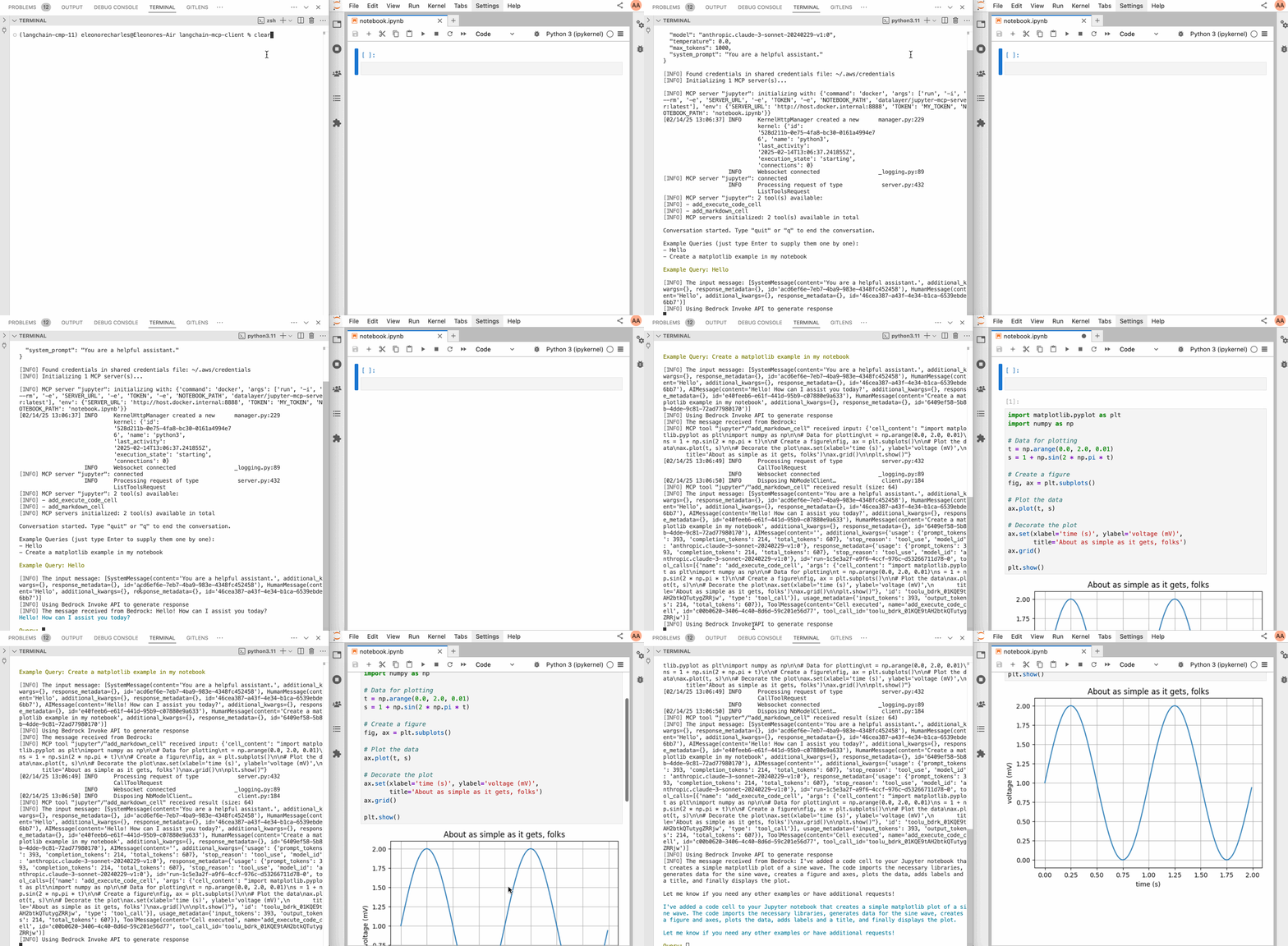
Below an example with a Jupyter MCP Server:
Check the llm_mcp_config.json5 configuration (commands depends if you are running on Linux or macOS/Windows).
# Start jupyterlab.
make jupyterlab
# Launch the CLI.
make cli
This is a prompt example.
create matplolib examples with many variants in jupyter
Credits
This initial code of this repo is taken from hideya/mcp-client-langchain-py (MIT License) and from langchain_mcp_tools (MIT License).
Dev Tools Supporting MCP
The following are the main code editors that support the Model Context Protocol. Click the link to visit the official website for more information.







