
Llm Mcp Invoke
What is Llm Mcp Invoke
llm-mcp-invoke is a project designed to facilitate the invocation of MCP (Multi-Channel Protocol) using LLM (Large Language Model) capabilities. It leverages Python libraries to enable seamless communication between LLMs and MCP tools.
Use cases
Use cases for llm-mcp-invoke include automated customer support systems, intelligent data retrieval applications, and any scenario where LLMs are required to process and respond to user queries by invoking external tools.
How to use
To use llm-mcp-invoke, first install the required package using ‘pip install uv’. Then, synchronize the environment with ‘uv sync’ and run your script with ‘uv run xxx.py’. Follow the instructions for invoking MCP through LLM either by tool selection or prompt-based invocation.
Key features
Key features of llm-mcp-invoke include: 1) Integration with the python-openai module for MCP invocation; 2) Utilization of Langchain for enhanced functionality; 3) Flexible invocation methods that support both tool-based and prompt-based approaches.
Where to use
llm-mcp-invoke can be used in various fields such as artificial intelligence, natural language processing, and software development where LLMs need to interact with multiple tools and protocols effectively.
Clients Supporting MCP
The following are the main client software that supports the Model Context Protocol. Click the link to visit the official website for more information.





Overview
What is Llm Mcp Invoke
llm-mcp-invoke is a project designed to facilitate the invocation of MCP (Multi-Channel Protocol) using LLM (Large Language Model) capabilities. It leverages Python libraries to enable seamless communication between LLMs and MCP tools.
Use cases
Use cases for llm-mcp-invoke include automated customer support systems, intelligent data retrieval applications, and any scenario where LLMs are required to process and respond to user queries by invoking external tools.
How to use
To use llm-mcp-invoke, first install the required package using ‘pip install uv’. Then, synchronize the environment with ‘uv sync’ and run your script with ‘uv run xxx.py’. Follow the instructions for invoking MCP through LLM either by tool selection or prompt-based invocation.
Key features
Key features of llm-mcp-invoke include: 1) Integration with the python-openai module for MCP invocation; 2) Utilization of Langchain for enhanced functionality; 3) Flexible invocation methods that support both tool-based and prompt-based approaches.
Where to use
llm-mcp-invoke can be used in various fields such as artificial intelligence, natural language processing, and software development where LLMs need to interact with multiple tools and protocols effectively.
Clients Supporting MCP
The following are the main client software that supports the Model Context Protocol. Click the link to visit the official website for more information.
Content
项目简介
LLM调用MCP
运行:
pip install uv

uv sync

uv run xxx.py
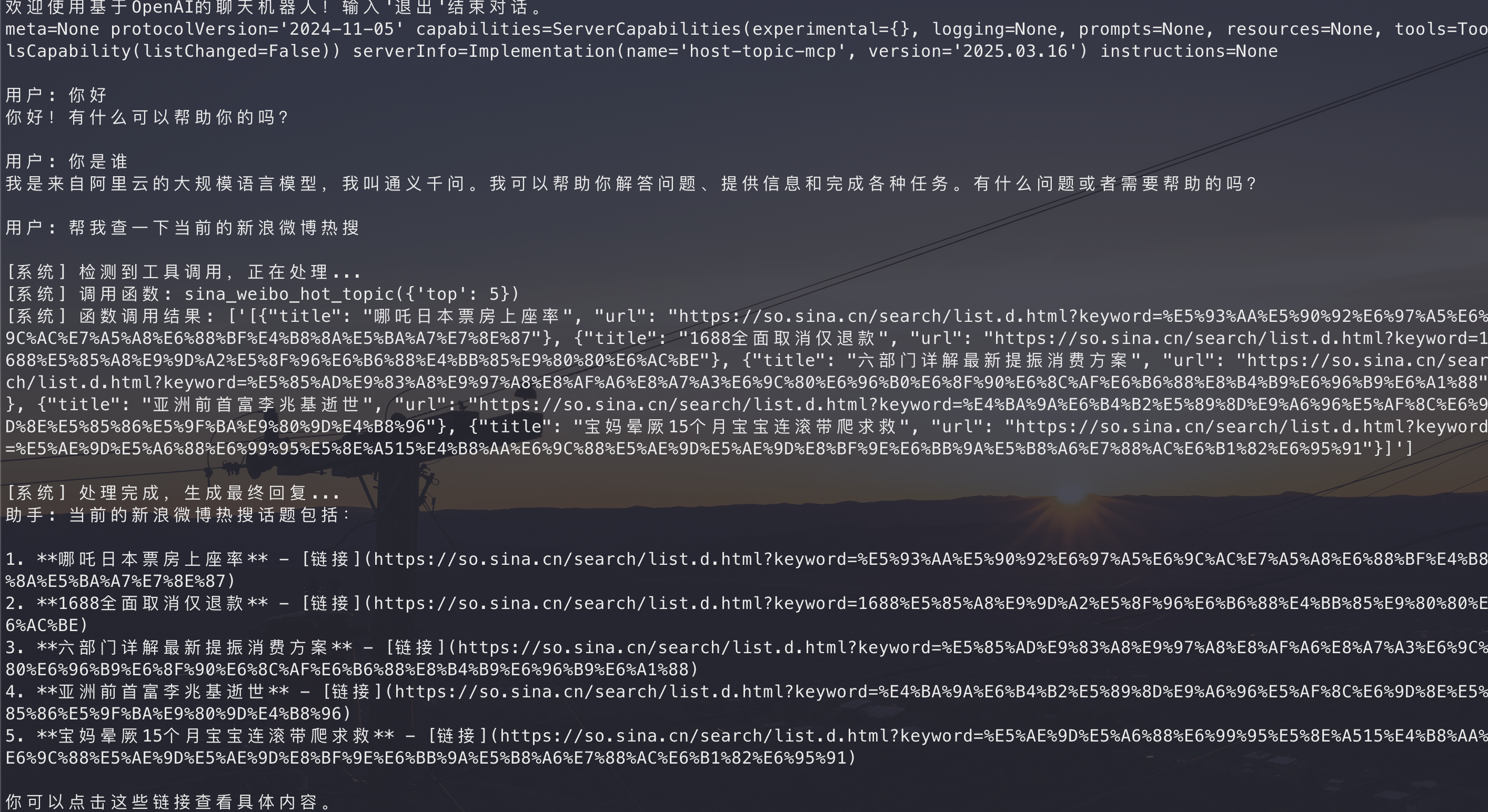
1、基于python-openai模块实现MCP的调用
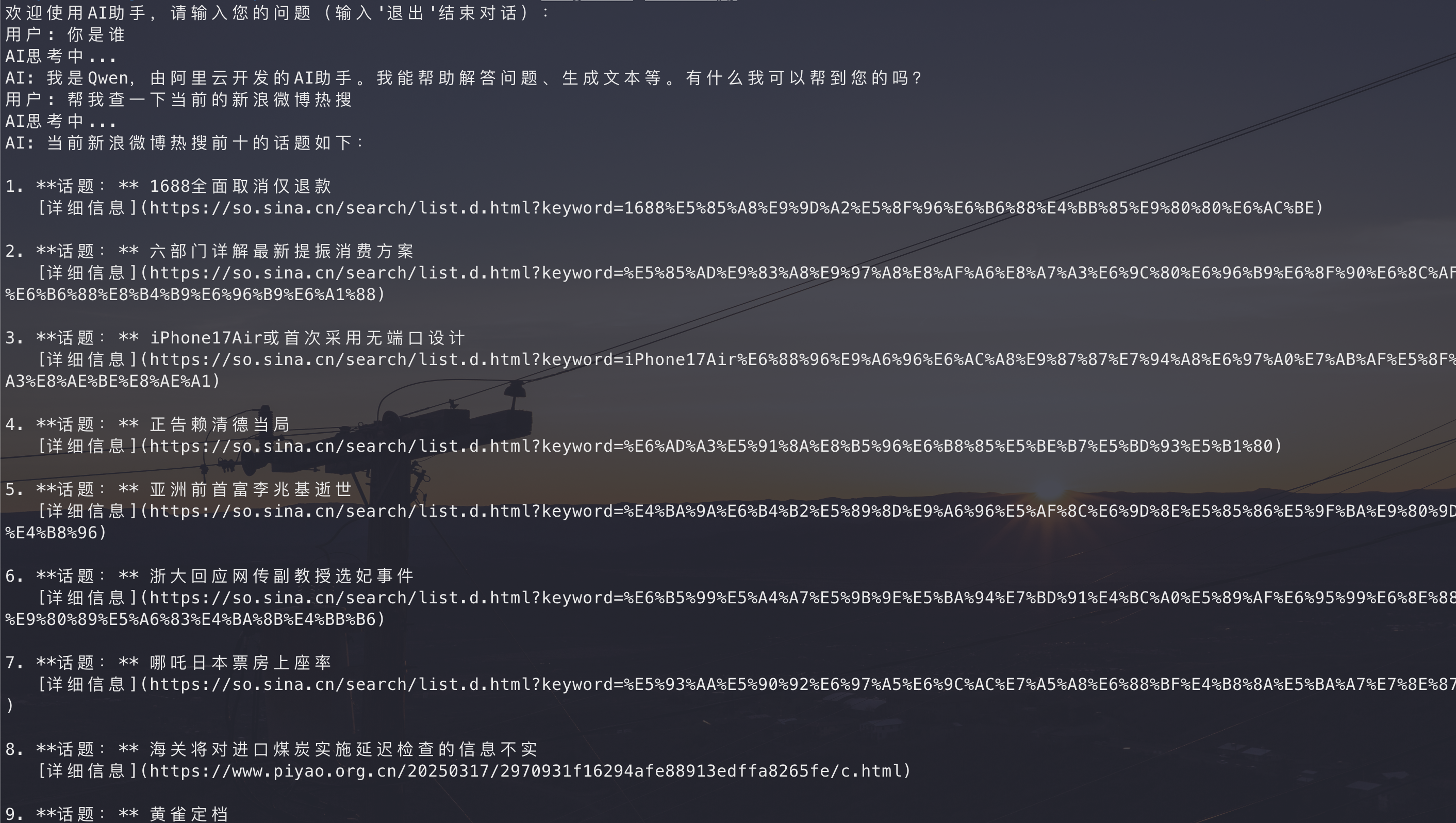
实现效果
2、基于Langchain实现MCP的调用
调用原理
1、构造LLM工具调用MCP
1、首先将问题和所有的工具都传入LLM中,让LLM选择工具
2、LLM选择工具后,将工具的名称和参数传入MCP执行
3、MCP根据工具的名称和参数调用工具,返回结果
4、再将问题和MCP返回的结果传入LLM中,让LLM给予最终响应
有的模型并不支持工具调用,需要注意
2、根据提示词调用MCP
1、将所有的MCP的工具和参数都写入系统提示词中
2、让LLM返回需要调用的对应MCP
3、调用MCP返回结果
4、将用户问题+MCP返回的结果传入LLM中,让LLM给予最终响应
这种兼容所有的模型,不需要模型支持工具调用
openai_prompt_invoke.py 就是模仿该思路调用MCP
Dev Tools Supporting MCP
The following are the main code editors that support the Model Context Protocol. Click the link to visit the official website for more information.







