
Llm Sse Mcp Demo 2025
What is Llm Sse Mcp Demo 2025
llm-sse-mcp-demo-2025 is a project that demonstrates the integration between LLM clients and MCP (Model Context Protocol) servers using Server-Sent Events (SSE) for real-time communication. It consists of two Spring Boot applications showcasing tool calling capabilities with various LLM models.
Use cases
Use cases include building interactive chatbots, creating educational applications that utilize mathematical tools, setting alarms, and retrieving real-time data such as current date and time.
How to use
To use llm-sse-mcp-demo-2025, run the two Spring Boot applications: the SSE MCP Server Demo on port 8080 and the LLM MCP Client Demo on port 9090. The client connects to the server to interact with various LLM models and utilize available tools.
Key features
Key features include real-time communication via SSE, support for multiple LLM models (Anthropic Claude, OpenAI GPT, Google Gemini, Ollama), interactive web chat interface, and tool discovery capabilities.
Where to use
llm-sse-mcp-demo-2025 can be used in fields such as AI development, real-time data processing, educational tools, and any application requiring interactive communication with LLMs.
Clients Supporting MCP
The following are the main client software that supports the Model Context Protocol. Click the link to visit the official website for more information.





Overview
What is Llm Sse Mcp Demo 2025
llm-sse-mcp-demo-2025 is a project that demonstrates the integration between LLM clients and MCP (Model Context Protocol) servers using Server-Sent Events (SSE) for real-time communication. It consists of two Spring Boot applications showcasing tool calling capabilities with various LLM models.
Use cases
Use cases include building interactive chatbots, creating educational applications that utilize mathematical tools, setting alarms, and retrieving real-time data such as current date and time.
How to use
To use llm-sse-mcp-demo-2025, run the two Spring Boot applications: the SSE MCP Server Demo on port 8080 and the LLM MCP Client Demo on port 9090. The client connects to the server to interact with various LLM models and utilize available tools.
Key features
Key features include real-time communication via SSE, support for multiple LLM models (Anthropic Claude, OpenAI GPT, Google Gemini, Ollama), interactive web chat interface, and tool discovery capabilities.
Where to use
llm-sse-mcp-demo-2025 can be used in fields such as AI development, real-time data processing, educational tools, and any application requiring interactive communication with LLMs.
Clients Supporting MCP
The following are the main client software that supports the Model Context Protocol. Click the link to visit the official website for more information.
Content
LLM SSE MCP with Observability (Prometheus/Metrics, Tempo/Traces, Loki/Logs, Grafana)
This project demonstrates the integration between LLM clients and MCP (Model Context Protocol) servers using Server-Sent Events (SSE) for real-time communication. It consists of three Spring Boot applications that showcase OAuth 2.0 security, tool calling capabilities with various LLM models, and secure authentication services.
Project Structure
1. Authorization Server Demo (authorization-server-demo)
A Spring Boot application that implements OAuth 2.0 authorization server functionality, providing secure authentication and authorization services.
Features:
- OAuth 2.0 Authorization Server: Issues access tokens and validates them
Port: 9000
2. SSE MCP Server Demo (sse-mcp-server-demo)
A Spring Boot application that serves as an MCP server, exposing mathematical and date/time tools via SSE endpoints.
Features:
- Math Tools: Addition and multiplication operations
- DateTime Tools: Current time retrieval and alarm setting
- SSE Support: Real-time communication via Server-Sent Events
- MCP Protocol: Implements Model Context Protocol for tool discovery and execution
Available Tools:
sumNumbers(int, int)- Adds two numbersmultiplyNumbers(int, int)- Multiplies two numbersgetCurrentDateTime()- Gets current date/time in user’s timezonesetAlarm(String)- Sets an alarm for specified ISO-8601 time
Port: 8080 (default)
3. LLM MCP Client Demo (llm-mcp-client-demo)
A Spring Boot web application that connects to the MCP server and provides an interactive chat interface with multiple LLM providers.
Features:
- Multiple LLM Support: Anthropic Claude, OpenAI GPT, Google Gemini, Ollama
- Interactive Web Chat: Real-time chat interface using Thymeleaf
- MCP Integration: Connects to SSE MCP server for tool calling
- Tool Discovery: Automatically discovers and uses available tools from MCP server
Supported LLM Models:
- Anthropic Claude: claude-sonnet-4-20250514
- OpenAI: o4-mini-2025-04-16
- Google Gemini: gemini-2.5-flash-preview-05-20
- Ollama: qwen3:8b (local)
Port: 10101
Prerequisites
- Java 17 or higher
- Gradle
- API keys for cloud LLM providers (optional)
- Ollama installed locally (for local models)
- Docker & Docker Compose
Environment Variables
For the LLM client, set the following environment variables for cloud providers:
export ANTHROPIC_API_KEY=your_anthropic_key
export OPENAI_API_KEY=your_openai_key
export GOOGLE_PROJECT_ID=your_google_project_id
export GOOGLE_ZONE=your_google_zone
Quick Start
1. Start Prometheus, Tempo, Loki, Grafana
docker compose up -d
2. Start the Authorization Server
cd authorization-server-demo
./gradlew bootRun
3. Start the MCP Server
cd sse-mcp-server-demo
./gradlew bootRun
4. Start the LLM Client
cd llm-mcp-client-demo
./gradlew bootRun
5. Access the Chat Interface
Open your browser and navigate to: http://localhost:10101
6. Access Grafana and explore Prometheus, Tempo, Loki
Open your browser and navigate to: http://localhost:3000
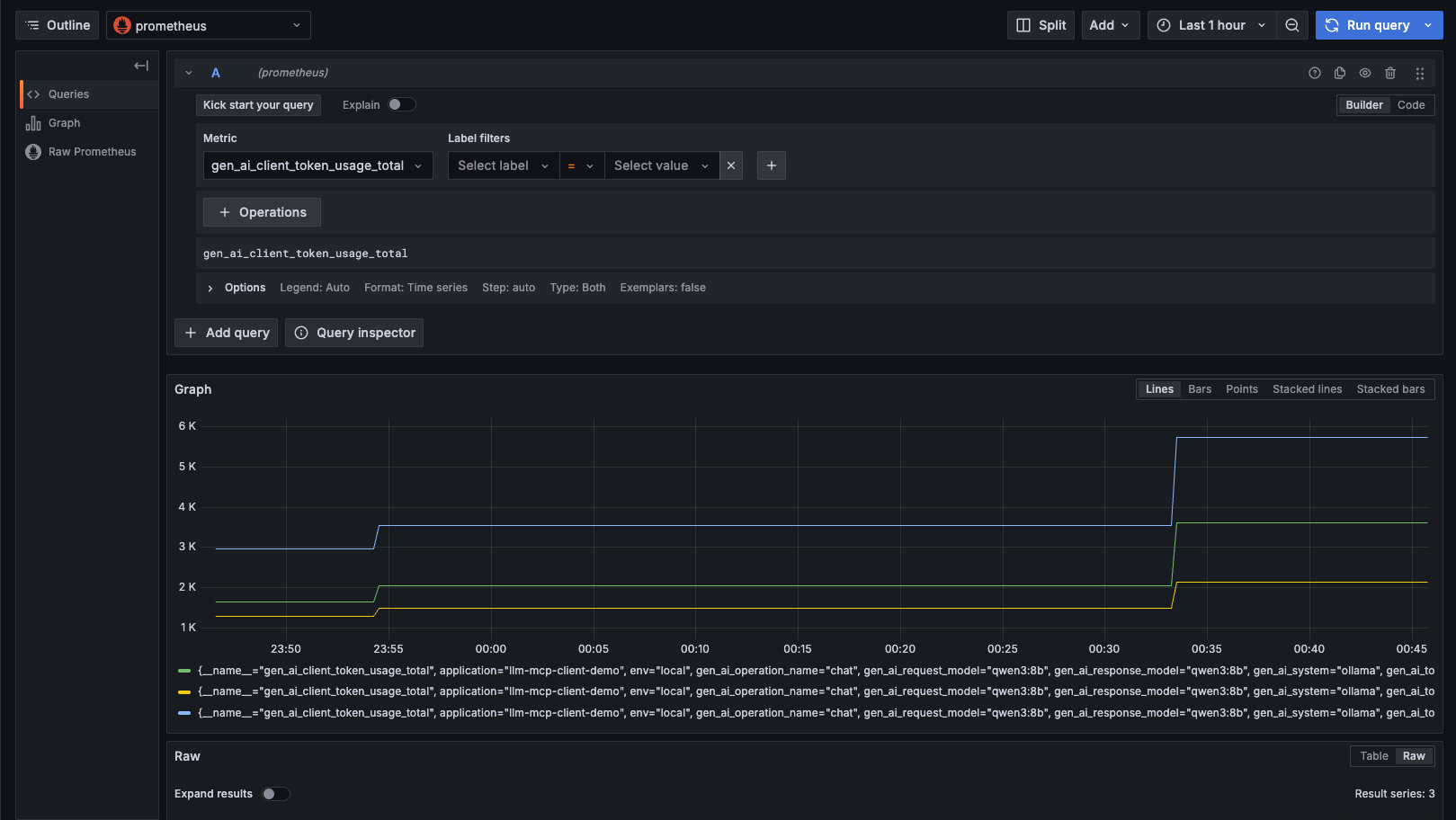
Data sources->Prometheus->Explore
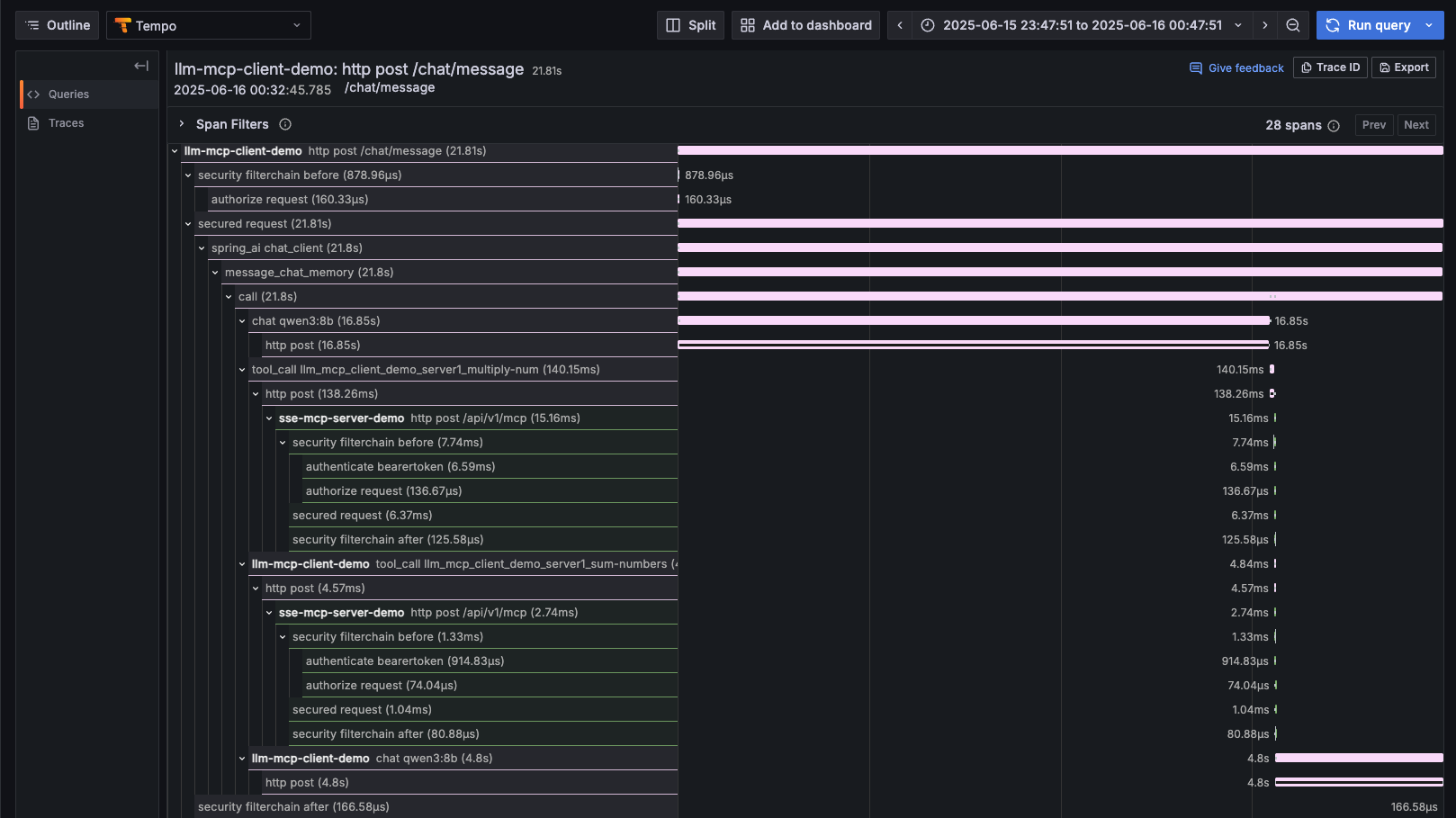
Data sources->Tempo->Explore
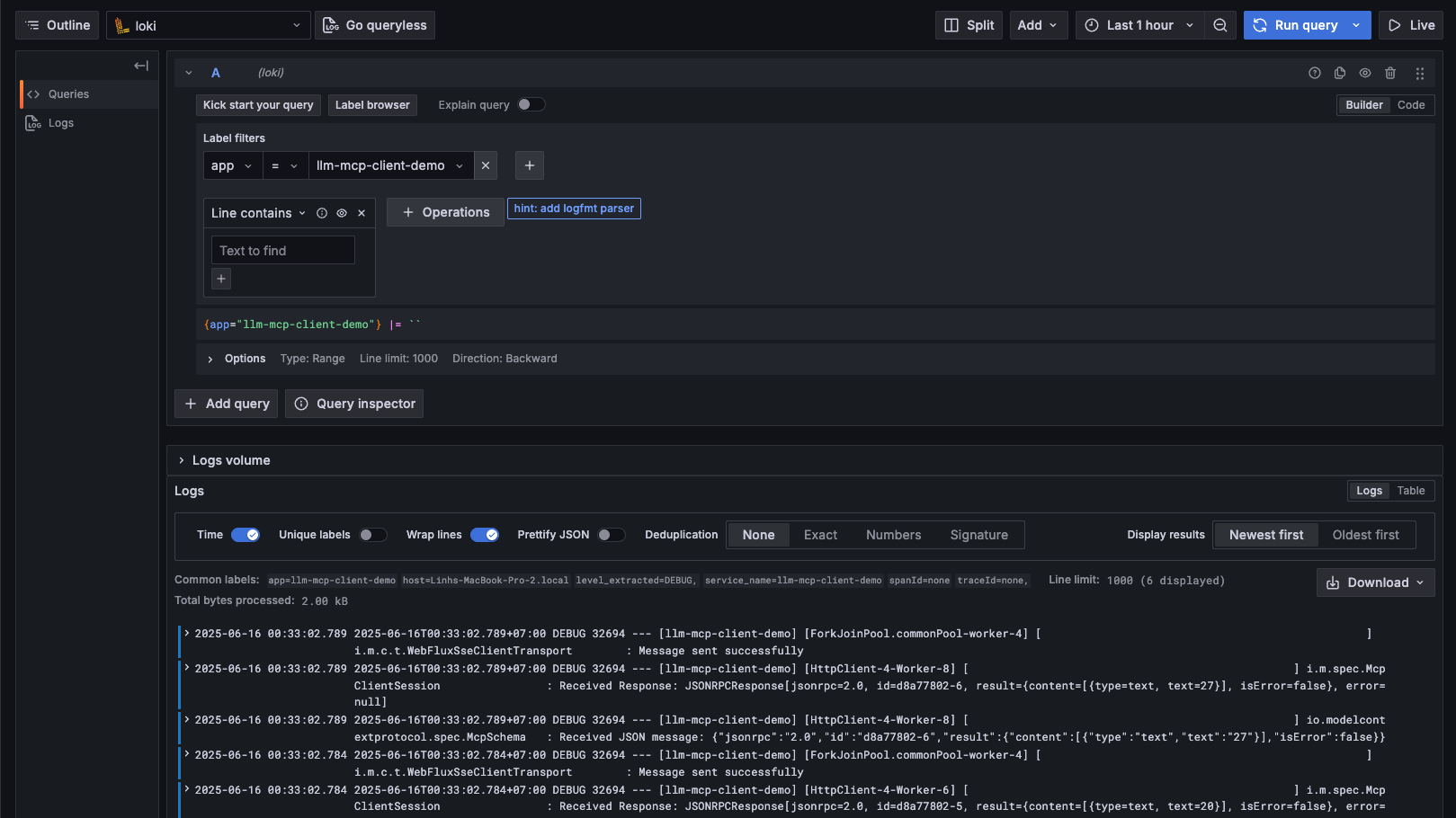
Data sources->Loki->Explore
Usage
- Start both services in the order specified above
- Open the web interface at
http://localhost:9090 - Send messages that require mathematical operations or time queries
- Watch the LLM automatically discover and use the available tools
Example queries:
- “What’s 5 times 4 plus 7?”
- “What time is it?”
- “Set an alarm for 2025-01-01T10:00:00”
Technology Stack
- Spring Boot 3.x
- Spring Security OAuth2
- Spring AI - LLM integration framework
- Model Context Protocol (MCP) - Tool discovery and execution
- Server-Sent Events (SSE) - Real-time communication
- Thymeleaf - Web templating
- Gradle - Build system
Configuration
All applications use YAML configuration files:
- Authorization server configuration in
authorization-server-demo/src/main/resources/application.yml - MCP server configuration in
sse-mcp-server-demo/src/main/resources/application.yml - LLM client configuration in
llm-mcp-client-demo/src/main/resources/application.yml
Development
The project demonstrates:
- MCP Protocol Implementation using Spring AI
- SSE-based Real-time Communication
- Multi-provider LLM Integration
- Tool Calling and Discovery
- Interactive Web Interfaces
- MCP Authorization with OAuth2
- Observation with Spring Actuator and Micrometer(OpenTelemetry, Prometheus, Tempo, Loki, Grafana)
This demo serves as a foundation for building more complex LLM-powered applications with external tool capabilities.
Dev Tools Supporting MCP
The following are the main code editors that support the Model Context Protocol. Click the link to visit the official website for more information.







