
Local Repl Mcp
What is Local Repl Mcp
local-repl-mcp is a locally-running Python REPL server that integrates with Claude Desktop through the Model Context Protocol (MCP). It allows users to execute Python code directly on their local machine without the need for API keys or remote execution.
Use cases
Use cases include running Python scripts for data analysis, testing code snippets in a secure environment, teaching programming concepts, and developing applications that require local execution without internet dependency.
How to use
To use local-repl-mcp, clone the repository, set up the configuration in your MCP config JSON, and install any additional Python packages you want. Once set up, you can create and manage Python REPL instances directly from Claude Desktop.
Key features
Key features include complete local execution, state persistence between code executions, integration with Claude Desktop via MCP, no requirement for API keys, a focus on privacy, and a simple implementation with minimal dependencies.
Where to use
local-repl-mcp can be used in various fields such as software development, data analysis, educational purposes, and any scenario where local Python code execution is beneficial.
Clients Supporting MCP
The following are the main client software that supports the Model Context Protocol. Click the link to visit the official website for more information.





Overview
What is Local Repl Mcp
local-repl-mcp is a locally-running Python REPL server that integrates with Claude Desktop through the Model Context Protocol (MCP). It allows users to execute Python code directly on their local machine without the need for API keys or remote execution.
Use cases
Use cases include running Python scripts for data analysis, testing code snippets in a secure environment, teaching programming concepts, and developing applications that require local execution without internet dependency.
How to use
To use local-repl-mcp, clone the repository, set up the configuration in your MCP config JSON, and install any additional Python packages you want. Once set up, you can create and manage Python REPL instances directly from Claude Desktop.
Key features
Key features include complete local execution, state persistence between code executions, integration with Claude Desktop via MCP, no requirement for API keys, a focus on privacy, and a simple implementation with minimal dependencies.
Where to use
local-repl-mcp can be used in various fields such as software development, data analysis, educational purposes, and any scenario where local Python code execution is beneficial.
Clients Supporting MCP
The following are the main client software that supports the Model Context Protocol. Click the link to visit the official website for more information.
Content
LocalREPL MCP Server
A locally-running Python REPL server that integrates with Claude Desktop through the Model Context Protocol (MCP).
Features
- Local REPL: Runs a Python REPL server locally
1. System Discovery Workflow
- Purpose: Methodical exploration of the full system capabilities
- Approach: Phase-by-phase discovery with comprehensive documentation
- Output: Complete system mapping and enhancement opportunities
2. Advanced Workflow Orchestration
- Purpose: Complex multi-stage workflows with dependency management
- Features: Task execution engine, error handling, performance monitoring
- Templates: Data analysis, research, multi-agent coordination workflows
3. Strategic Capability Enhancement
- Purpose: Systematic enhancement of system capabilities
- Framework: Phase 1 (Planning) → Phase 2 (Execution) → Phase 3 (Adaptation)
- Implementation: Sample agent communication and performance monitoring systems
**4. Agent Communication and Performance Monitoring
- Persistent Agent Intelligence with JSON state storage
- Empowerment Optimization Framework with energy tracking
- Advanced Memory Systems with categorization and tagging
- Workflow Orchestration capabilities
- Evolution Database tracking agent learning
- Multi-REPL Coordination for parallel processing
5. Other Advantages
-
Completely Local: Run Python code directly on your machine without any remote dependencies
-
State Persistence: Maintain state between code executions (completely local)
-
MCP Integration: Fully compatible with Claude Desktop through the Model Context Protocol
-
No API Keys: No registration or signup required
-
Privacy-Focused: Your code never leaves your machine if you use local models
-
Simple & Secure: Straightforward implementation with minimal dependencies
-
New Additions:
See Modular-Empowerment-README.md or just try the prompts!
Potential Use Cases for LocalREPL
There are several powerful use cases for a local Python REPL integrated with Claude:
1. Interactive Learning Environment
- Perfect for teaching programming concepts with immediate feedback
- Step through algorithms with Claude explaining each part
- Build understanding iteratively without switching between tools
2. Data Analysis Workflow
- Process and analyze data with state persistence
- Incrementally build analysis pipelines with guidance from Claude
- Visualize results and refine approach without context switching
3. Secure Code Experimentation
- Experiment with sensitive code or data that shouldn’t leave your machine
- Test financial algorithms, personal automation, or proprietary code
- Avoid exposing intellectual property to third-party services
4. Incremental Development
- Build solutions step-by-step with Claude’s guidance
- Maintain context and state throughout development sessions
- Refine code based on immediate feedback and results
5. Local AI Integration Testing
- Test integrations with local AI models
- Process inputs and outputs for AI systems
- Build preprocessing and postprocessing pipelines
6. Automated Documentation Generation
- Generate documentation from code inspection
- Test and refine documentation examples
- Create interactive tutorials with working code examples
7. Private API Testing
- Explore internal or sensitive APIs without exposing credentials
- Build up complex API requests incrementally
- Test authentication flows and data handling
8. Local System Automation
- Control and interact with local services securely
- Build automation scripts that don’t require internet access
- Test system modifications in a controlled environment
9. Continuous Computational Context
- Maintain a persistent computational environment between conversations
- Build on previous calculations without starting over
- Create complex multi-step analyses with Claude’s guidance
10. Educational Demonstrations
- Create interactive coding tutorials
- Demonstrate concepts with working code examples
- Allow students to experiment safely within Claude
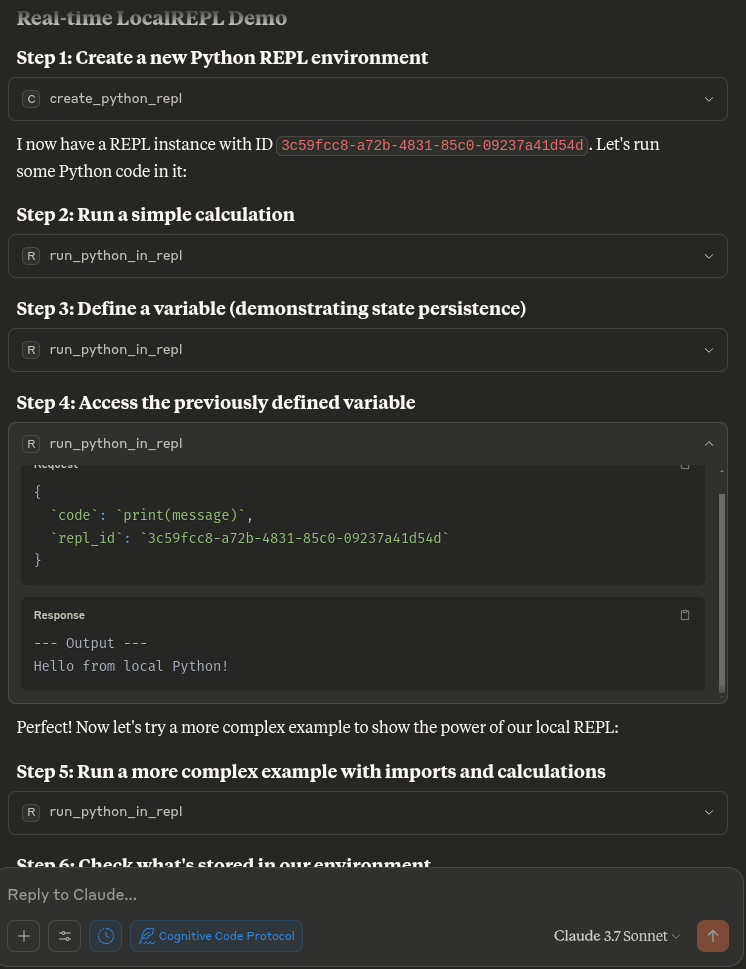
Installation
Prerequisites
- Python 3.10 or higher
- Claude Desktop
Setup
- Clone this repository
git clone https://github.com/angrysky56/local-repl-mcp.git
Quickstart:
You can just copy this into your mcp config json edit the path to your own, and should be good to go:
{
  "mcp_servers": {
    "LocalREPL": {
      "command": "uv",
      "args": [
        "--directory",
        "/home/ty/Repositories/ai_workspace/local-repl-mcp/local_repl",
        "run",
        "server.py"
      ]
    }
  }
}
Usage
Some of these packages will take some time to install, I suggest you do this if they take too long to install:
Optional: Install additional packages you want to use in your REPL:
cd local-repl-mcp
# Using uv (recommended)
# uv .venv/bin/activate && uv pip install <required-packages>
# If you don't have uv installed, you can install it with:
# pip install uv
# Then if not made by the server activating via Claude you can create then activate the virtual environment with:
# uv venv --python 3.12 --seed
# Then you can activate the virtual environment with:
uv .venv/bin/activate
# And install the packages with:
uv add numpy pandas matplotlib scipy scikit-learn tensorflow torch torchvision torchtext torchaudio seaborn sympy requests networkx beautifulsoup4 jupyter fastapi
Once the server is installed in Claude Desktop, you can use the following tools,
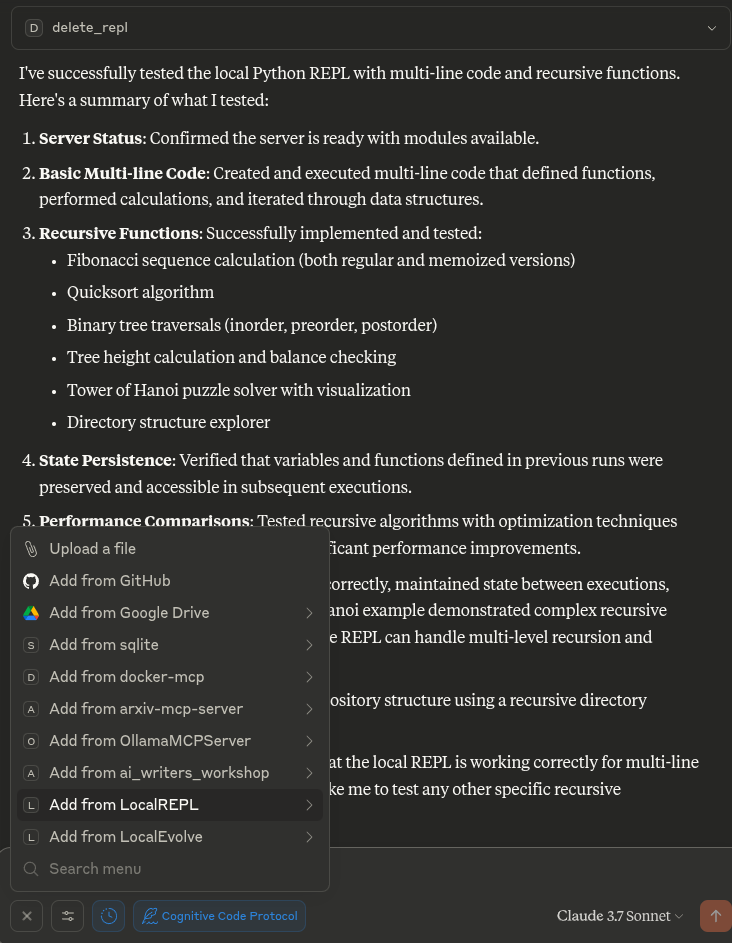
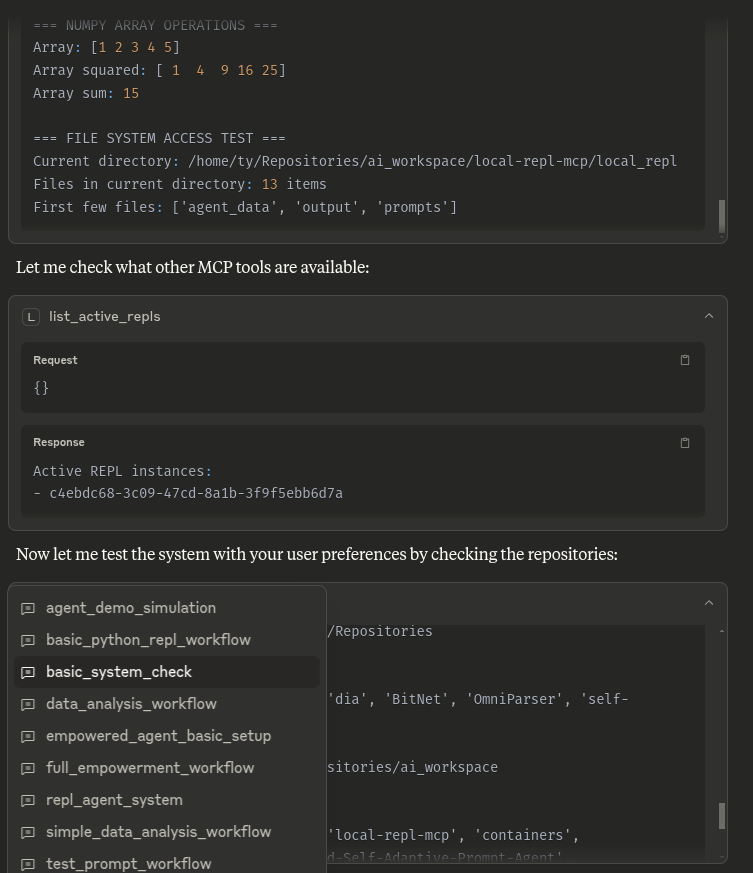
This info and much more is also available to Claude via the prompts folder and attachable by the + in the Desktop UI or /LocalREPL in others:
create_python_repl()- Creates a new Python REPL and returns its IDrun_python_in_repl(code, repl_id)- Runs Python code in the specified REPLlist_active_repls()- Lists all active REPL instancesget_repl_info(repl_id)- Shows information about a specific REPLdelete_repl(repl_id)- Deletes a REPL instance
Example Workflow
# First create a new REPL
repl_id = create_python_repl()

# Run some code
result = run_python_in_repl(
  code="x = 42\nprint(f'The answer is {x}')",
  repl_id=repl_id
)

# Run more code in the same REPL (with state preserved)
more_results = run_python_in_repl(
  code="import math\nprint(f'The square root of {x} is {math.sqrt(x)}')",
  repl_id=repl_id
)

# Check what variables are available in the environment
environment_info = get_repl_info(repl_id)

# When done, you can delete the REPL
delete_repl(repl_id)
Development
To run the server during development:
mcp dev server.py
Try this stuff if you need to, untested:
-
Create a virtual environment:
# Using uv (recommended) uv venv --python 3.12 --seed # Or using standard venv python -m venv .venv -
Activate the virtual environment:
# On Linux/macOS . .venv/bin/activate # On Windows .venv\Scripts\activate -
cd local-repl-mcp
Install the package:# Using uv uv pip install -e . # Using pip pip install -e .
No idea if this works:
Run the following command to generate a configuration file for Claude Desktop:
mcp install server.py
Troubleshooting
- EPIPE errors: If you see EPIPE errors, restart the Claude Desktop application
- Missing packages: If your code requires specific packages, install them in the same virtual environment
- Connection issues: Ensure the server path in your configuration is correct
- MCP tools not appearing: Check your Claude Desktop configuration and restart the application
License
Dev Tools Supporting MCP
The following are the main code editors that support the Model Context Protocol. Click the link to visit the official website for more information.







