
Mapify Mcp Server
What is Mapify Mcp Server
Mapify MCP Server is an AI-powered tool that transforms text, YouTube videos, and web content into interactive mind maps, enhancing the way users visualize and organize information.
Use cases
Use cases include creating study guides from lecture notes, summarizing YouTube videos, organizing web research, and facilitating collaborative brainstorming sessions.
How to use
To use Mapify MCP Server, create a free account on the Mapify platform, obtain your API token, and follow the instructions to generate mind maps from various content sources.
Key features
Key features include multi-source mind mapping, AI-powered search for keywords, multi-language support (15+ languages), and the ability to create both static images and interactive mind map links.
Where to use
Mapify MCP Server can be used in education, content creation, project management, brainstorming sessions, and any field that benefits from visual organization of information.
Clients Supporting MCP
The following are the main client software that supports the Model Context Protocol. Click the link to visit the official website for more information.





Overview
What is Mapify Mcp Server
Mapify MCP Server is an AI-powered tool that transforms text, YouTube videos, and web content into interactive mind maps, enhancing the way users visualize and organize information.
Use cases
Use cases include creating study guides from lecture notes, summarizing YouTube videos, organizing web research, and facilitating collaborative brainstorming sessions.
How to use
To use Mapify MCP Server, create a free account on the Mapify platform, obtain your API token, and follow the instructions to generate mind maps from various content sources.
Key features
Key features include multi-source mind mapping, AI-powered search for keywords, multi-language support (15+ languages), and the ability to create both static images and interactive mind map links.
Where to use
Mapify MCP Server can be used in education, content creation, project management, brainstorming sessions, and any field that benefits from visual organization of information.
Clients Supporting MCP
The following are the main client software that supports the Model Context Protocol. Click the link to visit the official website for more information.
Content
Mapify MCP Server



Transform text, YouTube videos, and web content into beautiful mind maps using AI 🧠✨
The official Mapify Model Context Protocol (MCP) server enables AI assistants like Claude to generate interactive mind maps from various content sources. Built on the standardized MCP architecture, this server provides seamless integration between AI models and Mapify’s powerful mind mapping capabilities.
✨ Features
- 🎯 Multi-Source Mind Mapping: Generate mind maps from text prompts, YouTube videos, websites, and documents
- 🔍 AI-Powered Search: Automatically search the web for keywords and create comprehensive mind maps from results
- 🌍 Multi-Language Support: Create mind maps in 15+ languages including English, Chinese, Japanese, Spanish, and more
- 📸 Visual + Interactive: Get both static images and editable mind map links
🔑 Getting Your API Key
Before using the Mapify MCP Server, you’ll need to obtain your API token from the Mapify platform.
💡 Already have an account? Jump directly to your settings page and skip to Step 3.
Step 1: Create Your Account
Visit mapify.so and sign up for a free account.
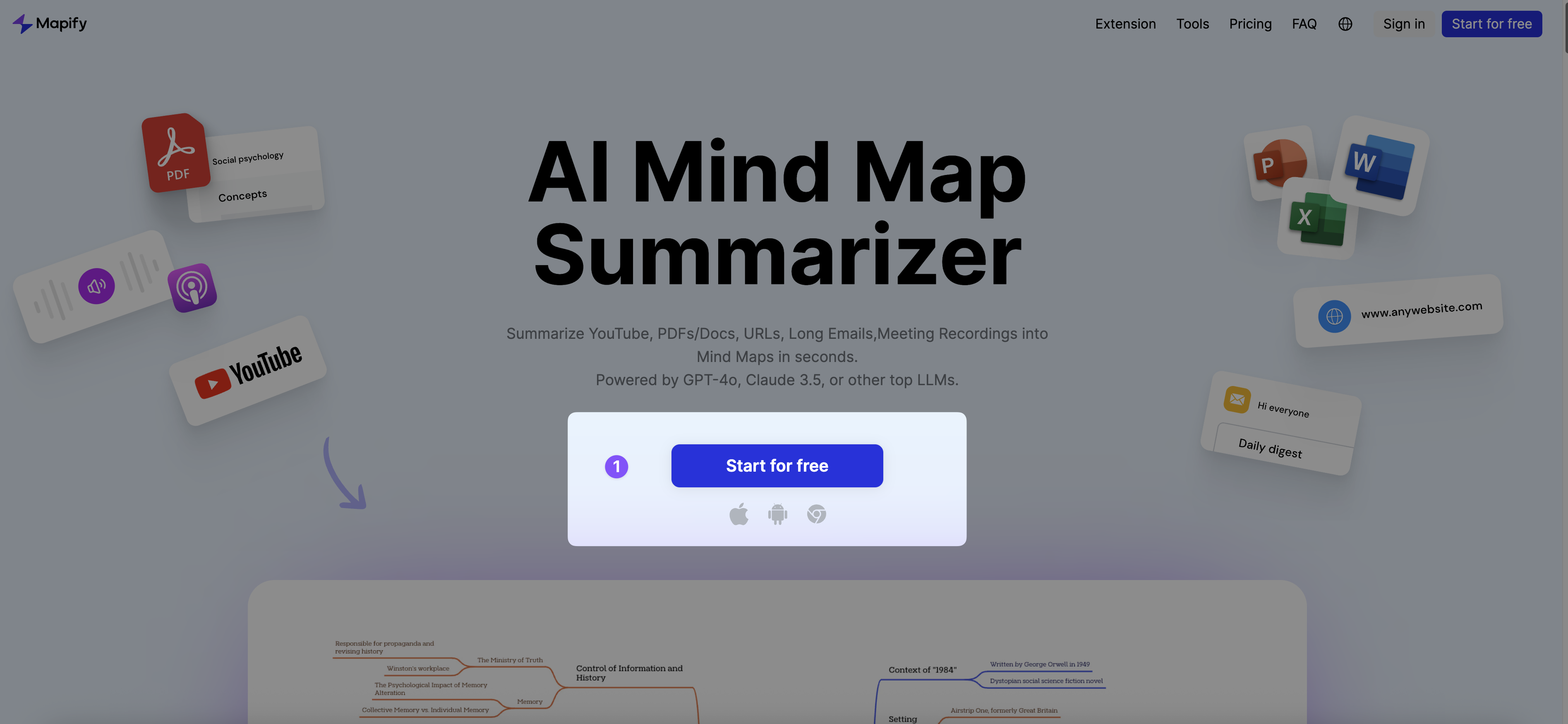
Step 2: Access Main Dashboard
After logging in, you’ll see the main Mapify dashboard with your mind maps and tools.
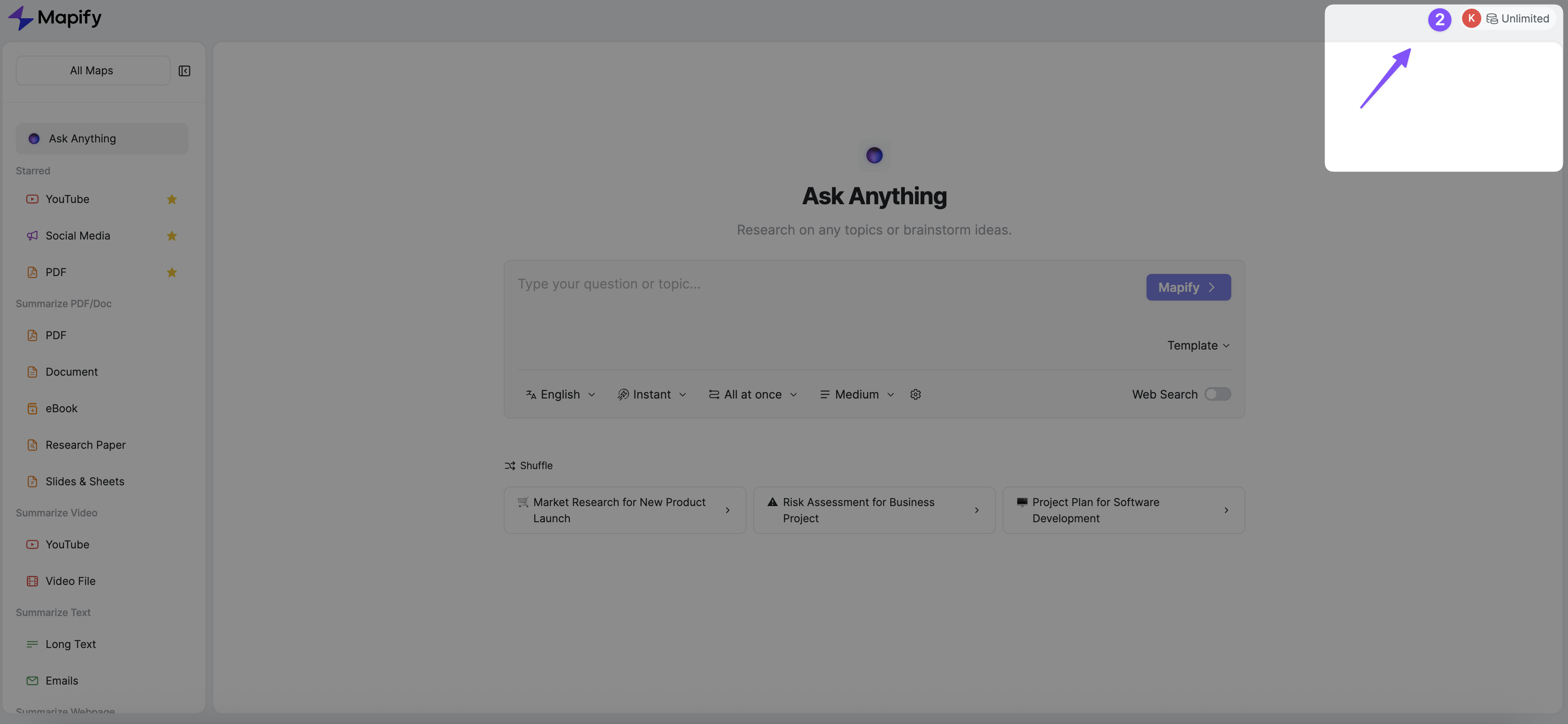
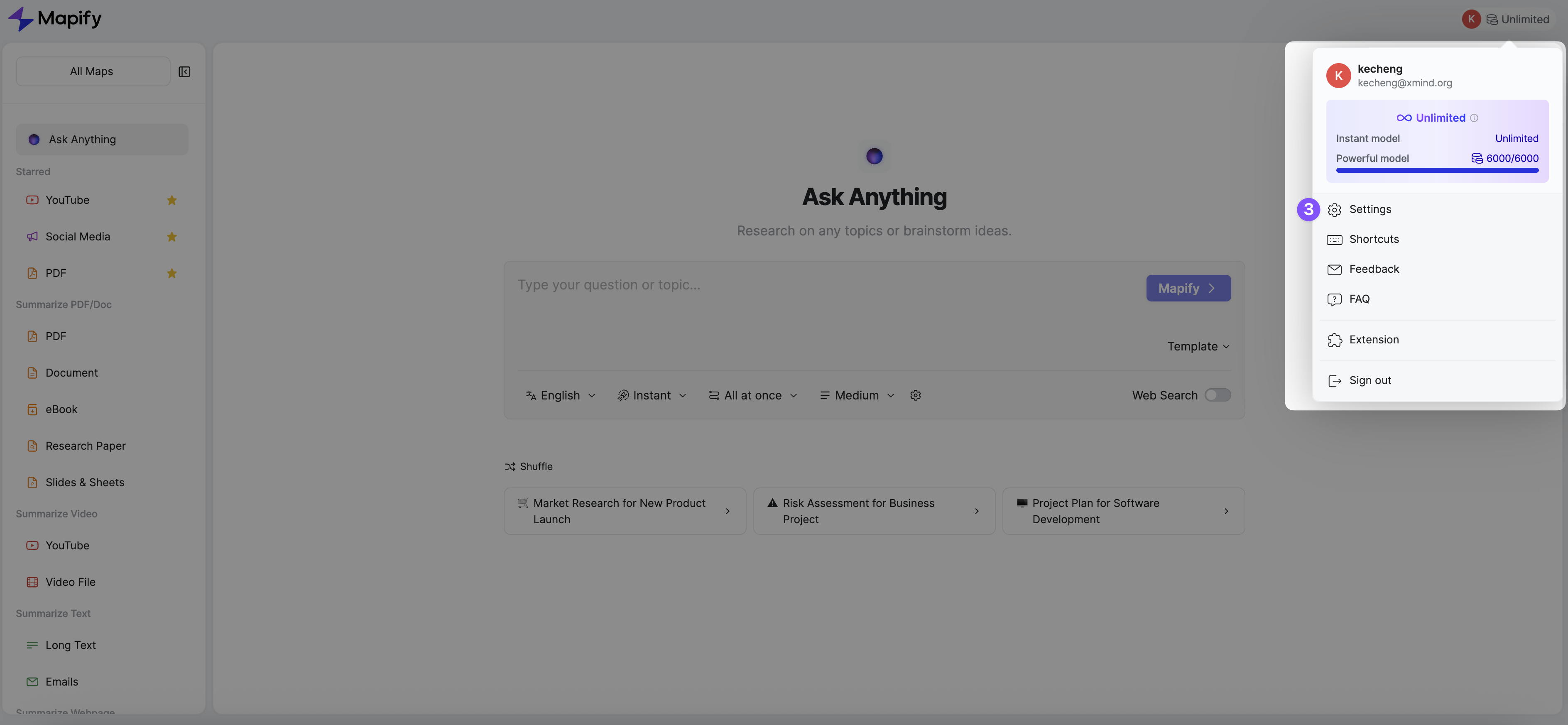
Step 3: Open Account Settings
Click on your profile/account menu to access your account settings.
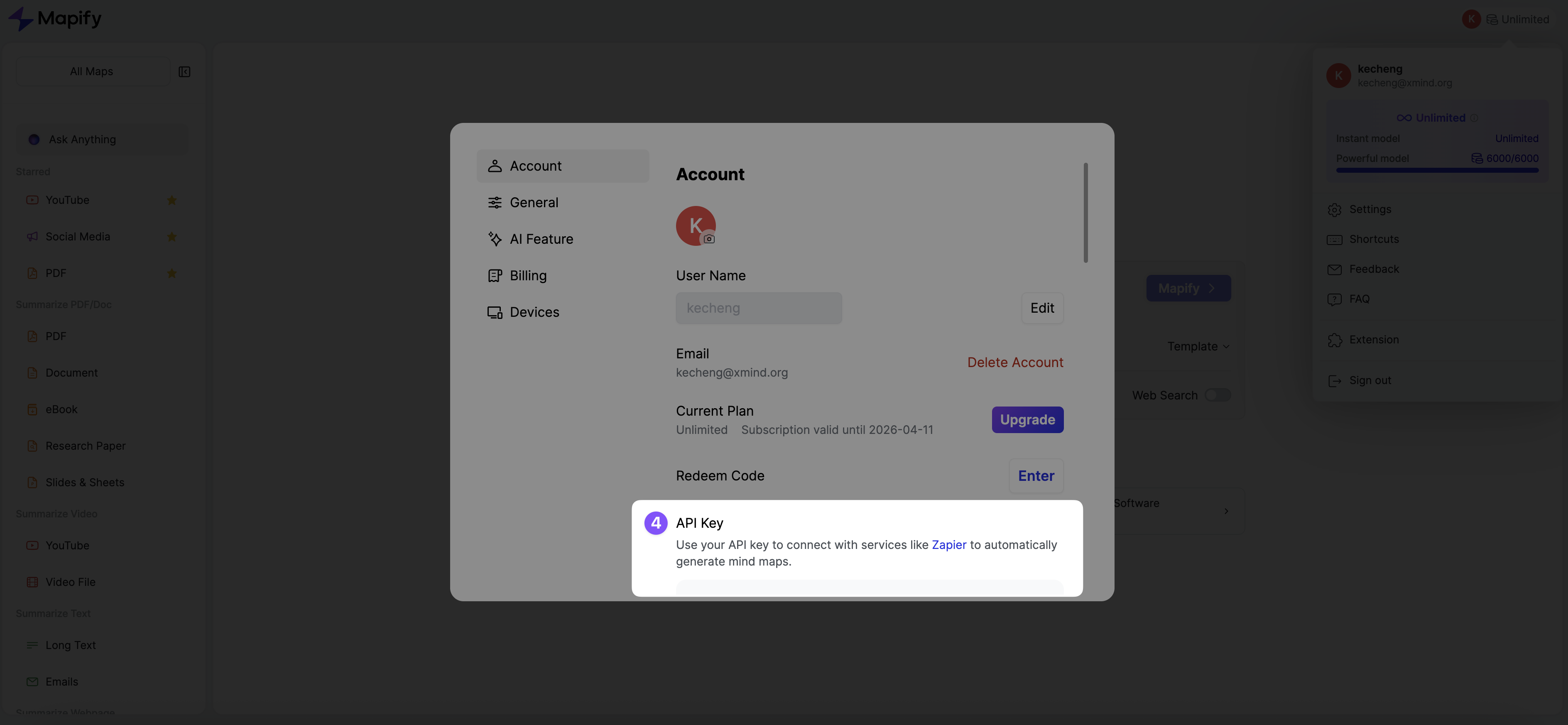
Step 4: Generate Your API Token
Navigate to the “API Key” section and generate your API key. Copy and keep it secure!
🔒 Security Note: Treat your API key like a password. Never share it publicly or commit it to version control.
🚀 Quick Start
Prerequisites
- Node.js (v16 or higher)
- MCP-compatible client (Claude Desktop, VS Code, Cursor, Continue, etc.)
Installation
For Claude Desktop, add this configuration to your ~/.claude/claude_desktop_config.json:
{
  "mcpServers": {
    "mapify": {
      "command": "npx",
      "args": [
        "-y",
        "@xmindltd/mapify-mcp-server"
      ],
      "env": {
        "MAPIFY_API_KEY": "your_api_token_here"
      }
    }
  }
}
📖 Usage Examples
Once configured, you can use these tools with your AI assistant:
Text-to-Mind-Map
Create a mind map about "Machine Learning fundamentals"
AI Search to Mind Map
Create a comprehensive mind map for "climate change solutions 2025" by AI Search
YouTube Video Analysis
Generate a mind map from this YouTube video: https://youtube.com/watch?v=example
Website Content Mapping
Create a mind map from the content on https://example.com/article
The AI assistant will automatically:
- 🔄 Process your request using the appropriate Mapify tool
- 🌐 Search the web for relevant information
- 🎨 Generate a beautiful mind map image
- 🔗 Provide an editable link for further customization
- 📊 Return dimensions and metadata
🛠️ Manual Installation & Development
Local Setup
# Clone the repository
git clone https://github.com/xmindltd/mapify-mcp-server.git
cd mapify-mcp-server

# Install dependencies
pnpm install

# Build the project
pnpm run build
Using Pre-built Binary
{
  "mcpServers": {
    "mapify": {
      "command": "node",
      "args": [
        "/absolute/path/to/mapify-mcp-server/build/index.js"
      ],
      "env": {
        "MAPIFY_API_KEY": "your_api_token_here"
      }
    }
  }
}
🔗 Links
- 🌟 Mapify Platform: mapify.so
- 🐛 Report Issues: GitHub Issues
- 📖 MCP Specification: modelcontextprotocol.io
Ready to transform any ideas into visual mind maps? 🚀
Dev Tools Supporting MCP
The following are the main code editors that support the Model Context Protocol. Click the link to visit the official website for more information.







