
Mcp A2a Bridge
What is Mcp A2a Bridge
MCP-A2A Bridge is a lightweight Model Context Protocol (MCP) server that acts as a proxy for requests to one or more remote A2A agents. It allows MCP-compatible tools to interact with agents that utilize the A2A protocol.
Use cases
Use cases for MCP-A2A Bridge include adding A2A servers via URLs, querying the capabilities of A2A servers, and utilizing specific skills offered by those servers, such as making reservations or checking special offers.
How to use
To use MCP-A2A Bridge, configure your MCP client (like Claude or Cursor) to run the bridge using the command ‘npx’. You need to specify the A2A server configuration directory in your client configuration file and restart the application to see the bridge as a new tool provider.
Key features
Key features of MCP-A2A Bridge include the ability to connect existing AI clients to A2A servers, support for multiple A2A agents, and seamless integration with MCP-compatible tools.
Where to use
MCP-A2A Bridge can be used in various fields such as AI development, chatbot integration, and any application requiring communication between MCP clients and A2A servers.
Clients Supporting MCP
The following are the main client software that supports the Model Context Protocol. Click the link to visit the official website for more information.





Overview
What is Mcp A2a Bridge
MCP-A2A Bridge is a lightweight Model Context Protocol (MCP) server that acts as a proxy for requests to one or more remote A2A agents. It allows MCP-compatible tools to interact with agents that utilize the A2A protocol.
Use cases
Use cases for MCP-A2A Bridge include adding A2A servers via URLs, querying the capabilities of A2A servers, and utilizing specific skills offered by those servers, such as making reservations or checking special offers.
How to use
To use MCP-A2A Bridge, configure your MCP client (like Claude or Cursor) to run the bridge using the command ‘npx’. You need to specify the A2A server configuration directory in your client configuration file and restart the application to see the bridge as a new tool provider.
Key features
Key features of MCP-A2A Bridge include the ability to connect existing AI clients to A2A servers, support for multiple A2A agents, and seamless integration with MCP-compatible tools.
Where to use
MCP-A2A Bridge can be used in various fields such as AI development, chatbot integration, and any application requiring communication between MCP clients and A2A servers.
Clients Supporting MCP
The following are the main client software that supports the Model Context Protocol. Click the link to visit the official website for more information.
Content
MCP-A2A Bridge
A lightweight Model Context Protocol (MCP) server that proxies requests to one or more remote A2A agents.
It lets tools that natively speak MCP – such as Claude, Cursor AI, or any other MCP-aware client – interact with agents that expose the A2A protocol.
In short: MCP on the front-end, A2A on the back-end.
Why would I want this?
- Use your existing AI client as an A2A Client Use Claude Desktop, Cursor, etc. as a client that can connect to and use A2A servers
MCP config in Claude / Cursor
To integrate with an MCP client that supports local servers (like Claude Desktop or Cursor), configure it to run the bridge using npx.
Example claude_desktop_config.json:
{
  "mcpServers": {
    "MCP-A2A Bridge": {
      "command": "npx",
      "args": [
        "-y",
        "@agentopolis/mcp-a2a-bridge@latest",
        "--a2a-server-config-dir=/Users/ryan/.config/mcp-a2a-bridge/servers" // Replace with your desired absolute path
      ]
    }
  }
}
Important:
- Replace
/Users/ryan/.config/mcp-a2a-bridge/serverswith the actual absolute path you want to use on your system.
Restart or refresh your application after adding this configuration. The bridge should appear as a new tool provider.
Usage
Example:
Send these prompts to your AI client:
- Add an A2A server using its url
add this a2a server: https://a2a-demos.agentopolis.ai/bella-restaurant
- Ask what skills the A2A server has:
what skills does Bella have?
- Use the skills
What kind of specials are they running?
and
Make a reservation for two for thursday at 8pm, under the name Ryan
Screenshots using Claude Desktop
- Adding an A2A server
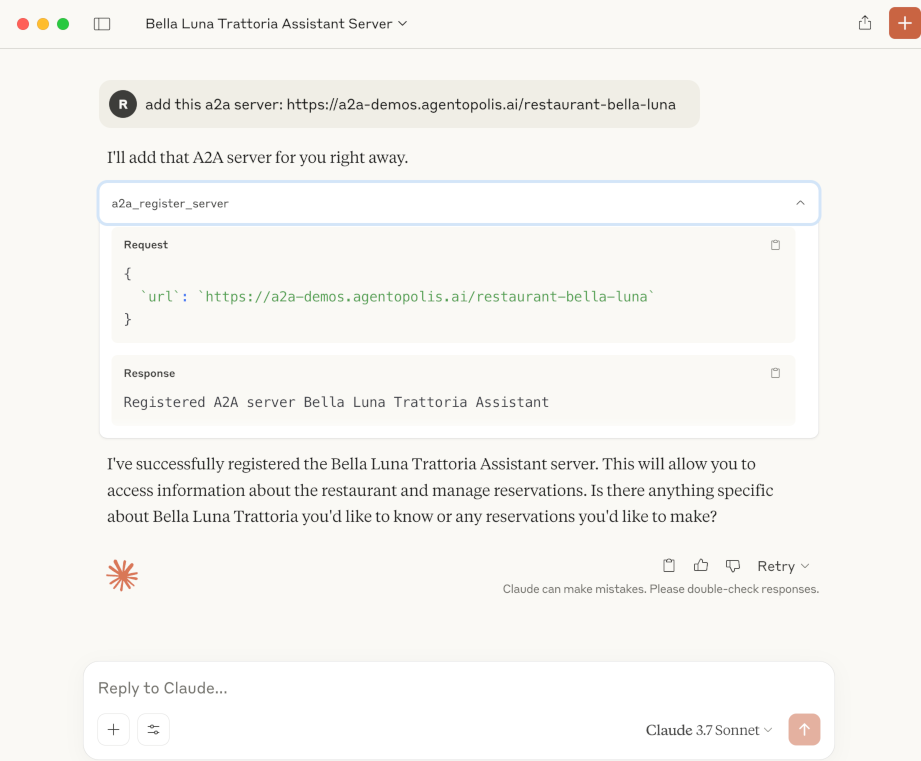
- Checking the MCP Tools
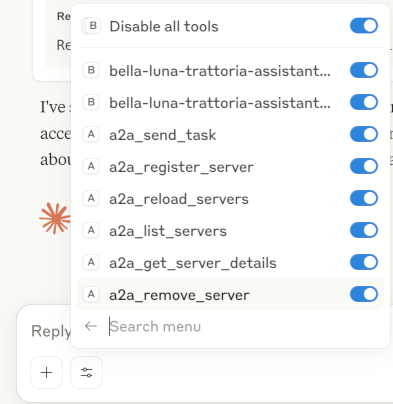
- Asking about specials
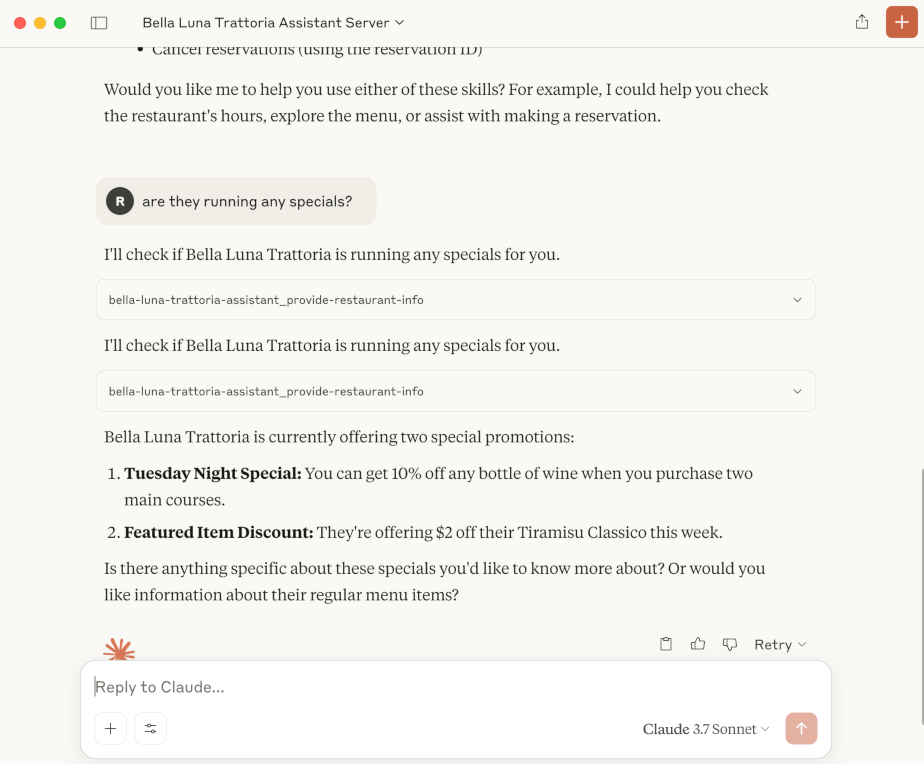
- Making a reservation
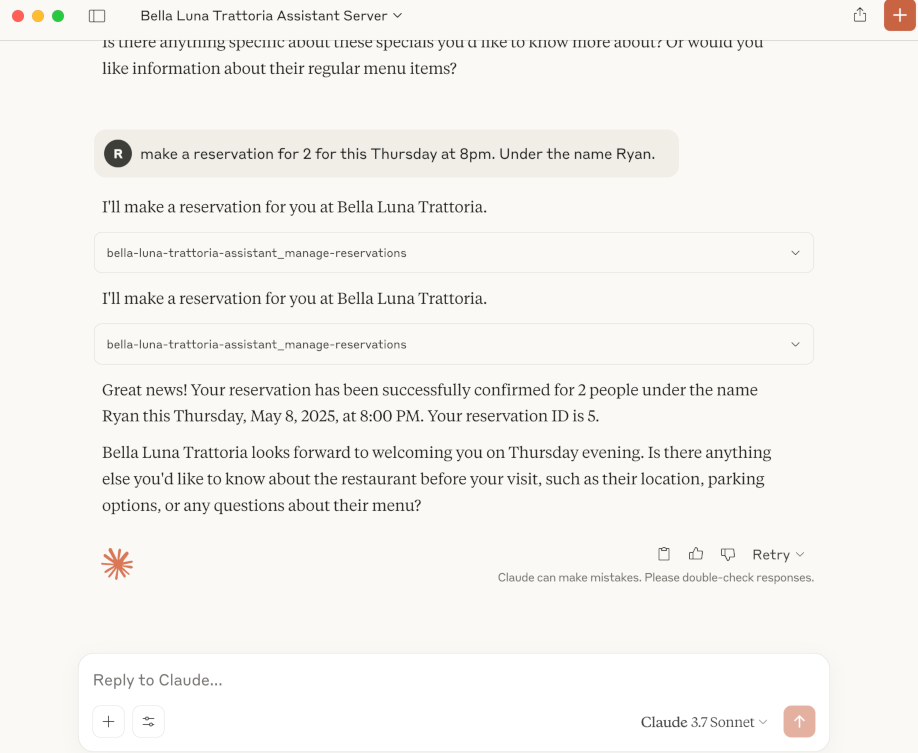
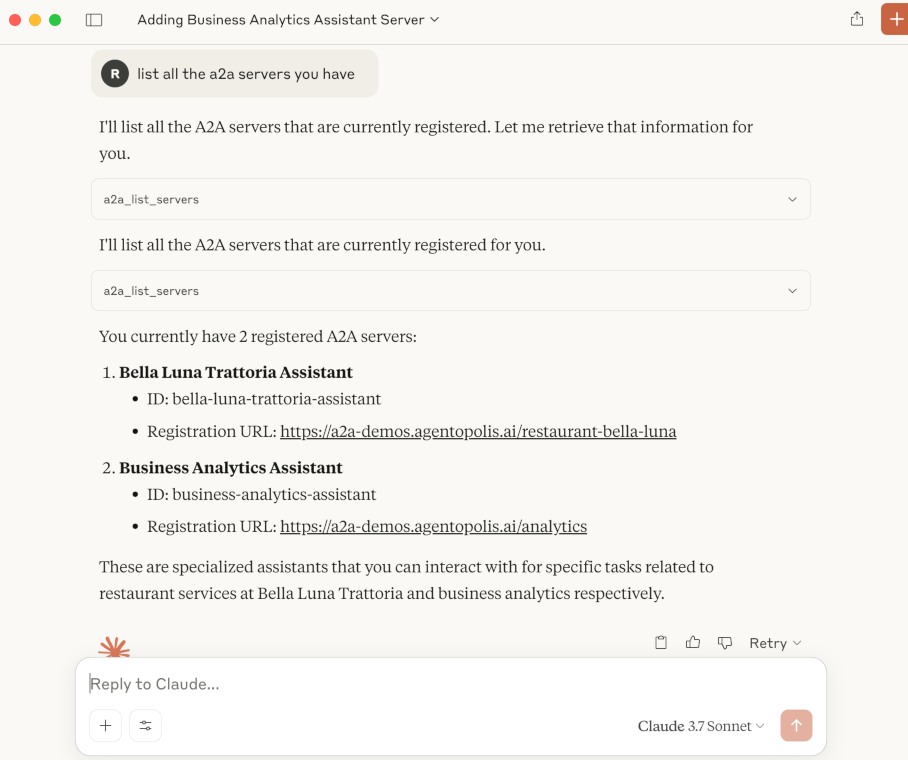
- Listing servers
Configuration Directory
The bridge stores A2A server registrations as JSON files. The location is determined as follows:
--a2a-server-config-dir=/your/absolute/path(CLI flag - Recommended)./.mcp-a2a-servers(Relative to the current working directory of the bridge process – default if the CLI flag is not set. This may be unpredictable when run by other tools.)
A typical entry lives at <config_dir>/<serverId>.json.
Available MCP tools
| Tool name | Purpose | Input schema |
|---|---|---|
a2a_register_server |
Fetches an A2A agent’s card from <url>/.well-known/agent.json and saves it. |
{ url: string } |
a2a_reload_servers |
Re-reads all JSON files in the config directory. | none |
a2a_list_servers |
Lists registered servers. | none |
a2a_get_server_details |
Full card for a given server. | { serverId: string } |
a2a_remove_server |
Delete a registration. | { serverId: string } |
a2a_send_task |
Generic escape hatch – call any A2A agent with an arbitrary message. | `{ serverId: string; taskId: string; message?: string |
<serverId>_<skillId> |
Auto-generated. One tool per skill on every registered agent. Accepts { message: string }. |
— |
A
<serverId>_<skillId>tool name is slugified (my-agent+provide-restaurant-info→my-agent_provide-restaurant-info).
Released under the MIT license.
Dev Tools Supporting MCP
The following are the main code editors that support the Model Context Protocol. Click the link to visit the official website for more information.







