
Mcp Browser Automation
What is Mcp Browser Automation
mcp-browser-automation is a demo project that implements the Model Context Protocol to automate web browsing using Playwright. It interacts with a Claude Desktop client to accept user prompts and control the browser through the server.
Use cases
Use cases include automating repetitive web tasks, testing web applications, and gathering data from websites without manual intervention.
How to use
To use mcp-browser-automation, clone the repository from GitHub, install the necessary dependencies, and configure the Claude Desktop client to recognize the MCP server. After setting up, open Claude Desktop and start a new conversation to navigate to a URL.
Key features
Key features include integration with Playwright for browser automation, interaction with Claude Desktop for user prompts, and the ability to execute various web actions programmatically.
Where to use
mcp-browser-automation can be used in fields such as web testing, automated data scraping, and any scenario requiring automated web interactions.
Clients Supporting MCP
The following are the main client software that supports the Model Context Protocol. Click the link to visit the official website for more information.





Overview
What is Mcp Browser Automation
mcp-browser-automation is a demo project that implements the Model Context Protocol to automate web browsing using Playwright. It interacts with a Claude Desktop client to accept user prompts and control the browser through the server.
Use cases
Use cases include automating repetitive web tasks, testing web applications, and gathering data from websites without manual intervention.
How to use
To use mcp-browser-automation, clone the repository from GitHub, install the necessary dependencies, and configure the Claude Desktop client to recognize the MCP server. After setting up, open Claude Desktop and start a new conversation to navigate to a URL.
Key features
Key features include integration with Playwright for browser automation, interaction with Claude Desktop for user prompts, and the ability to execute various web actions programmatically.
Where to use
mcp-browser-automation can be used in fields such as web testing, automated data scraping, and any scenario requiring automated web interactions.
Clients Supporting MCP
The following are the main client software that supports the Model Context Protocol. Click the link to visit the official website for more information.
Content
MCP Browser Automation
This is demo project to practice Model Context Protocol based server implemenation for automating browsing with Playwright. It interacts with a Claude Desktop client to accept user prompts and use server to control browser.
Pre-requisites
Building
- Clone the repository:
git clone https://github.com/hrmeetsingh/mcp-browser-automation.git - Install dependencies:
npm install - Verify the output executables are present in
distfolder
Integration
- Create a configuration file in
~/Application\ Support/Claude/claude_desktop_config.json(This is for macOS) - Copy the following to the file:
{
  "mcpServers": {
    "mcp-browser-automation": {
      "command": "node",
      "args": [
        "/path/to/mcp-browser-automation/dist/index.js"
      ]
    }
  }
}- Start Claude Desktop
Usage
- Open Claude Desktop
- Start a new conversation to open a browser and navigate to a URL
Example
-
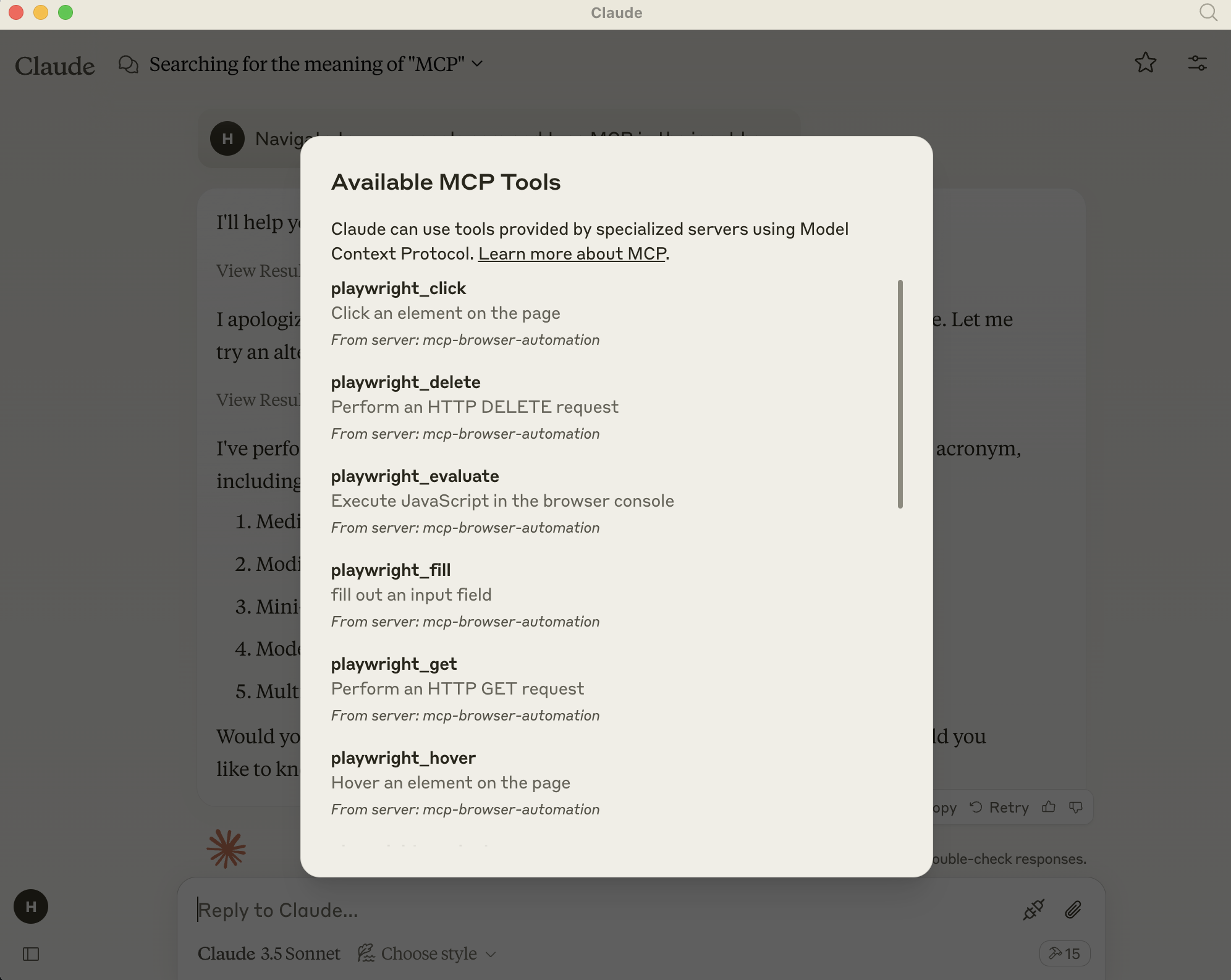
Added MCP Server options
-
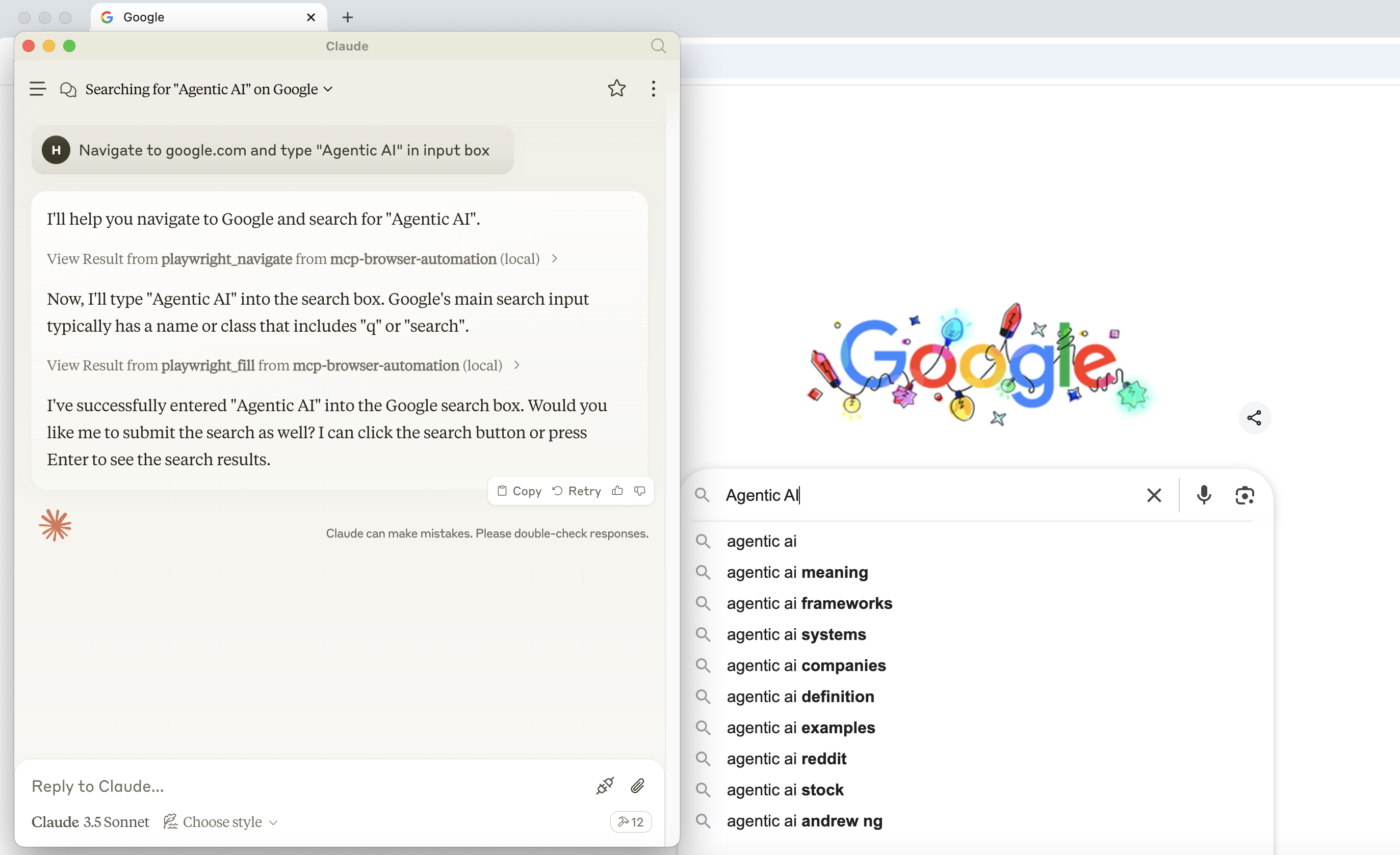
Navigating to a URL and doing actions with playwright
Dev Tools Supporting MCP
The following are the main code editors that support the Model Context Protocol. Click the link to visit the official website for more information.







