
Mcp Builder
What is Mcp Builder
mcp-builder is a Python-based MCP server designed to facilitate the installation and configuration of other MCP servers in a user-friendly and cross-platform manner.
Use cases
Use cases for mcp-builder include setting up development environments, managing dependencies for various MCP servers, and automating the installation process in cross-platform applications.
How to use
To use mcp-builder, install it from source using Git and pip, then run it directly or in development mode. You can also integrate it with MCP clients like Claude Desktop by modifying the configuration file.
Key features
Key features include package repository installation from PyPI or npm, local installation from directories, configuration management for environment variables, automatic detection of MCP server types, and cross-platform support for Windows, macOS, and Linux.
Where to use
mcp-builder can be used in software development environments where multiple MCP servers need to be installed and managed efficiently, particularly in projects involving Python and Node.js.
Clients Supporting MCP
The following are the main client software that supports the Model Context Protocol. Click the link to visit the official website for more information.





Overview
What is Mcp Builder
mcp-builder is a Python-based MCP server designed to facilitate the installation and configuration of other MCP servers in a user-friendly and cross-platform manner.
Use cases
Use cases for mcp-builder include setting up development environments, managing dependencies for various MCP servers, and automating the installation process in cross-platform applications.
How to use
To use mcp-builder, install it from source using Git and pip, then run it directly or in development mode. You can also integrate it with MCP clients like Claude Desktop by modifying the configuration file.
Key features
Key features include package repository installation from PyPI or npm, local installation from directories, configuration management for environment variables, automatic detection of MCP server types, and cross-platform support for Windows, macOS, and Linux.
Where to use
mcp-builder can be used in software development environments where multiple MCP servers need to be installed and managed efficiently, particularly in projects involving Python and Node.js.
Clients Supporting MCP
The following are the main client software that supports the Model Context Protocol. Click the link to visit the official website for more information.
Content
mcp-builder
A Python-based MCP server to install other MCP servers.
The purpose of this server is to provide a complete, user-friendly, and cross-platform way to install and configure MCP servers.
TODO
- [ ] Support for more MCP Clients (e.g. Cursor, Windsurf, …)
- [ ] Support for more MCP server types and sources (e.g., Node.js, Java, etc.)
- [ ] Support recovery mechanism for failed installations
- …
Features
- Package Repository Installation: Install MCP servers from PyPI or npm packages
- Local Installation: Install MCP servers from local directories
- Configuration Management: Configure environment variables and arguments for installed servers
- Automatic Detection: Automatically detect the type of MCP server (Node.js or Python)
- Cross-Platform Support: Works on Windows, macOS, and Linux
Requirements
- Python 3.10 or higher
- pip (for Python packages)
- Node.js and npm (optional, for JavaScript packages)
Installation
Install from Source
git clone https://github.com/xd3an/mcp-builder.git
cd mcp-builder
pip install -e .
Usage
Running Directly
After installation, you can run the MCP Builder directly:
# Using the entry point
mcpbuilder

# Or as a module
python -m mcp_builder.server
Development Mode
For development and testing, you can use the MCP CLI tools:
# Install MCP CLI tools
pip install "mcp[cli]"

# Run in development mode
mcp dev path/to/mcp_builder/server.py

# npx @modelcontextprotocol/inspector
npx @modelcontextprotocol/inspector python -m mcp_builder.server
MCP Client Integration
Claude Desktop Integration
To use MCP Builder with Claude Desktop, add it to your claude_desktop_config.json file:
{
  "mcpServers": {
    "mcp-builder": {
      "command": "python",
      "args": [
        "-m",
        "mcp_builder.server"
      ]
    }
  }
}
The configuration file is located at:
- Windows:
%APPDATA%\Claude\claude_desktop_config.json - macOS:
~/Library/Application Support/Claude/claude_desktop_config.json - Linux:
~/.config/Claude/claude_desktop_config.json
Example Commands
Once integrated with Claude Desktop, you can ask Claude to:
read https://github.com/microsoft/playwright-mcp
help me install playwright-mcp in my claude config
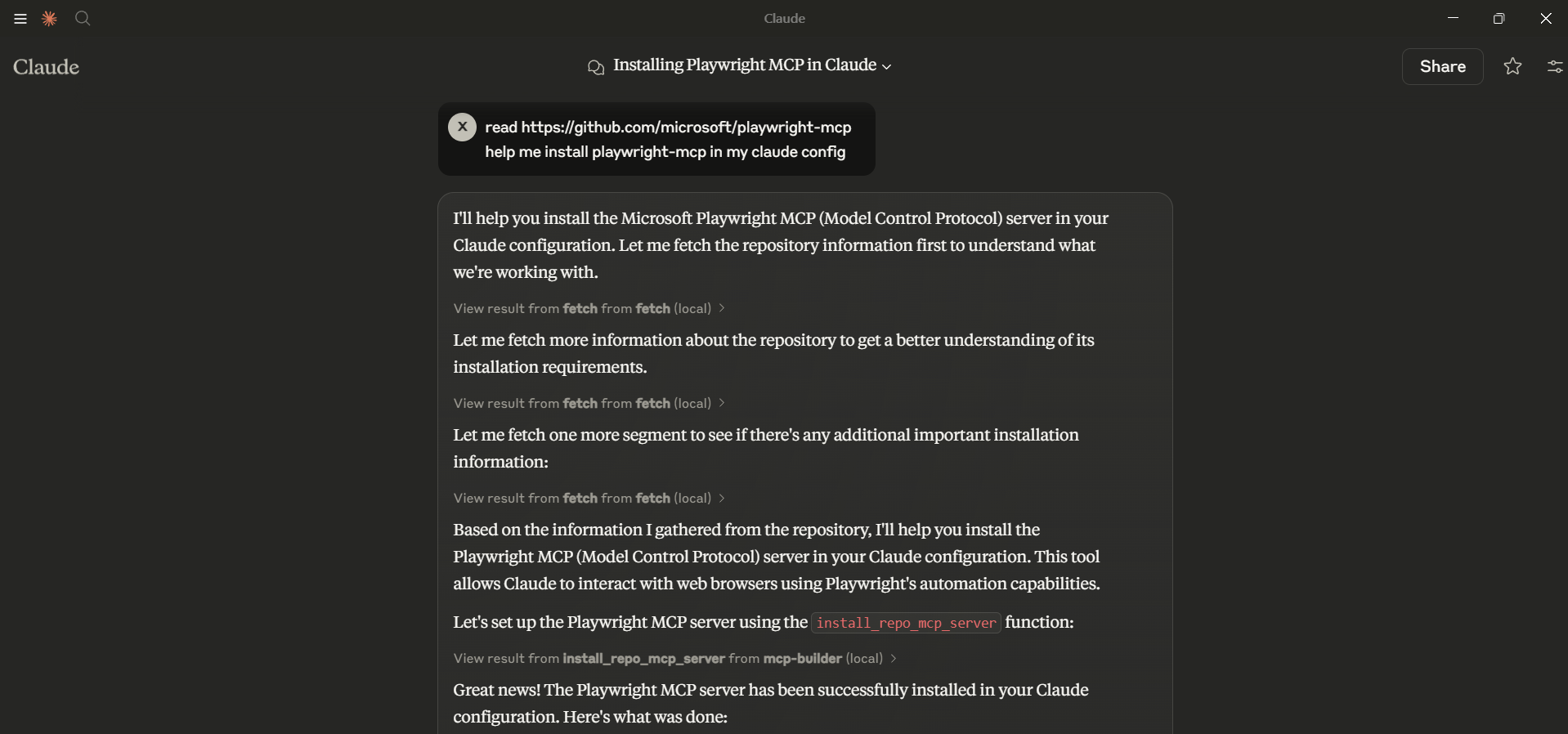
How It Works
MCP Builder modifies the Claude Desktop configuration file to register MCP servers. It supports:
- Node.js Packages: Installs using
npxand configures Claude to use them - Python Packages: Configures Claude to use Python modules
- Local Repositories: Installs dependencies and configures Claude to use local code
Dev Tools Supporting MCP
The following are the main code editors that support the Model Context Protocol. Click the link to visit the official website for more information.







