
Mcp Chatgpt Slack Bot
What is Mcp Chatgpt Slack Bot
The mcp-chatgpt-slack-bot is a productivity bot that integrates Slack with ChatGPT using the Model Context Protocol (MCP). It summarizes channel messages, detects sentiment, and helps users save time.
Use cases
Use cases include summarizing discussions in team channels, providing sentiment analysis for customer feedback, tracking message volume in project updates, and enhancing productivity by reducing information overload.
How to use
To use the mcp-chatgpt-slack-bot, clone the repository, set up a virtual environment, install dependencies, create a Slack bot, and run the bot with the desired interval for summarization.
Key features
Key features include connecting Slack to ChatGPT via MCP, summarizing messages with context awareness, detecting the dominant emotional tone, counting total messages sent in the channel, and customizable summarization intervals.
Where to use
The mcp-chatgpt-slack-bot can be used in various fields such as team collaboration, project management, customer support, and any Slack workspace where message summarization and sentiment analysis are beneficial.
Clients Supporting MCP
The following are the main client software that supports the Model Context Protocol. Click the link to visit the official website for more information.





Overview
What is Mcp Chatgpt Slack Bot
The mcp-chatgpt-slack-bot is a productivity bot that integrates Slack with ChatGPT using the Model Context Protocol (MCP). It summarizes channel messages, detects sentiment, and helps users save time.
Use cases
Use cases include summarizing discussions in team channels, providing sentiment analysis for customer feedback, tracking message volume in project updates, and enhancing productivity by reducing information overload.
How to use
To use the mcp-chatgpt-slack-bot, clone the repository, set up a virtual environment, install dependencies, create a Slack bot, and run the bot with the desired interval for summarization.
Key features
Key features include connecting Slack to ChatGPT via MCP, summarizing messages with context awareness, detecting the dominant emotional tone, counting total messages sent in the channel, and customizable summarization intervals.
Where to use
The mcp-chatgpt-slack-bot can be used in various fields such as team collaboration, project management, customer support, and any Slack workspace where message summarization and sentiment analysis are beneficial.
Clients Supporting MCP
The following are the main client software that supports the Model Context Protocol. Click the link to visit the official website for more information.
Content
Slack + ChatGPT Summary Bot using MCP
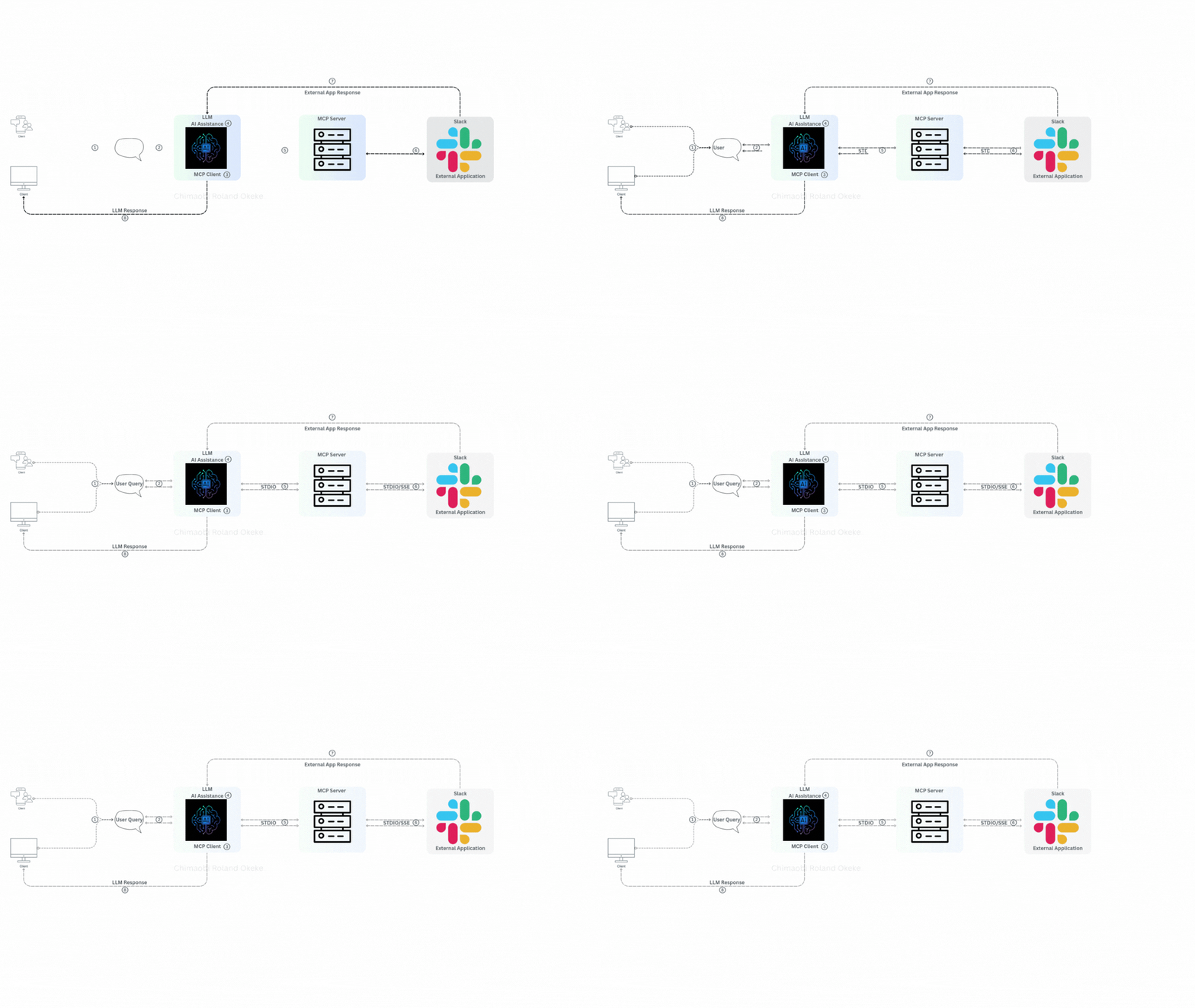
This step-by-step guide (with complete code) walks you through building a Slack bot that connects to ChatGPT via an MCP server. The bot can summarize hundreds of messages in any Slack channel it’s added to. It also detects the dominant emotional tone and provides the total number of messages sent.
✨ Features
- 🔗 Connects Slack to ChatGPT using an MCP server.
- 🧠 Summarizes messages with context awareness.
- 😃 Notes the dominant emotional tone.
- 🧮 Counts total messages sent in the channel.
- 🔁 Runs on a customizable interval.
🧰 What is MCP?
MCP (Model Context Protocol) is an open protocol by Anthropic designed for easy integration between tools, external data sources, and even multiple LLMs.
Think of MCP as a universal travel power adapter — it lets you plug into any context stream or platform effortlessly.
📦 Setup Instructions
1. Clone the Repository
git clone [email protected]:ORC-1/mcp-chatgpt-slack-bot.git
2. Create Virtual Environment
virtualenv env --python=python3.11
source env/bin/activate
3. Install Dependencies
pip install -r requirements.txt
4. Create a Slack Bot
Follow the steps in this guide to get your SLACK_BOT_TOKEN:
👉 Slack Bot Setup Instructions
✅ Once Setup is Complete
Make sure you have the following ready:
- ✅
client.pycreated - ✅ Slack bot created and installed in your workspace
- ✅ MCP server running
▶️ Run the Bot
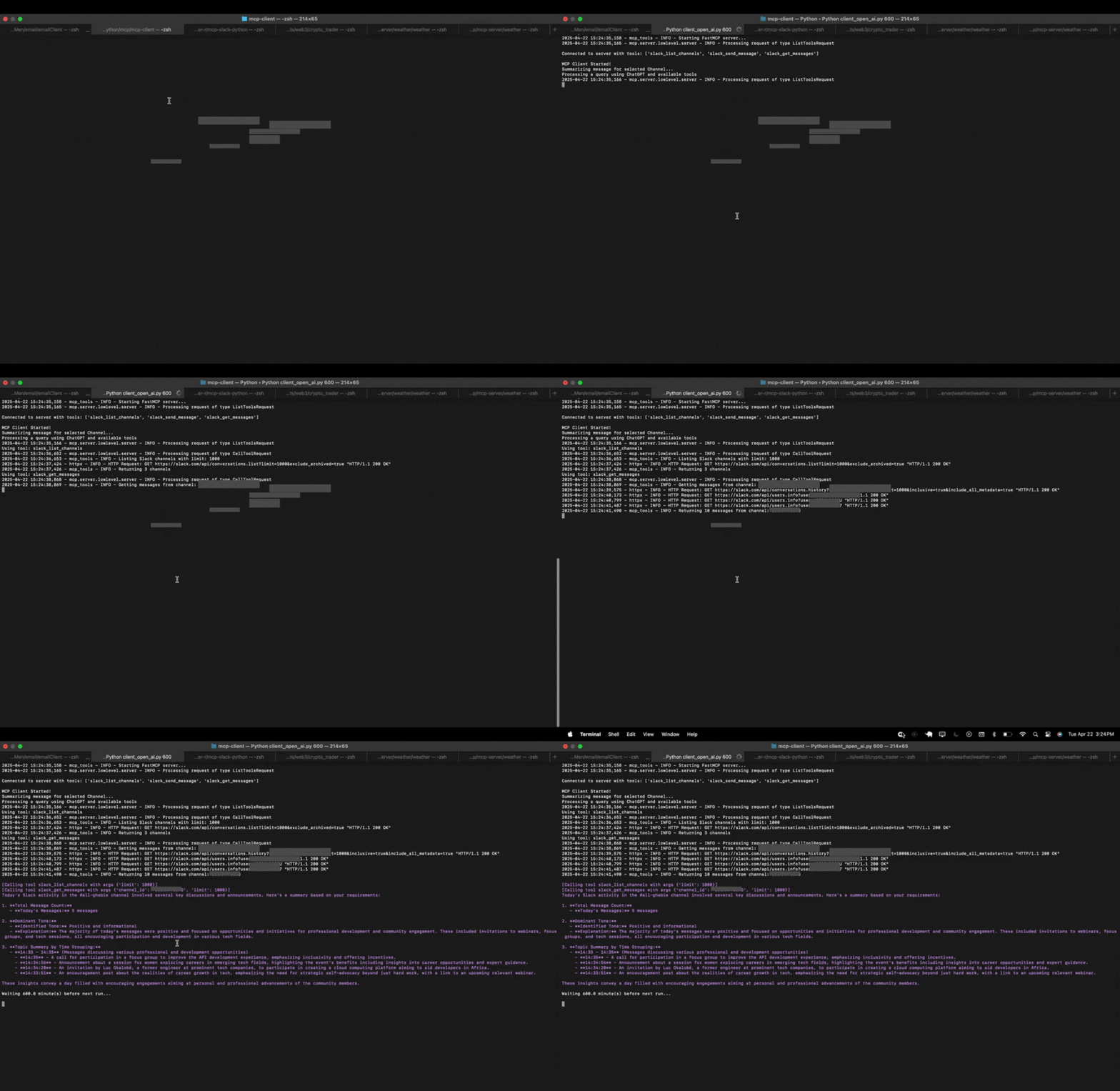
To start the bot and summarize messages every 600 minutes:
python client.py 600
You can replace 600 with any number of minutes you’d prefer the bot to wait before performing the next summary.
💡 Notes
- Ensure your bot has permission to read messages in the channels it’s added to.
- Summaries are context-aware and capture emotional sentiment trends over time.
Dev Tools Supporting MCP
The following are the main code editors that support the Model Context Protocol. Click the link to visit the official website for more information.







