
Mcp Client X
What is Mcp Client X
mcp-client-x is a Python implementation of a client-server example using the Model Context Protocol (MCP), designed to facilitate the interaction between large language models and various tools and data.
Use cases
Use cases for mcp-client-x include educational demonstrations of the MCP protocol, integration of language models with practical tools like calculators and weather services, and testing and development of client-server applications using the MCP framework.
How to use
To use mcp-client-x, ensure you have Python 3.9+ and the uv package manager installed. Install dependencies using ‘uv install -e .’, then run the client with ‘uv run src/client/mcp_client.py’. The client will connect to the server and demonstrate the available tools.
Key features
Key features include a simple server implementation that exposes tools for calculating Body Mass Index (BMI) and fetching weather data from an external API, as well as a client that connects via standard input/output and interacts with these tools.
Where to use
undefined
Clients Supporting MCP
The following are the main client software that supports the Model Context Protocol. Click the link to visit the official website for more information.





Overview
What is Mcp Client X
mcp-client-x is a Python implementation of a client-server example using the Model Context Protocol (MCP), designed to facilitate the interaction between large language models and various tools and data.
Use cases
Use cases for mcp-client-x include educational demonstrations of the MCP protocol, integration of language models with practical tools like calculators and weather services, and testing and development of client-server applications using the MCP framework.
How to use
To use mcp-client-x, ensure you have Python 3.9+ and the uv package manager installed. Install dependencies using ‘uv install -e .’, then run the client with ‘uv run src/client/mcp_client.py’. The client will connect to the server and demonstrate the available tools.
Key features
Key features include a simple server implementation that exposes tools for calculating Body Mass Index (BMI) and fetching weather data from an external API, as well as a client that connects via standard input/output and interacts with these tools.
Where to use
undefined
Clients Supporting MCP
The following are the main client software that supports the Model Context Protocol. Click the link to visit the official website for more information.
Content
MCP Client Example ☀️
This project demonstrates a simple client-server implementation using the Model Context Protocol (MCP), which is a standardized way to connect large language models with tools and data.
Overview
This example shows how to:
- Create an MCP server with custom tools
- Connect to the server using an MCP client
- Call tools and get responses from the server
Tutorial Video
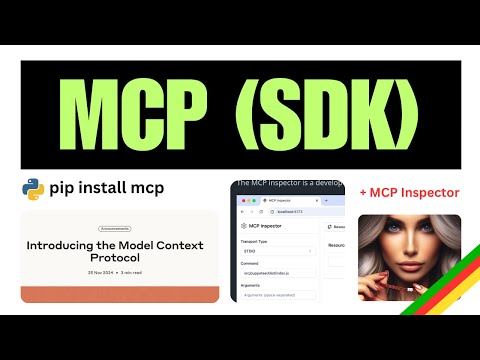
Click the image above to watch a tutorial on MCP implementation.
Project Structure
.
├── pyproject.toml
├── README.md
├── src
│   ├── client
│   │   └── mcp_client.py      # MCP client implementation
│   └── server
│       └── example_server.py  # MCP server with tools
└── uv.lock
Server Implementation
The server exposes two tools:
calculate_bmi- A simple calculator that computes Body Mass Indexfetch_weather- An async tool that retrieves weather data from an external API
Client Implementation
The client connects to the server via stdio, initializes a session, and calls the server’s tools.
Getting Started
Prerequisites
- Python 3.9+
- uv (Python package manager)
Installation
# Install dependencies
uv install -e .
Running the Example
- Start the client (which will automatically start the server):
uv run src/client/mcp_client.py
Usage
The client will:
- Connect to the server
- List available tools
- Call the BMI calculator with sample data
- Call the weather tool with sample coordinates
Example Response
Available tools: meta=None nextCursor=None tools=[...]
BMI calculation result: 22.857142857142858
Weather data: {"current_weather":{"temperature":14.2,"windspeed":12.6, ...}}
Test with MCP Inspector
( run command below and then visit http://localhost:5173 )
  ❯ mcp dev src/server/example_server.py
Starting MCP inspector...
Proxy server listening on port 3000

🔍 MCP Inspector is up and running at http://localhost:5173 🚀
New SSE connection
Query parameters: {
  transportType: 'stdio',
  command: 'uv',
  args: 'run --with mcp mcp run src/server/example_server.py',
Resources
This project uses:
License
This project is licensed under the MIT License - see the LICENSE file for details.
Dev Tools Supporting MCP
The following are the main code editors that support the Model Context Protocol. Click the link to visit the official website for more information.







