
Mcp Config Editor
What is Mcp Config Editor
The mcp-config-editor is a desktop application designed for managing Model Context Protocol (MCP) server configurations. It provides a user-friendly interface for editing and managing settings, making it easier to work with AI applications that support MCP.
Use cases
Use cases for the mcp-config-editor include configuring MCP servers for AI applications, simplifying the setup process for new users, and providing a straightforward tool for managing server settings alongside other management tools.
How to use
To use the mcp-config-editor, download the latest installer for your platform, run it, and follow the prompts to set up the application. Once installed, you can paste JSON configurations, edit specific fields, save and export configurations, or manually add server details.
Key features
Key features of the mcp-config-editor include the ability to paste JSON from a server’s Readme file, edit specific configuration fields, save and export configurations, and manually add server details without relying solely on JSON.
Where to use
The mcp-config-editor is primarily used in the field of AI application development, particularly for managing configurations of servers that utilize the Model Context Protocol, such as Claude Desktop.
Clients Supporting MCP
The following are the main client software that supports the Model Context Protocol. Click the link to visit the official website for more information.





Overview
What is Mcp Config Editor
The mcp-config-editor is a desktop application designed for managing Model Context Protocol (MCP) server configurations. It provides a user-friendly interface for editing and managing settings, making it easier to work with AI applications that support MCP.
Use cases
Use cases for the mcp-config-editor include configuring MCP servers for AI applications, simplifying the setup process for new users, and providing a straightforward tool for managing server settings alongside other management tools.
How to use
To use the mcp-config-editor, download the latest installer for your platform, run it, and follow the prompts to set up the application. Once installed, you can paste JSON configurations, edit specific fields, save and export configurations, or manually add server details.
Key features
Key features of the mcp-config-editor include the ability to paste JSON from a server’s Readme file, edit specific configuration fields, save and export configurations, and manually add server details without relying solely on JSON.
Where to use
The mcp-config-editor is primarily used in the field of AI application development, particularly for managing configurations of servers that utilize the Model Context Protocol, such as Claude Desktop.
Clients Supporting MCP
The following are the main client software that supports the Model Context Protocol. Click the link to visit the official website for more information.
Content
MCP (Model Context Protocol) Configuration Editor


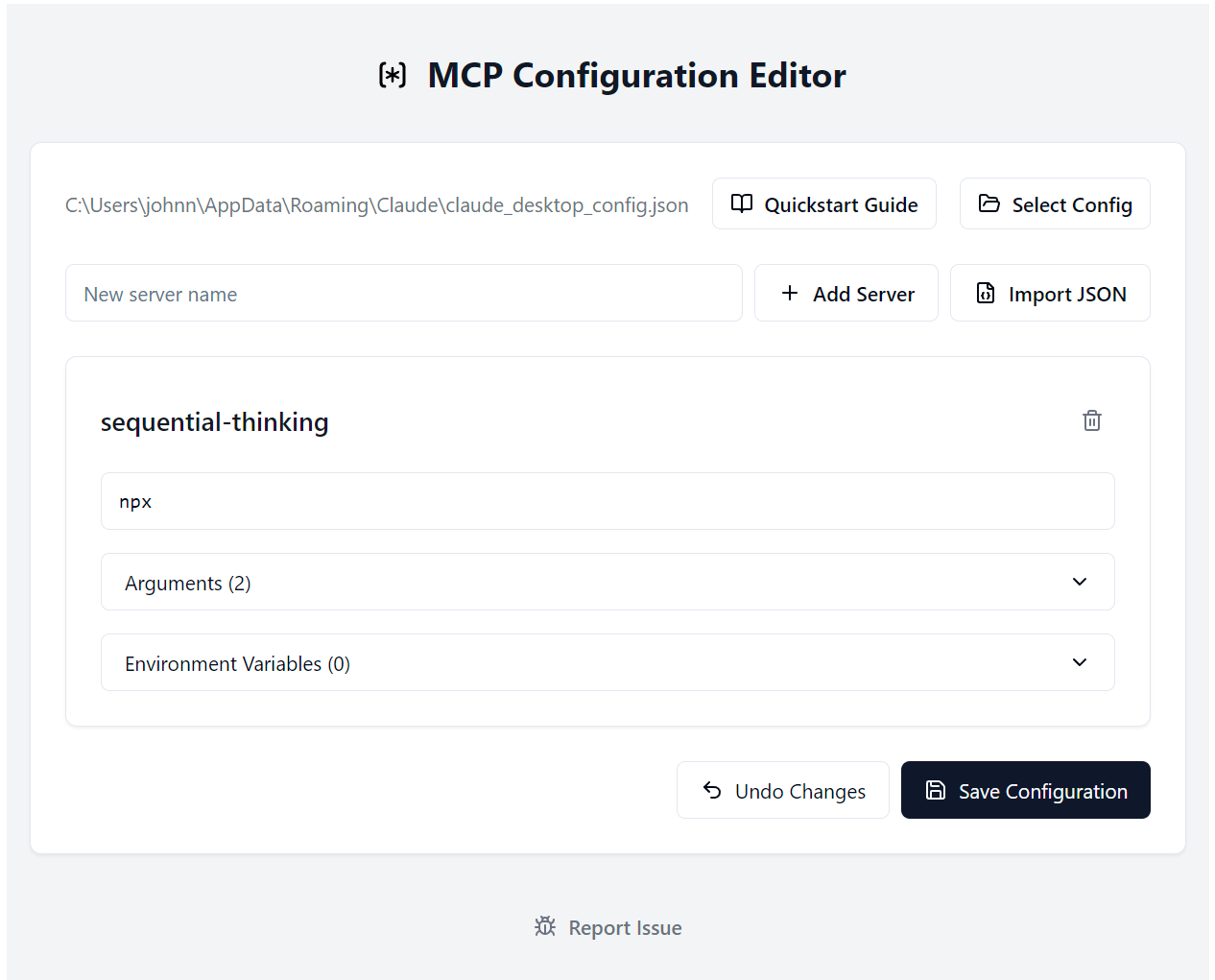
A desktop application for managing Model Context Protocol (a.k.a. MCP) server configurations. This tool provides a user-friendly interface for editing and managing MCP server settings, making it easier to work with AI apps like Claude Desktop that support the Model Context Protocol.
What problem does this solve?
Other fancier MCP server management tools are already out there. This is just a simple configuration app since I didn’t need the other bells and whistles.
Toolbase is another good option: https://github.com/Toolbase-AI/toolbase. If you are new to using MCP servers and this app still looks too complicated, you should try Toolbase first to see if it meets your needs.
You can also use this app side-by-side with other apps like Toolbase.
Hopefully Claude Desktop will just add something like this to the app soon to make MCP setup a little more accessible.
Features
This app lets you:
- Paste JSON from a server’s Readme file and it will be added to your servers
- Edit specific fields in each configuration
- Save and export configurations
- Add server details manually instead of using JSON
Installation
Windows
Download the latest MCP Config Editor-Windows-[version]-Setup.exe from the Releases page and run the installer.
Other Platforms
We welcome contributions to help build and test installers for:
- macOS (.dmg)
- Linux (.AppImage)
If you’d like to help with platform support, please check our Contributing Guide.
Getting Started
Please see this link first, if you’re using Claude Desktop and this is your first time setting up a MCP server configuration file.
Development
This project uses:
- Electron for the desktop application
- React for the UI framework
- TypeScript for type safety
- Vite for build tooling
- Radix UI for UI components
- Tailwind CSS for styling
Development Setup
# Clone the repository
git clone https://github.com/yourusername/mcp-config-editor.git

# Navigate to the project directory
cd mcp-config-editor

# Install dependencies
npm install

# Start the development server
npm run dev
Contributing
We welcome contributions! Please see our Contributing Guide for details.
License
This project is licensed under the MIT License - see the LICENSE file for details.
Changelog
See CHANGELOG.md for a list of changes and version history.
Dev Tools Supporting MCP
The following are the main code editors that support the Model Context Protocol. Click the link to visit the official website for more information.







