
Mcp Cvp Fun
What is Mcp Cvp Fun
mcp-cvp-fun is a demonstration project that integrates Arista CloudVision with MCP Server, allowing users to interact with connectivity monitor data and manage tags for Studios and dashboards.
Use cases
Use cases include monitoring network connectivity, creating and managing tags for better organization of network resources, and integrating with other tools for enhanced network visibility.
How to use
To use mcp-cvp-fun, create a .env file with your CloudVision service account token, download Claude Desktop, configure the claude_desktop_config.json to run the MCP server script, and then reload Claude to start using it.
Key features
Key features include the ability to make API calls for connectivity monitoring, tag creation for Studios and dashboards, and easy extensibility with the @mcp.tool() decorator.
Where to use
mcp-cvp-fun can be used in network management, cloud infrastructure monitoring, and any environment where connectivity data needs to be analyzed and managed.
Clients Supporting MCP
The following are the main client software that supports the Model Context Protocol. Click the link to visit the official website for more information.





Overview
What is Mcp Cvp Fun
mcp-cvp-fun is a demonstration project that integrates Arista CloudVision with MCP Server, allowing users to interact with connectivity monitor data and manage tags for Studios and dashboards.
Use cases
Use cases include monitoring network connectivity, creating and managing tags for better organization of network resources, and integrating with other tools for enhanced network visibility.
How to use
To use mcp-cvp-fun, create a .env file with your CloudVision service account token, download Claude Desktop, configure the claude_desktop_config.json to run the MCP server script, and then reload Claude to start using it.
Key features
Key features include the ability to make API calls for connectivity monitoring, tag creation for Studios and dashboards, and easy extensibility with the @mcp.tool() decorator.
Where to use
mcp-cvp-fun can be used in network management, cloud infrastructure monitoring, and any environment where connectivity data needs to be analyzed and managed.
Clients Supporting MCP
The following are the main client software that supports the Model Context Protocol. Click the link to visit the official website for more information.
Content
MCP Server Demo with Arista CloudVision
[!WARNING]
Please note that this is not officially supported by Arista.You might not want to do this in your production environment as it is not using a local LLM.
The free plan of Claude might cause anxiety!
Kudos to @burnyd for the inspiriation and for writing this blog post: https://danielhertzberg.net/posts/mcp-servers/
Expanding on that, I’ve added a few more API calls to be able to ask Claude to get connectivity monitor data, and create tags for Studios and dashboards, but obviously any API call can be added very easy with the @mcp.tool() decorator.
To learn more about MCP please visit https://modelcontextprotocol.io/introduction.
Example usage
1. Create a .env file like the following.
CVPTOKEN="Insert CloudVision Service account token here"
CVP="www.arista.io"
2. Download Claude Desktop
3. In Claude’s developer settings update the claude_desktop_config.json and tell it to run your script like below:
{
  "mcpServers": {
    "CVP MCP Server": {
      "command": "uv",
      "args": [
        "run",
        "--with",
        "fastmcp",
        "fastmcp",
        "run",
        "/home/ansible/mcp-cvp-fun/mcp_server_rest.py"
      ]
    }
  }
}
4. Reload Claude and start prompting
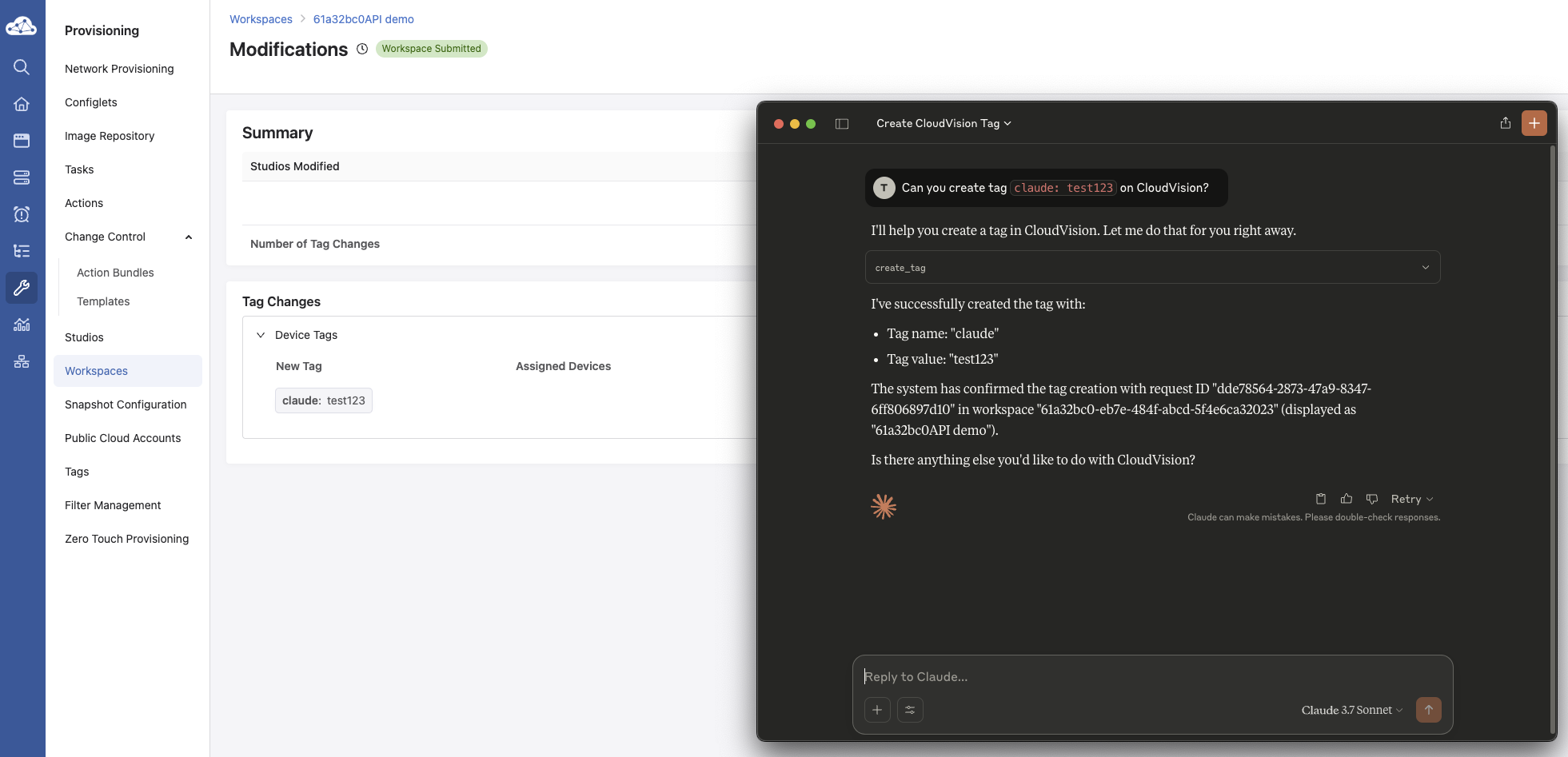
How to generate service account tokens
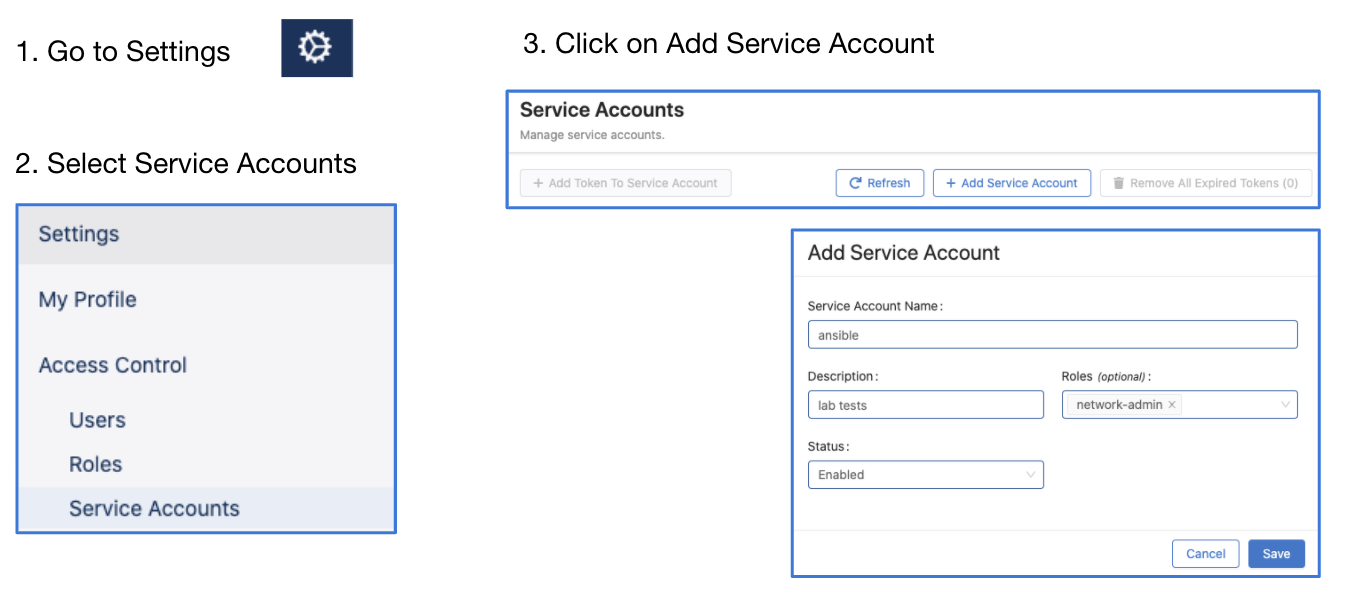
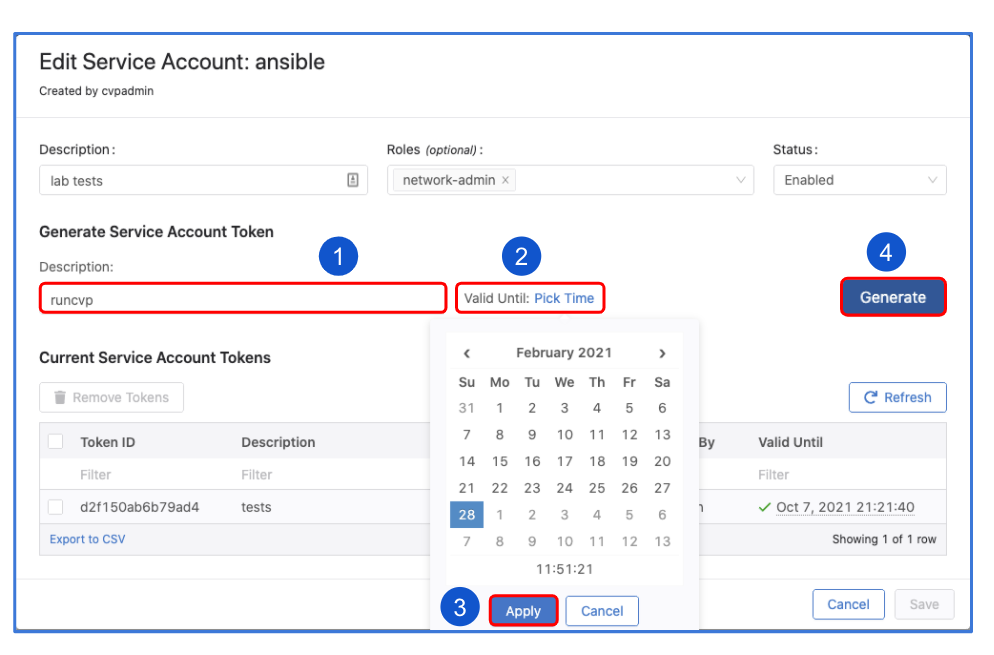
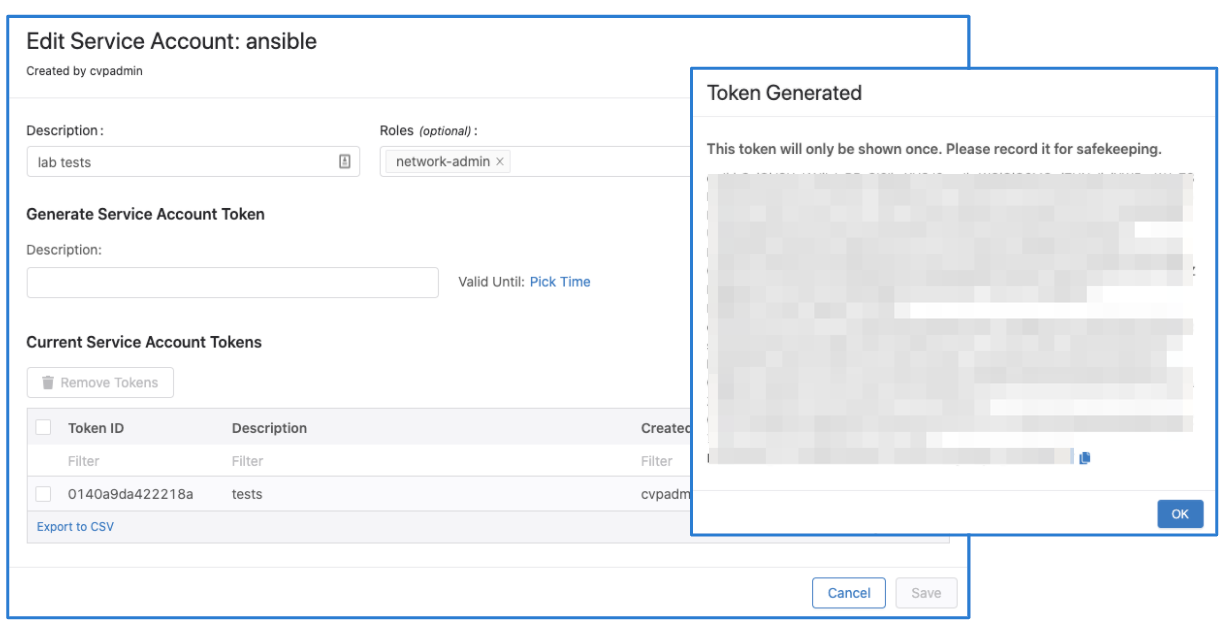
Service accounts can be created from the Settings page where a service token can be generated as seen below:
Dev Tools Supporting MCP
The following are the main code editors that support the Model Context Protocol. Click the link to visit the official website for more information.







