
Mcp Delete
What is Mcp Delete
mcp-delete is a Model Context Protocol (MCP) server designed to provide file deletion capabilities for AI assistants. It allows for safe deletion of files using both relative and absolute paths.
Use cases
Use cases for mcp-delete include safely deleting temporary files during development, managing file storage in AI assistant applications, and automating file cleanup processes in various software environments.
How to use
To use mcp-delete, install it via Smithery or manually using npm. Configure the server in your AI assistant’s settings, specifying the command and arguments needed to run mcp-delete.
Key features
Key features include the ability to delete files using relative or absolute paths, smart path resolution that tests multiple potential paths, clear error messages with detailed path resolution information, safe file existence checks before deletion, and compatibility with Claude and other MCP-compatible AI assistants.
Where to use
mcp-delete can be used in various fields where AI assistants are employed, particularly in environments that require file management and deletion capabilities, such as software development, data management, and automated workflows.
Clients Supporting MCP
The following are the main client software that supports the Model Context Protocol. Click the link to visit the official website for more information.





Overview
What is Mcp Delete
mcp-delete is a Model Context Protocol (MCP) server designed to provide file deletion capabilities for AI assistants. It allows for safe deletion of files using both relative and absolute paths.
Use cases
Use cases for mcp-delete include safely deleting temporary files during development, managing file storage in AI assistant applications, and automating file cleanup processes in various software environments.
How to use
To use mcp-delete, install it via Smithery or manually using npm. Configure the server in your AI assistant’s settings, specifying the command and arguments needed to run mcp-delete.
Key features
Key features include the ability to delete files using relative or absolute paths, smart path resolution that tests multiple potential paths, clear error messages with detailed path resolution information, safe file existence checks before deletion, and compatibility with Claude and other MCP-compatible AI assistants.
Where to use
mcp-delete can be used in various fields where AI assistants are employed, particularly in environments that require file management and deletion capabilities, such as software development, data management, and automated workflows.
Clients Supporting MCP
The following are the main client software that supports the Model Context Protocol. Click the link to visit the official website for more information.
Content
@qpd-v/mcp-delete
A Model Context Protocol (MCP) server that provides file deletion capabilities. This server allows AI assistants to safely delete files when needed, with support for both relative and absolute paths.
Features
- Delete files using relative or absolute paths
- Smart path resolution that tries multiple potential paths
- Clear error messages with detailed path resolution information
- Safe file existence checks before deletion
- Works with Claude and other MCP-compatible AI assistants
Examples
Using with Claude Desktop
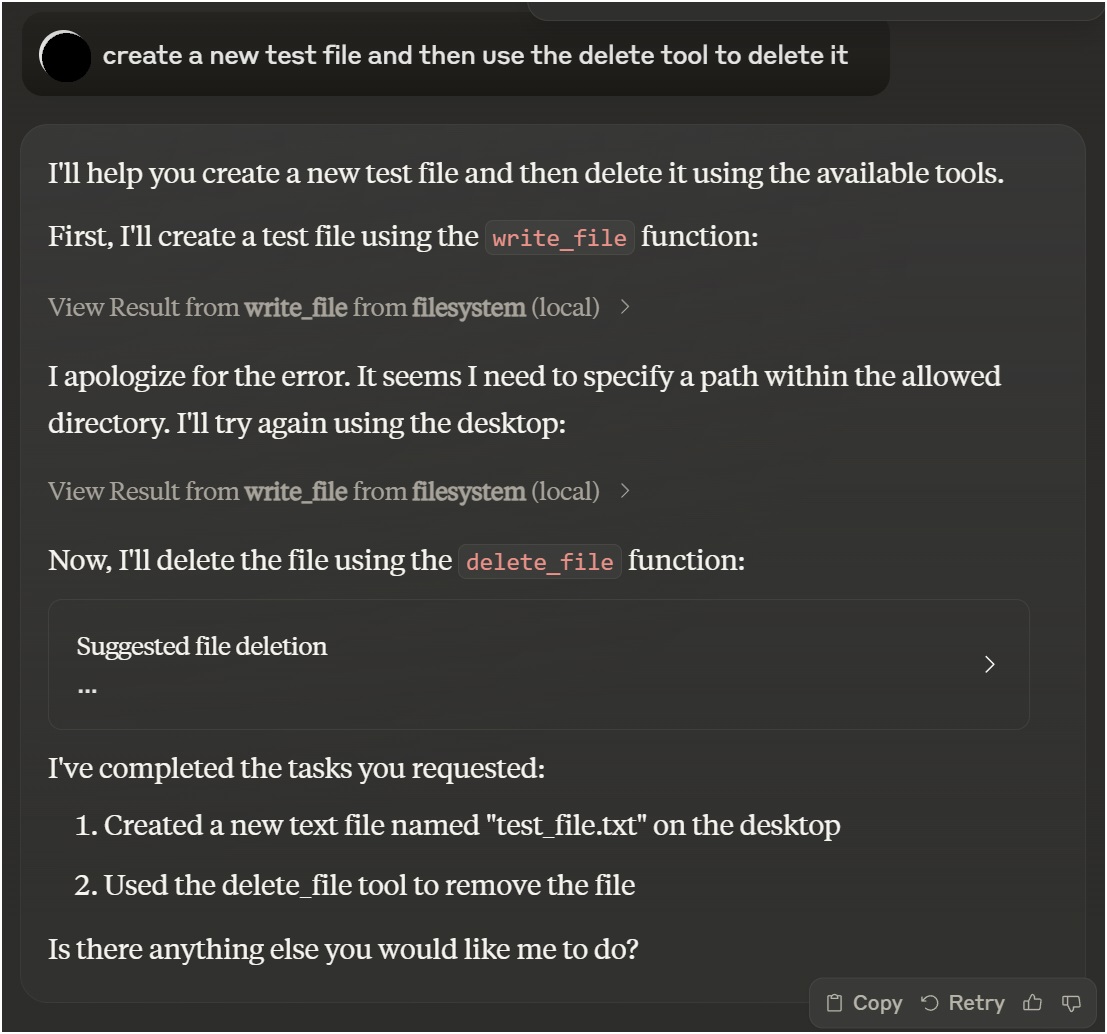
Using with VSCode Roo Cline Extension
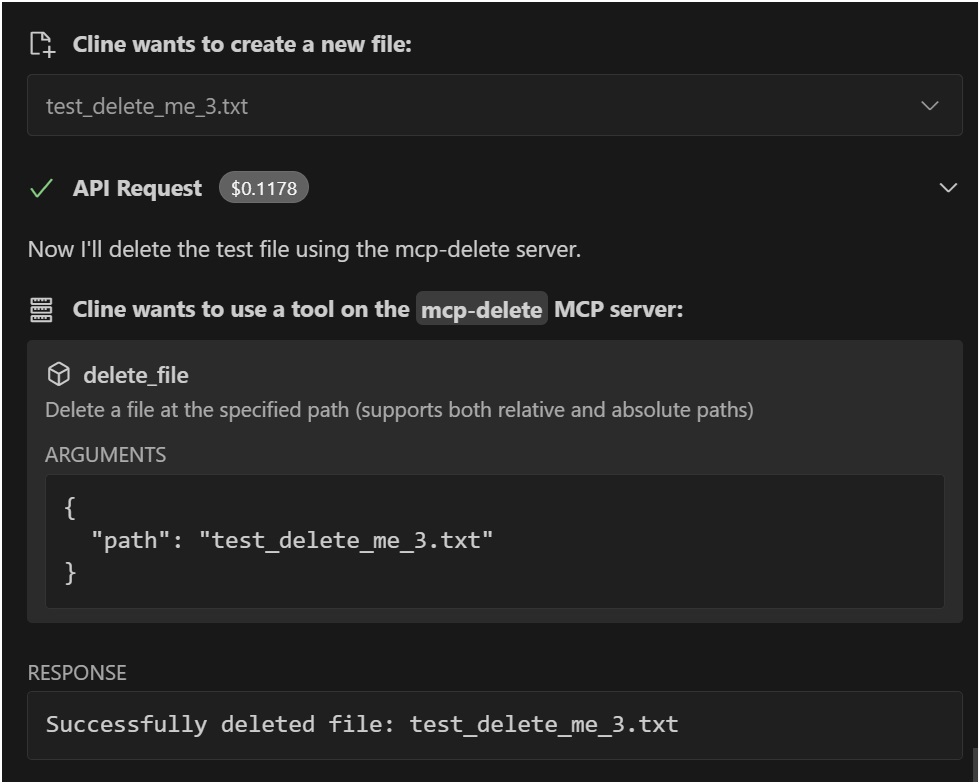
Installation
Installing via Smithery
To install File Deletion for Claude Desktop automatically via Smithery:
npx -y @smithery/cli install @qpd-v/mcp-delete --client claude
Manual Installation
npx @qpd-v/mcp-delete
Or install globally:
npm install -g @qpd-v/mcp-delete
Configuration
Claude Desktop
Add the server configuration to your Claude Desktop config file:
Windows:
MacOS:
VSCode Extension
Add the server configuration to your Cline settings:
Windows:
MacOS:
Available Tools
delete_file
Deletes a file at the specified path.
Parameters:
path(string, required): Path to the file to delete (relative to working directory or absolute)
Example usage in Claude:
You can ask me to delete a file like this:
"Please delete the file example.txt"

I will use the delete_file tool to safely remove the file.
Path Resolution
The server intelligently handles path resolution by trying multiple approaches:
- The exact path as provided
- Path relative to the current working directory
- Path relative to a specified base directory
This makes it more user-friendly as files can be referenced by relative paths and the server will attempt to locate them correctly.
Development
Clone the repository:
git clone https://github.com/qpd-v/mcp-delete.git
cd mcp-delete
Install dependencies:
npm install
Build the server:
npm run build
For development with auto-rebuild:
npm run watch
Debugging
Since MCP servers communicate over stdio, debugging can be challenging. Use the MCP Inspector for debugging:
npm run inspector
This will provide a URL to access debugging tools in your browser.
License
MIT
Author
qpd-v
Dev Tools Supporting MCP
The following are the main code editors that support the Model Context Protocol. Click the link to visit the official website for more information.







