
Mcp Fireproof Todos
What is Mcp Fireproof Todos
mcp-fireproof-todos is a demonstration server that utilizes the Model Context Protocol and Fireproof database to create a simple To Do List application. It allows integration with AI systems like Claude Desktop for enhanced functionality.
Use cases
Use cases for mcp-fireproof-todos include adding items to a To Do List via natural language requests, marking tasks as completed, deleting tasks, and summarizing the list, making it ideal for users seeking a hands-free task management solution.
How to use
To use mcp-fireproof-todos, clone the repository from GitHub, install the necessary dependencies using npm, build the server, and configure it to work with Claude Desktop. Users can then interact with the To Do List through the chatbot interface.
Key features
Key features of mcp-fireproof-todos include the ability to create, delete, and mark To Do List items as done, as well as the capability to summarize the list. It integrates seamlessly with Claude Desktop for natural language interactions.
Where to use
mcp-fireproof-todos can be used in personal productivity applications, task management systems, and any environment where users need to manage tasks efficiently, especially in conjunction with AI tools.
Clients Supporting MCP
The following are the main client software that supports the Model Context Protocol. Click the link to visit the official website for more information.





Overview
What is Mcp Fireproof Todos
mcp-fireproof-todos is a demonstration server that utilizes the Model Context Protocol and Fireproof database to create a simple To Do List application. It allows integration with AI systems like Claude Desktop for enhanced functionality.
Use cases
Use cases for mcp-fireproof-todos include adding items to a To Do List via natural language requests, marking tasks as completed, deleting tasks, and summarizing the list, making it ideal for users seeking a hands-free task management solution.
How to use
To use mcp-fireproof-todos, clone the repository from GitHub, install the necessary dependencies using npm, build the server, and configure it to work with Claude Desktop. Users can then interact with the To Do List through the chatbot interface.
Key features
Key features of mcp-fireproof-todos include the ability to create, delete, and mark To Do List items as done, as well as the capability to summarize the list. It integrates seamlessly with Claude Desktop for natural language interactions.
Where to use
mcp-fireproof-todos can be used in personal productivity applications, task management systems, and any environment where users need to manage tasks efficiently, especially in conjunction with AI tools.
Clients Supporting MCP
The following are the main client software that supports the Model Context Protocol. Click the link to visit the official website for more information.
Content
Model Context Protocol and Fireproof Demo: To Do List
This is a simple example of how to use a Fireproof database in a Model Context Protocol server (used for plugging code and data into A.I. systems such as Claude Desktop).
This demo server implements a simple “To Do List”, using the same fields as in
the demo on the Fireproof Homepage Codepen.
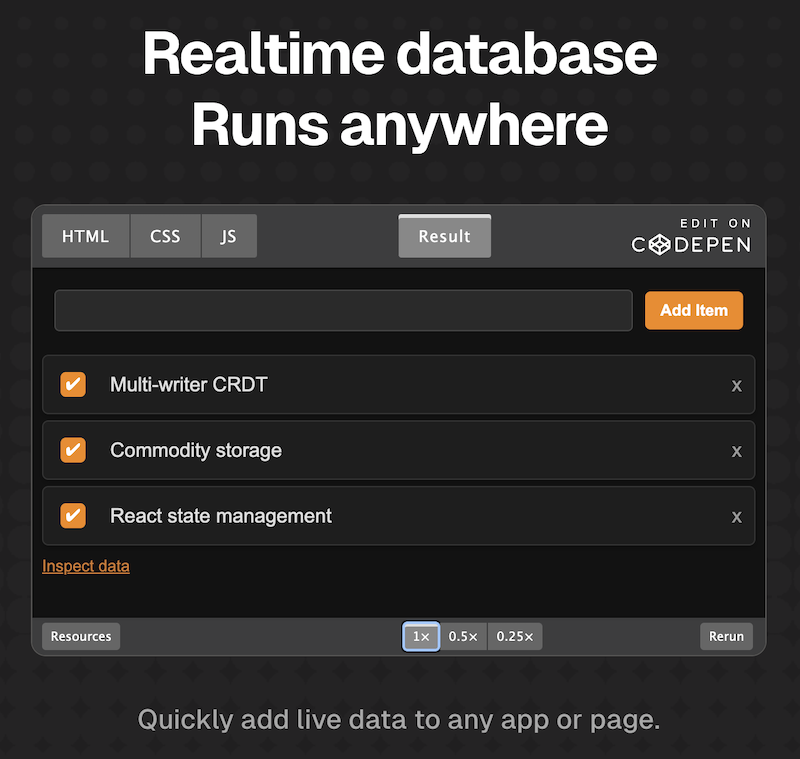
Once installed, this MCP server exposes a “todos” service. If you are using Claude Desktop, you can interact with it via the chatbot to create “To Do List” items, mark them as done, delete them, and even summarize the list.
Here’s an example chat where I’ve asked Claude to “add butter to my todo list”:
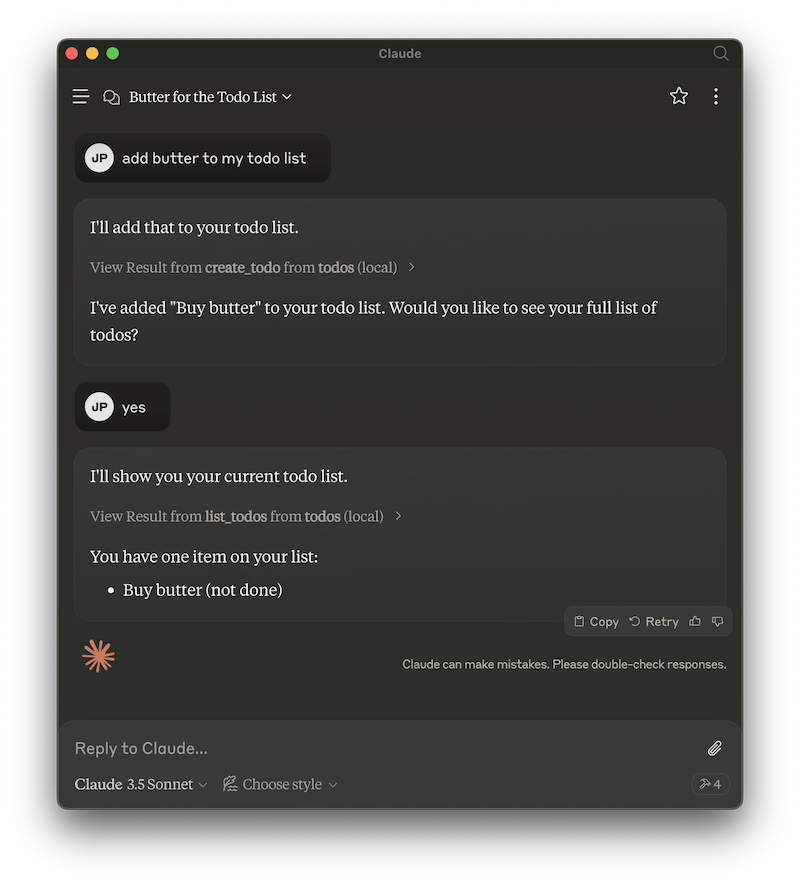
Where it really gets interesting is when you combine it with knowledge that Claude already has, or with other tools.
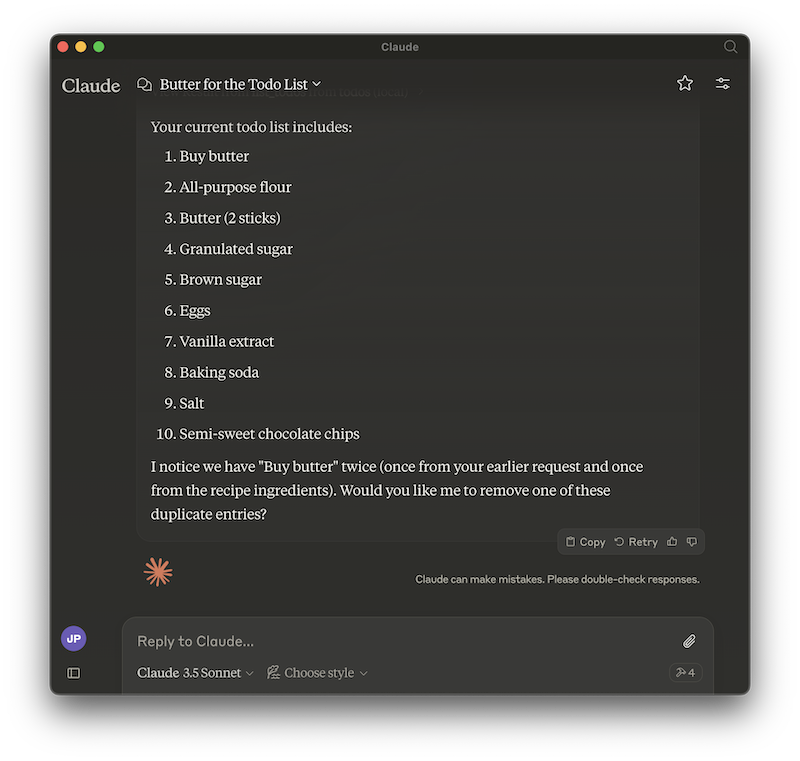
If I ask Claude for a cookie recipe:
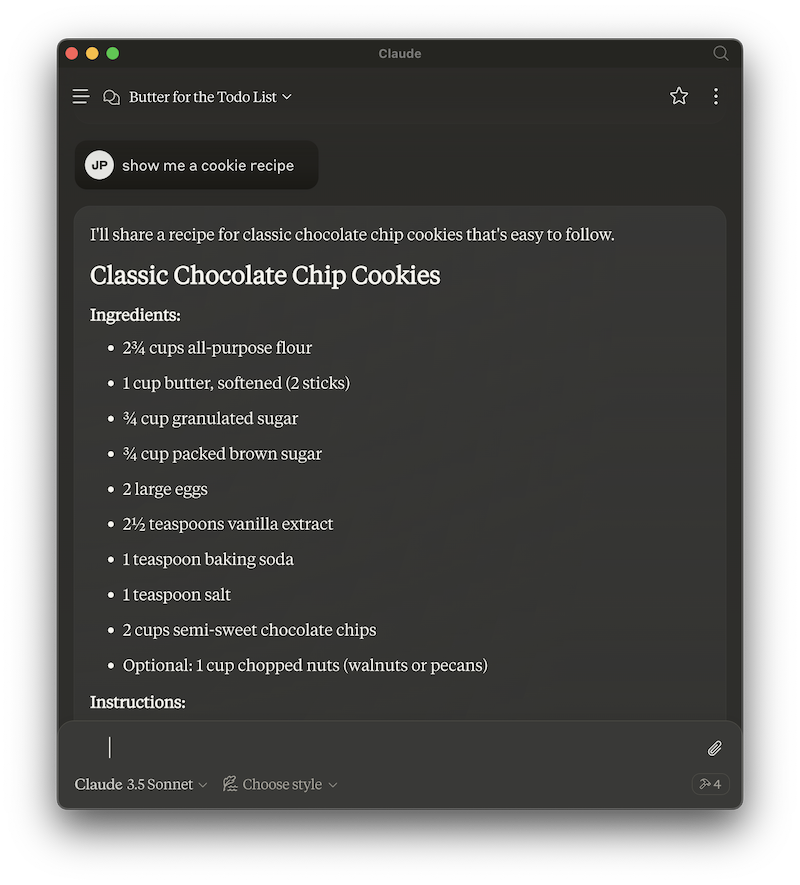
I can add all the ingredients to the todo list with a natural language request…
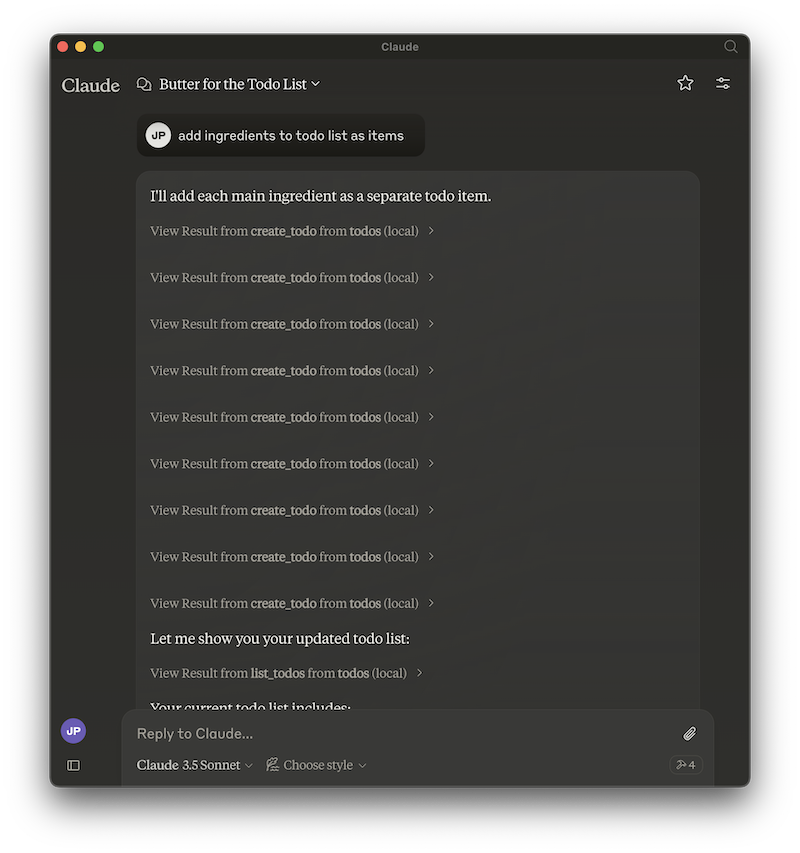
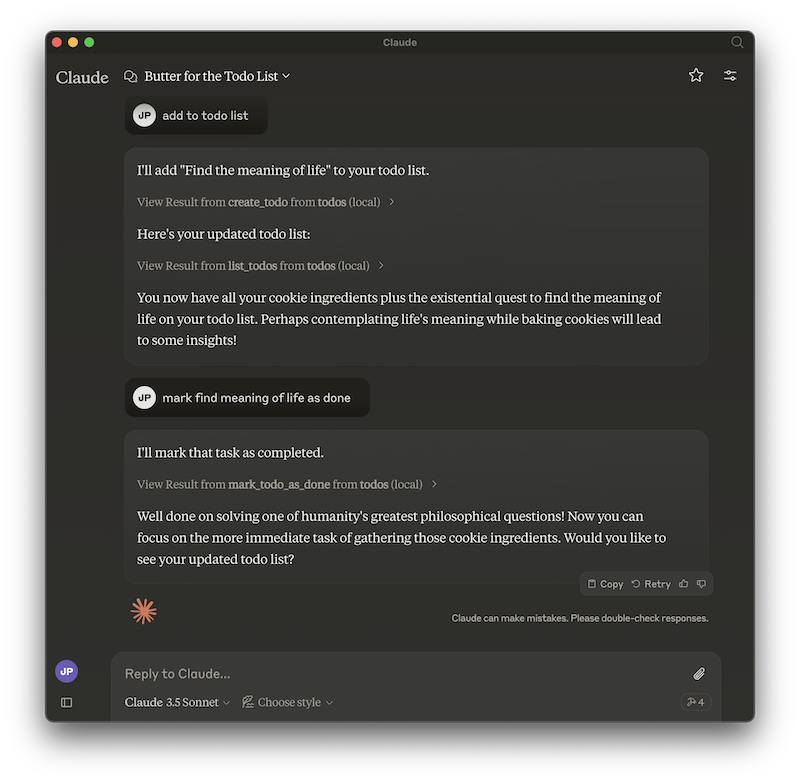
You can do other fun things, like mark todos as done, as well as delete them.
Installation
First, make sure you have Node.js installed.
Clone the repo:
git clone https://github.com/jimpick/mcp-fireproof-todos.git
Change directory:
cd mcp-fireproof-todos
Install dependencies:
npm install
Build the server:
npm run build
To use with Claude Desktop, add the server config:
On MacOS: ~/Library/Application Support/Claude/claude_desktop_config.json
On Windows: %APPDATA%/Claude/claude_desktop_config.json
{
  "mcpServers": {
    "todos": {
      "command": "/path/to/todos/build/index.js"
    }
  }
}
Development Notes
Mostly, this was developed following the
tutorial here:
Fireproof support was added:
import { fireproof } from "use-fireproof";

const db = fireproof("mcp_todo", { public: true });
The fields were defined:
/**
 * Type alias for a todo object.
 */
type Todo = {
  _id: string,
  done: boolean,
  text: string,
  created: Number,
  updated: Number
};
I’m keeping an in-memory list of items, which is kept updated with a .subscribe() method. It might have been simpler to just query the items in the “list_todos” tool.
const todos: { [id: string]: Todo } = {}

await db.ready()

const onDbEvent = async function () {
  const run = Math.random()
  const fpTodos = await db.query("created", {
    includeDocs: true,
    descending: true,
    limit: 10,
  });
  for (let id in todos) {
    delete todos[id]
  }
  for (const row of fpTodos.rows) {
    let todo = row.doc;
    todos[todo!._id] = todo as Todo
  }
};
onDbEvent();
db.subscribe(onDbEvent);
We register the following tools using server.setRequestHandler() with ListToolsRequestSchema:
- create_todo
- list_todos
- mark_todo_as_done
- delete_todo
And there are simple implementations for each using server.setRequestHandler() with CallToolRequestSchema.
License
Apache 2 or MIT
Dev Tools Supporting MCP
The following are the main code editors that support the Model Context Protocol. Click the link to visit the official website for more information.







