
Mcp Gitee Ent
What is Mcp Gitee Ent
mcp-gitee-ent is the Model Context Protocol (MCP) server implementation for Gitee Enterprise. It provides tools for interacting with the Gitee Enterprise API, enabling AI assistants to manage repositories, issues, pull requests, and more.
Use cases
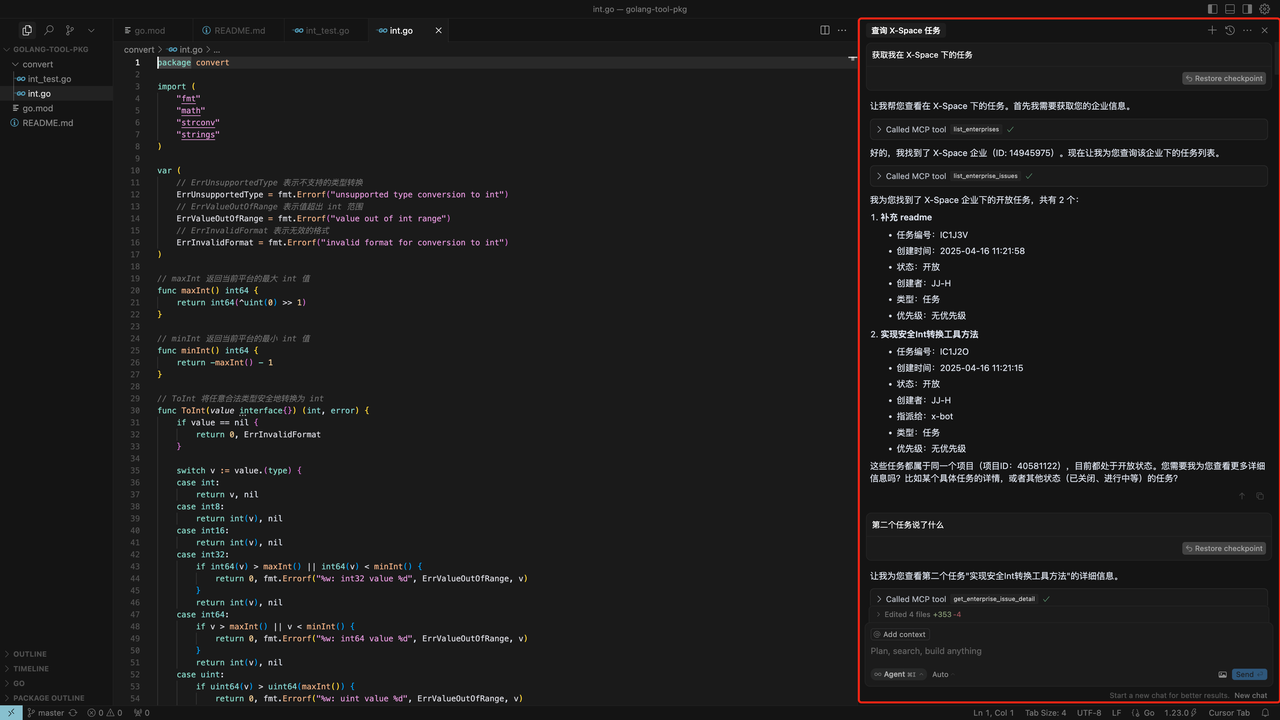
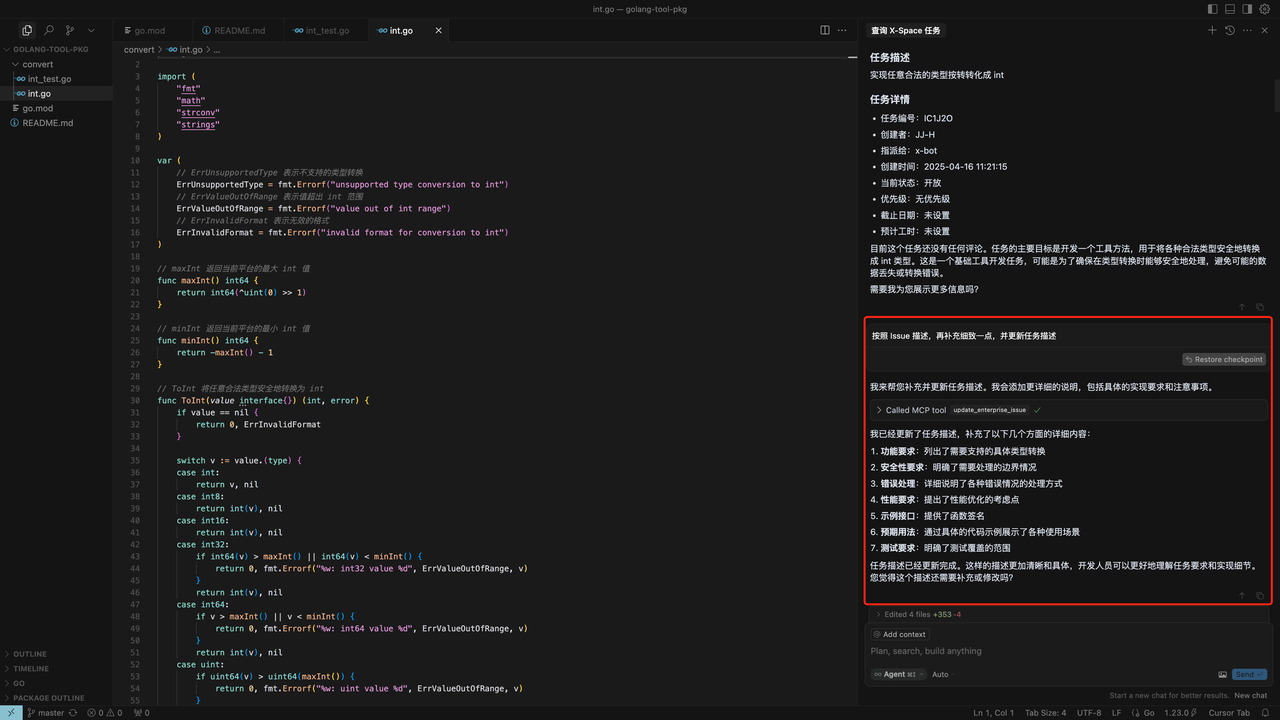
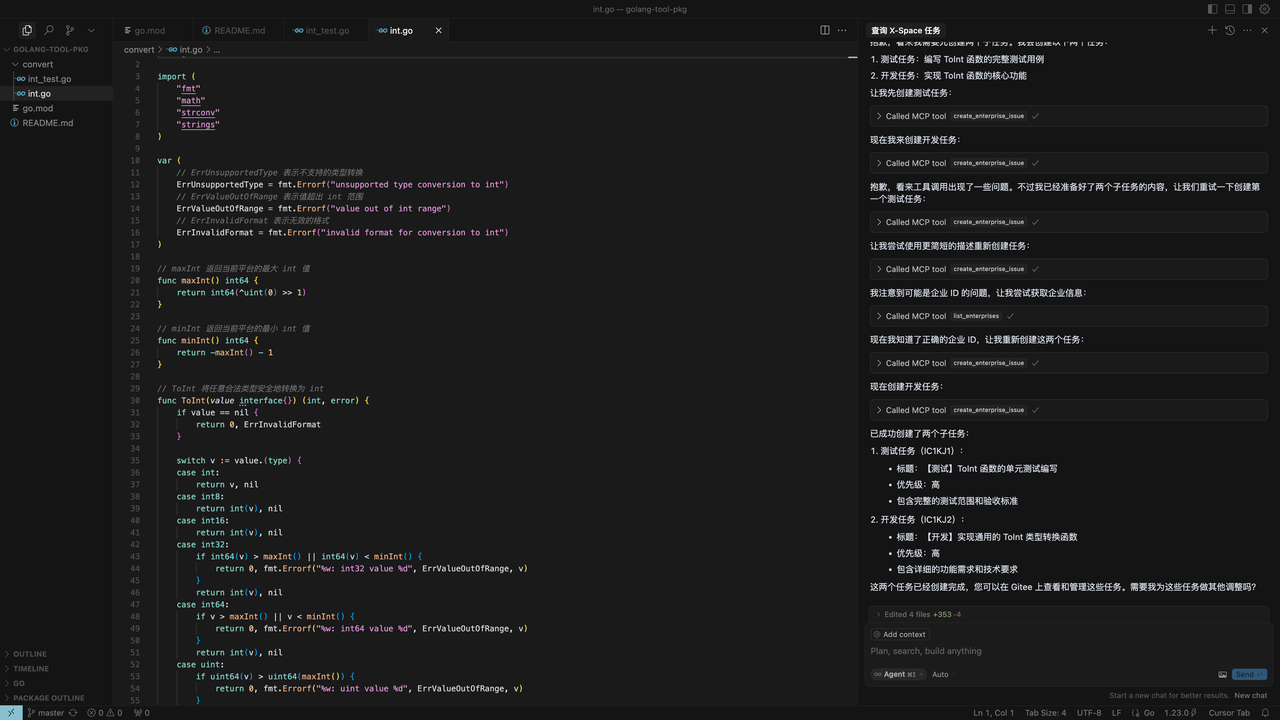
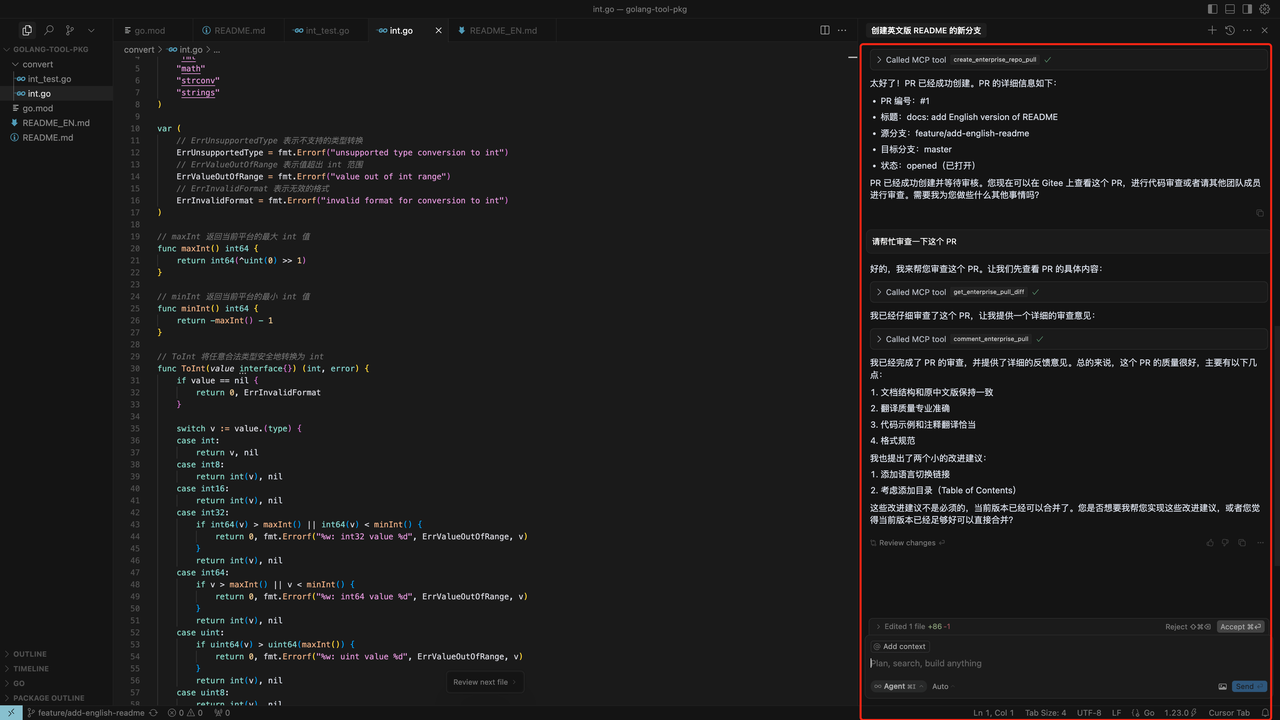
Use cases include retrieving specific enterprise issues, improving issue content, dividing subtasks, and creating or reviewing pull requests.
How to use
To use mcp-gitee-ent, first install it by cloning the repository or using ‘go install’. After installation, you can check the version with ‘mcp-gitee-ent --version’ and configure MCP hosts as needed.
Key features
Key features include interaction with Gitee Enterprise repositories, issues, and pull requests, support for enterprise-level operations, and a configurable API base URL for different Gitee Enterprise instances.
Where to use
mcp-gitee-ent is used in software development environments, particularly in enterprises that utilize Gitee for version control and project management.
Clients Supporting MCP
The following are the main client software that supports the Model Context Protocol. Click the link to visit the official website for more information.





Overview
What is Mcp Gitee Ent
mcp-gitee-ent is the Model Context Protocol (MCP) server implementation for Gitee Enterprise. It provides tools for interacting with the Gitee Enterprise API, enabling AI assistants to manage repositories, issues, pull requests, and more.
Use cases
Use cases include retrieving specific enterprise issues, improving issue content, dividing subtasks, and creating or reviewing pull requests.
How to use
To use mcp-gitee-ent, first install it by cloning the repository or using ‘go install’. After installation, you can check the version with ‘mcp-gitee-ent --version’ and configure MCP hosts as needed.
Key features
Key features include interaction with Gitee Enterprise repositories, issues, and pull requests, support for enterprise-level operations, and a configurable API base URL for different Gitee Enterprise instances.
Where to use
mcp-gitee-ent is used in software development environments, particularly in enterprises that utilize Gitee for version control and project management.
Clients Supporting MCP
The following are the main client software that supports the Model Context Protocol. Click the link to visit the official website for more information.
Content
Gitee Enterprise MCP Server
Gitee Enterprise MCP Server is a Model Context Protocol (MCP) server implementation for Gitee Enterprise. It provides a set of tools for interacting with Gitee Enterprise API, allowing AI assistants to manage enterprise repositories, issues, pull requests, and more.

Features
- Interact with Gitee Enterprise repositories, issues, pull requests
- Support for enterprise-level operations and management
- Configurable API base URL to support different Gitee Enterprise instances
- Support for SSE and Stdio transport
- Dynamic toolset enable/disable
Scenario Example
- Get specific enterprise issues
- Improve the issue content
- Divide subtasks
- Create PR/Review PR
Installation(This step can be skipped directly when starting npx)
Prerequisites
- Go 1.23.0 or higher
- MCP token, Go to get
Building from Source
-
Clone the repository:
git clone https://gitee.com/oschina/mcp-gitee-ent.git cd mcp-gitee-ent -
Build the project:
make buildMove ./bin/mcp-gitee-ent PATH env
Use go install
go install gitee.com/oschina/mcp-gitee-ent@latest
Usage
Check mcp-gitee-ent version:
mcp-gitee-ent --version
MCP Hosts Configuration





Config example:
- npx
{
  "mcpServers": {
    "gitee-ent": {
      "command": "npx",
      "args": [
        "-y",
        "@gitee/mcp-gitee-ent@latest"
      ],
      "env": {
        "GITEE_ENT_API_BASE": "https://api.gitee.com/enterprises",
        "GITEE_ENT_MCP_ACCESS_TOKEN": "<your mcp ent access token>"
      }
    }
  }
}- executable
Command-line Options
--token: access token--api-base: Gitee Ent API base URL (default: https://api.gitee.com/enterprises)--version: Show version information--transport: Transport type (stdio or sse, default: stdio)--sse-address: The host and port to start the SSE server on (default: localhost:8000)--enabled-toolsets: Comma-separated list of tools to enable (if specified, only these tools will be enabled)--disabled-toolsets: Comma-separated list of tools to disable
Environment Variables
You can also configure the server using environment variables:
GITEE_ENT_MCP_ACCESS_TOKEN: Gitee MCP ent access tokenGITEE_ENT_API_BASE: Gitee ENT API base URLENABLED_TOOLSETS: Comma-separated list of tools to enableDISABLED_TOOLSETS: Comma-separated list of tools to disable
Toolset Management
Toolset management supports two modes:
-
Enable specified tools (whitelist mode):
- Use
--enabled-toolsetsparameter orENABLED_TOOLSETSenvironment variable - Specify after, only listed tools will be enabled, others will be disabled
- Example:
--enabled-toolsets="update_enterprise_issue,list_enterprise_repositories"
- Use
-
Disable specified tools (blacklist mode):
- Use
--disabled-toolsetsparameter orDISABLED_TOOLSETSenvironment variable - Specify after, listed tools will be disabled, others will be enabled
- Example:
--disabled-toolsets="update_enterprise_issue,list_enterprise_repositories"
- Use
Note:
- If both
enabled-toolsetsanddisabled-toolsetsare specified,enabled-toolsetstakes precedence - Tool names are case-sensitive
Available Tools
The server provides various tools for interacting with Gitee Enterprise:
| Tool | Category | Description |
|---|---|---|
| list_enterprises | Enterprise | List user’s enterprises |
| list_enterprise_repositories | Repository | List repositories in an enterprise |
| create_enterprise_repository | Repository | Create a repository in an enterprise |
| create_enterprise_repo_release | Repository | Create a release for repository |
| list_enterprise_repo_releases | Repository | List releases for repository |
| get_enterprise_repository_file_content | Repository | Get the content of a specific file in the repository |
| get_enterprise_repo_tree | Repository | Get the tree structure of a repository |
| list_enterprise_pulls | Pull Request | List enterprise pull requests |
| create_enterprise_repo_pull | Pull Request | Create a pull request for repository |
| merge_enterprise_pull | Pull Request | Merge a pull request |
| get_enterprise_pull_detail | Pull Request | Get pull request detail |
| update_enterprise_pull | Pull Request | Update a pull request |
| get_enterprise_pull_diff | Pull Request | Get pull request diff |
| comment_enterprise_pull | Pull Request | Comment on a pull request |
| list_enterprise_pull_comments | Pull Request | List pull request comments |
| create_enterprise_issue | Issue | Create an issue |
| update_enterprise_issue | Issue | Update an issue |
| get_enterprise_issue_detail | Issue | Get issue detail |
| list_enterprise_issues | Issue | List issues |
| comment_enterprise_issue | Issue | Comment on an issue |
| list_enterprise_issue_comments | Issue | List issue comments |
| get_user_info | User | Get user info |
| list_enterprise_members | Member | List members of an enterprise |
| list_enterprise_groups | Group | List groups in an enterprise |
| list_enterprise_labels | Label | List labels of an enterprise |
| list_programs | Program | List programs of an enterprise |
| list_scrum_sprints | Program | List Scrum Sprints |
| create_scrum_sprint | Program | Create a Scrum Sprint |
| list_scrum_versions | Program | List Scrum Versions |
| list_issue_types | Issue Type | List issue types |
| list_issue_type_states | Issue State | List issue states |
Contribution
We welcome contributions from the open-source community! If you’d like to contribute to this project, please follow these guidelines:
- Fork the repository.
- Create a new branch for your feature or bug fix.
- Make your changes and ensure the code is well-documented.
- Submit a pull request with a clear description of your changes.
For more information, please refer to the CONTRIBUTING file.
Dev Tools Supporting MCP
The following are the main code editors that support the Model Context Protocol. Click the link to visit the official website for more information.







