
Mcp Github Code Analyzer
What is Mcp Github Code Analyzer
mcp-github-code-analyzer is a Kotlin server application designed to analyze GitHub repositories, providing insights into code structure and relationships using AI models.
Use cases
Use cases include analyzing open-source projects for educational insights, assessing code quality in development teams, generating documentation from code structure, and providing feedback on repository architecture.
How to use
To use mcp-github-code-analyzer, clone the repository, build the project with Gradle, configure environment variables, and run the application. You can analyze repositories by sending a POST request to the /analyze endpoint with the repository URL and desired analysis type.
Key features
Key features include cloning and analyzing GitHub repositories, extracting code structure and relationships, processing code with context-aware models, generating detailed insights and summaries, and providing a RESTful API for repository analysis.
Where to use
mcp-github-code-analyzer can be used in software development, code review processes, educational purposes for understanding codebases, and any scenario where code analysis is required.
Clients Supporting MCP
The following are the main client software that supports the Model Context Protocol. Click the link to visit the official website for more information.





Overview
What is Mcp Github Code Analyzer
mcp-github-code-analyzer is a Kotlin server application designed to analyze GitHub repositories, providing insights into code structure and relationships using AI models.
Use cases
Use cases include analyzing open-source projects for educational insights, assessing code quality in development teams, generating documentation from code structure, and providing feedback on repository architecture.
How to use
To use mcp-github-code-analyzer, clone the repository, build the project with Gradle, configure environment variables, and run the application. You can analyze repositories by sending a POST request to the /analyze endpoint with the repository URL and desired analysis type.
Key features
Key features include cloning and analyzing GitHub repositories, extracting code structure and relationships, processing code with context-aware models, generating detailed insights and summaries, and providing a RESTful API for repository analysis.
Where to use
mcp-github-code-analyzer can be used in software development, code review processes, educational purposes for understanding codebases, and any scenario where code analysis is required.
Clients Supporting MCP
The following are the main client software that supports the Model Context Protocol. Click the link to visit the official website for more information.
Content
🤖 MCP Code Analysis Server
A Kotlin server application that analyzes GitHub repositories using AI models through the Model Context Protocol (MCP).
Features
- Clone and analyze GitHub repositories
- Extract code structure and relationships
- Process code using Model Context Protocol
- Generate detailed insights and summaries
- Multiple server modes (stdio, SSE)
Getting Started
Prerequisites
- JDK 23 or higher
- Kotlin 1.9.x
- Gradle 8.14 or higher
- Ollama 3.2 or higher (for model API)
- MCP Inspector (for model context protocol)
Installation
- Clone this repository
- Build the project using Gradle:
./gradlew build
- Start Ollama server:
ollama run llama3.2
- Start the MCP Inspector:
npx @modelcontextprotocol/inspector
- You can access the MCP Inspector at
http://127.0.0.1:6274/and configure theArgumentsto start the server:
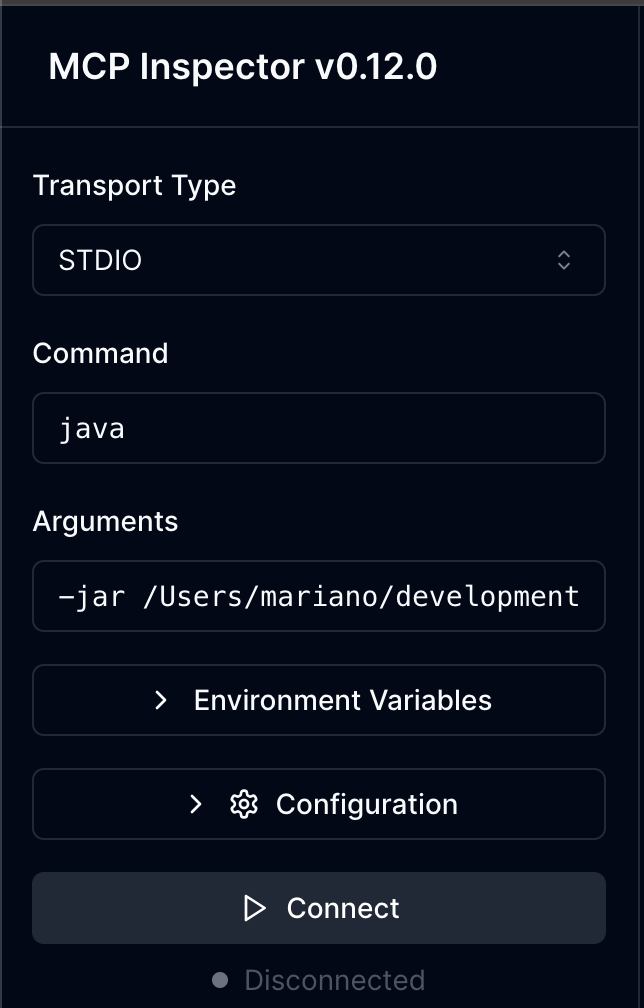
Use the following arguments:
-jar ~/mcp-github-code-analyzer/build/libs/mcp-github-code-analyzer-0.1.0-SNAPSHOT.jar --stdio
-
Click
Connectto start the MCP Server. -
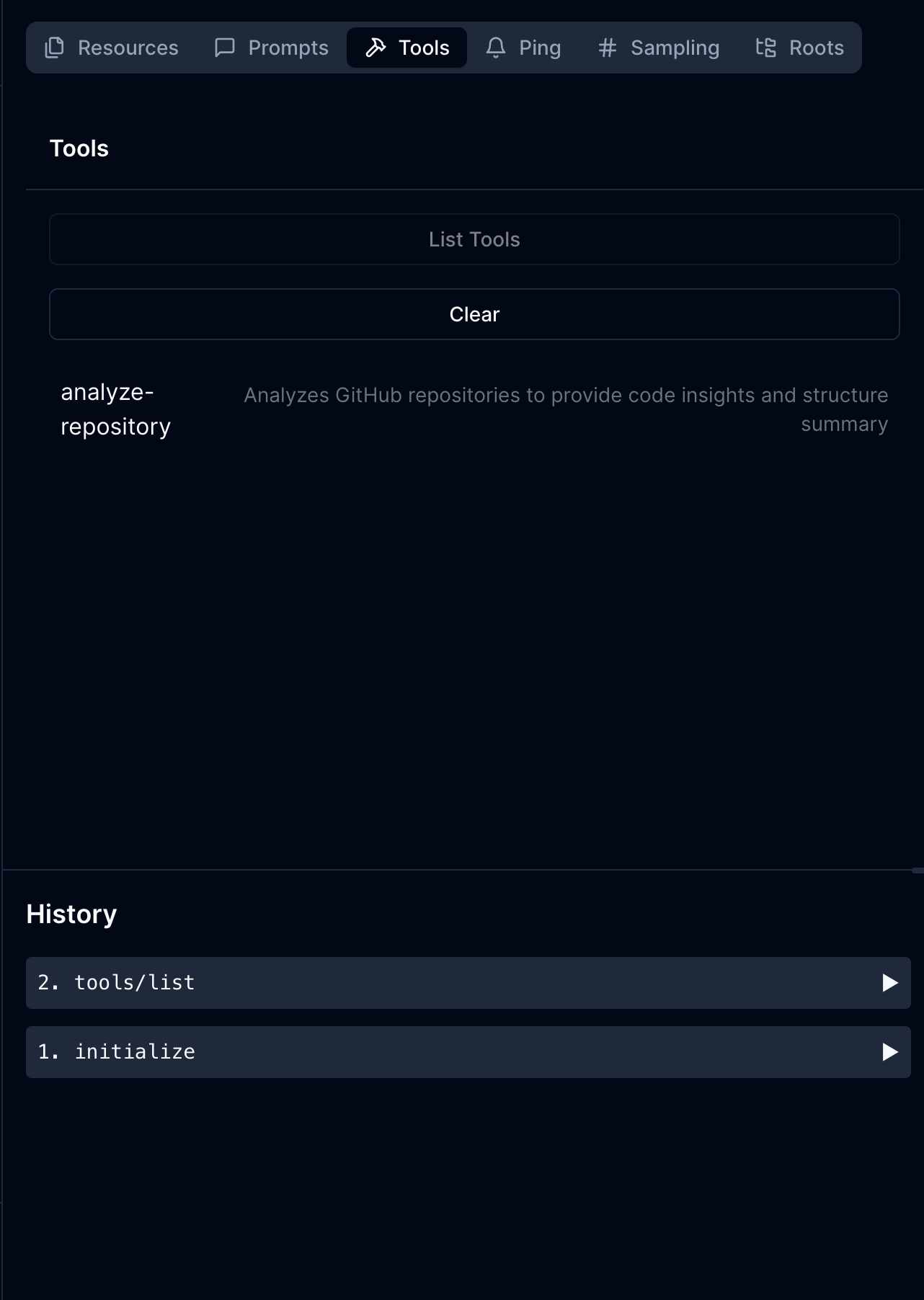
Then you can click the tab
Toolsto discover the available tools. The Toolanalyze-repositoryshould be listed
and ready to be used. Click on theanalyze-repositorytool to see its details and parameters:
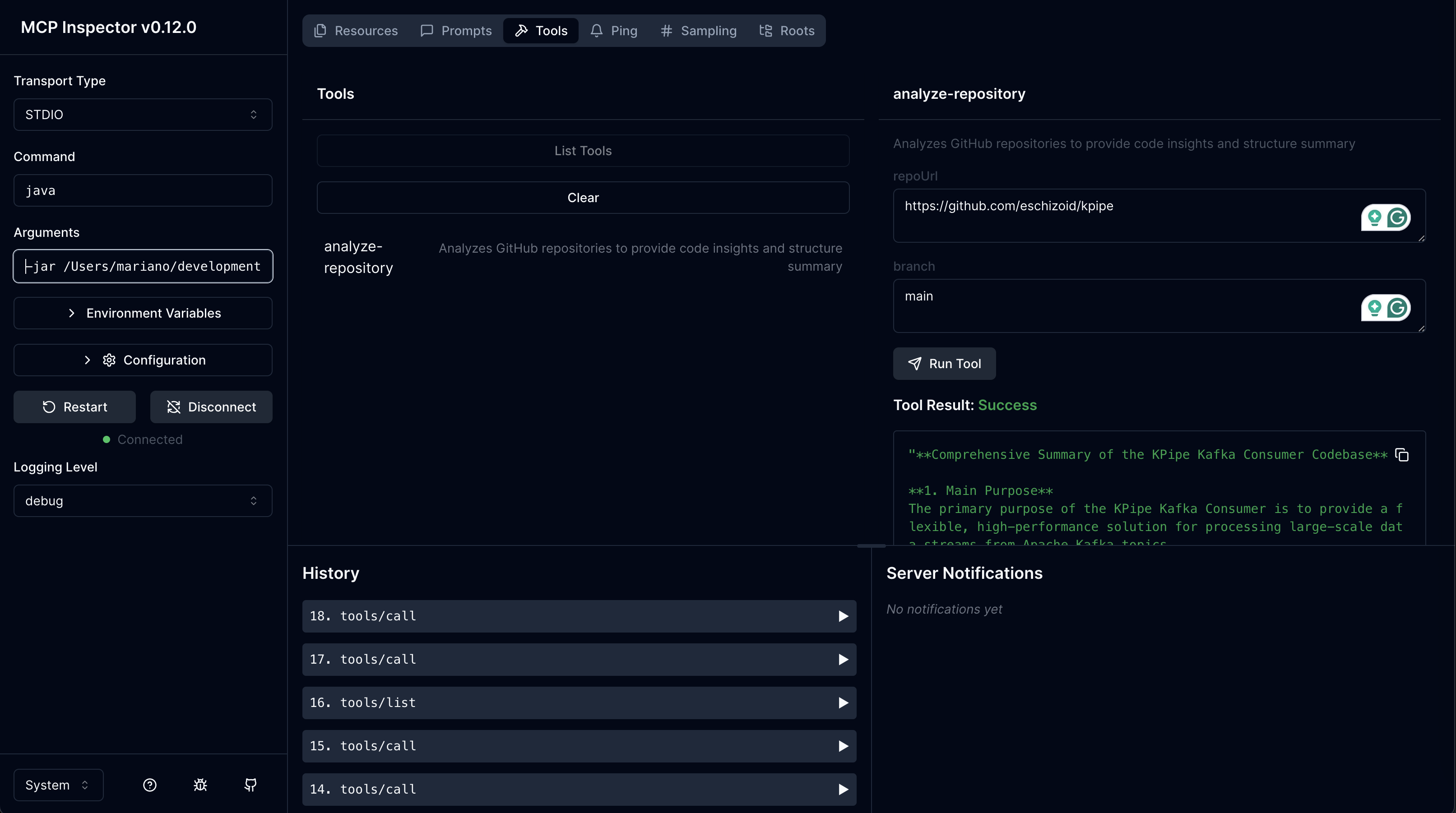
- Finally, capture the
repoUrlandbranchparameters and clickRun Toolto start the analysis:
Configuration
The application uses environment variables for configuration:
SERVER_PORT: The port for the server (default: 3001)GITHUB_TOKEN: GitHub token for API access (optional)WORKING_DIRECTORY: Directory for cloning repositories (default: system temp + “/mcp-code-analysis”)MODEL_API_URL: URL for the model API (default: “http://localhost:11434/api”)MODEL_API_KEY: API key for the model service (optional)MODEL_NAME: Name of the model to use (default: “llama3.2”)
Running the Application
The server supports multiple modes:
# Default: Run as SSE server with Ktor plugin on port 3001
./gradlew run

# Run with standard input/output
./gradlew run --args="--stdio"

# Run as SSE server with Ktor plugin on custom port
./gradlew run --args="--sse-server-ktor 3002"

# Run as SSE server with plain configuration
./gradlew run --args="--sse-server 3002"

# With custom environment variables:
SERVER_PORT=3002 MODEL_NAME=mistral ./gradlew run
Model Context Protocol
This server implements the Model Context Protocol (MCP) and provides the following tool:
analyze-repositoryAnalyzes GitHub repositories to provide code insights and structure summary.
Required parameters:
repoUrl: GitHub repository URL (e.g., https://github.com/owner/repo)
Optional parameters:
branch: Branch to analyze (default: main)
Project Structure
Main.kt: Application entry pointconfig/: Configuration classesAppConfig.kt: Immutable configuration data class
server/: MCP server implementationServer.kt: Functional MCP server with multiple run modes
service/: Core services for repository analysisGitService.kt: Handles repository cloningCodeAnalyzer.kt: Analyzes code structureModelContextService.kt: Generates insights using AI modelsRepositoryAnalysisService.kt: Coordinates the analysis process
All services are implemented as functional data classes with explicit dependency injection.
License
This project is open source and available under the MIT License.
Dev Tools Supporting MCP
The following are the main code editors that support the Model Context Protocol. Click the link to visit the official website for more information.







