
Mcp Googletasks
What is Mcp Googletasks
mcp-googletasks is an MCP server that acts as a bridge between Claude and Google Tasks, enabling users to manage their task lists and tasks directly through Claude.
Use cases
Use cases include managing personal to-do lists, coordinating team tasks in projects, and automating task updates through Claude.
How to use
To use mcp-googletasks, set up a Google Cloud project, enable the Google Tasks API, create OAuth credentials, and configure Claude for Desktop with the necessary settings.
Key features
Key features include task list management (listing, creating, updating, and deleting task lists) and task management (listing, creating, updating, deleting, completing, moving tasks, and clearing completed tasks).
Where to use
mcp-googletasks can be used in personal productivity, project management, and any context where task management is required.
Clients Supporting MCP
The following are the main client software that supports the Model Context Protocol. Click the link to visit the official website for more information.





Overview
What is Mcp Googletasks
mcp-googletasks is an MCP server that acts as a bridge between Claude and Google Tasks, enabling users to manage their task lists and tasks directly through Claude.
Use cases
Use cases include managing personal to-do lists, coordinating team tasks in projects, and automating task updates through Claude.
How to use
To use mcp-googletasks, set up a Google Cloud project, enable the Google Tasks API, create OAuth credentials, and configure Claude for Desktop with the necessary settings.
Key features
Key features include task list management (listing, creating, updating, and deleting task lists) and task management (listing, creating, updating, deleting, completing, moving tasks, and clearing completed tasks).
Where to use
mcp-googletasks can be used in personal productivity, project management, and any context where task management is required.
Clients Supporting MCP
The following are the main client software that supports the Model Context Protocol. Click the link to visit the official website for more information.
Content
Google Tasks MCP Server
This Model Context Protocol (MCP) server provides a bridge between Claude and Google Tasks, allowing you to manage your task lists and tasks directly through Claude.
Note: All ( bar some edits ) code in this project was “vibe coded” - generated with Claude with instructions from me.
Features
This MCP server provides the following functionality:
Task List Management
list-tasklists- List all your task listsget-tasklist- Get details about a specific task listcreate-tasklist- Create a new task listupdate-tasklist- Update an existing task listdelete-tasklist- Delete a task list
Task Management
list-tasks- List all tasks in a task listget-task- Get details about a specific taskcreate-task- Create a new taskupdate-task- Update an existing taskdelete-task- Delete a taskcomplete-task- Mark a task as completedmove-task- Move a task (reorder or change parent)clear-completed-tasks- Clear all completed tasks from a list
Setup Instructions
1. Create Google Cloud Project & Enable API
- Go to the Google Cloud Console
- Create a new project
- Navigate to “APIs & Services” > “Library”
- Search for “Google Tasks API” and enable it
- Go to “APIs & Services” > “Credentials”
- Click “Create Credentials” > “OAuth Client ID”
- Configure the OAuth consent screen (External is fine for personal use)
- For Application Type, select “Web application”
- Add “http://localhost:3000” as an authorized redirect URI
- Create the client ID and secret
2. Configure Claude for Desktop
- Install Claude for Desktop
- Open the Claude configuration file:
- MacOS:
~/Library/Application Support/Claude/claude_desktop_config.json - Windows:
%APPDATA%\Claude\claude_desktop_config.json
- MacOS:
- Add the Google Tasks MCP server configuration:
{
  "mcpServers": {
    "google-tasks": {
      "command": "node",
      "args": [
        "/path/to/google-tasks-mcp/build/index.js"
      ],
      "env": {
        "GOOGLE_CLIENT_ID": "your_client_id_here",
        "GOOGLE_CLIENT_SECRET": "your_client_secret_here",
        "GOOGLE_REDIRECT_URI": "http://localhost:3000/oauth2callback"
      }
    }
  }
}
Replace the path and credentials with your own values.
3. Build and Run the Server
Installing via Smithery
To install Google Tasks Integration Server for Claude Desktop automatically via Smithery:
npx -y @smithery/cli install @arpitbatra123/mcp-googletasks --client claude
Manual Installation
- Install dependencies:
npm install
- Build the server:
npm run build
- Restart Claude for Desktop
Authentication Flow
When you first use the Google Tasks MCP server:
- Use the
authenticatetool to get an authorization URL - Visit the URL in your browser and sign in with your Google account
- After authorizing, you’ll receive a code on the browser page
- Use the
set-auth-codetool with this code to complete authentication - You can now use all other tools to interact with Google Tasks
Note that your authentication is session-based and will be lost when you restart the server. You’ll need to re-authenticate each time.
Requirements
- Node.js 14+
- Claude for Desktop (latest version)
- Google Cloud Project with Tasks API enabled
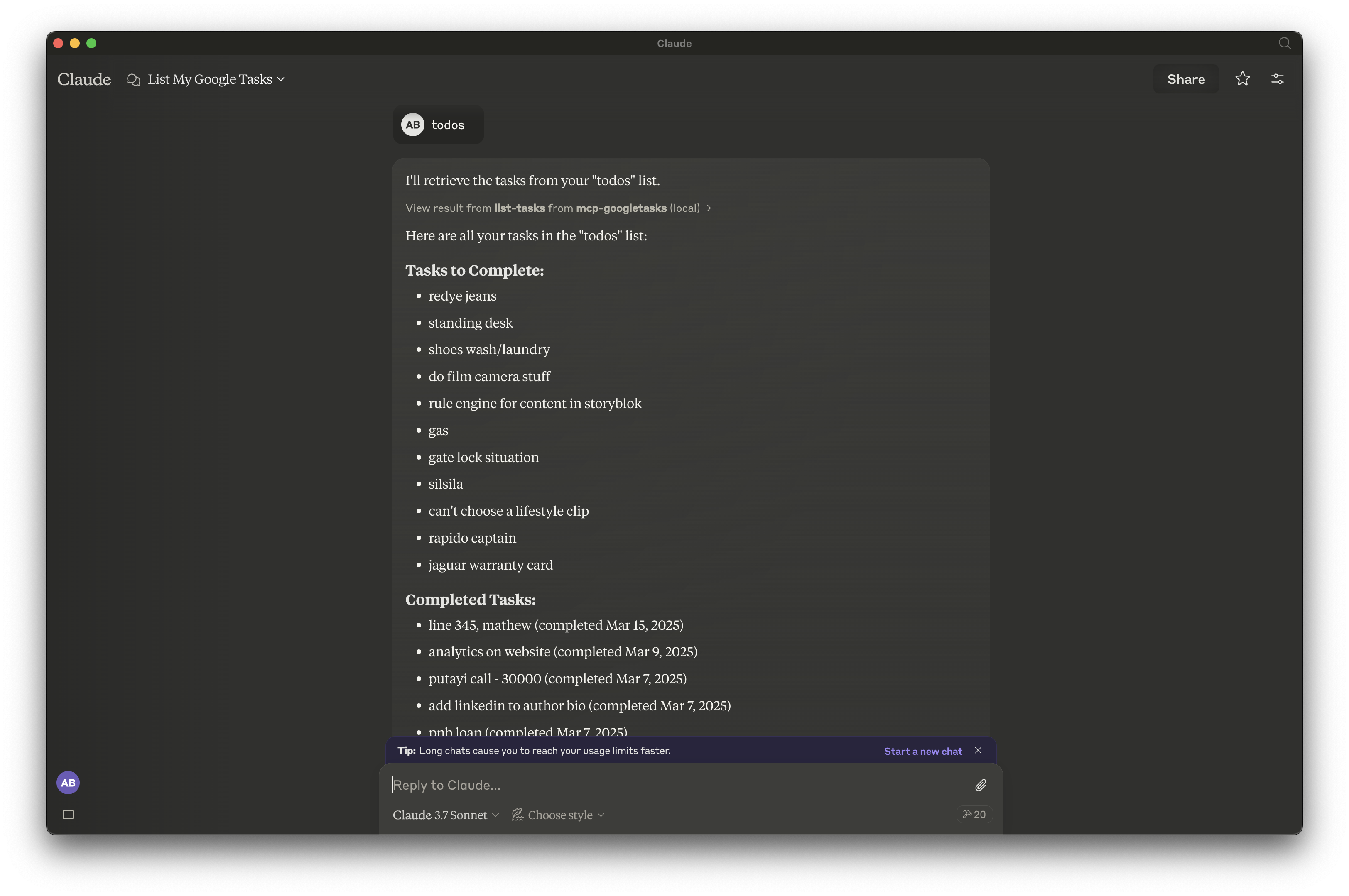
Screenshot
License
This project is for demonstration purposes only. Use at your own risk.
Dev Tools Supporting MCP
The following are the main code editors that support the Model Context Protocol. Click the link to visit the official website for more information.







