
Mcp Gradio Ads B Example
What is Mcp Gradio Ads B Example
mcp-gradio-ads-b-example is a demonstration project that showcases how to utilize the Model Context Protocol (MCP) with ADS-B (Automatic Dependent Surveillance–Broadcast) data, specifically for tracking aircraft locations.
Use cases
Use cases include developing applications for flight tracking, enhancing aviation safety, conducting research in data science, and creating educational tools for understanding air traffic.
How to use
To use mcp-gradio-ads-b-example, clone the repository, set up a virtual environment, install the required packages, and obtain API keys from RapidAPI for ADS-B data. Follow the setup instructions provided in the README.
Key features
Key features include integration with ADS-B data for real-time aircraft tracking, native support for MCP in Gradio applications, and a user-friendly interface for visualizing the data.
Where to use
mcp-gradio-ads-b-example can be used in aviation monitoring, data science projects, and applications requiring real-time location tracking of aircraft.
Clients Supporting MCP
The following are the main client software that supports the Model Context Protocol. Click the link to visit the official website for more information.





Overview
What is Mcp Gradio Ads B Example
mcp-gradio-ads-b-example is a demonstration project that showcases how to utilize the Model Context Protocol (MCP) with ADS-B (Automatic Dependent Surveillance–Broadcast) data, specifically for tracking aircraft locations.
Use cases
Use cases include developing applications for flight tracking, enhancing aviation safety, conducting research in data science, and creating educational tools for understanding air traffic.
How to use
To use mcp-gradio-ads-b-example, clone the repository, set up a virtual environment, install the required packages, and obtain API keys from RapidAPI for ADS-B data. Follow the setup instructions provided in the README.
Key features
Key features include integration with ADS-B data for real-time aircraft tracking, native support for MCP in Gradio applications, and a user-friendly interface for visualizing the data.
Where to use
mcp-gradio-ads-b-example can be used in aviation monitoring, data science projects, and applications requiring real-time location tracking of aircraft.
Clients Supporting MCP
The following are the main client software that supports the Model Context Protocol. Click the link to visit the official website for more information.
Content
mcp-gradio-ads-b-example
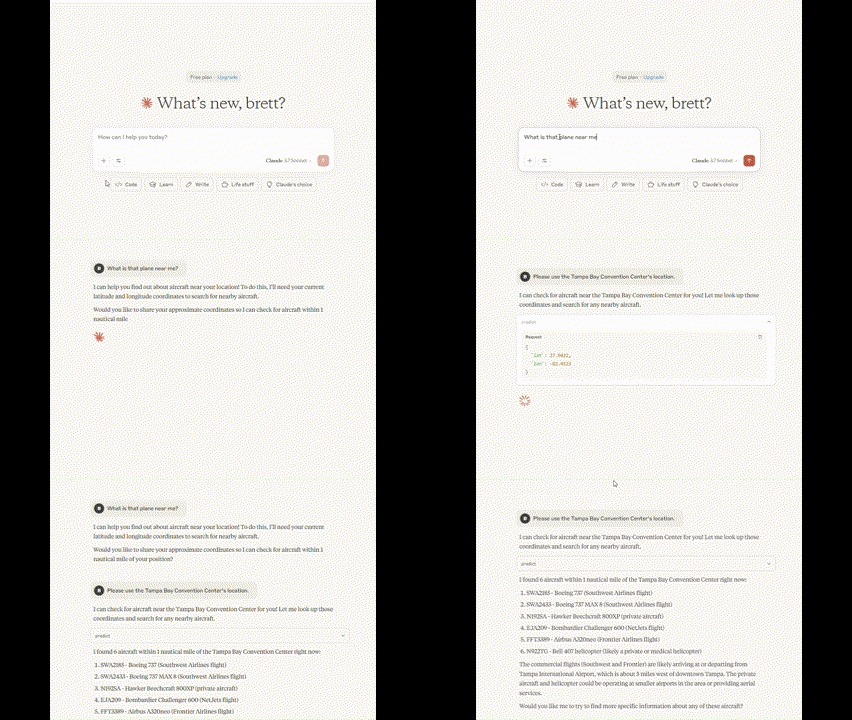
Example showing how to use MCP (Model Context Protocol) with ADS-B (plane location) data. This project is a demo of MCP capabilities. MCP has made waves in the data science community lately with the rise of agentic LLMs. Recently, Gradio announced that they would support MCP natively in their applications. This one-line change is a game changer for developers exploring this capability.
Setup
There is some setup to make sure everything goes smoothly.
Clone the repo
git clone https://github.com/WaughB/mcp-gradio-ads-b-example.git
cd mcp-gradio-ads-b-example
Virtual environment
python -m venv venv
# Activate it:
# Windows
venv\Scripts\activate
# macOS/Linux
source venv/bin/activate
Install required packages
pip install -r requirements.txt
API keys
This project does depend on ADS-B data coming in from RapidAPI. I won’t show how to get the keys, but I will provide a link to the vendor: https://rapidapi.com/adsbx/api/adsbexchange-com1 .
Downloading & updating Claude Desktop
Please install Claude Desktop before attempting this project. You do not need to use the paid for version, I was able to create this project with the free-tier version. I used these guides 1, 2 from Gradio to change the config files. The first one was more similar to my application, but the config file on the second link worked better for me.
Credits
Could not have done this without the contributions by the ADS-B Exchange Community. I accesses the data through the RapidAPI.
Claude Desktop was something I hadn’t previously used. This was a very refreshing way to interact with LLMs. It does make me wonder why other companies haven’t made something similar yet…
Dev Tools Supporting MCP
The following are the main code editors that support the Model Context Protocol. Click the link to visit the official website for more information.







