
Mcp Localhost Server Weaviate
What is Mcp Localhost Server Weaviate
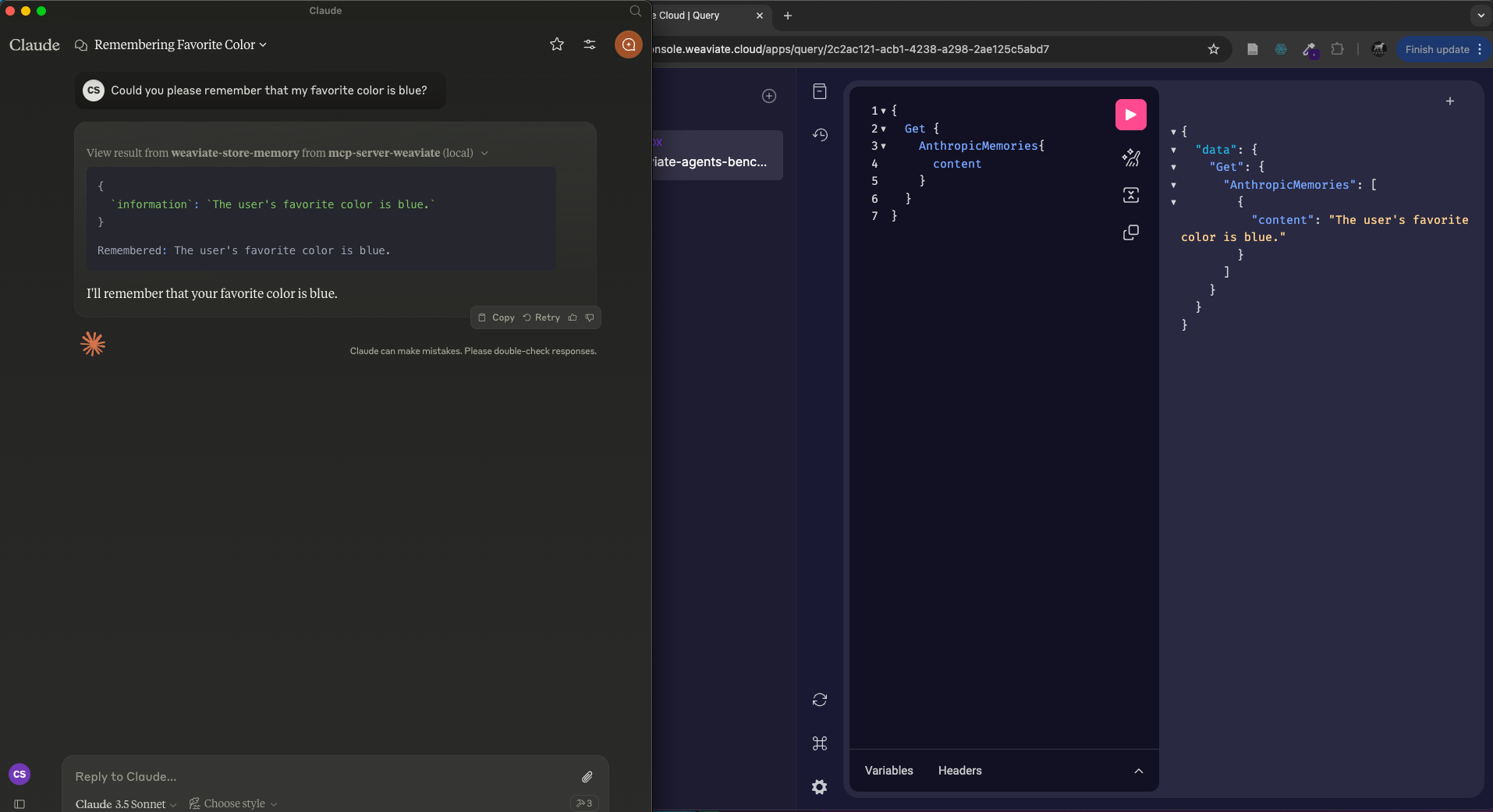
mcp-localhost-server-weaviate is an MCP server designed to work with Weaviate, a vector search engine that enables efficient data retrieval and management using machine learning techniques.
Use cases
Use cases include building intelligent search applications, enhancing data retrieval for AI models, and integrating with existing data pipelines to improve information access and management.
How to use
To use mcp-localhost-server-weaviate, ensure you have ‘uv’ installed, clone the repository, and install it via Smithery using the provided command. Configure the server with your Weaviate URL, API key, and other necessary parameters in the configuration file.
Key features
Key features include seamless integration with Weaviate, support for OpenAI API, customizable search and store collection names, and easy installation through Smithery.
Where to use
mcp-localhost-server-weaviate can be used in various fields such as data science, machine learning applications, natural language processing, and any domain requiring efficient vector-based search capabilities.
Clients Supporting MCP
The following are the main client software that supports the Model Context Protocol. Click the link to visit the official website for more information.





Overview
What is Mcp Localhost Server Weaviate
mcp-localhost-server-weaviate is an MCP server designed to work with Weaviate, a vector search engine that enables efficient data retrieval and management using machine learning techniques.
Use cases
Use cases include building intelligent search applications, enhancing data retrieval for AI models, and integrating with existing data pipelines to improve information access and management.
How to use
To use mcp-localhost-server-weaviate, ensure you have ‘uv’ installed, clone the repository, and install it via Smithery using the provided command. Configure the server with your Weaviate URL, API key, and other necessary parameters in the configuration file.
Key features
Key features include seamless integration with Weaviate, support for OpenAI API, customizable search and store collection names, and easy installation through Smithery.
Where to use
mcp-localhost-server-weaviate can be used in various fields such as data science, machine learning applications, natural language processing, and any domain requiring efficient vector-based search capabilities.
Clients Supporting MCP
The following are the main client software that supports the Model Context Protocol. Click the link to visit the official website for more information.
Content
mcp-server-weaviate
MCP server for Weaviate
🏎️ Quickstart
Prerequisites
- Ensure you have
uvinstalled (see
the docs for
details) - Clone this repository
Install
Installing via Smithery
To install Weaviate MCP Server for Claude Desktop automatically via Smithery:
npx -y @smithery/cli install @weaviate/mcp-server-weaviate --client claude
Claude Desktop
On MacOS: ~/Library/Application\ Support/Claude/claude_desktop_config.json
On Windows: %APPDATA%/Claude/claude_desktop_config.json
Development/Unpublished Servers Configuration
{
  "mcpServers": {
    "mcp-server-weaviate": {
      "command": "PYTHON_PATH",
      "args": [
        "-m",
        "src.server",
        "--weaviate-url",
        "YOUR_WEAVIATE_URL",
        "--weaviate-api-key",
        "YOUR_WEAVIATE_API_KEY",
        "--search-collection-name",
        "YOUR_SEARCH_COLLECTION",
        "--store-collection-name",
        "YOUR_STORE_COLLECTION",
        "--openai-api-key",
        "YOUR_OPENAI_API_KEY"
      ],
      "env": {
        "PYTHONPATH": "PATH_TO_MCP_SERVER_WEAVIATE_DIRECTORY"
      }
    }
  }
}
Dev Tools Supporting MCP
The following are the main code editors that support the Model Context Protocol. Click the link to visit the official website for more information.







