
Mcp Mermaid
What is Mcp Mermaid
MCP Mermaid is a tool that generates diagrams and charts using the Mermaid syntax through AI-driven methods. It facilitates the creation of dynamic visual representations, leveraging AI capabilities to output well-structured and formatted Mermaid graphs.
Use cases
MCP Mermaid can be utilized in various contexts, such as documentation, project visualization, education, and design tasks. It can serve software engineers, educators, and other professionals who require visual documentation or are involved in project planning and communication.
How to use
To use MCP Mermaid, configure the MCP server in your desktop application, such as VSCode by adding specific JSON settings depending on your operating system. Alternatively, it can be installed globally with npm and run via command line to generate visual output in multiple formats like PNG and SVG.
Key features
MCP Mermaid fully supports all Mermaid features and syntax, customizable background colors and themes, and offers exporting options to various formats while ensuring the validity of the Mermaid syntax during AI generation.
Where to use
MCP Mermaid is suitable for applications that support HTTP or SSE protocols, including deployment on various platforms such as aliun, modelscope, glama.ai, and smithery.ai. It can also be run locally on systems like Mac or Windows.
Clients Supporting MCP
The following are the main client software that supports the Model Context Protocol. Click the link to visit the official website for more information.





Overview
What is Mcp Mermaid
MCP Mermaid is a tool that generates diagrams and charts using the Mermaid syntax through AI-driven methods. It facilitates the creation of dynamic visual representations, leveraging AI capabilities to output well-structured and formatted Mermaid graphs.
Use cases
MCP Mermaid can be utilized in various contexts, such as documentation, project visualization, education, and design tasks. It can serve software engineers, educators, and other professionals who require visual documentation or are involved in project planning and communication.
How to use
To use MCP Mermaid, configure the MCP server in your desktop application, such as VSCode by adding specific JSON settings depending on your operating system. Alternatively, it can be installed globally with npm and run via command line to generate visual output in multiple formats like PNG and SVG.
Key features
MCP Mermaid fully supports all Mermaid features and syntax, customizable background colors and themes, and offers exporting options to various formats while ensuring the validity of the Mermaid syntax during AI generation.
Where to use
MCP Mermaid is suitable for applications that support HTTP or SSE protocols, including deployment on various platforms such as aliun, modelscope, glama.ai, and smithery.ai. It can also be run locally on systems like Mac or Windows.
Clients Supporting MCP
The following are the main client software that supports the Model Context Protocol. Click the link to visit the official website for more information.
Content
 MCP Mermaid


Generate mermaid diagram and chart with AI MCP dynamically. Also you can use 
✨ Features
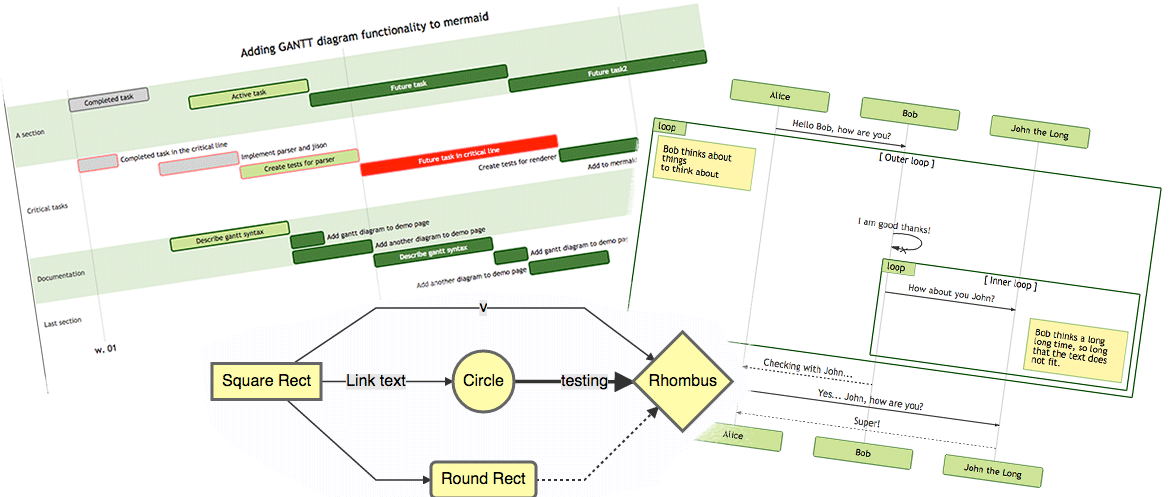
- Fully support all features and syntax of
Mermaid. - Support configuration of
backgroundColorandtheme, enabling large AI models to output rich style configurations. - Support exporting to
png,svg, andmermaidformats, with validation forMermaidto facilitate the model’s multi-round output of correct syntax and graphics.
🤖 Usage
To use with Desktop APP, such as Claude, VSCode, Cline, Cherry Studio, and so on, add the MCP server config below. On Mac system:
{
  "mcpServers": {
    "mcp-mermaid": {
      "command": "npx",
      "args": [
        "-y",
        "mcp-mermaid"
      ]
    }
  }
}
On Window system:
{
  "mcpServers": {
    "mcp-mermaid": {
      "command": "cmd",
      "args": [
        "/c",
        "npx",
        "-y",
        "mcp-mermaid"
      ]
    }
  }
}
Also, you can use it on aliyun, modelscope, glama.ai, smithery.ai or others with HTTP, SSE Protocol.
🚰 Run with SSE or Streamable transport
Install the package globally.
npm install -g mcp-mermaid
Run the server with your preferred transport option:
# For SSE transport (default endpoint: /sse)
mcp-mermaid -t sse

# For Streamable transport with custom endpoint
mcp-mermaid -t streamable
Then you can access the server at:
- SSE transport:
http://localhost:3033/sse - Streamable transport:
http://localhost:3033/mcp
🎮 CLI Options
You can also use the following CLI options when running the MCP server. Command options by run cli with -h.
MCP Mermaid CLI

Options:
  --transport, -t  Specify the transport protocol: "stdio", "sse", or "streamable" (default: "stdio")
  --port, -p       Specify the port for SSE or streamable transport (default: 3033)
  --endpoint, -e   Specify the endpoint for the transport:
                    - For SSE: default is "/sse"
                    - For streamable: default is "/mcp"
  --help, -h       Show this help message
🔨 Development
Install dependencies:
npm install
Build the server:
npm run build
Start the MCP server:
npm run start
📄 License
MIT@hustcc.
Dev Tools Supporting MCP
The following are the main code editors that support the Model Context Protocol. Click the link to visit the official website for more information.







