
Mcp Minecraft
What is Mcp Minecraft
mcp-minecraft is a Model Context Protocol (MCP) integration for Minecraft that allows AI assistants to interact with a Minecraft server through a bot, enabling them to observe and interact with the Minecraft world.
Use cases
Use cases include developing AI-driven gameplay experiences, creating educational tools for teaching programming or game design, and enhancing multiplayer interactions with AI assistance.
How to use
To use mcp-minecraft, install the Minecraft server, set up the necessary prerequisites including Node.js and Java, and follow the installation steps provided in the README. You can use the quick install command or configure it manually.
Key features
Key features include the ability for AI models to interact with the Minecraft environment, support for macOS/Linux, and specific connection settings to ensure smooth operation.
Where to use
mcp-minecraft can be used in gaming, AI development, and educational environments where interaction with virtual worlds is required.
Clients Supporting MCP
The following are the main client software that supports the Model Context Protocol. Click the link to visit the official website for more information.





Overview
What is Mcp Minecraft
mcp-minecraft is a Model Context Protocol (MCP) integration for Minecraft that allows AI assistants to interact with a Minecraft server through a bot, enabling them to observe and interact with the Minecraft world.
Use cases
Use cases include developing AI-driven gameplay experiences, creating educational tools for teaching programming or game design, and enhancing multiplayer interactions with AI assistance.
How to use
To use mcp-minecraft, install the Minecraft server, set up the necessary prerequisites including Node.js and Java, and follow the installation steps provided in the README. You can use the quick install command or configure it manually.
Key features
Key features include the ability for AI models to interact with the Minecraft environment, support for macOS/Linux, and specific connection settings to ensure smooth operation.
Where to use
mcp-minecraft can be used in gaming, AI development, and educational environments where interaction with virtual worlds is required.
Clients Supporting MCP
The following are the main client software that supports the Model Context Protocol. Click the link to visit the official website for more information.
Content
Minecraft MCP Integration
A Model Context Protocol (MCP) integration for Minecraft that enables AI assistants to interact with a Minecraft server. This integration allows AI models to observe and interact with the Minecraft world through a bot.
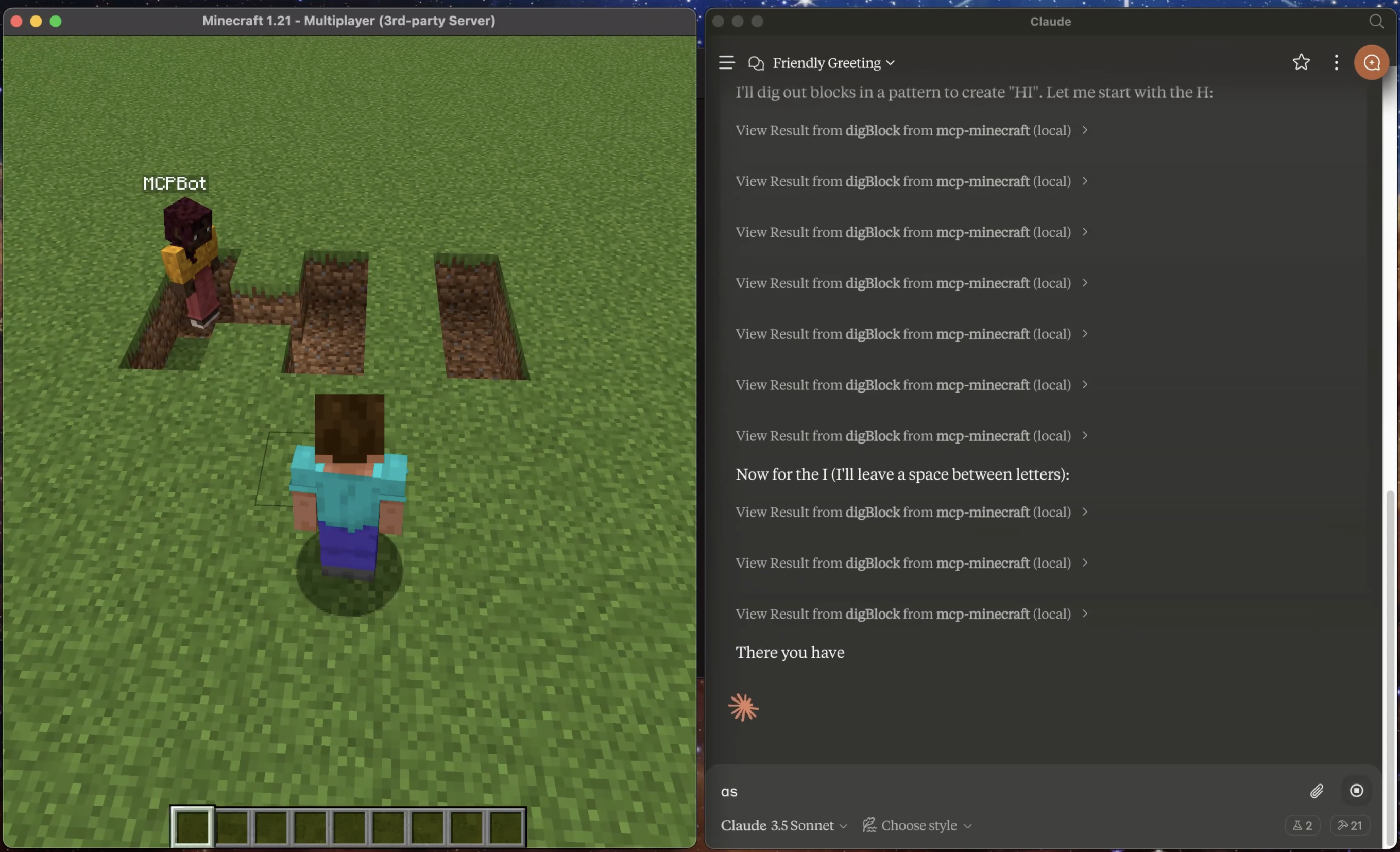
Prerequisites
- Minecraft Launcher
- Node.js 18 or higher
- Claude Desktop App
- Java 21.0.5 (recommended)
⚠️ Note: Currently only tested on macOS/Linux. Windows compatibility is not guaranteed.
Important Note
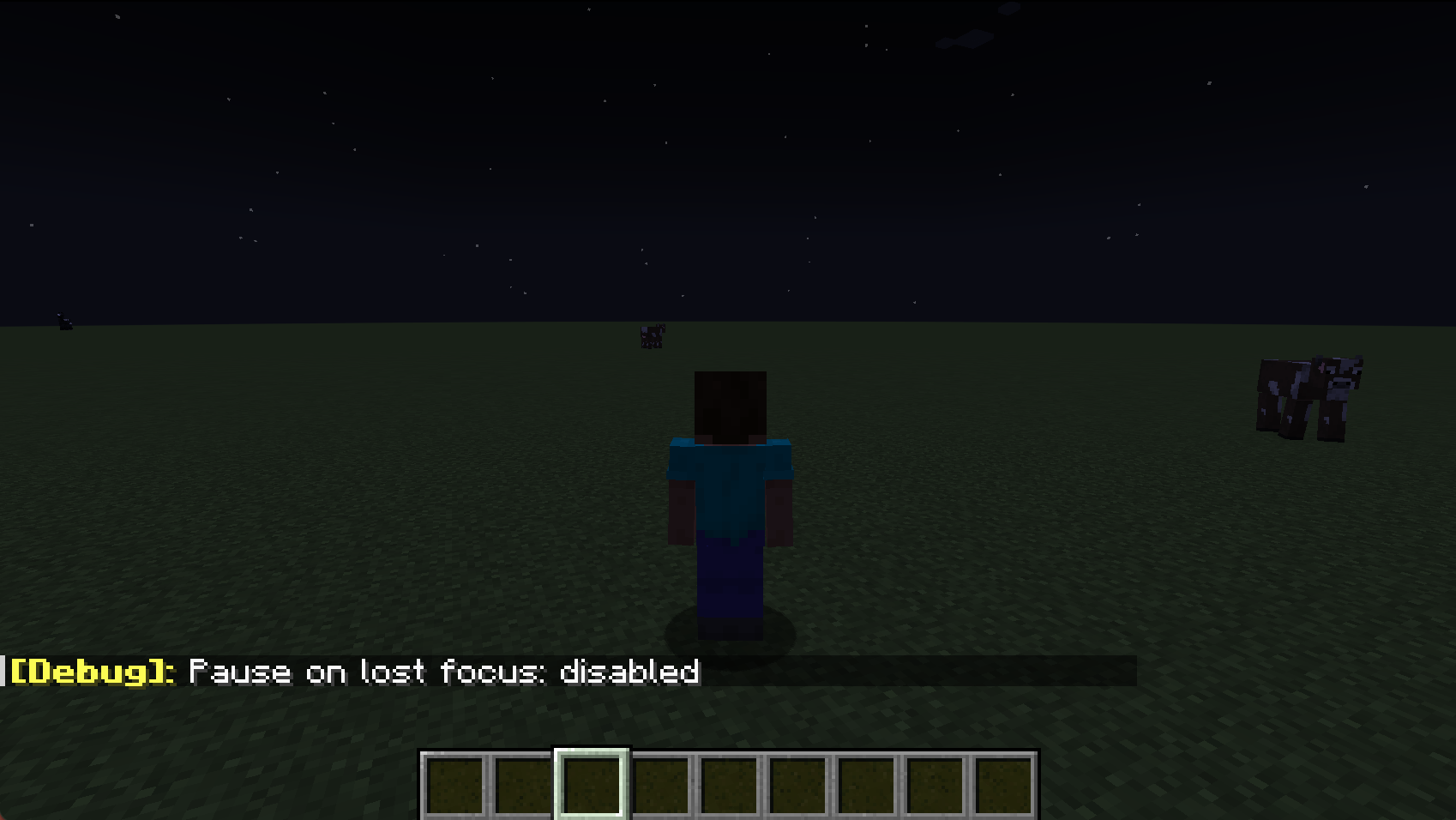
- Use the F3+P Shortcut:
Press F3 + P together. This toggles the “Pause on Lost Focus” feature. Once turned off, you can switch to claude desktop and Minecraft will continue running without pausing.
- Connection Issues on Claude Restart:
If you restart Claude while the Minecraft server is running, you may experience MCP connection issues on the next claude launch due to lingering java process. See Troubleshooting: MCP Connection Failed for resolution steps.
Installation Steps
-
Download and Setup Minecraft Server
- Download Minecraft server v1.21 from mcversions.net/1.21
- Install Java 21.0.5 if not already installed (other versions are untested)
- Create a dedicated directory (e.g.,
~/minecraft-server/) - Place the downloaded
server.jarfile in this directory - Note down the absolute path to your
server.jarfile
-
Install and Configure MCP Integration
Quick Install (Recommended):
npx -y @smithery/cli install mcp-minecraft --client claudeFollow the CLI prompts to complete the setup.
Or Manual Setup:
- Navigate to
~/Library/Application Support/Claude/claude_desktop_config.json - Add the MCP server configuration:
{
  "mcpServers": {
    "mcp-minecraft": {
      "command": "npx",
      "args": [
        "-y",
        "mcp-minecraft@latest",
        "--server-jar",
        "/absolute/path/to/minecraft-server/server.jar"
      ]
    }
  }
}
⚠️ Replace
/absolute/path/to/minecraft-server/server.jarwith your actual server.jar path - Navigate to
-
Launch Claude Desktop
- Start Claude Desktop after completing the configuration
-
Connect to Server
- Open Minecraft Launcher
- Install and launch Minecraft Java Edition v1.21
- Click “Play” and Select “Multiplayer”
- Click “Add Server”
- Enter server details:
- Server Name:
Minecraft Server - Server Address:
localhost:25565
- Server Name:
- Click “Done”
Features
Resources
The integration exposes these MCP resources:
minecraft://bot/location- Current bot position in the worldminecraft://bot/status- Bot connection status
Tools
Available MCP tools:
chat- Send chat messages to the serverjump- Make the bot jumpmoveForward- Make the bot move forwardmoveBack- Make the bot move backwardturnLeft- Make the bot turn leftturnRight- Make the bot turn rightplaceBlock- Place a block at specified coordinatesdigBlock- Break a block at specified coordinatesgetBlockInfo- Get information about a block at specified coordinatesselectSlot- Select a hotbar slot (0-8)getInventory- Get contents of bot’s inventoryequipItem- Equip an item by name to specified destinationgetStatus- Get bot’s current status (health, food, position, etc.)getNearbyEntities- Get list of nearby entities within rangeattack- Attack a nearby entity by nameuseItem- Use/activate the currently held itemstopUsingItem- Stop using/deactivate the current itemlookAt- Make the bot look at specific coordinatesfollowPlayer- Follow a specific playerstopFollowing- Stop following current targetgoToPosition- Navigate to specific coordinates
Technical Details
- Server runs in offline mode for local development
- Default memory allocation: 2GB
- Default port: 25565
- Bot username: MCPBot
Troubleshooting
Common Issues
-
MCP Connection Failed
- Look for lingering Java processes
- Terminate them manually:
- Windows: Use Task Manager (untested)
- Mac/Linux:
- Go to ‘Activity Monitor’ and ‘Force Quit’ java
- Restart computer if process termination fails
- Note: Latest version should auto-resolve these issues
-
Server Won’t Start
- Verify Java is installed
- Check server.jar path is correct
- Ensure port 25565 is available
-
Can’t Connect to Server
- Verify server is running (check logs)
- Confirm you’re using “localhost” as server address
- Check firewall settings
Logs Location
- Minecraft Server logs: Check the minecraft-server directory
- Claude Desktop logs:
~/Library/Logs/Claude/mcp*.log
Contributing
Contributions, big or small, are welcome!
License
This project is licensed under the MIT License - see the LICENSE file for details.
Dev Tools Supporting MCP
The following are the main code editors that support the Model Context Protocol. Click the link to visit the official website for more information.







