
Mcp Music Analysis
What is Mcp Music Analysis
mcp-music-analysis is a Model Context Provider (MCP) that integrates librosa and Whisper with large language models (LLMs) to analyze music audio from local files, YouTube links, or audio URLs.
Use cases
Use cases include analyzing the beat of audio files, computing MFCCs, determining audio duration, extracting spectral centroid values, and identifying onset times from various audio sources.
How to use
To use mcp-music-analysis, clone the repository, create a virtual environment, and install the necessary packages. Configure the ‘claude_desktop_config.json’ file to include the MCP server settings, and then you can interact with the server using various audio analysis prompts.
Key features
Key features include audio analysis capabilities using librosa, support for local and online audio sources, and integration with LLMs for enhanced interaction and analysis.
Where to use
mcp-music-analysis can be used in fields such as music production, audio engineering, educational tools for music analysis, and any application requiring detailed audio analysis.
Clients Supporting MCP
The following are the main client software that supports the Model Context Protocol. Click the link to visit the official website for more information.





Overview
What is Mcp Music Analysis
mcp-music-analysis is a Model Context Provider (MCP) that integrates librosa and Whisper with large language models (LLMs) to analyze music audio from local files, YouTube links, or audio URLs.
Use cases
Use cases include analyzing the beat of audio files, computing MFCCs, determining audio duration, extracting spectral centroid values, and identifying onset times from various audio sources.
How to use
To use mcp-music-analysis, clone the repository, create a virtual environment, and install the necessary packages. Configure the ‘claude_desktop_config.json’ file to include the MCP server settings, and then you can interact with the server using various audio analysis prompts.
Key features
Key features include audio analysis capabilities using librosa, support for local and online audio sources, and integration with LLMs for enhanced interaction and analysis.
Where to use
mcp-music-analysis can be used in fields such as music production, audio engineering, educational tools for music analysis, and any application requiring detailed audio analysis.
Clients Supporting MCP
The following are the main client software that supports the Model Context Protocol. Click the link to visit the official website for more information.
Content
MCP Music Analysis
This repository contains a Model Context Provider (MCP) that uses MCP and librosa for audio analysis on audio in local, youtube link, or audio link.
Usage with Claude Desktop
Installation
Installing via Smithery
To install Music Analysis for Claude Desktop automatically via Smithery:
npx -y @smithery/cli install @hugohow/mcp-music-analysis --client claude
Manual Installation
# Clone repository
git clone [email protected]:hugohow/mcp-music-analysis.git
cd mcp-music-analysis

# Create virtual environment and install
uv venv
source .venv/bin/activate  # On Windows: .venv\Scripts\activate
uv pip install -e .
Usage with Claude Desktop
Locate Configuration File
The configuration file location depends on your operating system:
-
macOS:
~/Library/Application\ Support/Claude/claude_desktop_config.json -
Windows:
%APPDATA%\Claude\claude_desktop_config.json -
Linux:
~/.config/Claude/claude_desktop_config.json
Add the following to your claude_desktop_config.json:
{
  "mcpServers": {
    "music-analysis": {
      "command": "uvx",
      "args": [
        "-n",
        "mcp-music-analysis"
      ]
    }
  }
}
Example Prompts
Here are some sample prompts you might use in a conversational or chat-based context once the server is running. The MCP will understand these requests and execute the relevant tools:
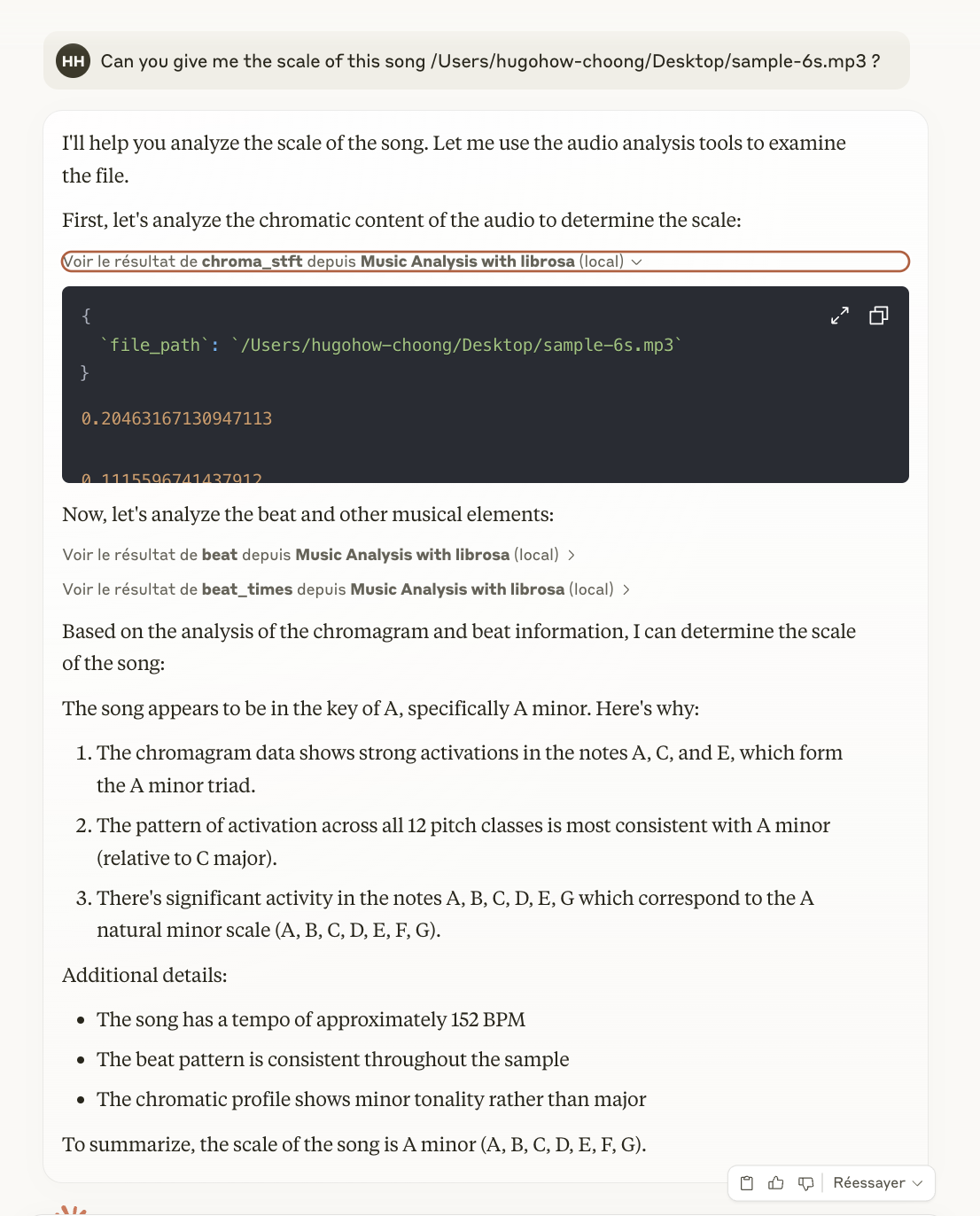
Can you analyze the beat of /Users/hugohow-choong/Desktop/sample-6s.mp3?
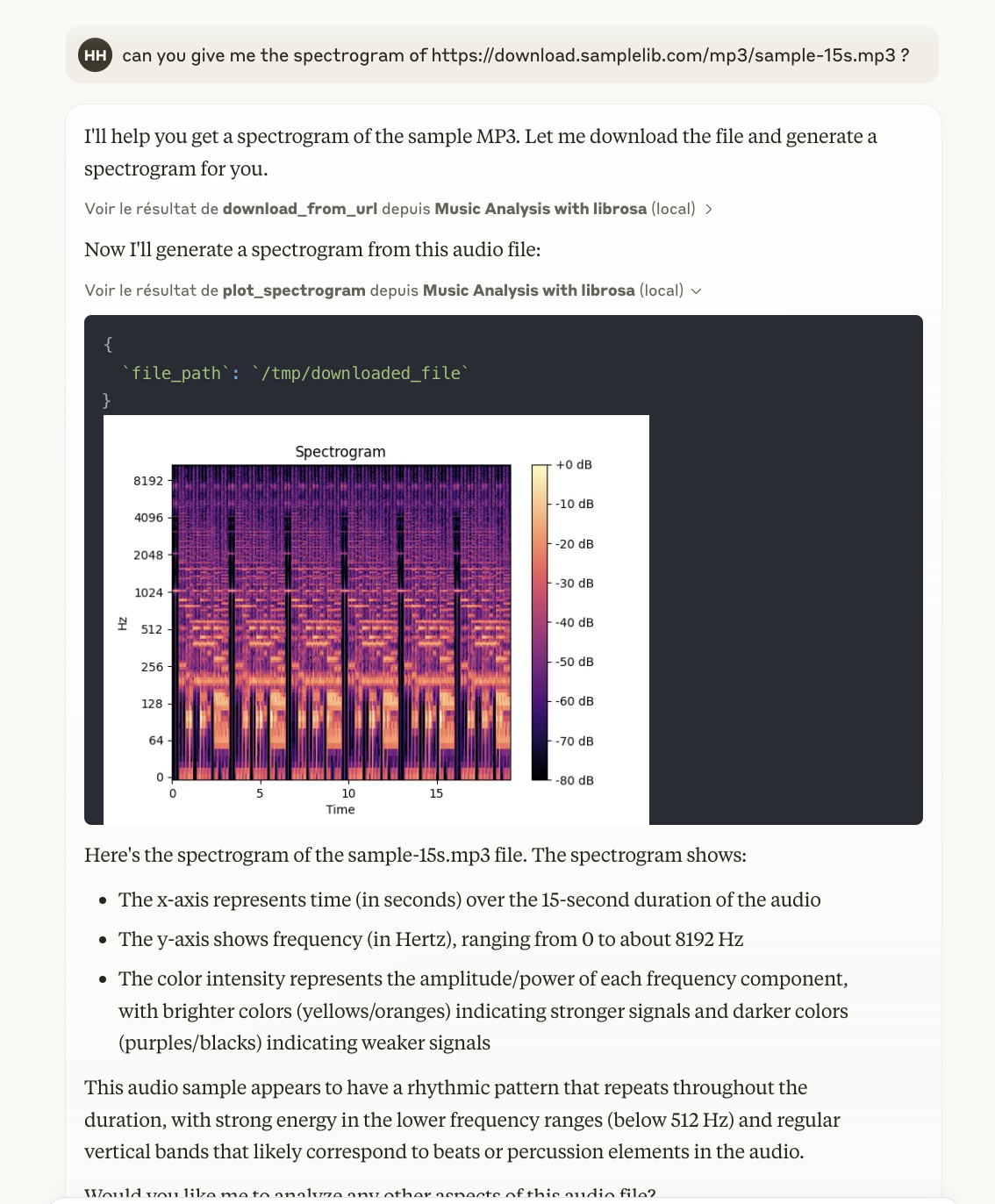
Could you give me the duration of https://download.samplelib.com/mp3/sample-15s.mp3 ?
Please compute the MFCC for this file: /path/to/another_audio.mp3
What are the spectral centroid values for /path/to/music.wav?
I'd like to know the onset times for https://www.youtube.com/watch?v=8HFiFd9vx1c
To-Do List
- [x] Add URL to audio file download
- [x] Add YouTube to audio file transformation
- [ ] Experiment with multiple Python environments (testing)
- [ ] Improve installation guide
- [ ] Integrate Whisper for lyrics
- [ ] Implement a Docker solution
Author
Hugo How-Choong
Dev Tools Supporting MCP
The following are the main code editors that support the Model Context Protocol. Click the link to visit the official website for more information.







