
Mcp Node Sse Reference
What is Mcp Node Sse Reference
mcp-node-sse-reference is a simple Model Context Protocol (MCP) server implementation built using native Node.js, designed to support Server-Sent Events (SSE) effectively.
Use cases
Use cases include building real-time applications like live dashboards, interactive tools that require immediate feedback, and any scenario where continuous data flow is essential.
How to use
To use mcp-node-sse-reference, clone the repository, run ‘npm install’ to install dependencies, and then execute ‘npm run dev’ to start the server. You can test it using the MCP Inspector by running ‘npx @modelcontextprotocol/inspector node server.js’.
Key features
Key features include native Node.js HTTP capabilities, support for Server-Sent Events (SSE), integration with the MCP TypeScript SDK, and a simple setup process.
Where to use
mcp-node-sse-reference can be used in applications requiring real-time data updates, such as web applications, dashboards, and any system that benefits from live data streaming.
Clients Supporting MCP
The following are the main client software that supports the Model Context Protocol. Click the link to visit the official website for more information.





Overview
What is Mcp Node Sse Reference
mcp-node-sse-reference is a simple Model Context Protocol (MCP) server implementation built using native Node.js, designed to support Server-Sent Events (SSE) effectively.
Use cases
Use cases include building real-time applications like live dashboards, interactive tools that require immediate feedback, and any scenario where continuous data flow is essential.
How to use
To use mcp-node-sse-reference, clone the repository, run ‘npm install’ to install dependencies, and then execute ‘npm run dev’ to start the server. You can test it using the MCP Inspector by running ‘npx @modelcontextprotocol/inspector node server.js’.
Key features
Key features include native Node.js HTTP capabilities, support for Server-Sent Events (SSE), integration with the MCP TypeScript SDK, and a simple setup process.
Where to use
mcp-node-sse-reference can be used in applications requiring real-time data updates, such as web applications, dashboards, and any system that benefits from live data streaming.
Clients Supporting MCP
The following are the main client software that supports the Model Context Protocol. Click the link to visit the official website for more information.
Content
MCP Node SSE Reference Implementation
A simple Model Context Protocol (MCP) server implementation using bare Node.js.
Overview
This project implements an MCP server using native Node.js HTTP capabilities. We chose Node.js over frameworks like Fastify, Express, or Bun.js because they have less straightforward support for Server-Sent Events (SSE).
All MCP-specific components are located in the mcp folder, following the protocol specification.
Try adding tools. Haven’t tested it on resources and prompts yet.
Running the Server
npm install
npm run dev
Testing with MCP Inspector
You can use the MCP Inspector to test this implementation:
npx @modelcontextprotocol/inspector node server.js
This will:
- Start your MCP server
- Open a debugging UI (default port 5173)
- Create a proxy server (default port 3000)
MCP Example Screenshots
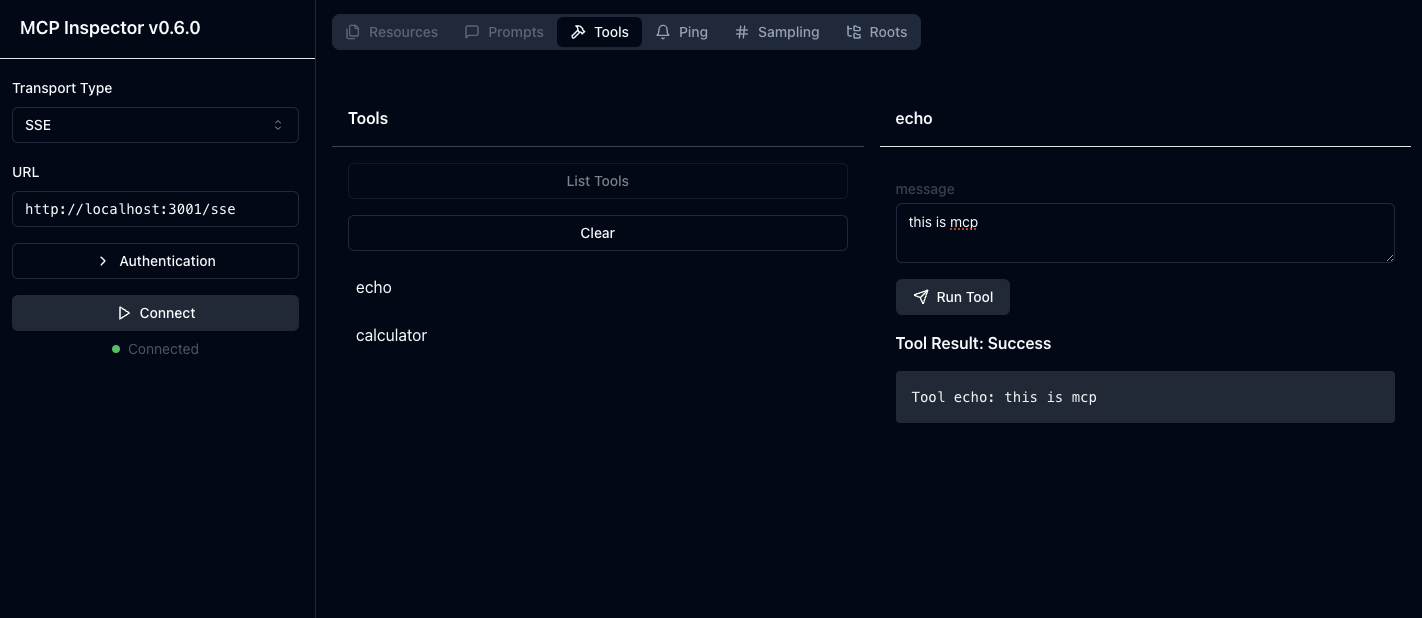
MCP Inspector interface showing available tools like echo and calculator
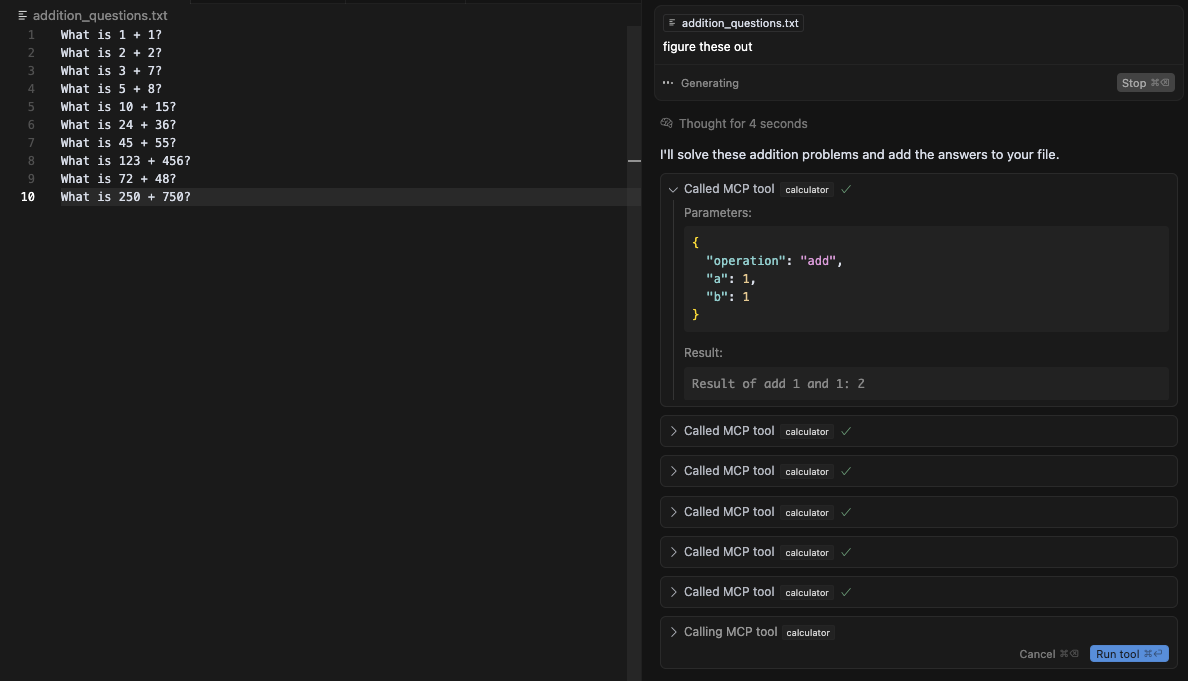
Using the calculator tool to solve addition problems
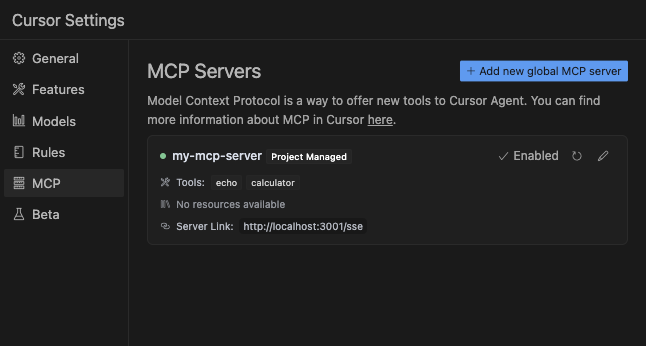
*MCP Servers Cursor config
Authentication
The sdk requires credential headers to be passed even if they are empty. Authentication headers are handled by the CORS setup (see src/utils/cors.ts).
Zod
The SDK seems to require zod for validating tool schema
SDK Integration
This implementation uses the MCP TypeScript SDK
License
MIT
Dev Tools Supporting MCP
The following are the main code editors that support the Model Context Protocol. Click the link to visit the official website for more information.







