
Mcp Playground Local
What is Mcp Playground Local
mcp-playground-local is a repository developed for the local deployment and testing of Model Context Protocol (MCP) tools, specifically designed for integrating local LLMs (Large Language Models) and providing a user-friendly interface for interaction.
Use cases
Use cases include image analysis using the YOLO-Tool for object detection, segmentation, and pose estimation, as well as testing local LLMs for various applications in natural language processing.
How to use
To use mcp-playground-local, install the required dependencies using ‘pip install -r requirements.txt’, set the necessary environment variables for LLM and MCP configurations, and run the application with ‘python app.py’. Users can then select the local LLM model from the UI and interact with various MCP tools.
Key features
Key features include local deployment of LLM models, integration of SSE-based MCP tools, a user-friendly interface for easy interaction and testing, and support for computer vision models through the cvdlt repository.
Where to use
mcp-playground-local can be used in fields such as artificial intelligence, machine learning, and computer vision, particularly for developers and researchers looking to test and showcase the capabilities of MCP tools.
Clients Supporting MCP
The following are the main client software that supports the Model Context Protocol. Click the link to visit the official website for more information.





Overview
What is Mcp Playground Local
mcp-playground-local is a repository developed for the local deployment and testing of Model Context Protocol (MCP) tools, specifically designed for integrating local LLMs (Large Language Models) and providing a user-friendly interface for interaction.
Use cases
Use cases include image analysis using the YOLO-Tool for object detection, segmentation, and pose estimation, as well as testing local LLMs for various applications in natural language processing.
How to use
To use mcp-playground-local, install the required dependencies using ‘pip install -r requirements.txt’, set the necessary environment variables for LLM and MCP configurations, and run the application with ‘python app.py’. Users can then select the local LLM model from the UI and interact with various MCP tools.
Key features
Key features include local deployment of LLM models, integration of SSE-based MCP tools, a user-friendly interface for easy interaction and testing, and support for computer vision models through the cvdlt repository.
Where to use
mcp-playground-local can be used in fields such as artificial intelligence, machine learning, and computer vision, particularly for developers and researchers looking to test and showcase the capabilities of MCP tools.
Clients Supporting MCP
The following are the main client software that supports the Model Context Protocol. Click the link to visit the official website for more information.
Content
MCP Playground for localhost(mcp client、 mcp server and local llm)
本仓库存储了本地部署llm(openai格式的apikey)的mcp-client方案
如需使用基于深度学习的计算机视觉模型mcp-server
请前往 https://github.com/MRonaldo-gif/mcp-server-cvdlt
MCP Playground是一个实验性项目,用于测试和展示MCP(Model Context Protocol)工具的能力。
Original Link: https://www.modelscope.cn/studios/Coloring/mcp-playground.git
功能特点
- 集成本地部署的基于sse的MCP工具
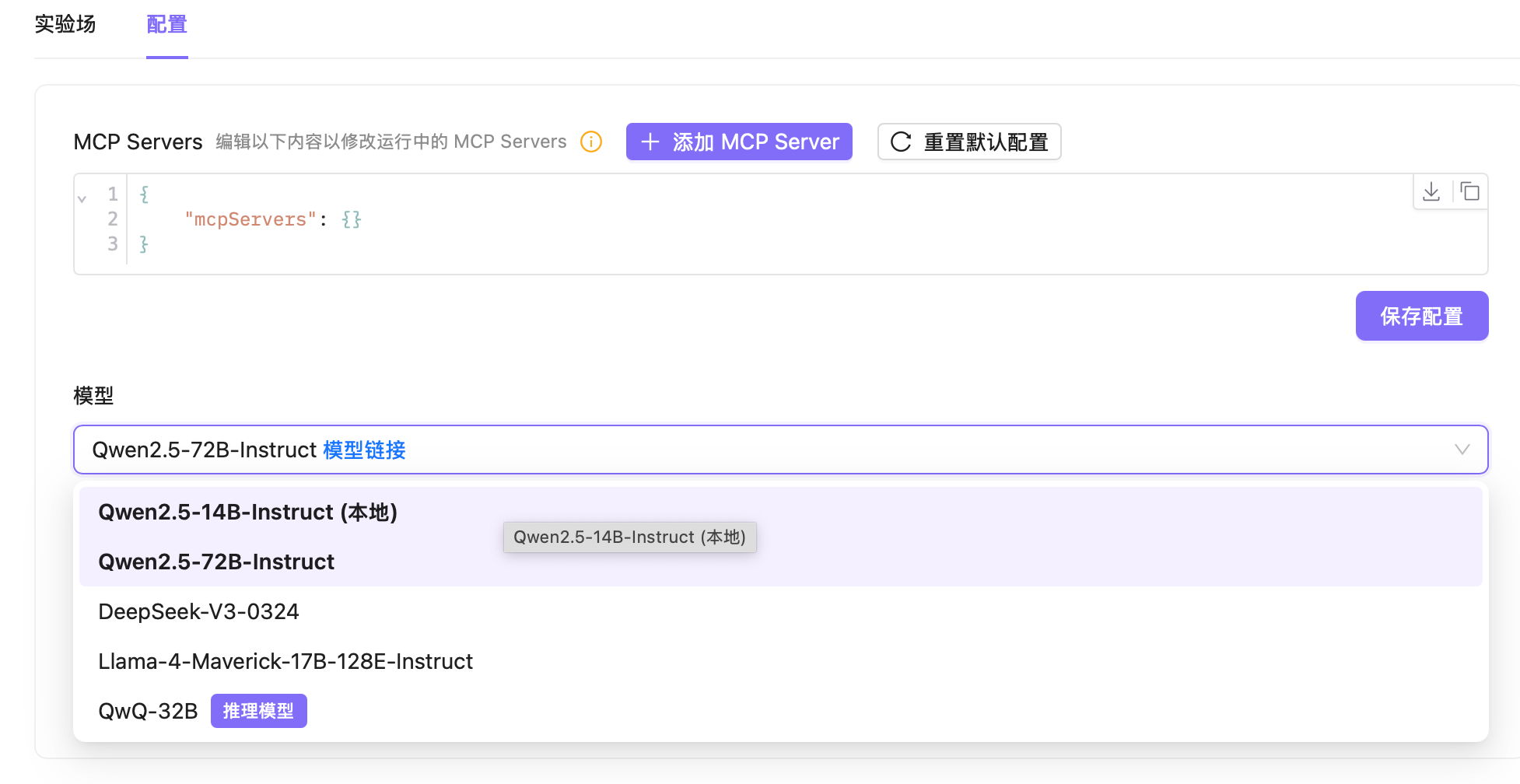
- 支持本地部署的LLM模型
- 用户友好的界面,便于交互和测试
- 支持cvdlt https://github.com/MRonaldo-gif/mcp-server-cvdlt
配置说明
环境变量
可以通过以下环境变量设置应用程序:
# LLM配置
export LLM_API_KEY="your_llm_api_key"
export LLM_BASE_URL="your_llm_api_base_url"
export LLM_MODEL_NAME="your_model_name"

# MCP服务器配置
export MCP_FILESYSTEM_PATH="path_to_filesystem_directory"
export MCP_FILESYSTEM_PATH2="path_to_another_filesystem_directory"
export MCP_DOC_TOOL_URL="url_to_doc_tool_service"
export MCP_MEMORY_FILE_PATH="path_to_memory_file"
安装与运行
- 安装依赖:
pip install -r requirements.txt
- 运行应用:
python app.py
使用方法
- 在UI界面中选择"Qwen2.5-14B-Instruct (本地)"模型选项以使用本地部署的LLM
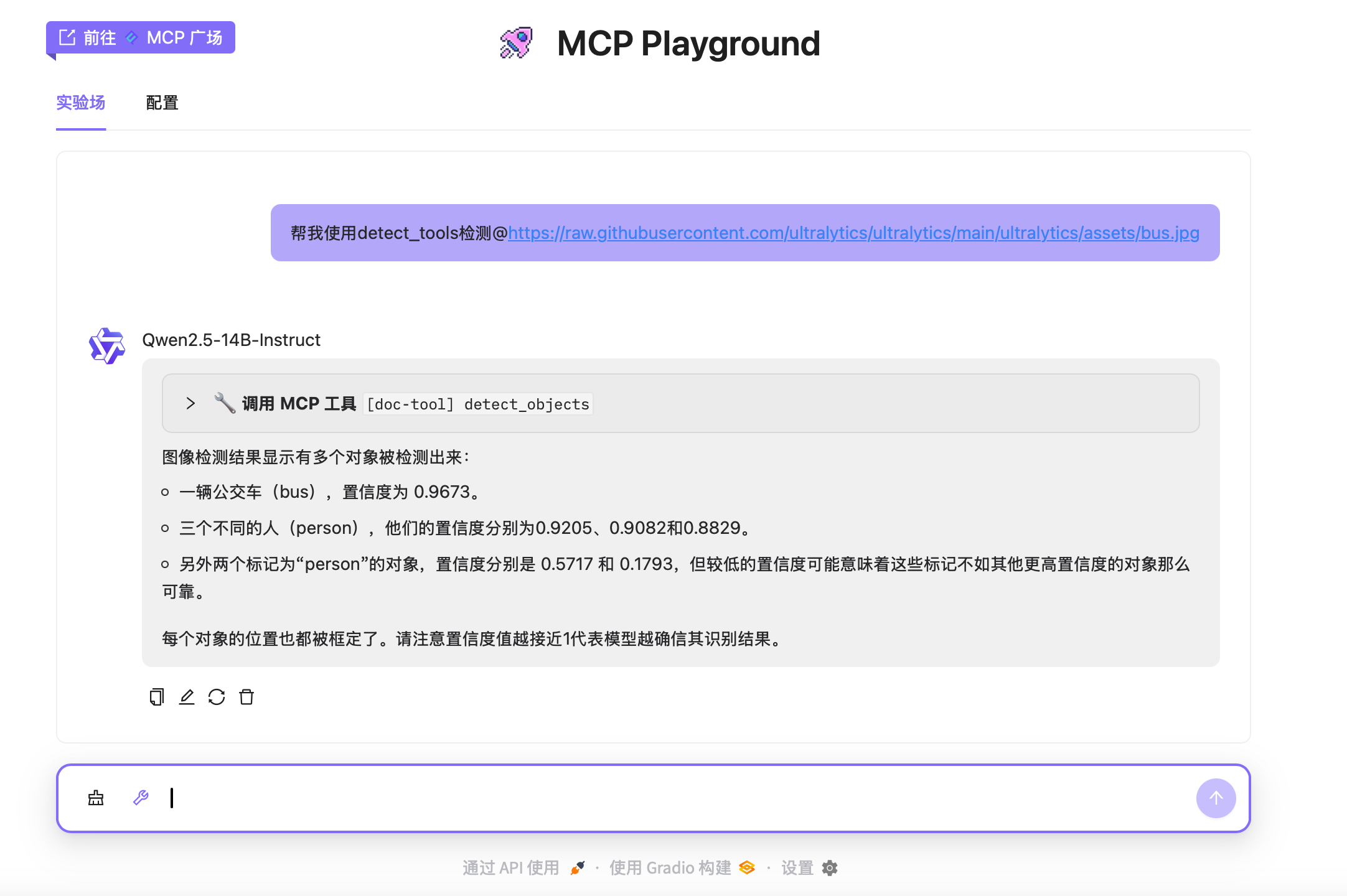
- 点击输入框左侧的工具图标来选择要使用的MCP工具
- 根据示例提示进行交互,例如:
- YOLO-Tool工具: “检测这张图片中有哪些物体”
MCP工具说明
YOLO-Tool工具
用于对图像进行分析,包括对象检测、分割和姿态估计等。
Dev Tools Supporting MCP
The following are the main code editors that support the Model Context Protocol. Click the link to visit the official website for more information.







