
Mcp Plus
What is Mcp Plus
MCP-Plus is a native macOS application designed to manage MCP (Model Context Protocol) configurations within the Claude desktop application, enhancing its capabilities to interact with local environments and services.
Use cases
Use cases for MCP-Plus include managing server configurations for local applications, integrating Claude with local data sources, and customizing server settings for specific development environments.
How to use
To use MCP-Plus, download the application for macOS from the provided link, install it, and utilize its point-and-click interface to configure your MCP settings without needing command line commands.
Key features
Key features of MCP-Plus include a native macOS interface, local-first configuration storage, a user-friendly point-and-click interface, visual configuration options for server settings and environment variables, and seamless integration with the Claude desktop app.
Where to use
MCP-Plus is primarily used in software development and data management fields, particularly where integration with local tools, APIs, and services is required.
Clients Supporting MCP
The following are the main client software that supports the Model Context Protocol. Click the link to visit the official website for more information.





Overview
What is Mcp Plus
MCP-Plus is a native macOS application designed to manage MCP (Model Context Protocol) configurations within the Claude desktop application, enhancing its capabilities to interact with local environments and services.
Use cases
Use cases for MCP-Plus include managing server configurations for local applications, integrating Claude with local data sources, and customizing server settings for specific development environments.
How to use
To use MCP-Plus, download the application for macOS from the provided link, install it, and utilize its point-and-click interface to configure your MCP settings without needing command line commands.
Key features
Key features of MCP-Plus include a native macOS interface, local-first configuration storage, a user-friendly point-and-click interface, visual configuration options for server settings and environment variables, and seamless integration with the Claude desktop app.
Where to use
MCP-Plus is primarily used in software development and data management fields, particularly where integration with local tools, APIs, and services is required.
Clients Supporting MCP
The following are the main client software that supports the Model Context Protocol. Click the link to visit the official website for more information.
Content
Claude MCP Config Editor
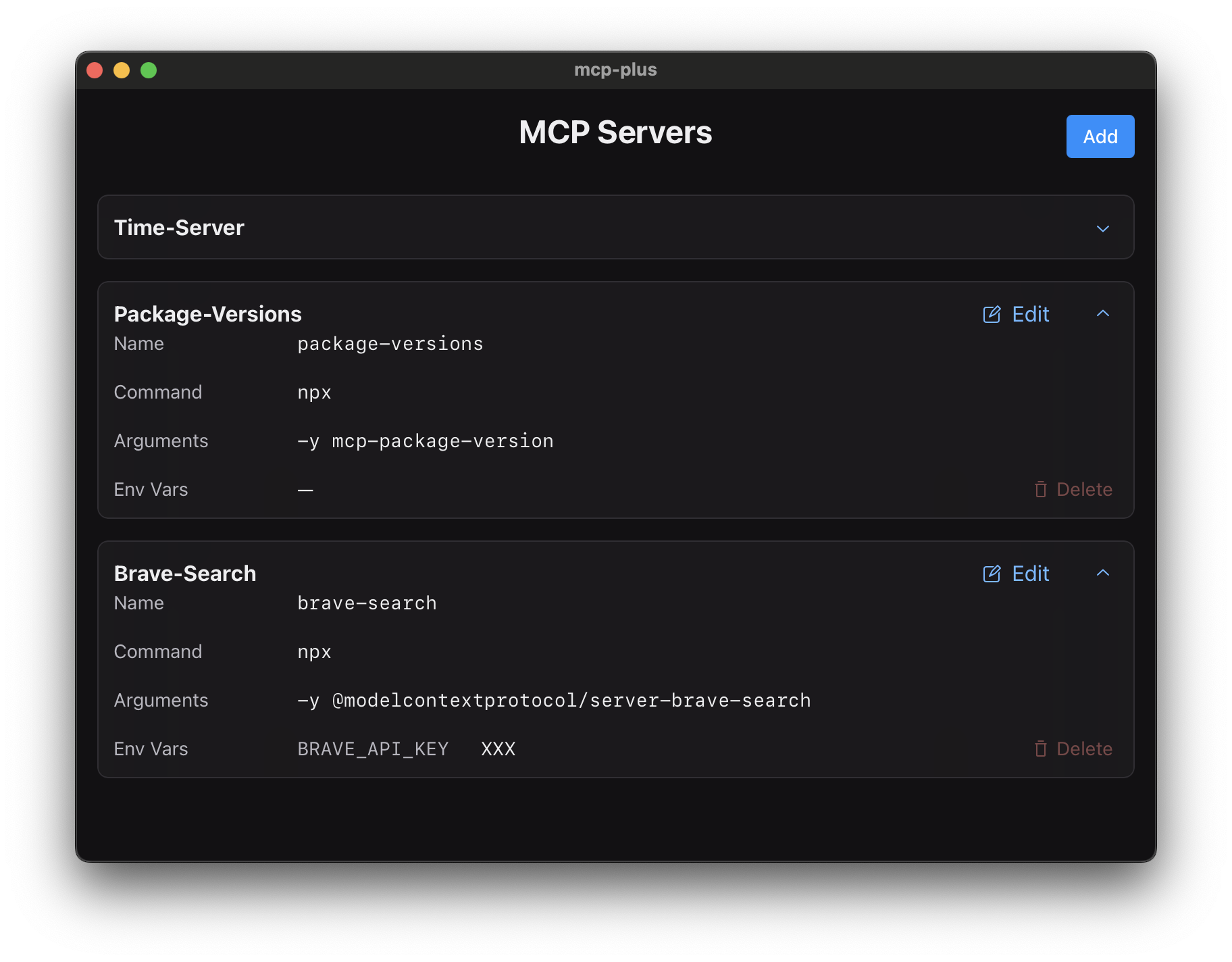
A native macOS app for managing MCP servers in the Claude desktop application
Features
- 🖥 Native macOS interface designed specifically for managing MCP servers
- 🔐 Local-first: All configurations stay on your machine
- 👆 Point-and-click interface - no command line needed
- ⚙️ Visual configuration of server settings and environment variables
- 🚀 Seamless integration with Claude desktop app
Installation
The MCP Config Editor is currently available for macOS, with Windows support coming soon. Download the latest version and follow the installation prompts to get started.
| Platform | Status | Download |
|---|---|---|
| macOS | ✅ | Download for Mac |
| Windows | 🚧 Soon | — |
What is MCP?
The Model Context Protocol (MCP) extends Claude’s capabilities by allowing it to interact with your local environment, APIs, and services. This enables Claude to:
- Access and analyze your private data
- Interact with your local tools and services
- Perform actions on your behalf through custom integrations
Learn more about MCP:
Contributing
This application is built using the Tauri framework, combining Rust’s performance with web technologies.
We welcome contributions of all kinds:
- New features and enhancements
- Bug fixes and performance improvements
- Documentation and examples
- UI/UX improvements
Please feel free to submit pull requests or open issues for discussion.
License
This project is licensed under the Apache License, Version 2.0. You are free to use, modify, and distribute the software, either in source or binary form, subject to the terms and conditions of the Apache License 2.0. See the LICENSE file for full details.
Dev Tools Supporting MCP
The following are the main code editors that support the Model Context Protocol. Click the link to visit the official website for more information.







