
Mcp Python Demo
What is Mcp Python Demo
mcp-python-demo is a project based on the Model Context Protocol (MCP) that integrates Zhipu AI and Tencent Maps API, providing functionalities such as weather queries, geocoding, and web search.
Use cases
Use cases include querying current weather conditions for cities in China, obtaining administrative codes for regions, and performing web searches based on user queries.
How to use
To use mcp-python-demo, clone the repository, install the dependencies using uv, configure the necessary environment variables in a .env file, and run either the web client or command line interface as per your preference.
Key features
Key features include a Zhipu AI-powered conversational system, Tencent Maps weather queries, geocoding services, intelligent web search, dual support for command line and web interfaces, and external network access.
Where to use
mcp-python-demo can be used in various fields such as weather forecasting, geographic information systems (GIS), and AI-driven applications that require location-based services.
Clients Supporting MCP
The following are the main client software that supports the Model Context Protocol. Click the link to visit the official website for more information.





Overview
What is Mcp Python Demo
mcp-python-demo is a project based on the Model Context Protocol (MCP) that integrates Zhipu AI and Tencent Maps API, providing functionalities such as weather queries, geocoding, and web search.
Use cases
Use cases include querying current weather conditions for cities in China, obtaining administrative codes for regions, and performing web searches based on user queries.
How to use
To use mcp-python-demo, clone the repository, install the dependencies using uv, configure the necessary environment variables in a .env file, and run either the web client or command line interface as per your preference.
Key features
Key features include a Zhipu AI-powered conversational system, Tencent Maps weather queries, geocoding services, intelligent web search, dual support for command line and web interfaces, and external network access.
Where to use
mcp-python-demo can be used in various fields such as weather forecasting, geographic information systems (GIS), and AI-driven applications that require location-based services.
Clients Supporting MCP
The following are the main client software that supports the Model Context Protocol. Click the link to visit the official website for more information.
Content
MCP Python Demo
这是一个基于 MCP (Model Context Protocol) 的项目,集成了智谱 AI 和腾讯地图 API,提供了天气查询、地理编码和网络搜索等功能。项目包含命令行界面和 Web 界面两种交互方式。
功能特性
- 🤖 智谱 AI 驱动的对话系统
- 🌤️ 腾讯地图天气查询
- 🗺️ 地理编码查询
- 🔍 智能网络搜索
- 💻 命令行和 Web 界面双重支持
- 🌐 支持外网访问
项目结构
mcp-python-demo/
├── src/
│   └── mcp_python_demo/
│       ├── __init__.py
│       ├── server.py
│       ├── client.py
│       ├── web_client.py
│       └── main.py
├── images/
├── pyproject.toml
├── .env
├── .env.example
├── .gitignore
└── README.md
快速开始
环境要求
- Python >= 3.10
- uv (推荐) 或 pip
安装
- 克隆项目:
git clone https://github.com/chenchen0611/mcp-python-demo.git
cd mcp-python-demo
- 使用 uv 安装依赖:
uv venv
source .venv/bin/activate  # Linux/Mac
# 或
.venv\Scripts\activate  # Windows
uv pip install -e .
配置
- 创建
.env文件并配置必要的环境变量:
# 智谱AI配置
ZHIPU_API_KEY="your-zhipu-api-key"
ZHIPU_MODEL="glm-4-plus"
ZHIPU_BASE_URL="https://open.bigmodel.cn/api/paas/v4/"

# 腾讯地图API配置
TENCENT_MAP_API_KEY="your-tencent-map-api-key"
TENCENT_MAP_API_BASE="https://apis.map.qq.com/ws/"
运行
Web 界面(推荐)
cd src/mcp_python_demo
streamlit run web_client.py
访问以下地址之一:
- 本地访问:http://localhost:8501
- 局域网访问:http://[your-local-ip]:8501
- 外网访问:http://[your-public-ip]:8501
页面配置
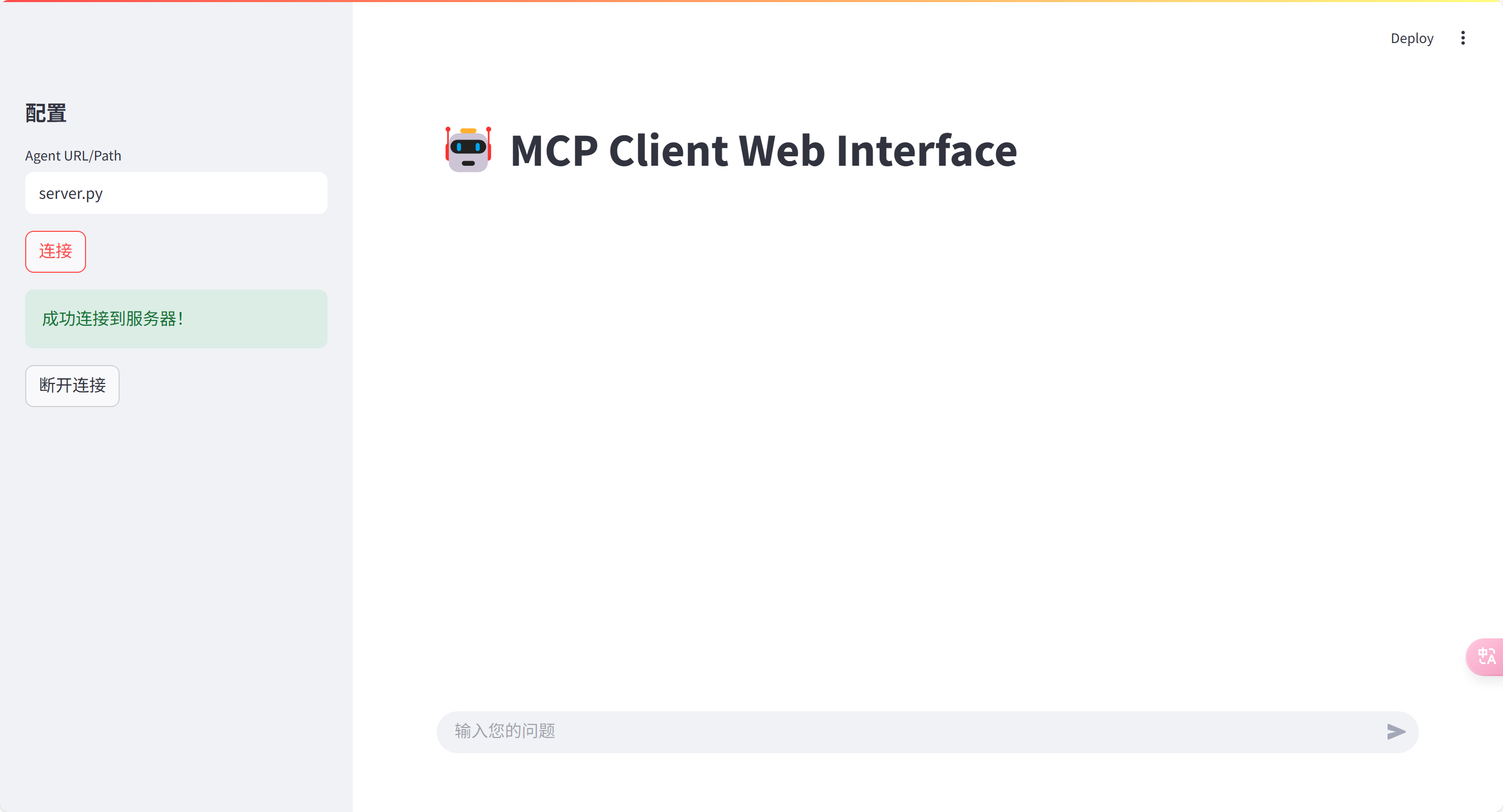
- 直接输入server.py,点击连接
- 新建一个terminal,运行下方命令然后在web页面输入http://127.0.0.1:8000
cd src/mcp_python_demo
uv run server.py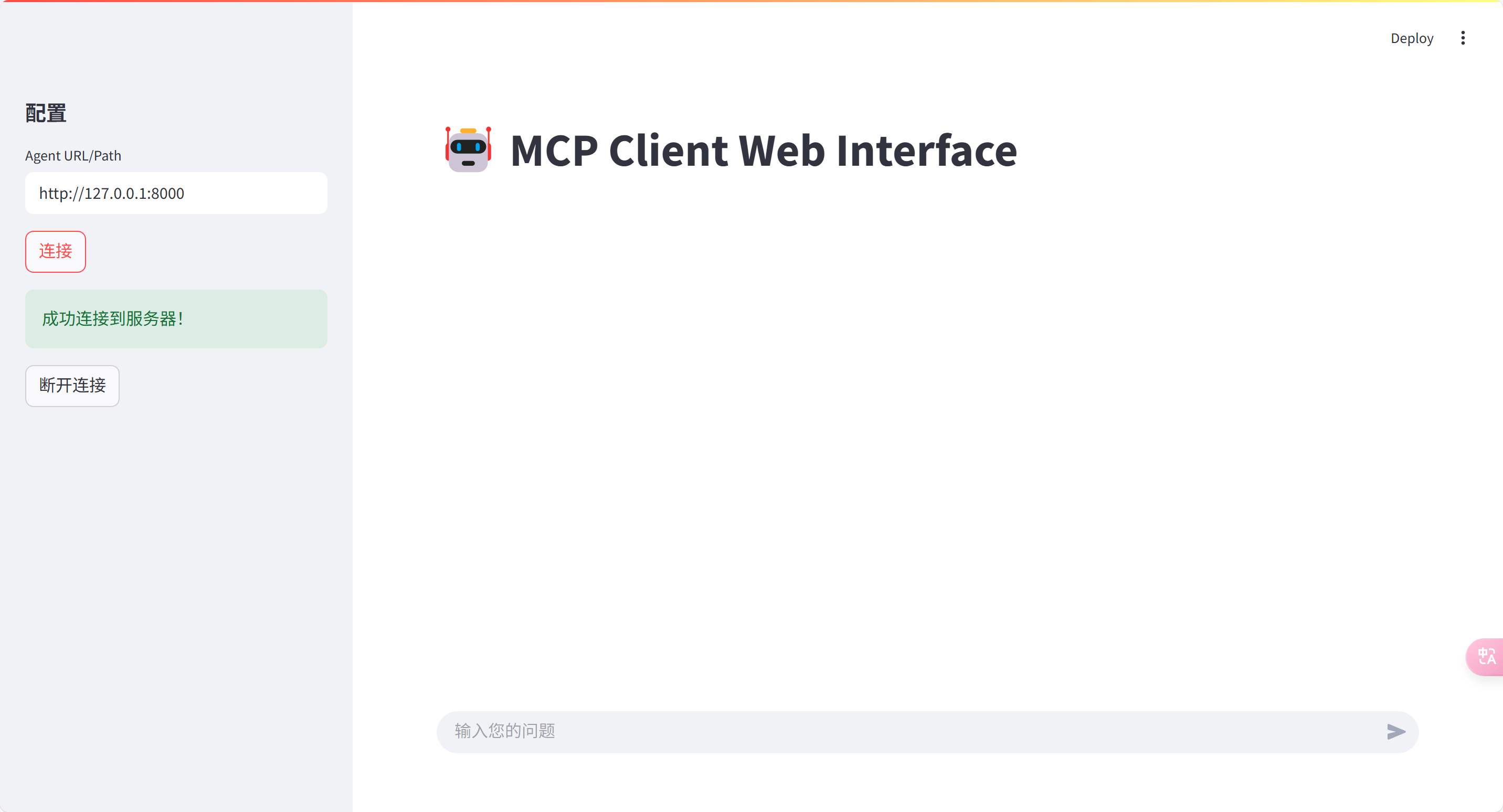
命令行界面
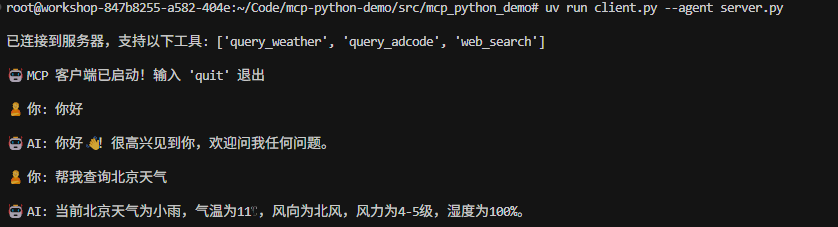
cd src/mcp_python_demo
# 使用本地服务器
uv run client.py --agent server.py

# 或使用远程服务器
uv run server.py
uv run client.py --agent http://127.0.0.1:8000
可用工具
1. 天气查询
async def query_weather(adcode: str, search_type: str = "now") -> str:
    """获取中国城市天气信息"""
2. 地理编码查询
async def query_adcode(region_name: str) -> str:
    """获取行政区划代码"""
3. 网络搜索
async def web_search(search_query: str, search_engine: str = "search_std") -> str:
    """使用智谱AI进行网络搜索"""
开发说明
添加新工具
- 在
server.py中使用@mcp.tool()装饰器添加新工具:
@mcp.tool()
async def your_tool(param1: str, param2: str = "default") -> str:
    """工具描述"""
    # 实现逻辑
    return result
- 工具会自动在客户端可用
环境变量
- 所有敏感信息和配置都应该放在
.env文件中 - 不要将
.env文件提交到版本控制系统 - 参考
.env.example进行配置
常见问题
-
连接错误
- 检查服务器地址是否正确
- 确认所有环境变量都已正确配置
- 确保服务器正在运行且端口可访问
-
API 调用失败
- 验证 API 密钥是否有效
- 检查网络连接
- 确认 API 调用频率是否超限
-
Web UI 无法访问
- 检查防火墙设置
- 确认端口是否开放
- 验证服务器 IP 地址是否正确
致谢
本项目基于以下开源项目:
- Model Context Protocol Servers - MCP 官方服务器参考实现,提供了丰富的示例和最佳实践
- MCP Python SDK - Python SDK 实现,提供了简洁优雅的 API 接口
Dev Tools Supporting MCP
The following are the main code editors that support the Model Context Protocol. Click the link to visit the official website for more information.







