
Mcp Server Auto Commit
What is Mcp Server Auto Commit
mcp-server-auto-commit is an MCP server designed to automatically commit changes in a Git repository while generating commit messages in the format of conventional commits.
Use cases
Use cases include automating commit processes in collaborative software development, enhancing commit message quality for better version control, and integrating with CI/CD pipelines to streamline development workflows.
How to use
To use mcp-server-auto-commit, clone the repository, install dependencies using pnpm, set up your OpenAI API key, build the project, and configure it in your Cursor settings.
Key features
Key features include analyzing both staged and unstaged Git changes, generating conventional commit messages using GPT-4o-mini, providing detailed summaries of modified, newly added, and deleted files, and adding an auto-commit signature to each commit.
Where to use
mcp-server-auto-commit can be used in software development environments where Git is employed, particularly in projects that require automated commit management and message generation.
Clients Supporting MCP
The following are the main client software that supports the Model Context Protocol. Click the link to visit the official website for more information.





Overview
What is Mcp Server Auto Commit
mcp-server-auto-commit is an MCP server designed to automatically commit changes in a Git repository while generating commit messages in the format of conventional commits.
Use cases
Use cases include automating commit processes in collaborative software development, enhancing commit message quality for better version control, and integrating with CI/CD pipelines to streamline development workflows.
How to use
To use mcp-server-auto-commit, clone the repository, install dependencies using pnpm, set up your OpenAI API key, build the project, and configure it in your Cursor settings.
Key features
Key features include analyzing both staged and unstaged Git changes, generating conventional commit messages using GPT-4o-mini, providing detailed summaries of modified, newly added, and deleted files, and adding an auto-commit signature to each commit.
Where to use
mcp-server-auto-commit can be used in software development environments where Git is employed, particularly in projects that require automated commit management and message generation.
Clients Supporting MCP
The following are the main client software that supports the Model Context Protocol. Click the link to visit the official website for more information.
Content
MCP Server to Auto commit changes 🛠️
This implementation provides a Git changes analyzer that generates commit messages using OpenAI’s GPT models.
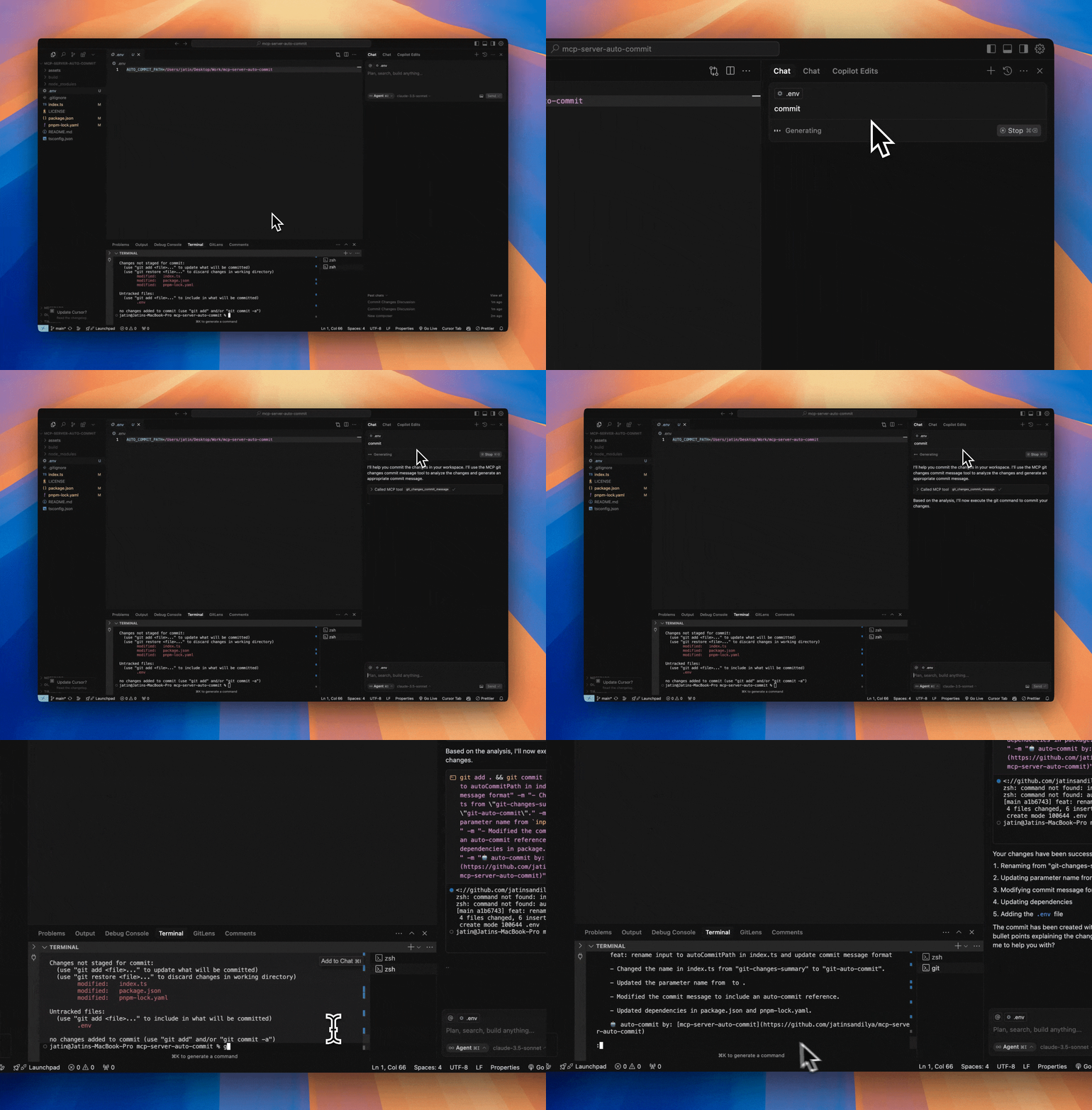
Demo
Features
- Analyzes git changes in your repository (both staged and unstaged)
- Generates conventional commit messages using GPT-4o-mini
- Provides detailed summaries of:
- 📝 Modified files
- ✨ Newly added files
- 🗑️ Deleted files
- 📄 Detailed changes (up to 10 lines per file)
- Built with @modelcontextprotocol/sdk
- Adds an auto-commit signature to each commit
Project Structure
mcp-server-auto-commit/
├── index.ts        # Main server implementation with git analysis tool
├── package.json    # Project dependencies
├── tsconfig.json   # TypeScript configuration
└── build/         # Compiled JavaScript output
Prerequisites
- Node.js installed
- OpenAI API key
- Git repository to analyze
- pnpm package manager
Getting Started
- Clone this repository:
git clone https://github.com/jatinsandilya/mcp-server-auto-commit.git
cd mcp-server-auto-commit
- Install dependencies:
pnpm install
-
Set up your OpenAI API key using one of these methods:
- Set as an environment variable:
OPENAI_API_KEY=your-api-key - Pass as a command line argument:
--key your-api-key - Add to a
.envfile in the project root
- Set as an environment variable:
-
Build the project:
pnpm run build
This will generate the /build/index.js file - your compiled MCP server script.
Using with Cursor
- Go to Cursor Settings -> MCP -> Add new MCP server
- Configure your MCP:
- Name: git-auto-commit
- Type: command
- Command:
node ABSOLUTE_PATH_TO_MCP_SERVER/build/index.js --key your-api-key
(Replaceyour-api-keywith your actual OpenAI API key if not set in environment)
Using with Claude Desktop
Add the following MCP config to your Claude Desktop configuration:
{
  "mcpServers": {
    "git-auto-commit": {
      "command": "node",
      "args": [
        "ABSOLUTE_PATH_TO_MCP_SERVER/build/index.js",
        "--key",
        "your-api-key"
      ]
    }
  }
}
Available Tools
git-changes-commit-message
This tool analyzes the current git changes in your repository and generates a commit message using OpenAI’s GPT-4o-mini model. It provides:
- List of modified files with status indicators
- List of newly added files
- List of deleted files
- Detailed changes for each file (limited to 10 lines per file for readability)
- A generated commit message following conventional commits format
- An auto-commit signature
Usage parameters:
autoCommitPath: Optional path to analyze specific directory/file. If not provided, uses current working directory.
Development
The implementation in index.ts showcases:
- Setting up the MCP server with proper configuration
- Handling command line arguments and environment variables
- Integrating with OpenAI’s API using GPT-4o-mini model
- Git operations using child processes
- Error handling and fallback mechanisms
- Detailed change analysis and formatting
To modify or extend the implementation:
- Update the server configuration in
index.ts:
const server = new McpServer({
  name: "git-auto-commit",
  version: "0.0.1",
});
-
The tool is defined using
server.tool()with proper parameter validation using Zod schema. -
Build and test your changes:
pnpm run build
Contributing
Feel free to submit issues and enhancement requests!
License
MIT
Dev Tools Supporting MCP
The following are the main code editors that support the Model Context Protocol. Click the link to visit the official website for more information.







