
Mcp Server Bearer Auth
What is Mcp Server Bearer Auth
mcp-server-bearer-auth is a remote MCP server implementation hosted on Cloudflare Workers, designed to facilitate OAuth login and provide a secure API for accessing model context protocols.
Use cases
Use cases include connecting remote clients to the MCP server for secure data exchange, developing applications that require user authentication, and exploring APIs using the MCP Inspector.
How to use
To use mcp-server-bearer-auth, clone the repository, install dependencies, and run the server locally. You can connect to it using the MCP Inspector by entering the server’s URL and adding a bearer token for authentication.
Key features
Key features include OAuth login support, easy deployment on Cloudflare, local development capabilities, and integration with the MCP Inspector for API exploration.
Where to use
mcp-server-bearer-auth can be used in cloud-based applications requiring secure API access, particularly in environments that utilize model context protocols and OAuth authentication.
Clients Supporting MCP
The following are the main client software that supports the Model Context Protocol. Click the link to visit the official website for more information.





Overview
What is Mcp Server Bearer Auth
mcp-server-bearer-auth is a remote MCP server implementation hosted on Cloudflare Workers, designed to facilitate OAuth login and provide a secure API for accessing model context protocols.
Use cases
Use cases include connecting remote clients to the MCP server for secure data exchange, developing applications that require user authentication, and exploring APIs using the MCP Inspector.
How to use
To use mcp-server-bearer-auth, clone the repository, install dependencies, and run the server locally. You can connect to it using the MCP Inspector by entering the server’s URL and adding a bearer token for authentication.
Key features
Key features include OAuth login support, easy deployment on Cloudflare, local development capabilities, and integration with the MCP Inspector for API exploration.
Where to use
mcp-server-bearer-auth can be used in cloud-based applications requiring secure API access, particularly in environments that utilize model context protocols and OAuth authentication.
Clients Supporting MCP
The following are the main client software that supports the Model Context Protocol. Click the link to visit the official website for more information.
Content
Remote MCP Server on Cloudflare
Let’s get a remote MCP server up-and-running on Cloudflare Workers complete with OAuth login!
Develop locally
# clone the repository
git clone [email protected]:cloudflare/ai.git

# install dependencies
cd ai
npm install

# run locally
npx nx dev remote-mcp-server-bearer-auth
You should be able to open http://localhost:8787/ in your browser
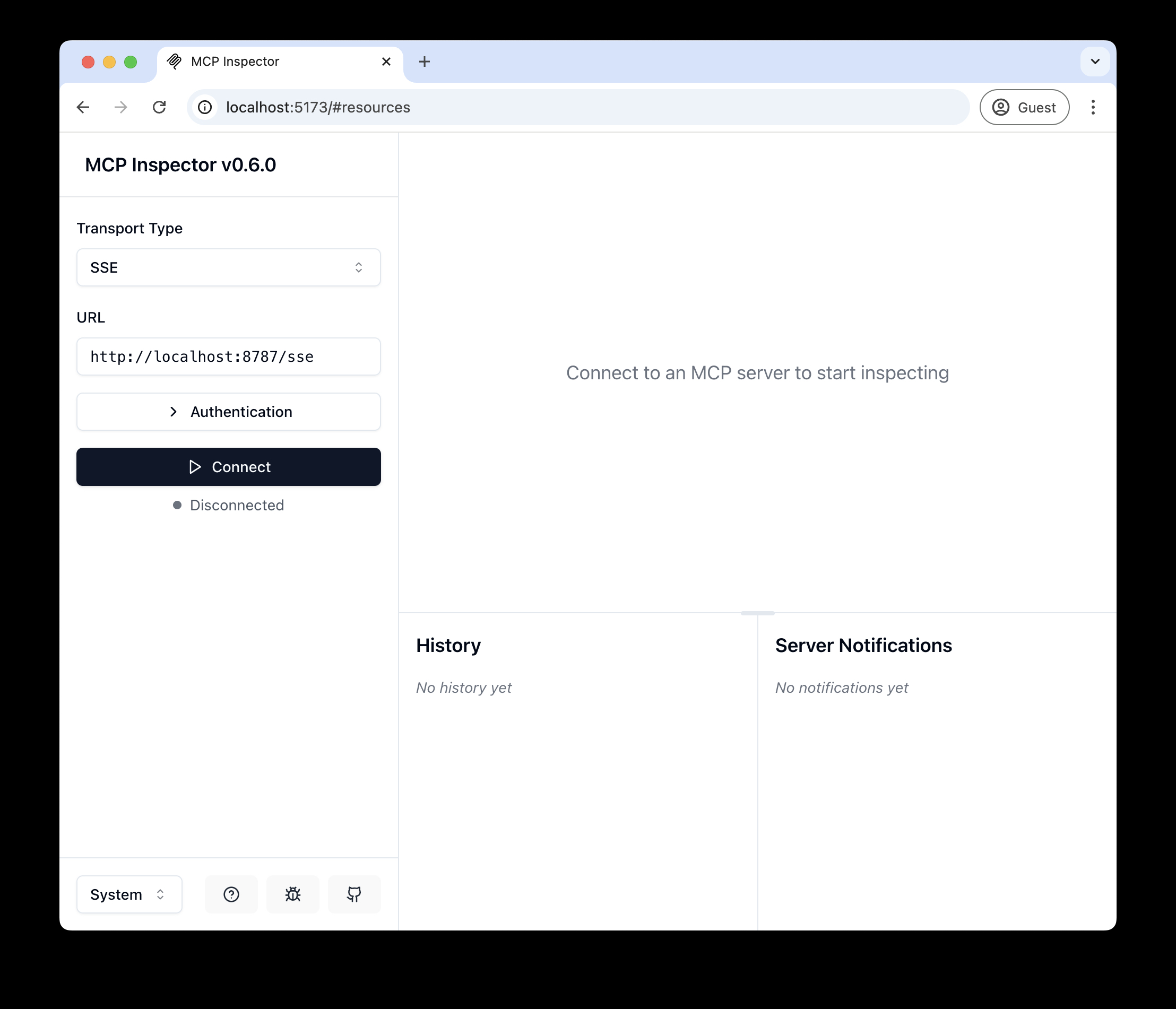
Connect the MCP inspector to your server
To explore your new MCP api, you can use the MCP Inspector.
- Start it with
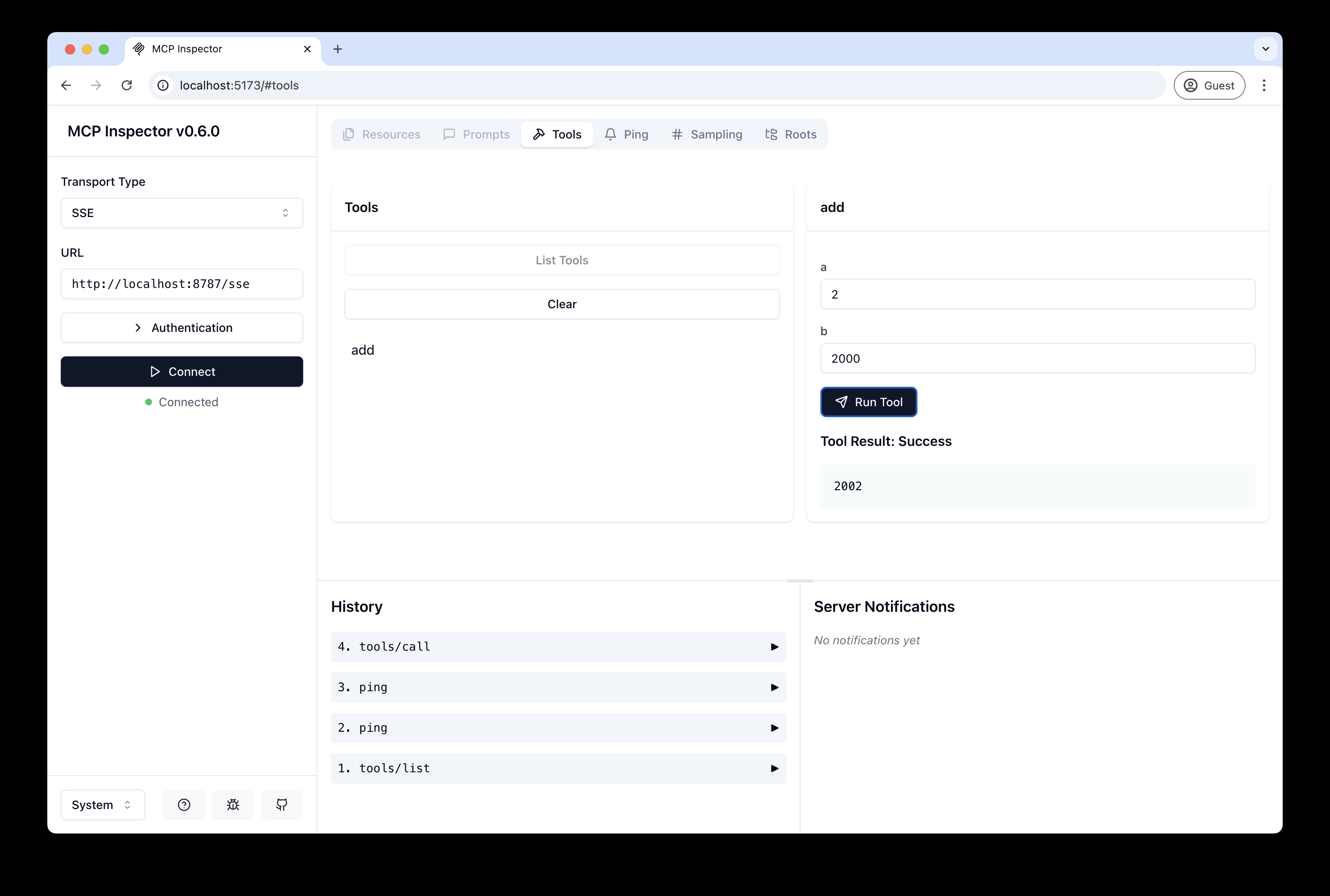
npx @modelcontextprotocol/inspector - Within the inspector, switch the Transport Type to
SSEand enterhttp://localhost:8787/sseas the URL of the MCP server to connect to. - Add a bearer token and click “Connect”
- Click “List Tools”
- Run the “getToken” tool, which should return the Authorization header that you set in the inspector
Connect Claude Desktop to your local MCP server
Deploy to Cloudflare
npm run deploy
Call your newly deployed remote MCP server from a remote MCP client
Just like you did above in “Develop locally”, run the MCP inspector:
npx @modelcontextprotocol/inspector@latest
Then enter the workers.dev URL (ex: worker-name.account-name.workers.dev/sse) of your Worker in the inspector as the URL of the MCP server to connect to, and click “Connect”.
You’ve now connected to your MCP server from a remote MCP client. You can pass in a bearer token like mentioned above
Connect Claude Desktop to your remote MCP server
TODO: We need to support arbitrary headers to the mcp-remote proxy
Debugging
Should anything go wrong it can be helpful to restart Claude, or to try connecting directly to your
MCP server on the command line with the following command.
npx mcp-remote http://localhost:8787/sse
In some rare cases it may help to clear the files added to ~/.mcp-auth
rm -rf ~/.mcp-auth
Dev Tools Supporting MCP
The following are the main code editors that support the Model Context Protocol. Click the link to visit the official website for more information.







