
Mcp Server Client
What is Mcp Server Client
MCP-server-client is a microservice platform designed for healthcare data management using the Microservice Control Protocol (MCP). It enables quick development and deployment of tools for electronic health record (EHR) lookups, medication interaction checks, and clinical guideline retrieval.
Use cases
Use cases include healthcare providers looking to access patient data, pharmacists checking for drug interactions, and clinicians retrieving treatment protocols for various conditions.
How to use
To use mcp-server-client, clone the repository, set up a virtual environment, install the required dependencies, and configure your environment variables. Start the server with ‘python3 server.py’ and run the client with ‘python3 client.py server.py’. You can then execute queries such as listing patients or checking medication interactions.
Key features
Key features include listing patients, retrieving full EHR records, checking for dangerous medication interactions, and obtaining clinical guidelines for common medical conditions.
Where to use
MCP-server-client is primarily used in the healthcare sector, particularly in applications involving electronic health records, medication management, and clinical decision support systems.
Clients Supporting MCP
The following are the main client software that supports the Model Context Protocol. Click the link to visit the official website for more information.





Overview
What is Mcp Server Client
MCP-server-client is a microservice platform designed for healthcare data management using the Microservice Control Protocol (MCP). It enables quick development and deployment of tools for electronic health record (EHR) lookups, medication interaction checks, and clinical guideline retrieval.
Use cases
Use cases include healthcare providers looking to access patient data, pharmacists checking for drug interactions, and clinicians retrieving treatment protocols for various conditions.
How to use
To use mcp-server-client, clone the repository, set up a virtual environment, install the required dependencies, and configure your environment variables. Start the server with ‘python3 server.py’ and run the client with ‘python3 client.py server.py’. You can then execute queries such as listing patients or checking medication interactions.
Key features
Key features include listing patients, retrieving full EHR records, checking for dangerous medication interactions, and obtaining clinical guidelines for common medical conditions.
Where to use
MCP-server-client is primarily used in the healthcare sector, particularly in applications involving electronic health records, medication management, and clinical decision support systems.
Clients Supporting MCP
The following are the main client software that supports the Model Context Protocol. Click the link to visit the official website for more information.
Content
MCP Healthcare Server & Client
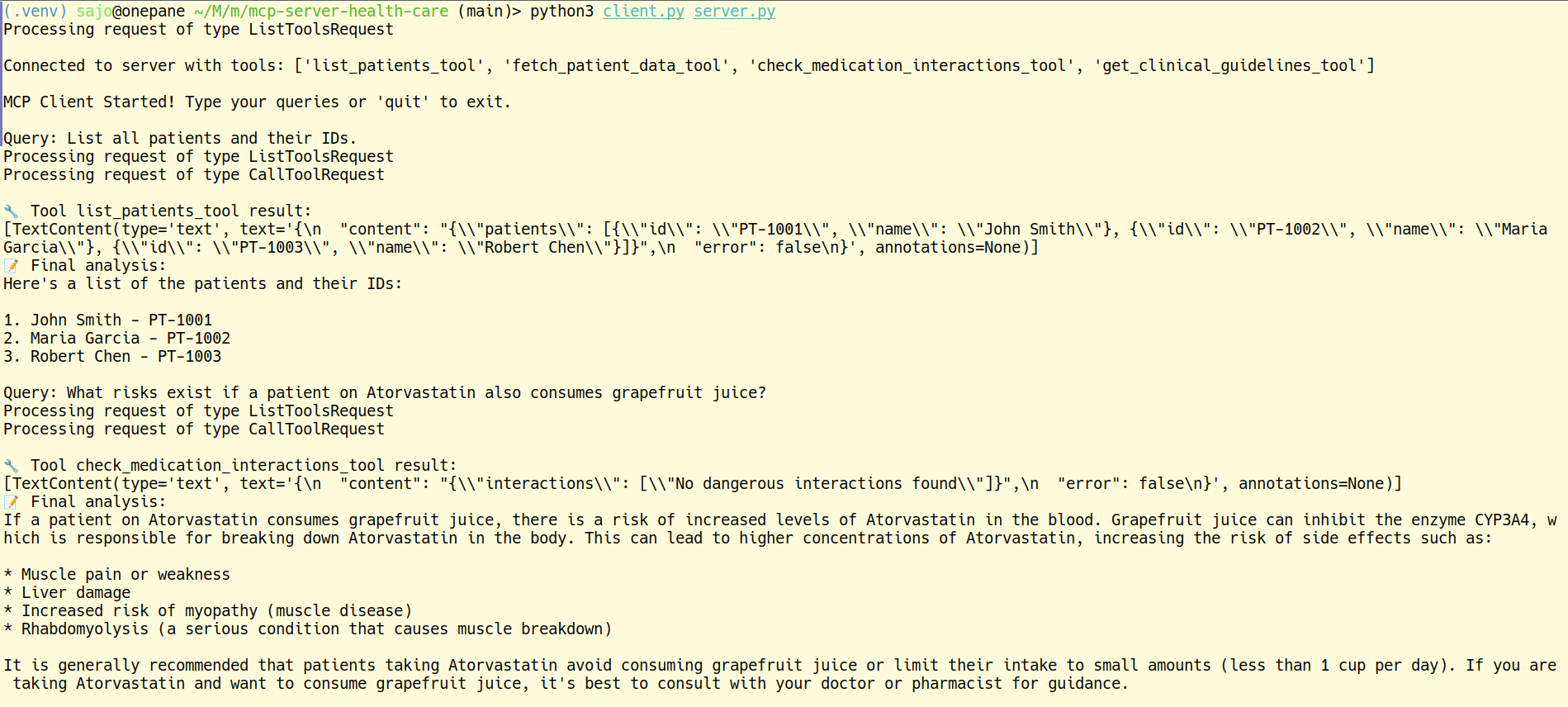
A simple microservice platform for healthcare data using MCP (Microservice Control Protocol). Quickly build and deploy tools for EHR lookups, medication interaction checks, and clinical guideline retrieval.
Features
- List Patients: Fetch patient IDs and names
- Patient Data: Retrieve full EHR records (labs & medications)
- Medication Interactions: Check for dangerous drug interactions
- Clinical Guidelines: Get treatment protocols for common conditions
Sample Screnshorts
Installation
-
Clone the repo:
git clone https://github.com/sajosam/mcp-server-client.git cd mcp-server-health-care -
Create & activate a virtual environment:
python3 -m venv .venv source .venv/bin/activate -
Install dependencies:
pip install -r requirements.txt -
Set your environment variables in
.env(e.g.,GROQ_API_KEY).
Usage
-
Start the Server:
python3 server.py -
Run the Client:
python3 client.py server.py -
In the client, type queries like:
list all patientsfetch patient data for PT-1001check medication interactions for [\"Aspirin\", \"Lisinopril\"]get clinical guidelines for diabetes
MCP server healthcare, MCP client, healthcare microservices, medical API, EHR integration, clinical guidelines, medication interactions
Dev Tools Supporting MCP
The following are the main code editors that support the Model Context Protocol. Click the link to visit the official website for more information.







