
Mcp Server Count R
What is Mcp Server Count R
mcp-server-count-r- is a simple MCP Server designed to count the occurrences of the character ‘r’ in a given input.
Use cases
Use cases include analyzing text data for specific character frequencies, educational projects for beginners in Python, and integration into larger text analysis systems.
How to use
To use mcp-server-count-r-, set up a Python virtual environment, install the necessary MCP package, create a server script, and configure it in Claude Desktop.
Key features
Key features include easy setup with Python, integration with Claude Desktop, and the ability to count specific characters in text inputs.
Where to use
mcp-server-count-r- can be used in text processing applications, educational tools for learning programming, or any scenario where character counting is needed.
Clients Supporting MCP
The following are the main client software that supports the Model Context Protocol. Click the link to visit the official website for more information.





Overview
What is Mcp Server Count R
mcp-server-count-r- is a simple MCP Server designed to count the occurrences of the character ‘r’ in a given input.
Use cases
Use cases include analyzing text data for specific character frequencies, educational projects for beginners in Python, and integration into larger text analysis systems.
How to use
To use mcp-server-count-r-, set up a Python virtual environment, install the necessary MCP package, create a server script, and configure it in Claude Desktop.
Key features
Key features include easy setup with Python, integration with Claude Desktop, and the ability to count specific characters in text inputs.
Where to use
mcp-server-count-r- can be used in text processing applications, educational tools for learning programming, or any scenario where character counting is needed.
Clients Supporting MCP
The following are the main client software that supports the Model Context Protocol. Click the link to visit the official website for more information.
Content
Create your first own server
Linux
python3 -m venv .venv
source .venv/bin/activate
pip install mcp
touch server.py
More MCP servers and clients
Setup of Claude Desktop
-
Install Claude Desktop
-
Open Claude Desktop
-
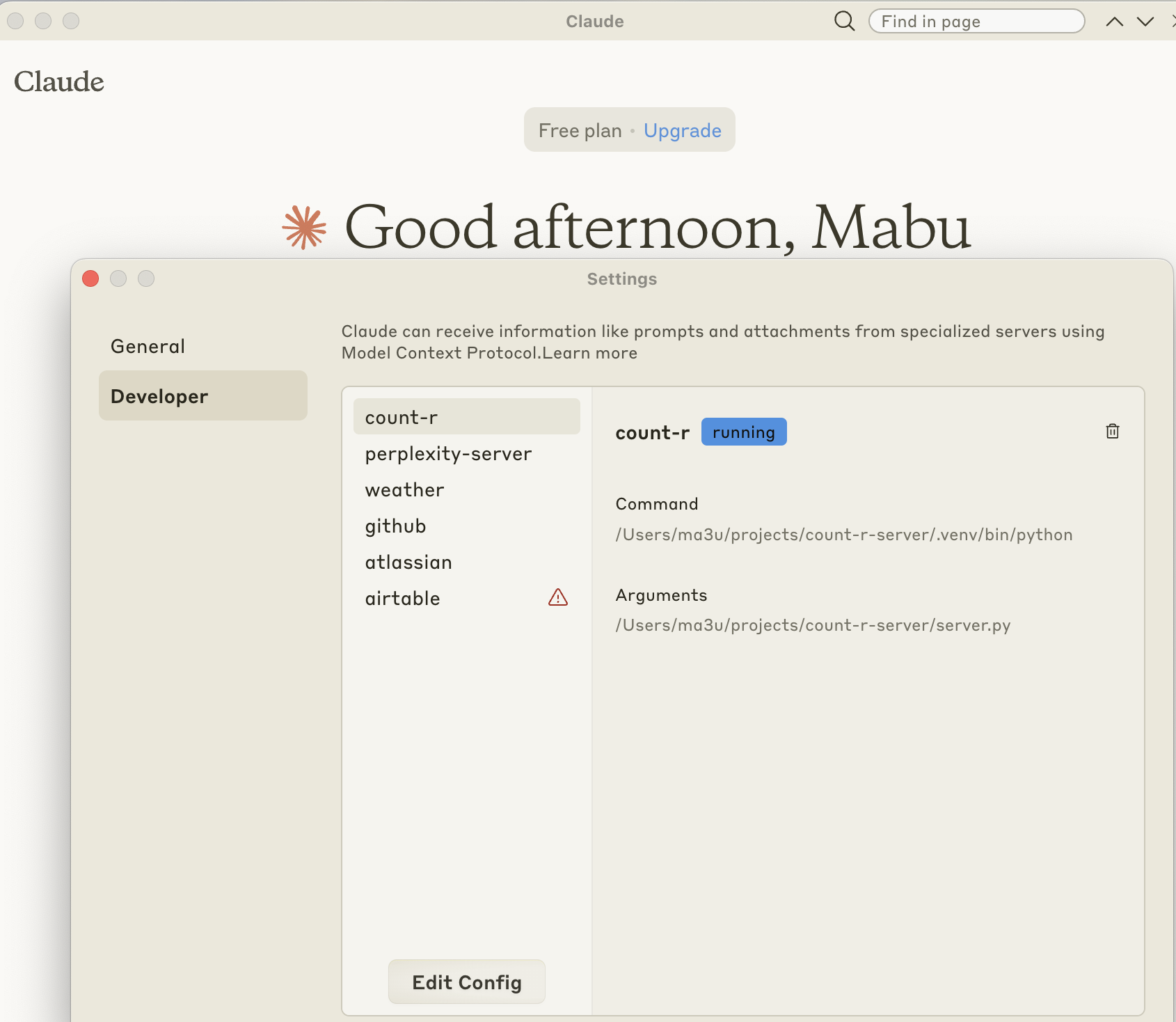
Add a new mcp server with Apple Key + , change to tab developer and open
-
Add a new mcp server to claude_desktop_config.json
{
  "mcpServers": {
    "count-r": {
      "command": "/Users/ma3u/projects/mcp-server-count-r-/.venv/bin/python",
      "args": [
        "/Users/ma3u/projects/mcp-server-count-r-/server.py"
      ],
      "host": "127.0.0.1",
      "port": 5000,
      "timeout": 10000
    }
  }
}-
Restart Claude Desktop
-
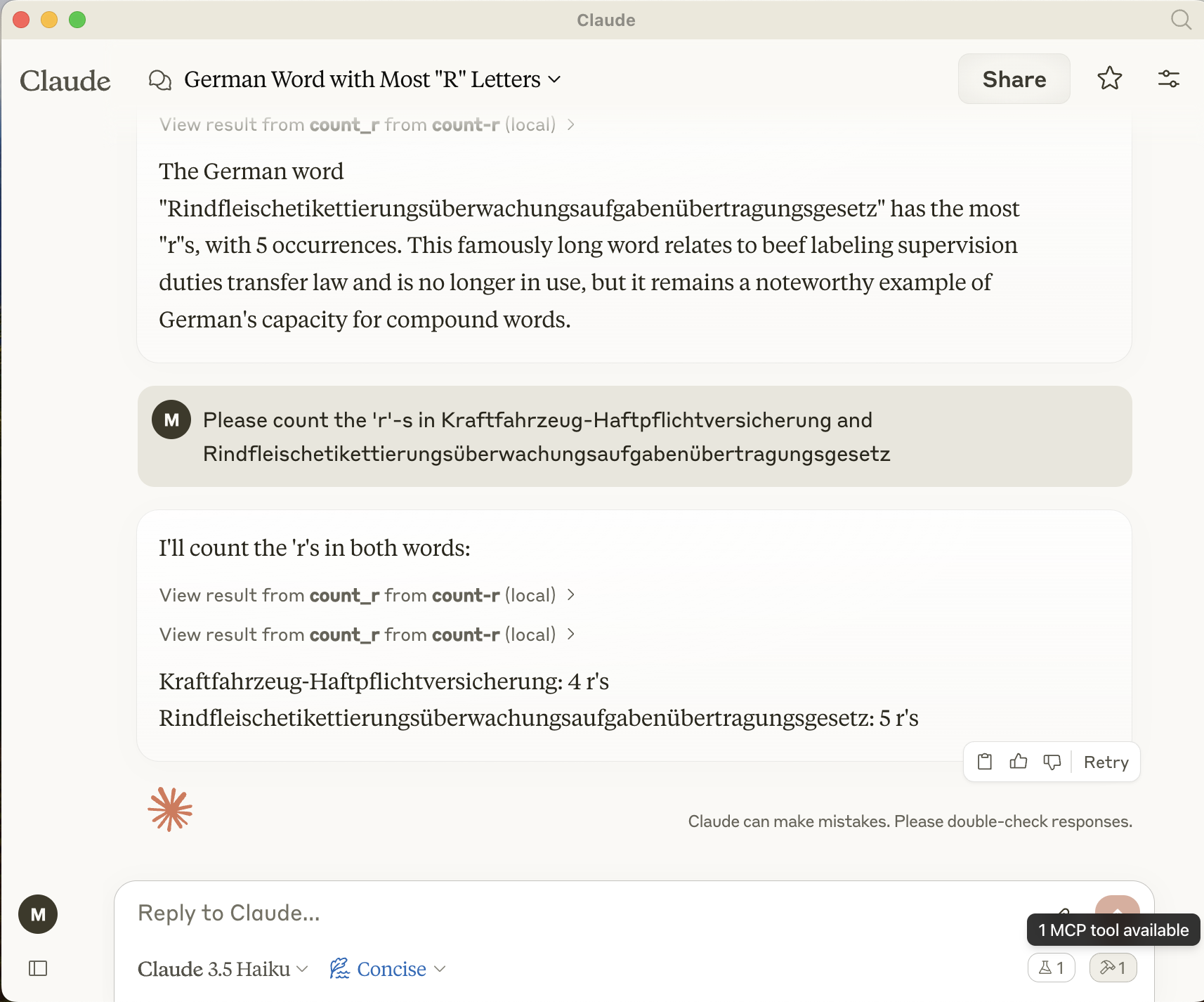
Test with Claude Desktop and the nice german word: Rindfleischetikettierungsüberwachungsaufgabenübertragungsgesetz
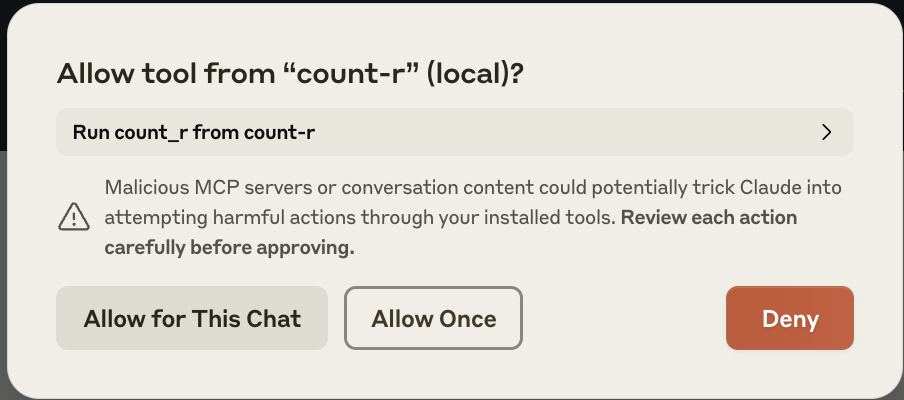
- Accept the new mcp server
8.Check logs of Claude Desktop:
tail -n 20 -F ~/Library/Logs/Claude/mcp*.log | grep "count-r"
Dev Tools Supporting MCP
The following are the main code editors that support the Model Context Protocol. Click the link to visit the official website for more information.







